


- •Trezor Model T introduced touchscreen controls for PIN entry, passphrases, and transaction approval.
- •It supports over 1,000 assets through Trezor Suite and compatible third-party wallets.
- •Open-source firmware allows independent review of the wallet’s security code.
- •The missing Secure Element leaves it less protected against advanced physical attacks.
- •Trezor promises maintenance until 2031 and critical security updates until at least 2036.
- •Remaining units should only be purchased from authorized resellers and inspected carefully.
Offered as an upgrade to the Trezor Model One, the touchscreen-equipped Trezor Model T launched in 2018 as SatoshiLabs’ premium flagship hardware wallet. It gave users a more direct way to manage their crypto, with a color touchscreen, open-source software, and support for a larger range of assets than its predecessor. The wallet has been around for years and remains familiar to many crypto users. In this Trezor Model T review, we look at how it works, its key features, security setup, supported assets, and whether its design and functionality still hold up against newer hardware wallets.
| Stats | Trezor Model T |
|---|---|
| 🗝️ Type | Hardware Wallet |
| 🖥️ Screen | 1.54" Color Touchscreen |
| 🪙 Supported Tokens | 1,000+ |
| 🌐 Supported Networks | Major Chains and EVM Networks |
| 🖼️ NFT Support | Yes, Through Third-Party Wallets |
| 🔗 Connection | USB-C |
| 🔋 Wireless Charging | No |
| 🛡️ Security | PIN, Passphrase, Shamir Backup |
| 📱 Mobile App | Android via USB-C, Limited iOS |
| 💻 Desktop App | Windows, macOS, Linux |
| 📲 Main App | Trezor Suite |
| 🔌 Wallet Support | Multiple Third-Party Wallets |
Trezor has stopped selling the Model T through its official store, although some authorized retailers may still have remaining stock. Trezor states that maintenance support will continue until 2031, while critical security updates are planned until at least 2036. Only purchase a sealed device from an authorized seller, since a wallet bought through an unofficial source could have been altered before delivery. For newer devices, you can also compare our other hardware wallet reviews.
Trezor Model T Overview
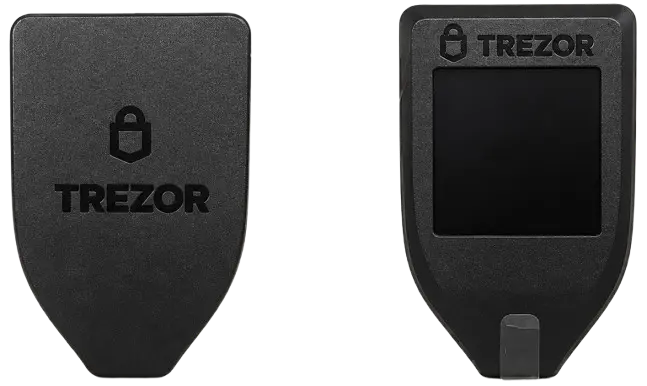
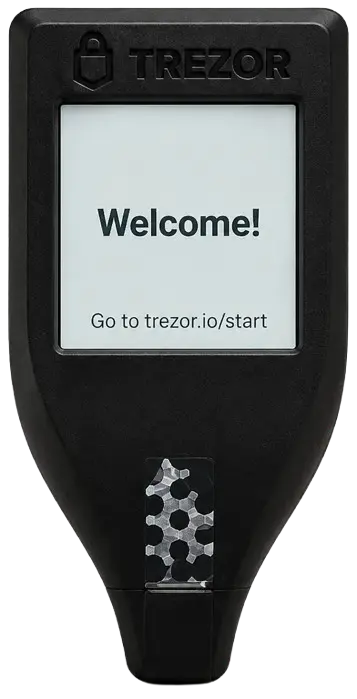
Trezor Model T is a hardware wallet launched by Trezor in 2018 as an upgrade to the Trezor Model One, the company’s original device and one of the earliest hardware wallets used by everyday crypto holders. While the Model One handled every interaction through two physical buttons, the Model T’s most important upgrade was its 1.54-inch color touchscreen with a 240 × 240-pixel display. This allowed users to enter their PIN and passphrase directly on the device, while also checking transaction details through Clear Signing before approving anything.
The wallet is built around a 168 MHz ARM Cortex-M4 processor running Trezor Core, and although it measures just 64 × 39 × 10 mm and weighs only 22 g, it includes both a USB-C port and a microSD card slot. The microSD slot can be used as an additional protection layer that requires the authorized card to be inserted before the device can be unlocked, although using this feature remains optional.
The Model T does not support Bluetooth, so it must be connected through USB-C whenever you want to manage your wallet or approve transactions. Although Trezor Suite is mainly designed around the desktop experience, the wallet can also work with compatible Android devices through a wired USB-C connection; however, iPhone and iPad users cannot connect the device by cable to sign transactions.
It supports Bitcoin, Ethereum, Litecoin, Cardano, and more than a thousand other coins and tokens, which represented another step up from the Model One. For ADA holders in particular, native Cardano support was a meaningful addition because Trezor’s original wallet did not support the network.
The Model T also supports Shamir Backup, which lets users divide their recovery backup into multiple shares instead of relying on a single recovery phrase. In addition, users can create a BIP-39 hidden wallet with an optional passphrase, often referred to as the 25th word, which is never stored on the device and must be entered correctly whenever the hidden wallet is accessed.
Beyond crypto storage, the Model T can work as a FIDO2/U2F security key for compatible online accounts, while its open-source code and hardware blueprints allow the community to inspect how the device works instead of relying entirely on closed internal systems.
Trezor discontinued the Model T in January 2026 as the company shifted its focus toward newer wallets equipped with Secure Element chips and updated security architecture, including quantum-ready protection in its latest generation. Although the Model T does not include a Secure Element, Trezor has committed to continuing maintenance and critical security updates for existing users, meaning current owners can continue using the wallet with official support.
Trezor Model T Pros & Cons
| 👍 Trezor Model T Pros | 👎 Trezor Model T Cons |
|---|---|
| ✅ Color touchscreen controls | ❌ Discontinued and reseller-only |
| ✅ Open-source firmware | ❌ No Secure Element chip |
| ✅ Shamir Backup support | ❌ USB-C connection only |
| ✅ Passphrase-protected hidden wallets | ❌ No iOS transaction signing |
| ✅ MicroSD security option | ❌ Higher supply-chain risk |
| ✅ On-device PIN and passphrases | |
| ✅ Security updates through 2036 |
How Does the Trezor Model T Work?
The Trezor Model T does not store your cryptocurrencies inside the device because your assets remain recorded on their respective blockchains. Instead, the wallet creates and stores the private keys that prove ownership of those assets, keeping them offline and separate from your internet-connected computer.
You manage the wallet through Trezor Suite, which acts as the interface for checking balances, creating accounts, generating receiving addresses, and preparing transactions. When you want to send crypto, Trezor Suite prepares the transaction and passes it to the Model T through the USB connection. The device then displays the receiving address, amount, and applicable network fee on its touchscreen so you can check the details before approving them.
Once approved, the Model T signs the transaction internally without exposing your private keys to Trezor Suite or your computer. The signed transaction is then returned to Trezor Suite, which broadcasts it to the relevant blockchain. Therefore, your computer handles the online communication, while the Model T keeps control of the keys and provides the final approval required to move your funds.
Trezor Model T Key Features
The touchscreen is the Model T’s most visible upgrade, but its real functionality comes from how its features work together to help you manage and protect your assets.
Touchscreen Display
The Model T’s 1.54-inch color touchscreen gives you a more direct way to operate the wallet than the two-button controls used on the Model One. Its 240 × 240-pixel display lets you enter your PIN and passphrase on the device, while transaction details can be reviewed through Clear Signing before you approve them. This keeps sensitive inputs away from your connected computer and makes wallet recovery easier to handle.
However, the screen is small compared with newer touchscreen wallets, so longer addresses and transaction details still require careful checking rather than a quick glance.
Trezor Suite App
Trezor Suite is the main interface you use to manage accounts, track balances, review transaction history, and send or receive supported assets. You can also buy, sell, and swap crypto through integrated third-party providers, although their fees and terms are separate from Trezor.
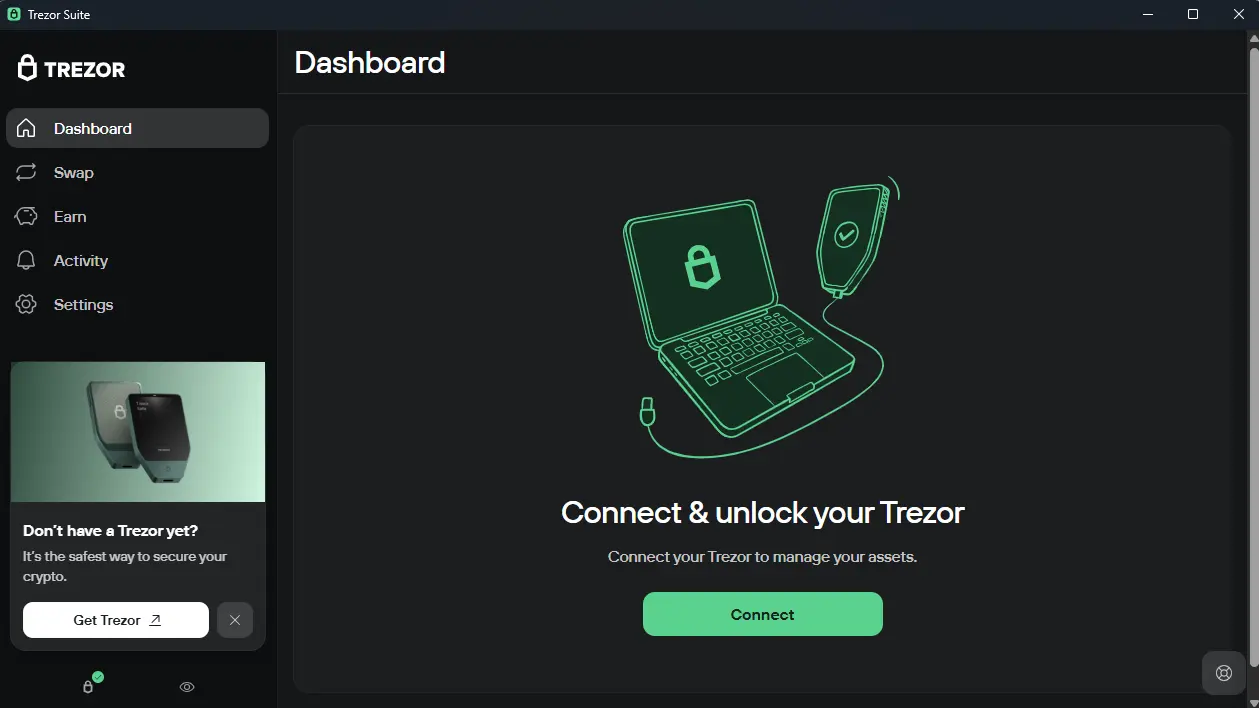
The application works fully on desktop and compatible Android devices when your Model T is connected through USB-C. However, you cannot connect the wallet to an iPhone or iPad for transaction signing, which makes the Model T less suitable if you mainly manage crypto through an iOS device.
PIN and Recovery Seed
Your PIN prevents someone from immediately accessing the Model T if the device is lost or stolen, while the recovery seed lets you restore your accounts if the hardware is damaged or unavailable. The Model T normally creates a 12-word recovery seed during setup, and those words appear on its screen rather than your computer. You should record them offline because anyone who obtains the seed can recreate your wallet without possessing the device. Although this arrangement gives you complete control, Trezor cannot recover your funds if you lose both the device and your recovery seed.
Wallet Protection and Privacy
The Model T gives you several optional ways to strengthen wallet protection and improve transaction privacy. You can create a hidden wallet with a passphrase that is never stored on the device, use Shamir Backup to divide recovery access across multiple shares, and enable microSD protection so the recognized card is required to unlock the wallet. Trezor Suite also provides coin control, allowing you to choose which Bitcoin outputs are spent and limit unnecessary address linking. However, losing the microSD card can force wallet recovery, while forgetting your passphrase or losing enough Shamir shares can permanently prevent access.
NFT Storage
You can secure NFTs with the Model T when they are held on a blockchain supported by its firmware, although the NFTs remain recorded on the blockchain while the wallet protects the keys controlling them. Trezor Suite cannot manage NFTs directly, so you must connect the device to a compatible third-party wallet such as MetaMask or Rabby to transfer or interact with them.
This works, but it adds another interface and exposes you to smart-contract approval risks, meaning the Model T cannot protect you from signing a malicious or incorrectly prepared transaction.
Trezor Model T Unboxing
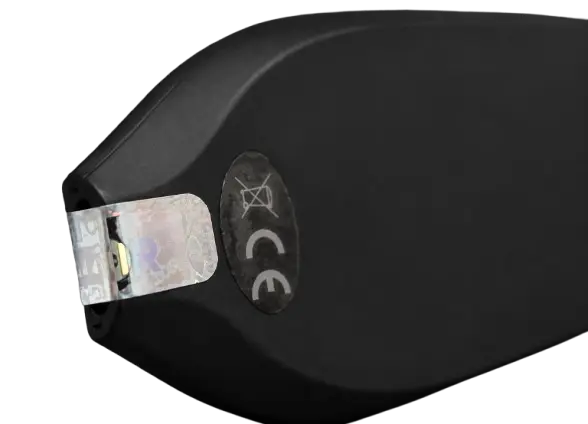
The Trezor Model T arrives in a compact, well-organized box that keeps the device and accessories separated without adding unnecessary packaging. Before opening it, check that the box is undamaged and that the holographic seal covering the wallet’s USB-C connector is intact.
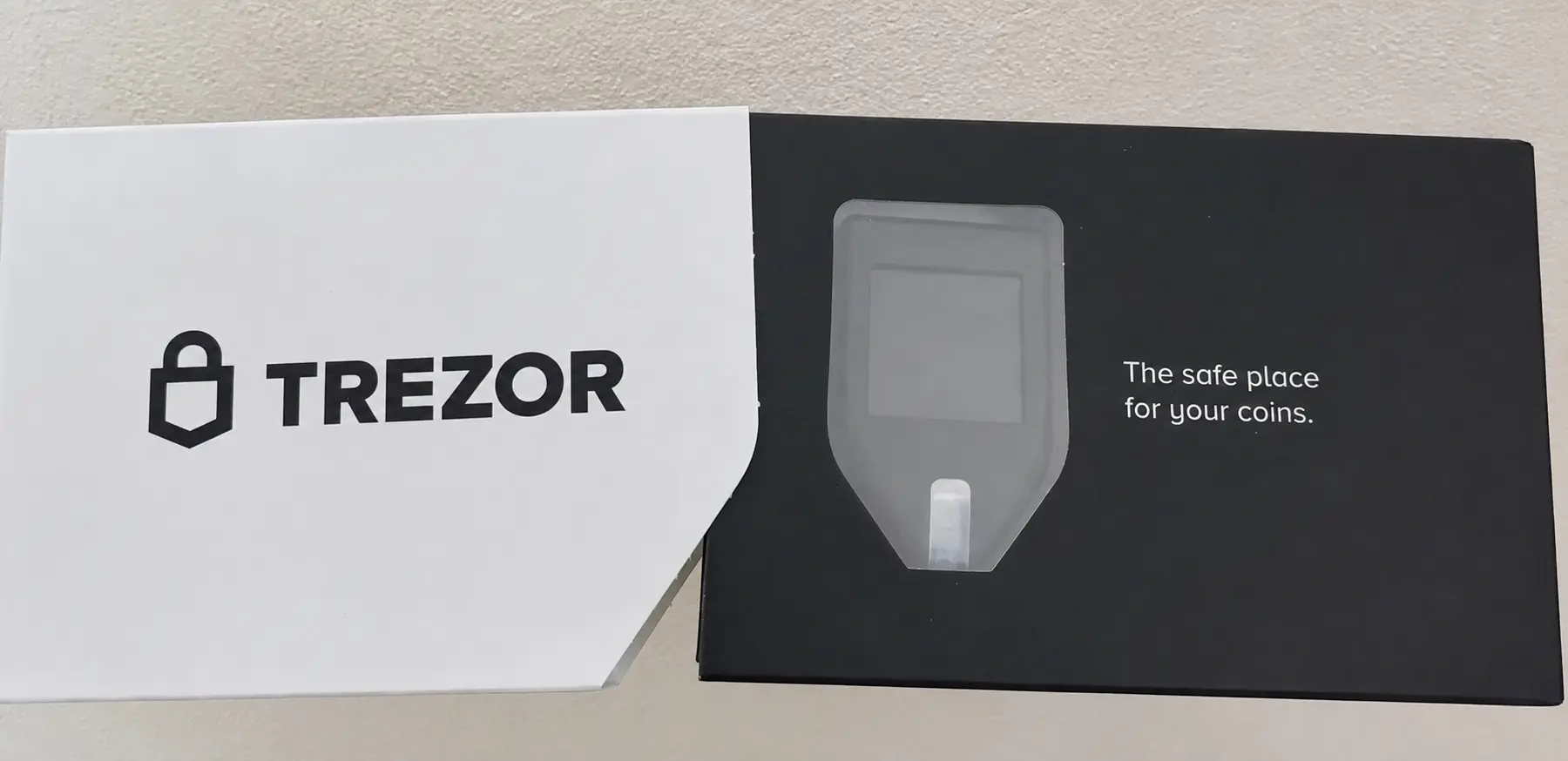
Inside the box, you receive:
- Trezor Model T
- Model T magnetic dock
- USB-A to USB-C cable
- Two recovery seed cards
- Trezor stickers
The included USB-A to USB-C cable is quite short, which may be inconvenient if your computer’s USB port is difficult to reach, although you can use another compatible data-transfer cable if needed.
Trezor Model T Setup
The easiest way to set up the Model T is through Trezor Suite Desktop, which includes everything required to connect and configure the wallet. Here is how you can set up your Trezor Model T:
Step 1: Download and open Trezor Suite Desktop from the official Trezor website.
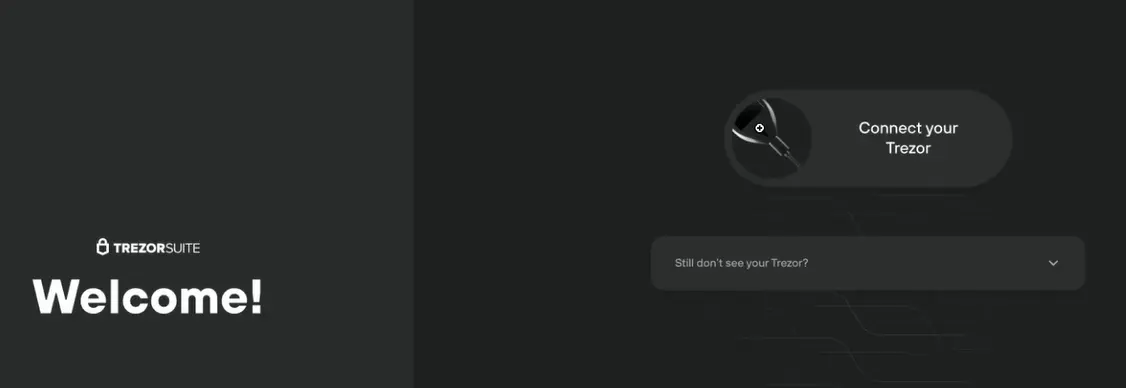
Step 2: Connect your Model T with the USB cable and complete the security check.
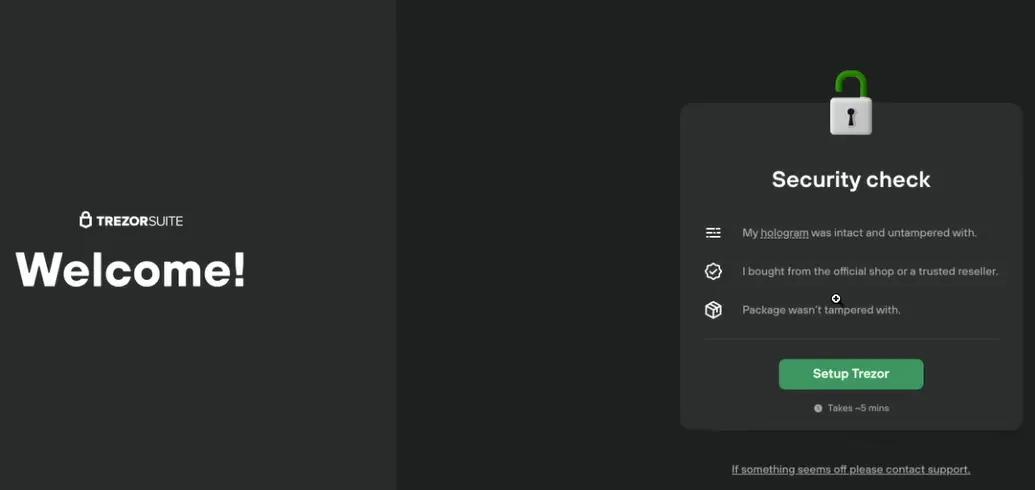
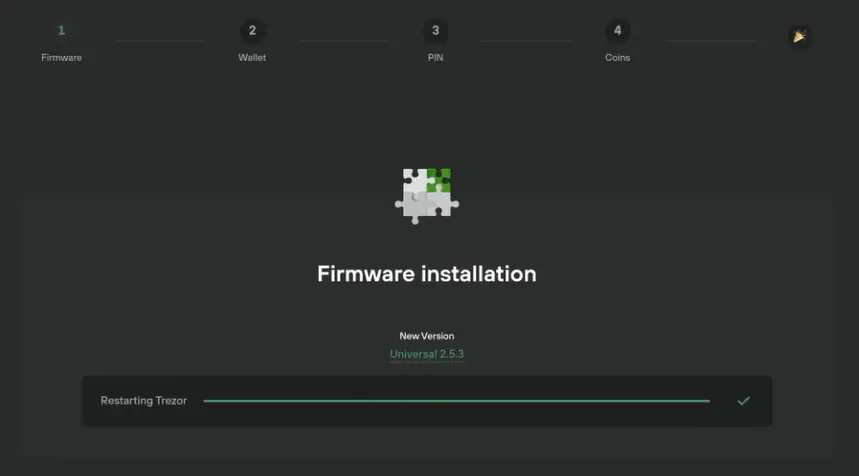
Step 3: Install the latest official firmware and wait for the device to restart.
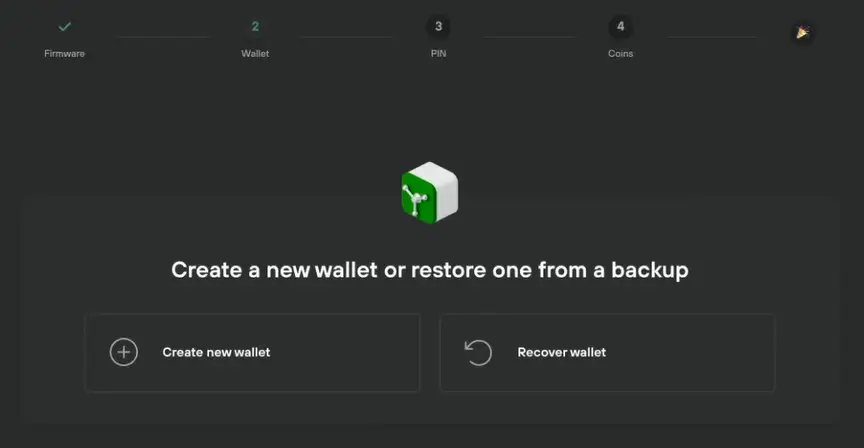
Step 4: Select Create new wallet, or recover an existing wallet using its recovery seed.
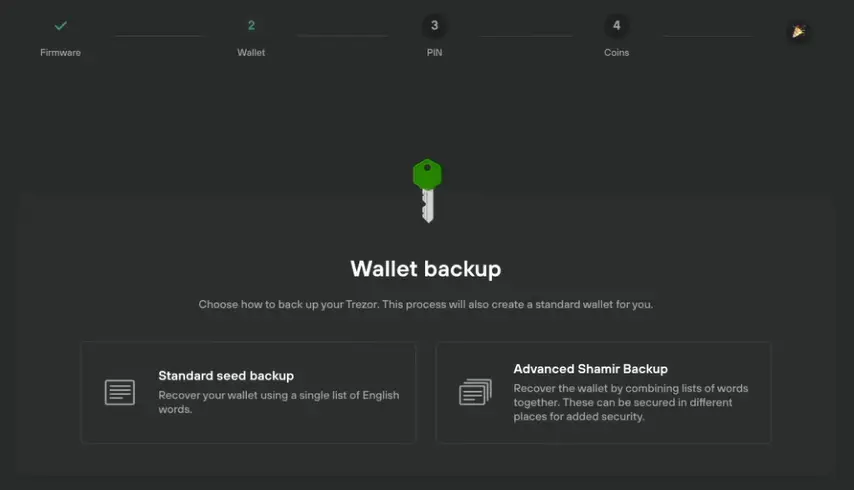
Step 5: Choose between a standard 12-word backup and the multi-share Shamir Backup.
Step 6: Write down the recovery words shown on the device, then confirm the requested words.
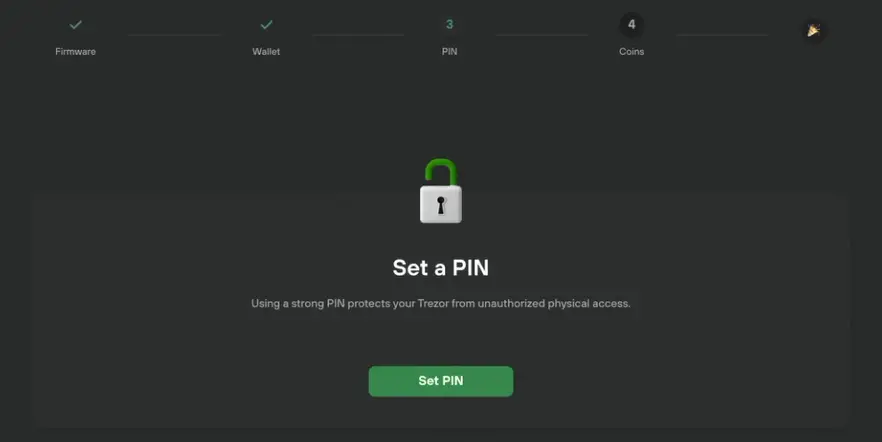
Step 7: Create a PIN on the Model T touchscreen to protect the device.
Step 8: Select the crypto networks you want to use, name the device, and complete the setup.
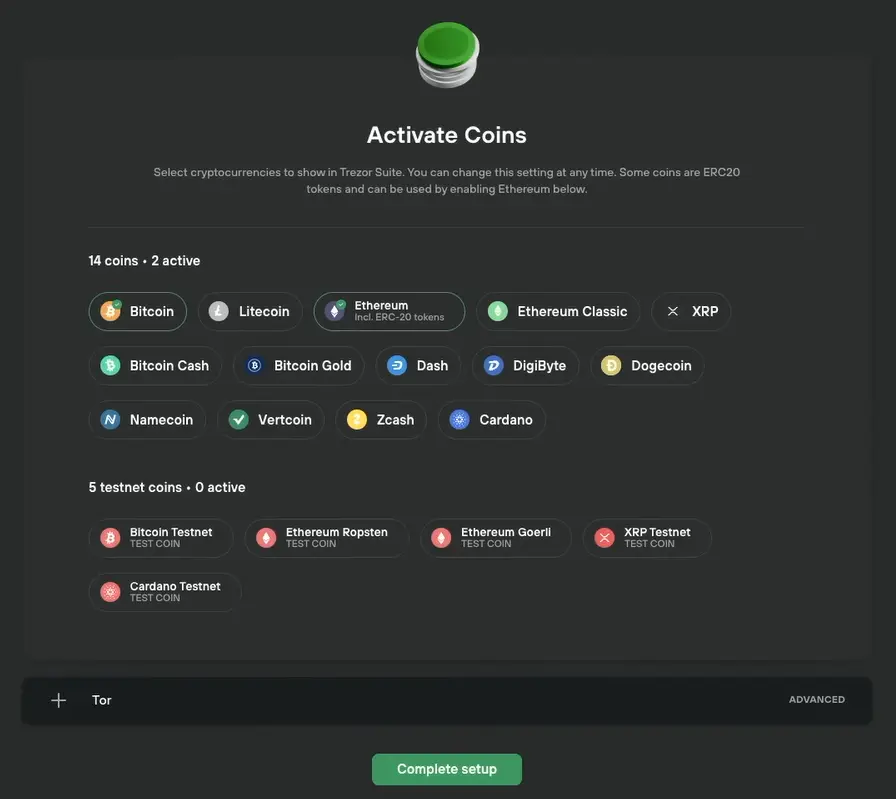
Step 9: Open your standard wallet, or create a hidden wallet protected by an additional passphrase.
Trezor Model T Pricing & Fees
The Trezor Model T has been removed from Trezor’s official store, so you will now need to look for remaining stock through authorized distributors or resale marketplaces such as eBay. Trezor maintains an official list of authorized resellers, which you should check before purchasing. Prices can vary considerably, although an authorized retailer may still list the wallet near its former $219 price or offer it at a discount to clear older stock. Remember that sellers on eBay and similar marketplaces are not automatically authorized, even when they claim to sell genuine devices.
The Model T does not have a subscription or storage fee after purchase. However, you will still pay blockchain network fees when sending crypto, while purchases, sales, and swaps completed through third-party providers inside Trezor Suite may include separate service charges.
Trezor Model T Supported Chains and Assets
The Trezor Model T supports major networks such as Bitcoin, Ethereum, Solana, Tron, Cardano, XRP, Litecoin, and Ethereum Classic, which you can manage directly through Trezor Suite. It also supports tokens built on compatible networks, including ERC-20 tokens on Ethereum.
However, not every supported asset appears natively in Trezor Suite. You can connect the Model T to compatible third-party wallets such as MetaMask or Rabby to use EVM networks, including BNB Smart Chain, Polygon, Arbitrum, Optimism, and Avalanche C-Chain. Bittensor can also be accessed through Bittensor EVM, although TAO is not managed directly inside Trezor Suite. Overall, the Model T supports more than 1,000 crypto assets across Trezor Suite and compatible third-party wallets, but you should check Trezor’s official asset list before transferring a less common coin or token.
Trezor Customer Support
Trezor provides customer support through its online Help Center, where you can search troubleshooting articles or start a conversation through its Hal chatbot. If the chatbot cannot resolve your issue, you can create a support ticket and continue the conversation with the team by email. You can also use the Trezor Forum to find answers from support agents and other users.
We contacted Trezor with several questions about purchasing a discontinued Model T through a reseller, and the experience was positive. Their team replied by email within around three hours and gave us a detailed response covering device inspection, firmware checks, and the risks of buying older stock. Response times will naturally vary, but our experience showed that Trezor is still providing useful support for Model T buyers and existing owners.
Trezor Model T Security and Self-Custody
The Trezor Model T gives you self-custody by keeping your private keys on the device instead of with Trezor or an exchange. Transactions are signed internally after you review and approve them on the touchscreen, so your private keys are never sent to the connected computer.
The wallet is protected by a PIN and also supports passphrase-protected hidden wallets. Since the passphrase is not stored on the device, it can protect your hidden wallet if the Model T is stolen, although losing it also means losing access to that wallet.
You can also use Shamir Backup to divide your recovery backup into several shares or add microSD protection. Meanwhile, the device runs on open-source Trezor Core firmware, allowing its security code to be independently reviewed.
This is where the Model T’s age starts to matter. It does not have a Secure Element chip, so it offers less protection if someone physically obtains the device and has the equipment needed to extract its recovery data. This makes a strong passphrase particularly useful, but Secure Elements protect against physical attacks, not quantum computers. Trezor has not said either issue alone caused the discontinuation, although the Model T was retired as the company moved toward newer devices with Secure Elements and, in its latest generation, quantum-ready architecture.
There is also a recent privacy concern worth knowing about. In August 2026, one of Trezor’s shipping providers experienced a data breach that exposed customer names, email addresses, phone numbers, and shipping addresses. Trezor’s systems, wallets, private keys, and recovery backups were not affected, but exposed customers may now receive more convincing phishing emails, calls, or letters. Remember that Trezor will never ask you to share your wallet backup.
Should You Buy a Discontinued Trezor Model T?
Since the Trezor Model T has been discontinued, it is no longer available directly from Trezor, although authorized resellers may still carry remaining stock. Buying from an authorized seller reduces the risk, but you should still inspect the device carefully because older hardware wallet stock could have been opened or physically modified before reaching you.
Before connecting the wallet, check that the package is undamaged and that the holographic seal covering the USB-C connector is intact and matches Trezor’s official examples. The Model T box does not have a security seal, so the seal over the connector is the main visible sign of possible tampering.
Software modification is less likely to go unnoticed because a new Model T should arrive without firmware installed, which means Trezor Suite will install the official firmware during setup. The device should also generate a new wallet backup for you, so never use it if firmware is already installed or if the seller provides a recovery phrase.
Trezor’s bootloader checks the firmware signature whenever the wallet connects to a computer, and unofficial firmware should trigger a warning. However, these software checks cannot completely rule out internal hardware changes, which is why buying discontinued stock still carries some risk. Before using the wallet, follow Trezor’s official instructions on how to authenticate a Trezor Model T, and contact Trezor Support if anything appears damaged, unusual, or preconfigured.
Trezor Model T Alternatives
If you would rather avoid inspecting discontinued stock and accepting the remaining risk of hardware tampering, there are newer Trezor Model T alternatives that remain in production, include updated security hardware, and can be purchased directly from their manufacturers.
1. Ledger Stax: If you still want a touchscreen wallet, Ledger Stax provides a larger E Ink display and Secure Element protection, although it is considerably more expensive.
2. NGRAVE ZERO: If you prefer air-gapped storage, NGRAVE ZERO signs transactions through QR codes and includes fingerprint authentication without using USB, Bluetooth, NFC, or Wi-Fi.
| Feature | Trezor Model T | Ledger Stax | NGRAVE ZERO |
|---|---|---|---|
| Price | $219 | $399 | $461 |
| Screen | 1.54″ color touchscreen | 3.7″ curved E-Ink touchscreen | 4″ color touchscreen |
| Connection | USB-C | Bluetooth, USB-C, NFC | Air-gapped QR codes |
| Main Feature | Open-source firmware and touchscreen | Premium display and Qi charging | EAL7 security and biometrics |
| Best For | Best For Basic Bitcoin and Ethereum storage | Frequent users wanting usability | Users prioritizing offline security |
| Buy Now | Check Resellers | Buy Now | Buy Now |
Bottom Line
If you found the Trezor Model T at an authorized reseller, its touchscreen and familiar Trezor experience may still make it look like a worthwhile purchase. The difficulty is that you would be buying an older wallet after Trezor has already moved to devices with Secure Elements and newer security architecture. Existing owners can continue using it, but new buyers must consider reseller tampering, limited warranty options, and ageing hardware.
Routine maintenance is promised until 2031, while critical security updates will continue until at least 2036. Therefore, remain cautious even with sealed stock, as newer Trezor Model T alternatives make more sense for long-term use.
FAQs
1. Is the Trezor Model T still safe?
Yes. Keep its firmware updated, protect your recovery backup, and consider using a strong passphrase for additional physical protection.
2. Why did Trezor discontinue the Model T?
Trezor has not identified one specific reason for discontinuing the Model T. However, the company has shifted its attention toward newer wallets with Secure Elements and updated security architecture, while its latest generation also introduces quantum-ready protection. The Model T will continue receiving support even though it is no longer being sold.
3. Can I buy a Trezor Model T from Facebook Marketplace or Amazon?
Avoid buying one from Facebook Marketplace or another unofficial seller because you cannot reliably confirm how the device was stored or whether its hardware was modified. Amazon is safer only when the seller appears on Trezor’s authorized reseller list. Even then, inspect the holographic seal and confirm that no firmware or wallet backup is already installed.