



- •Defly combines a wallet and DEX trading terminal for the Algorand ecosystem.
- •The app supports real-time charts, limit orders, and swap routing across Algorand DEXs.
- •Defly wallet is available as a mobile app for Android and iOS, and the creators are working to establish a web wallet for broader access.
Many Algorand wallets focus on basic storage and transfer, but some users require more integrated trading and security tools. The 2023 MyAlgo vulnerability, which exposed over $9 million in assets, highlighted the need for platforms to integrate wallet functionality with DeFi trading and security features to manage ALGO assets. Defly Wallet addresses this by allowing users to monitor charts, execute swaps, and manage assets within a single interface. Frequent traders or liquidity pool participants can also benefit from Defly’s consolidated environment. This guide explains how to get started with Defly Wallet and use its features for instant trade execution and secure token storage.
Why You Need Defly Wallet
You need Defly if you want access to trading, analytics, and high-frequency interaction with DeFi protocols and real-world assets (RWAs) through a single interface. The app provides real-time TradingView charts and detailed portfolio metrics, allowing you to conduct technical analysis within the platform.
For Algorand token trading, the limit order feature allows users to set specific execution prices as an alternative to market swaps. Furthermore, Defly includes a built-in DEX aggregator that scans Algorand liquidity pools, such as Pact and Tinyman, to identify optimal swap rates and reduce slippage.
If you have a large ALGO portfolio, the wallet includes native multi-signature (MultiSig) support, facilitating shared treasury management and providing an additional layer of security for significant holdings.
As a non-custodial platform, Defly ensures users maintain full control over their private keys, with the option to connect hardware wallets like Ledger or Trezor. Additionally, the platform supports the $DEFLY token, which can be staked directly through the interface.
Getting Started With Defly Wallet
Although installing and setting up the Defly wallet is straightforward, it is important to get it right to avoid future complications. Defly wallet is available as a mobile app for Android and iOS, and Blockshake GmbH is working on a browser version that should be available soon. Without further ado, let’s discuss how you can get started with Defly Wallet, starting with the app download:
Download
Follow the steps below to download the Defly Wallet mobile app on your Android or iOS device:
Step 1: Visit the official Defly Wallet website.
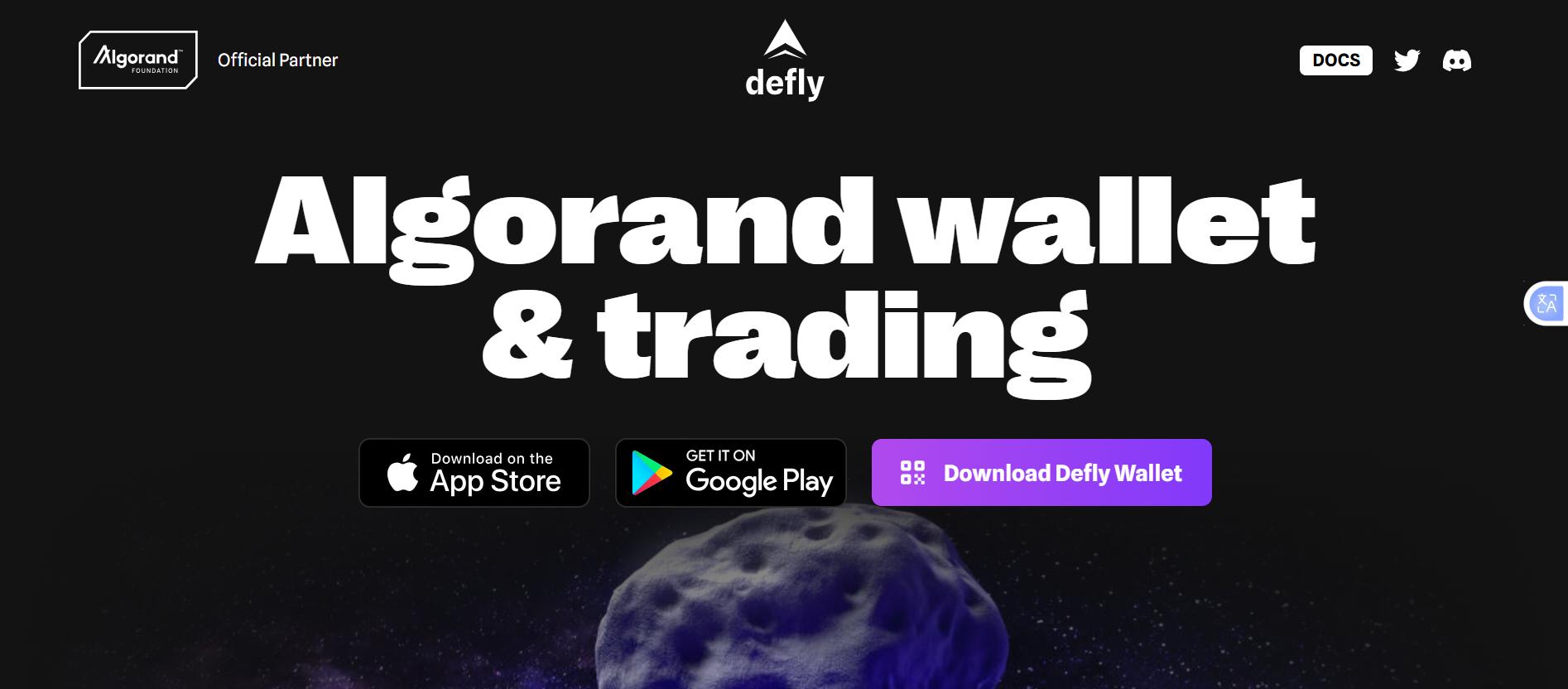
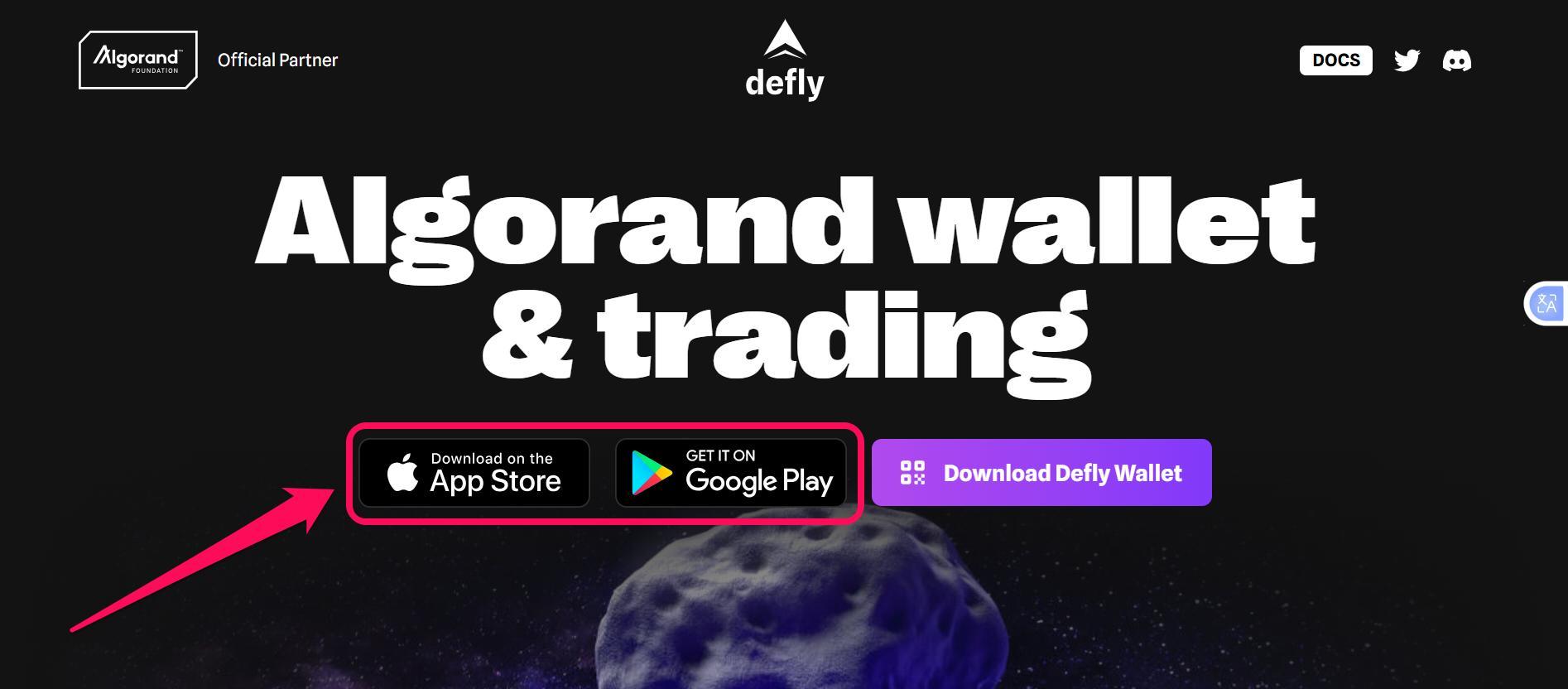
Step 2: Scroll to the download menu, then select your preferred download option: Google Play for Android or App Store for iOS.
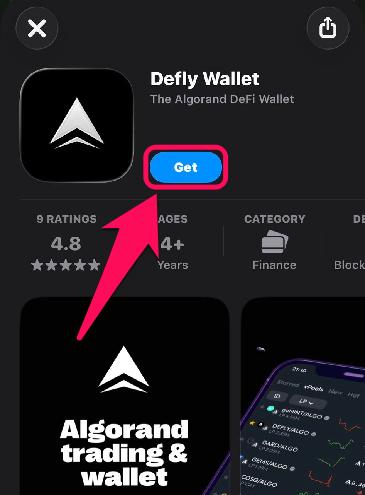
Step 3: Once redirected, click Get or Install to begin downloading the app.
Step 4: Wait till the automatic installation is complete.
Wallet Creation
After downloading and installing the Defly wallet app, you must create an account to manage your Algorand tokens and trade efficiently. The app also allows you to import existing Algo accounts using your secret recovery phrase. Here’s how to create a new Defly wallet account:
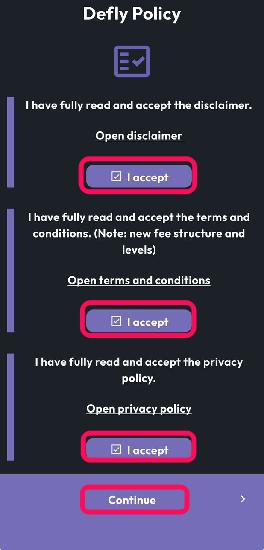
Step 1: Launch the app on your phone, check the three Defly Policy boxes, and click Continue.
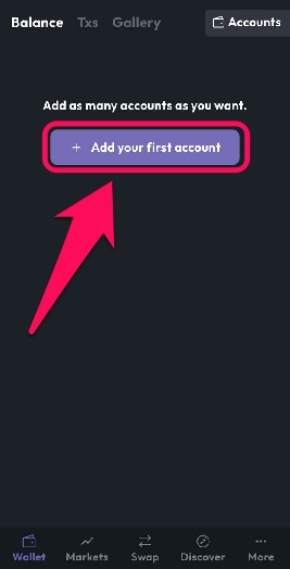
Step 2: Tap Add your first account.
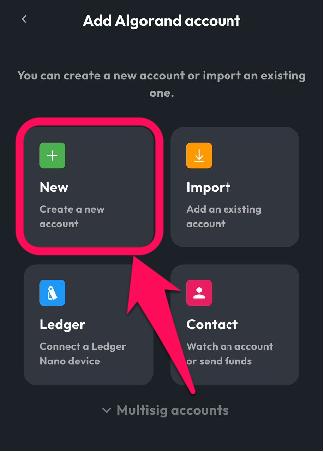
Step 3: Click New to proceed.
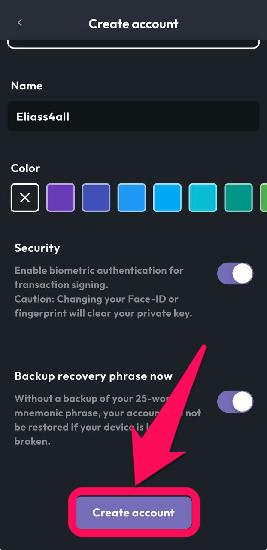
Step 4: Name your wallet, select an optional color, and set security preferences by following the prompts, then click Create Account.
Step 5: (Important) Consent to terms, then click Continue.
Step 6: Write down the mnemonic/recovery phrase on paper, store it in a safe location, and verify it by choosing the word that matches the number shown.
Quick Tour of the Defly Wallet
Defly wallet has a beginner-friendly, intuitive interface that is structured around asset management and trading. The Balance section shows your ALGO portfolio plus one-tap buttons to buy and send tokens, or scan QR Codes for faster transfers. To view all inbound and outbound fund movements, smart contract interactions, and swap history, switch to the Txs section.
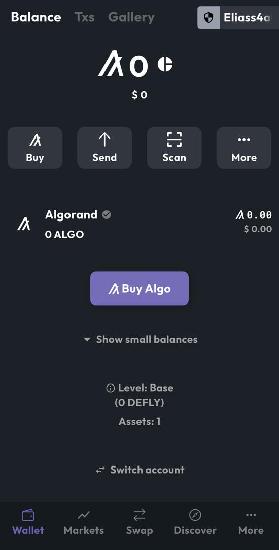
Also, the Gallery section is your dedicated display for NFTs (Non-fungible tokens). Lastly, you can explore Algorand DeFi and trading opportunities by tapping the Markets, Swap, or Discover buttons at the bottom of the screen. To make personalization tweaks, head to Settings.
Bottom Line
Having tools like Defly Wallet, which offers a mix of standard asset management features and trading execution tools, can be the difference between a good trader and a successful trader. Defly wallet provides features that bring you up to speed with Algorand’s expanding blockchain features and DeFi opportunities. Also, as a mobile wallet, you can carry the app with you everywhere you go.
However, if you prefer trading ALGO on a desktop web view, we recommend the Pera wallet. Pera offers features similar to Defly, plus a web wallet platform that lets you explore Algorand on PC. Find out how to get started with the Pera wallet in our next article.
FAQs
1. Is Defly a safe wallet to use?
Yes, the Defly wallet is safe to use. For the full feature set (swapping and sending funds), the app is non-custodial. Your private keys are stored locally and fully encrypted. Also, Defly Wallet is an official partner of the Algorand Foundation.
2. Does Defly support tokens from chains outside Algorand?
No, the Defly wallet is specifically designed for the Algorand ecosystem and supports only Algorand Standard Assets (ASAs) on the blockchain.
3. What features does Defly offer?
Defly Wallet is Algorand’s main DEFI wallet for decentralized trading. It combines charts, swaps, and stats in one mobile app, bringing real-time markets and portfolio monitoring to DEFI.




