



- •Crypto trading journals connect performance data with strategies, emotions, and execution mistakes.
- •Exchange support, import methods, analytics, usability, and pricing determine which journal fits your workflow.
- •Trading journals analyze decisions, while portfolio trackers focus on holdings, allocations, and market value.
A profitable week can make your strategy feel reliable, while a few losses can leave you questioning every decision. The problem is that your exchange history only shows what happened, not why. A trading journal helps you record your trades, reasoning, and emotions, showing which trades followed your plan, where money was repeatedly lost, and which decisions worked. As traders, we understand the impact a crypto trading journal can have on overall performance. We reviewed the best crypto trading journals based on their functionality and usability, including how easily they can be maintained without journaling becoming another demanding task.
Best Crypto Trading Journals Compared
We already had our eyes on some of the best crypto trading journals and found several new options during our research. To ensure that only the most capable platforms made the list, we compared each journal using a clear checklist. This included supported exchanges, trade-import methods, win-rate and drawdown calculations, screenshot storage, performance reports, and ease of journaling. We also considered how much ongoing work each platform requires from the trader. With every criterion accounted for, here is how our final list of crypto trading journals shaped up:
- Coin Market Manager – Best for Multi-Exchange Futures Analytics
- TraderMakeMoney – Best for Crypto Futures Scalpers
- TraderSync – Best for Multi-Asset Traders
- TradesViz – Best for Perp DEX and CEX
- Altrady – Best All-in-One Trading Journal
- Edgewonk – Best for Trading Psychology
- UltraTrader – Best for Mobile Journaling
- CryptoWinRate Trading Journal – Best Free Customizable Journal
1. Coin Market Manager
Coin Market Manager, often referred to as CoinMarketMan, is among the top crypto trading journals and portfolio analytics platforms. The solution has existed since 2018 and was founded by David Kanzen, Gary Lee, and Simeon Gabriel Howard. You can connect it with 7+ exchange accounts through read-only APIs and view detailed performance analytics. These include average R per trade, average account risk, profit factor, and other statistics related to their trading system. The platform can also warn users when their account risk becomes excessive and indicate how much they could lose.
For regular performance reviews, the Calendar gives you an overview of profitable days and profits made. The Stats section then breaks down trade outcomes and volume through visualizations, while the separate performance dashboard provides a closer look at your trade history, long and short composition, and other trading patterns.
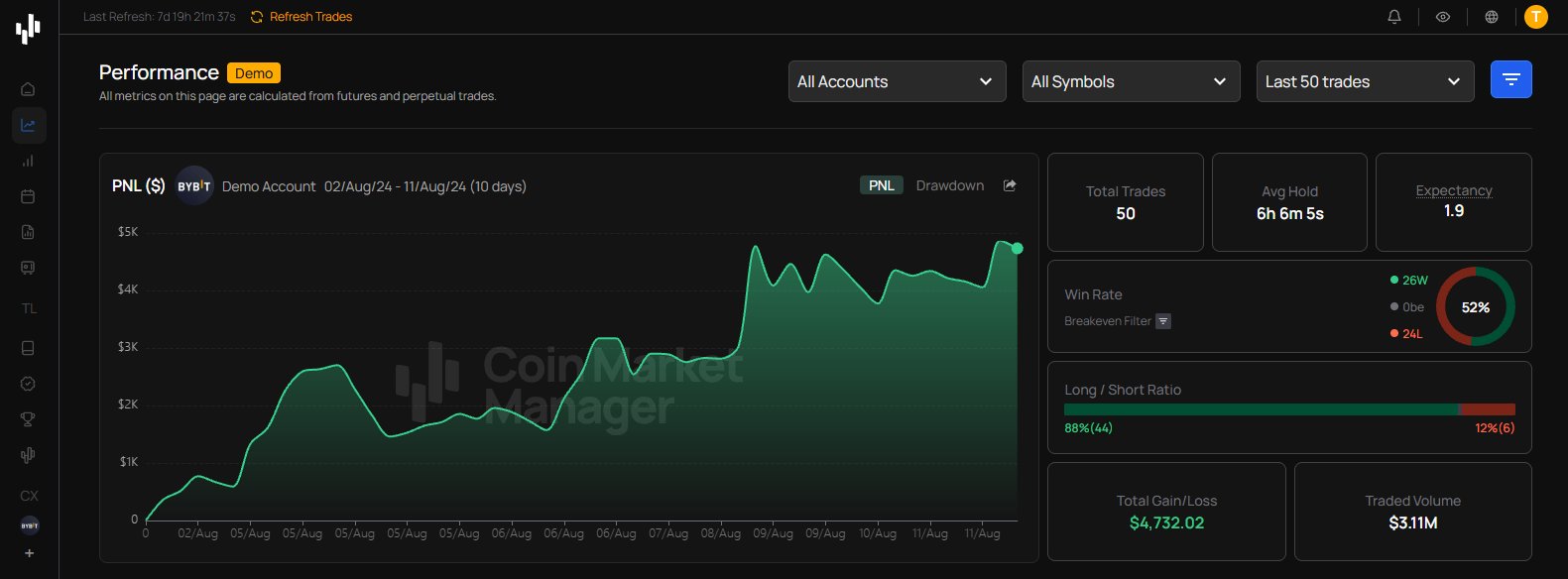
What stood out for us during our experience was its note-keeping feature. It allows you to create a thread of notes, attach chart links, explain what you observed, record why you entered the trade, and add any other relevant context. Trades can also be assigned descriptive tags covering the strategy, market setup, execution conditions, or the trader’s psychological state. When reviewing performance later, these tags help show which strategies and conditions produced the best results.
Pricing starts with a free tier for one exchange account and goes up to the Pro tier at around $69.99 per month.
Features
- Exchange Connections: Connect 7+ exchange accounts through read-only APIs for combined tracking and analysis.
- Performance Analytics: Review average R, account risk, profit factor, trade outcomes, volume, and long-short composition.
- Trading Notes: Record trade reasoning, attach chart links, and tag strategies, market conditions, or emotions.
- Calendar View: View profitable days, daily results, and profits through an organized trading calendar.
Pros & Cons
| 👍 Coin Market Man Pros | 👎 Coin Market Man Cons |
|---|---|
| ✅ Automated trade imports | ❌ No built-in advanced charting |
| ✅ Detailed futures trading analytics | ❌ Not suitable for multi-asset traders |
| ✅ Unified multi-exchange portfolio view | ❌ Advanced features require paid plans |
| ✅ Flexible notes and strategy tags | |
| ✅ Read-only APIs improve account security | |
| ✅ Public performance verification available |
2. TraderMakeMoney
Built specifically for cryptocurrency day traders and futures scalpers, TraderMakeMoney is an automated crypto trading journal and analytics platform launched in 2020 by an anonymous team. TMM now has 170K+ registered users and connects with 10+ exchanges through read-only APIs. Once connected, trades update in real time, while the dashboard can be personalized around the information you want to review.
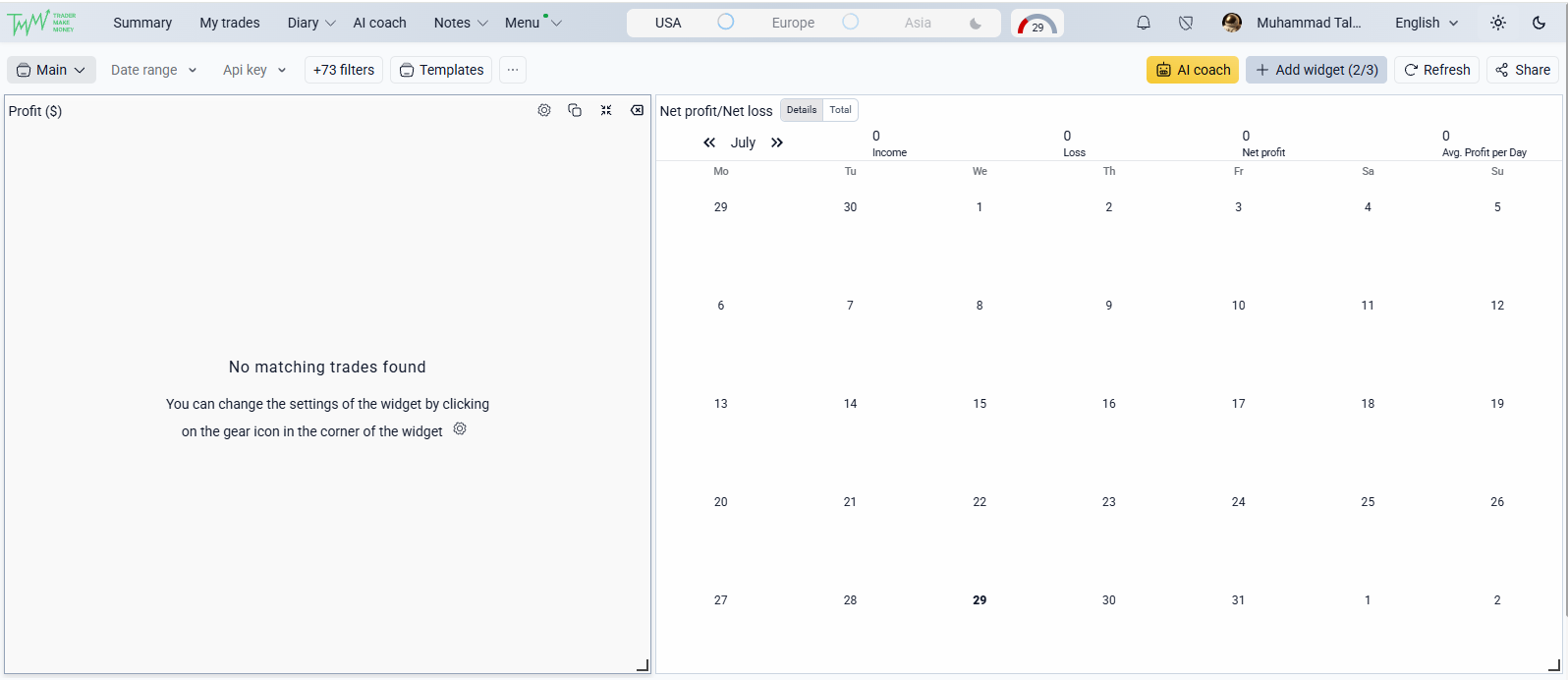
Where TMM becomes particularly useful is futures analysis. It does not simply display the profit reported when a position closes. It accounts for maker and taker fees, recurring funding payments, and partial liquidation fills to show what actually reached your balance. Its AI coach also reviews historical execution data to flag patterns such as over-leveraging and repeatedly placing stop-losses too close to the entry.
However, if you are not a regular trader, TMM may feel cluttered and counterintuitive. Its interface favors entry and exit momentum tracking over multi-month portfolio compounding, making it less practical for long-term spot portfolios or DeFi positions involving staking, lending, and liquidity pools. Pricing, however, is one of TMM’s more reasonable aspects. A free tier is available, while paid plans provide access to more advanced features.
Features
- Automatic Trade Syncing: Connect 10+ exchanges through read-only APIs for real-time trade updates and accurate execution data.
- Alerts & Integrations: Real-time notifications via Telegram/Discord (order executions, trade closures, profits, etc.). Risk rules and backtesting.
- AI Trading Coach: Identifies repeated behavioural patterns, including over-leveraging and overly tight stop-loss placement.
- Net Profit Analysis: Accounts for trading fees, funding payments, commissions, and partial liquidation fills.
- Personalized Dashboard: Organize the dashboard around the trading metrics and performance data you regularly review.
Pros & Cons
| 👍 TraderMakeMoney Pros | 👎 TraderMakeMoney Cons |
|---|---|
| ✅ Accurate fees and funding calculations | ❌ Crypto-only focus |
| ✅ Automated real-time trade syncing | ❌ Limited value for long-term investors |
| ✅ AI identifies recurring trading mistakes | ❌ Does not track DeFi positions |
| ✅ Includes MAE and MFE analytics |
3. TraderSync
Created as a personal project by David Olivares in 2015, TraderSync addressed the limitations he found in journals that required manual recording or lacked deeper qualitative insights. It now connects with 500+ brokers, including crypto exchanges such as Binance and Kraken, along with MetaTrader and platforms serving other financial markets.
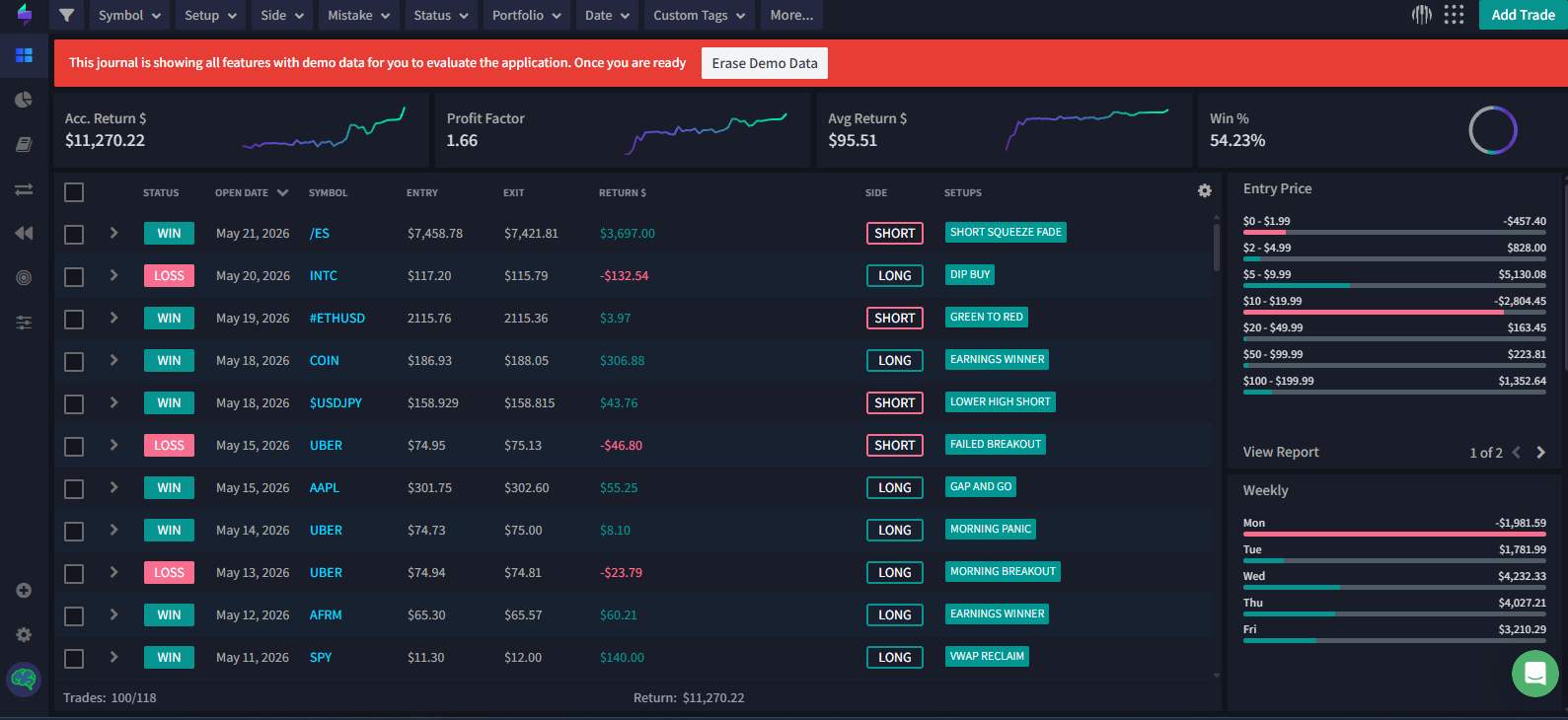
The journal provides 63+ data charts and lets you record entries with screenshots, setups, and descriptive tags covering strategies and emotions. These tags can be filtered to examine how particular setups affected your results. However, the tags are predefined, so you cannot create custom ones for trading situations specific to your system.
TraderSync also lets you backtest strategies across US equities, equity options, CME futures, crypto, and forex without risking capital. You can adjust strategy parameters, select charts suited to your setup, and build them into a playlist. The terminal is customizable as well, with a MetaTrader-style layout available for forex and crypto traders.
Its AI assistant, Cypher, lets you define your strategy, track discipline, and identify deviations from your trading plan. During our experience, the step-by-step tutorials made connecting brokers easy to follow, even for beginners. However, the interface felt somewhat cluttered, and despite the large analytics library, the visualizations remained fairly basic. TraderSync also does not offer a free plan, so continued access requires a paid subscription.
Features
- Broker Connectivity: Connect with 500+ brokers, including Binance, Kraken, MetaTrader, and traditional financial market platforms.
- Trading Analytics: Review performance through 63+ data charts, predefined setup tags, screenshots, and journal entries.
- Strategy Backtesting: Test and adjust strategies across crypto, forex, equities, options, and CME futures using historical data.
- Cypher AI: Define trading strategies, monitor discipline, and identify deviations from your original trading plan.
Pros & Cons
| 👍 TraderSync Pros | 👎 TraderSync Cons |
|---|---|
| ✅ Tracks crypto and traditional markets | ❌ No free plan available |
| ✅ Extensive broker and exchange integrations | ❌ Some crypto imports require CSV files |
| ✅ Includes interactive trade session replay | ❌ Limited crypto-specific funding analysis |
| ✅ Native iOS and Android applications |
4. TradesViz
Founded in 2019 by a publicly known founder who goes by PK, TradesViz is sometimes misspelled as TraderViz. The platform has reached 150K users and supports 34+ brokers, including a large selection of crypto exchanges. However, automatic imports are not available for every supported platform, so some trades must be added manually.
During our experience, the interface felt clean despite the amount of data available. TradesViz tracks 600+ metrics, ranging from win rate and profit factor to expectancy, Sharpe ratio, MAE, and MFE. Its dashboards can also be personalized by arranging charts and applying asset filters around the information you regularly review.
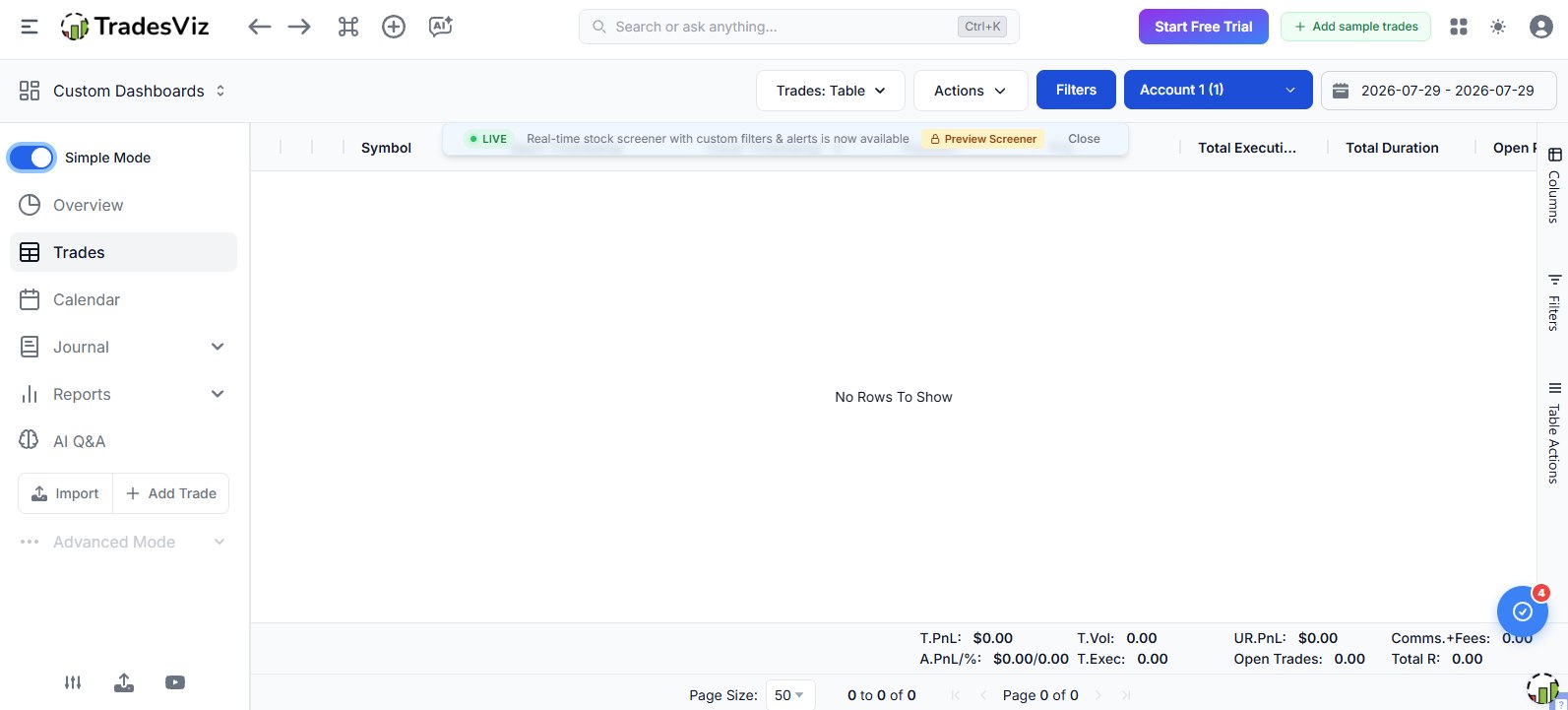
You can create and manage custom tags or add predefined tags with one click. Trades can be grouped for combined analysis and shared with notes, while the platform also tracks unrealized P&L, stop-losses, fees, commissions, deposits, and withdrawals.
The AI query engine lets you search your history using natural questions, while the AI coach reviews discipline and risk consistency. Trade Replay shows previous execution candle by candle, and the simulator lets you test strategies using historical data.
A Basic plan is available for free, but crypto support requires at least the Pro plan, priced at around $19.99 per month with a 7-day free trial.
Features
- Advanced Analytics: Track 600+ metrics, including win rate, expectancy, Sharpe ratio, profit factor, MAE, and MFE.
- AI Analysis: Ask natural-language questions and receive feedback on trading discipline, risk consistency, and historical performance.
- Trade Review: Replay trades candle by candle or test strategies through the built-in historical market simulator.
- Flexible Journaling: Manually add trades, create custom tags, attach notes, group trades, and personalize analytical dashboards.
Pros & Cons
| 👍 TradesViz Pros | 👎 TradesViz Cons |
|---|---|
| ✅ Tracks more than 600 metrics | ❌ Crypto requires a paid plan |
| ✅ Clean and customizable interface | ❌ Some imports require manual entry |
| ✅ Includes AI coaching and queries | |
| ✅ Supports trade replay and simulation | |
| ✅ Flexible custom tagging system |
5. Altrady
Built as more than a standalone crypto trading journal, Altrady combines a multi-exchange trading terminal, portfolio manager, market scanners, trading bots, and journaling tools within one platform. It was founded in the Netherlands in 2017 by Benoist Claassen, who initially created the Crypto Base Scanner to automate market research. As users requested more functionality, the scanner gradually developed into the complete trading platform available today.
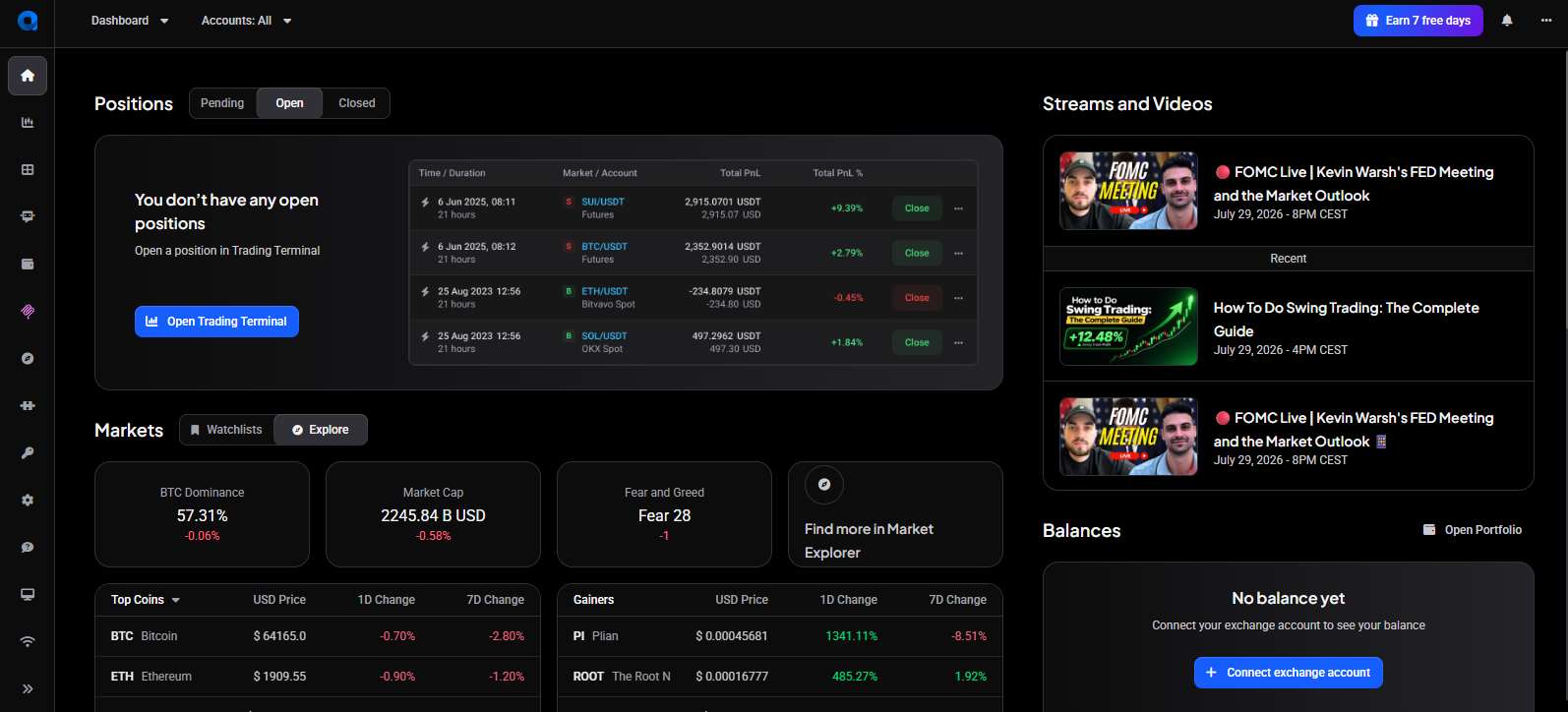
The built-in journal helps traders maintain discipline by recording notes and screenshots alongside their trades. Backtesting and chart replay are also available, allowing users to review previous setups and examine how their strategies might have performed under historical market conditions. You can connect Altrady with 19+ crypto exchanges, with Fast Connect available for selected platforms. A 5-word seed phrase is used to protect your APIs and account.
Altrady also works well for beginners, with tutorials, puzzles, a dedicated learning section, and videos from its YouTube streams covering live market updates. However, the dashboard can feel cluttered if you only need a journal to track your trades. The number of tools and widgets may make the platform confusing until you personalize the workspace around the features you actually use.
This all-in-one structure means traders do not need separate platforms for scanners, automation, portfolio tracking, execution, and journaling. However, it also makes Altrady slightly more expensive than other options on our list. There is no permanent free plan, although a 7-day free trial is available. After the trial, the Basic plan starts at $32 per month and includes most features with certain usage limits.
Features
- Built-In Journal: Record trade notes and screenshots while reviewing decisions through backtesting and chart replay.
- Multi-Exchange Trading: Connect with 19+ crypto exchanges, with Fast Connect available for selected platforms.
- Trading Toolkit: Access market scanners, trading bots, portfolio management, automation, and trade execution from one dashboard.
- Learning Resources: Use tutorials, puzzles, educational videos, and YouTube streams covering live market updates.
Pros & Cons
| 👍 Altrady Pros | 👎 Altrady Cons |
|---|---|
| ✅ Combines several trading tools | ❌ Dashboard can feel cluttered |
| ✅ Supports 19+ crypto exchanges | ❌ Excessive features for journal-only users |
| ✅ Includes backtesting and chart replay | |
| ✅ Suitable learning resources for beginners |
6. Edgewonk
Designed for traders who want to personalize nearly every part of their journal, Edgewonk supports forex, stocks, futures, CFDs, crypto, options, indices, and commodities. You can create unlimited journals, use trading accounts in different currencies, and adapt the platform for day trading, swing trading, or investing.
Edgewonk supports 50+ brokers, but its automated crypto exchange coverage is relatively limited. Direct support is available for Bybit, Coinbase, and Phemex, while MEXC integration is restricted to futures trades. You can also create custom comments and tags, attach screenshots, track strategies, and build a separate checklist for each setup.
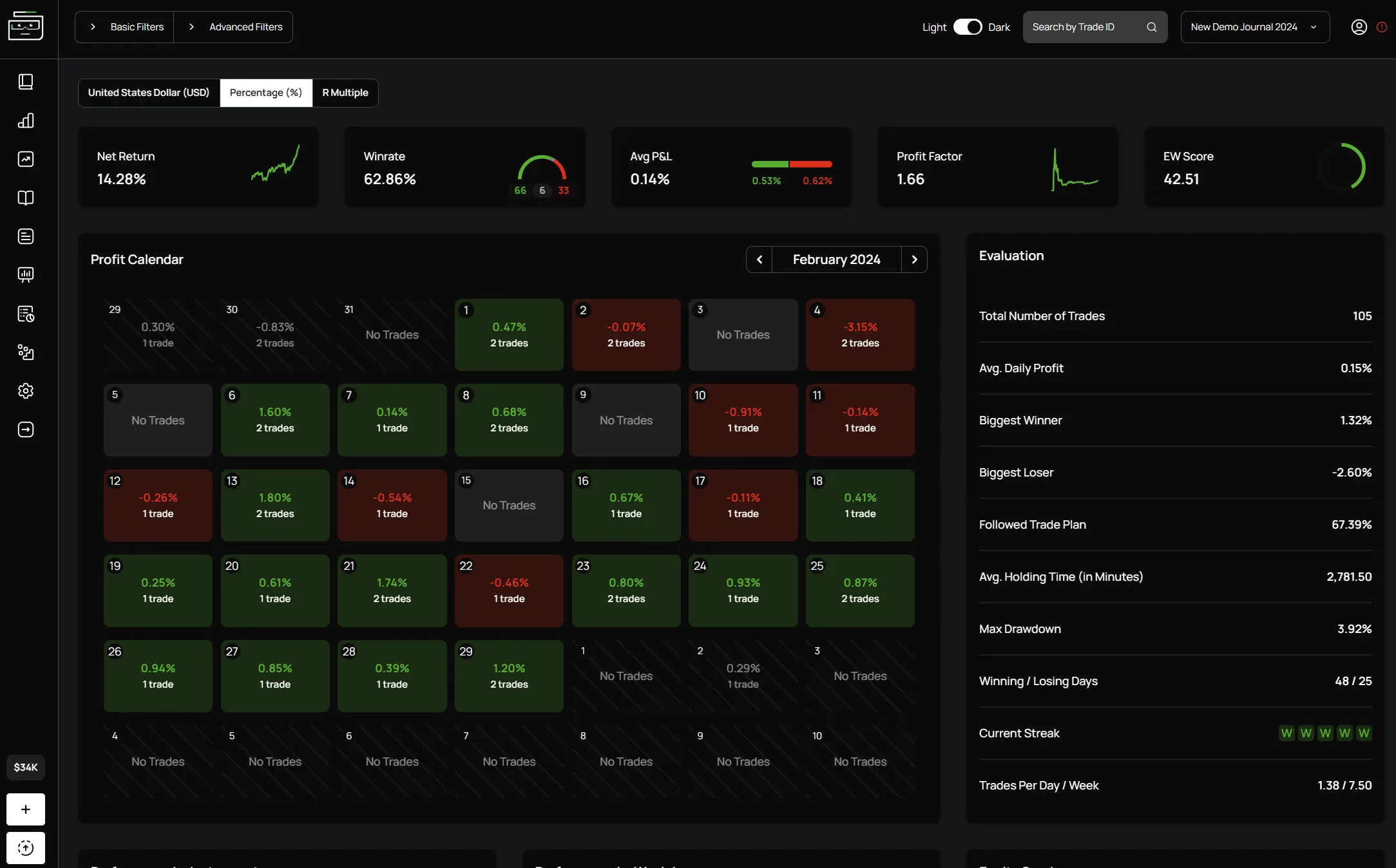
Where Edgewonk performed particularly well during our review was data visualization. It does not simply display numbers such as the EW Score, win rate, and P&L. Chart Lab presents trading behaviour through scatter plots, bar graphs, and other visual reports that make patterns easier to understand. Automated Edge Finder then scans journal data to identify strengths, weaknesses, and areas affecting performance.
Edgewonk’s Trading Psychology Lab connects this performance data with diary entries, emotions, discipline, and personal observations. Its Tiltmeter identifies repeated and costly mistakes, while instant feedback alerts you when your recorded actions break predefined rules. Session, weekly, and monthly performance reports are also available.
Although Edgewonk performs well as a trading journal, its pricing is difficult to overlook. There is no free plan or monthly subscription, and users must pay around $197 upfront for an annual plan, excluding VAT. Promotions may occasionally add a few free months, but they do not reduce the initial cost.
Features
- Custom Journals: Create unlimited journals with personalized comments, tags, screenshots, currencies, strategies, and setup checklists.
- Visual Analytics: Review EW Score, win rate, P&L, and trading behaviour through scatter plots, bar graphs, and reports.
- Psychology Tracking: Record emotions and discipline while Tiltmeter identifies repeated mistakes and rule violations.
- Edge Finder: Automatically examines journal data to identify trading strengths, weaknesses, and performance patterns.
Pros & Cons
| 👍 Edgewonk Pros | 👎 Edgewonk Cons |
|---|---|
| ✅ Highly customizable trading journals | ❌ Limited crypto exchange integrations |
| ✅ Excellent performance data visualizations | ❌ No free or monthly plan |
| ✅ Detailed psychology and discipline tracking | |
| ✅ Supports multiple financial markets | |
| ✅ Automated strengths and weaknesses analysis |
7. UltraTrader
Used by over 100K active traders, UltraTrader is a modern, automated trading journal and performance tracker available through web and mobile apps. It supports crypto, forex, stocks, and commodities, making it suitable for traders who manage more than one asset class.
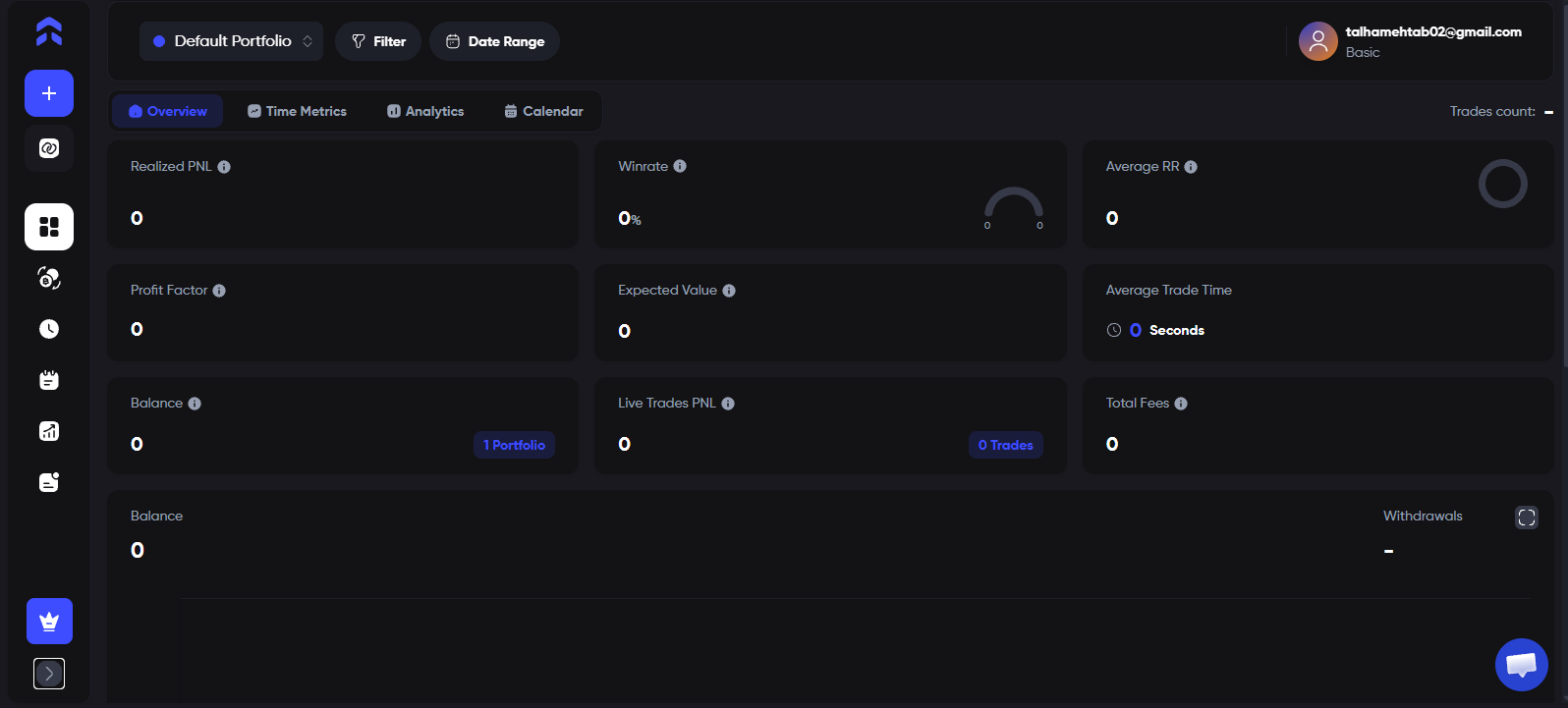
UltraTrader connects with 7+ crypto exchanges and 200+ brokers. Once imported, trades can be reviewed and completed with details such as entry price, stop-loss, take-profit, closing price, fees, and supporting images. Users can also add trades manually, which gives them control over the information recorded for each position.
A free plan is available and allows users to track one portfolio. Paper trading is included as well, making it useful for testing the journal before recording live trades. However, the free plan does not include broker connections, CSV imports, or file uploads. This means free users must enter their trades manually, while automated importing requires a paid plan.
Features
- Multi-Asset Tracking: Journal trades across crypto, forex, stocks, and commodities from web and mobile apps.
- Trade Records: Add entry, stop-loss, take-profit, closing price, fees, images, and other position details.
- Broker Connections: Connect with 7+ crypto exchanges and 200+ brokers for automated trade importing.
- Paper Trading: Record and review simulated positions before applying a strategy with live capital.
Pros & Cons
| 👍 UltraTrader Pros | 👎 UltraTrader Cons |
|---|---|
| ✅ Free plan available | ❌ Free users must enter trades manually |
| ✅ Supports several financial markets | |
| ✅ Clean web and mobile interface | |
| ✅ Includes paper trading |
8. CryptoWinRate Trading Journal
Free crypto trading journal tools often limit customization or performance analysis, which is where the CryptoWinRate Trading Journal takes a different approach. Built inside Google Sheets, it gives traders a practical way to record and review trades without paying for a dedicated platform. Users can copy the template, customize its fields, and start logging trades without connecting exchange APIs or installing paid tools.
The journal lets traders record key trade details such as currency pair, date and time, trade direction, entry price, stop-loss, take-profit, position size, result, fees, net P&L, and post-trade comments. It also includes calculated fields for risk per unit, reward per unit, and risk-to-reward ratio, helping users review whether each trade made sense before and after execution.
Traders can also use the journal alongside other CryptoWinRate tools, such as the win rate calculator, position size calculator, and trading profit simulator. For example, users can calculate their ideal position size before entering a trade, plan the risk-to-reward setup, and then log the final trade details inside the journal for later review.
To make the journal more useful for performance analysis, CryptoWinRate includes tagging and behavioral tracking fields. Traders can add a primary setup tag, extra custom tags, emotional state, mistake type, discipline score, confidence score, whether they followed their plan, review status, and lesson learned. These fields help identify patterns such as which setups perform best, which emotions lead to poor decisions, and which recurring mistakes reduce profitability.
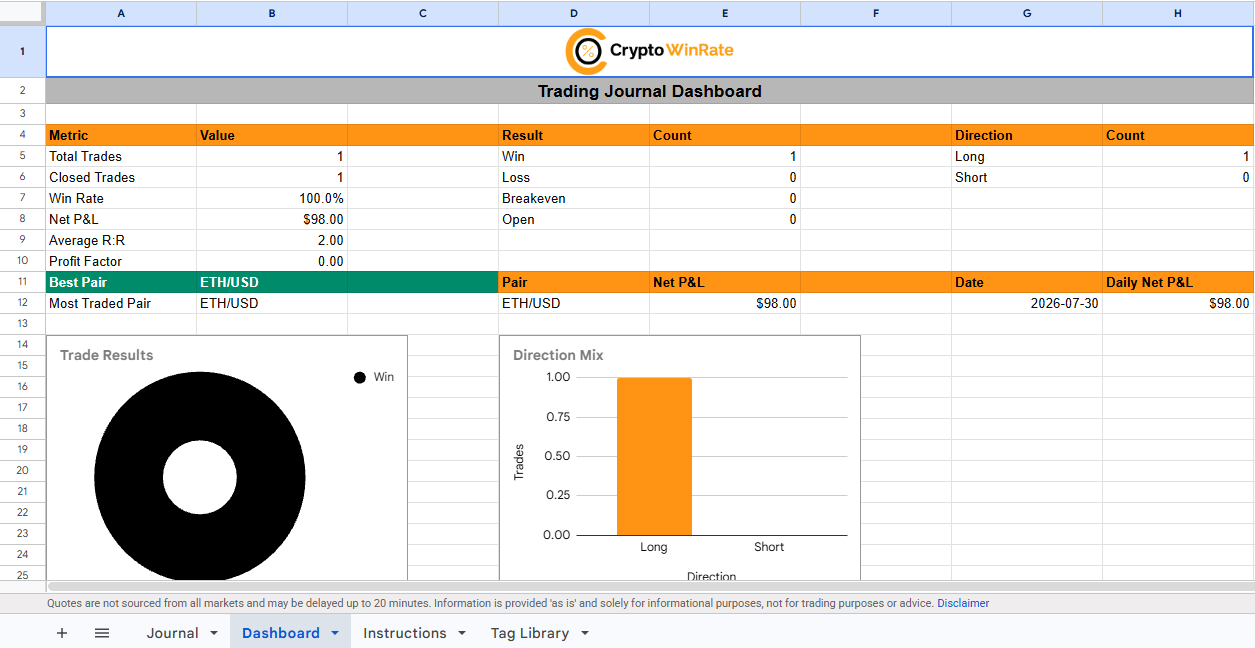
The dashboard summarizes important metrics including total trades, win rate, net P&L, average R, profit factor, pair performance, daily net P&L, direction mix, mistake performance, emotion performance, and tag-based results. This gives traders a clearer view of both their numbers and their decision-making habits.
Live prices are fetched through GoogleFinance where available, so no crypto add-on is required. However, unsupported pairs may need to be entered or reviewed manually. For traders comfortable with manual entries, it works as a free customizable crypto trading journal that combines trade records, performance analytics, and behavioural review in one sheet.
Features
- Manual Trade Journal: Record trade details such as pair, date and time, direction, entry, stop-loss, take-profit, fees, result, P&L, and post-trade comments.
- Risk & Reward Tracking: Automatically calculates risk per unit, reward per unit, and risk-to-reward ratio to help traders review whether each setup was planned properly.
- Performance Dashboard: Shows total trades, win rate, net P&L, average R, profit factor, pair performance, daily P&L, and long-short composition.
- Tag-Based Review: Add setup tags, extra custom tags, emotion, mistake type, discipline score, confidence score, review status, and lessons learned for deeper trade analysis.
- Google Sheets Access: Works as a free copyable Google Sheets template, so users can customize it without installing extra software or connecting exchange APIs.
- CryptoWinRate Tool Compatibility: Can be used alongside CryptoWinRate tools such as the win rate calculator, position size calculator, and risk/reward calculator before logging final trade results.
Pros & Cons
| 👍 CWR Journal Pros | 👎 CWR Journal Cons |
|---|---|
| ✅ Completely free to copy and use | ❌ Requires manual trade entry |
| ✅ Works inside Google Sheets, so it is easy to customize | ❌ GoogleFinance does not support every crypto pair |
| ✅ Good balance of trade tracking, performance metrics, and self-review | |
| ✅ Useful for beginners who want a simple manual journal |
How Crypto Trading Journals Work
A crypto trading journal starts by collecting information about your completed trades. Depending on the platform, trades can be imported automatically through a read-only exchange API, uploaded through a CSV file, or entered manually. Once a trade is recorded, the journal calculates metrics such as win rate, net P&L, average R, profit factor, drawdown, fees, and performance by trading pair.
The trader then adds the context that an exchange history cannot provide. This may include the setup used, entry reasoning, chart screenshots, emotional state, mistakes, and lessons learned. Tags can be used to group similar trades, such as breakouts, scalps, revenge trades, or positions where the original plan was not followed.
Over time, the journal brings this information together through calendars, dashboards, charts, and periodic reports. Traders can then review which setups made money, when losses occurred, and how their behaviour affected execution.
Trading Journals vs Portfolio Trackers
Crypto trading journals and portfolio trackers may both connect to exchanges, but they serve different purposes.
| Area | Trading Journal | Portfolio Tracker |
|---|---|---|
| Main purpose | Reviews trading performance | Monitors asset values |
| Tracks | Entries, exits, fees, and results | Holdings, balances, and allocations |
| Manual records | Notes, emotions, tags, screenshots | Usually limited |
| Analytics | Win rate, average R, drawdown | Portfolio growth and asset performance |
| Best suited for | Active traders | Investors and long-term holders |
A portfolio tracker answers, “What do I own, and what is it worth?” A trading journal answers, “Why did I take this trade, how well did I execute it, and does this setup work?”.
Some platforms combine both functions. Coin Market Manager, for example, provides portfolio balances alongside journaling and performance analytics. However, a portfolio tracker usually cannot show if a trader followed their rules, moved a stop-loss, entered emotionally, or repeatedly lost money using the same setup.
Why Crypto Traders Need a Journal
Crypto markets operate continuously, and traders can move between spot, futures, leverage, and several exchanges within the same day. A journal brings these scattered activities together and provides the context missing from exchange history.
- Evaluate Each Strategy: Identify which setups generate profits and which ones continue reducing the gains made elsewhere.
- Separate Losses From Mistakes: A losing trade may still be correctly executed if the trader followed the setup, controlled risk, and accepted the planned stop-loss.
- Identify Behavioural Patterns: Track overtrading, revenge trading, oversized positions, premature exits, and repeated stop-loss adjustments.
- Compare Trading Conditions: Review performance by pair, direction, trading session, setup, leverage, and emotional state.
A journal turns completed trades into evidence. Instead of relying on memory, traders can review exactly what happened, why it happened, and how their decisions affected the result.
How to Choose a Crypto Trading Journal
The right journal should match your exchanges, trading frequency, and review process. Focus on these factors:
- Exchange Support: Confirm that your spot, futures, and margin accounts are supported, including funding payments and partial exits.
- Trade Imports: Choose between automatic API syncing, CSV uploads, or manual entry based on your trade volume and privacy preferences.
- Performance Analytics: Look for win rate, net P&L, average R, profit factor, drawdown, fees, MAE, and MFE.
- Notes and Tags: Screenshots, custom tags, emotions, mistakes, and post-trade comments provide context behind each result.
- Usability: The journal should be easy to update without turning recordkeeping into another demanding task.
- Backtesting and Replay: These features help review execution and test strategy changes using historical data.
- Pricing: Check which imports, crypto markets, and analytical features are restricted on free or lower-priced plans.
Are Crypto Trading Journals Safe?
Crypto trading journals are generally safer when connected through read-only APIs. These keys can view balances, positions, and transaction history but cannot place trades or withdraw funds. However, they still expose sensitive account data and must be protected.
Only enable viewing permissions when creating an API key. Trading, transfer, and withdrawal access is unnecessary for journaling. Use a separate key for each platform, apply an IP allowlist where available, and revoke unused connections.
A journal should never request your exchange password, wallet seed phrase, private key, or withdrawal access. CSV and manual imports remove the need for a permanent API connection, but uploaded files may still contain private financial information. Always check the platform’s security, privacy, and data deletion policies.
Bottom Line
A crypto trading journal can be highly effective, but many users become overwhelmed by trying to use every available feature. Most platforms now include analytics, backtesting, portfolio tools, AI, and other additions beyond basic journaling. Beginners often try everything at once without considering what they actually need. Start by recording trades, adding notes, and making journaling part of your routine. Once that habit develops, you can gradually use the features that support your trading process or continue with basic journaling alone. If portfolio monitoring is your main requirement, our best crypto portfolio trackers provide better tools for managing holdings and watchlists separately.
FAQs
1. Can a trading journal connect to an exchange automatically?
Yes, many journals connect through read-only APIs and automatically sync trades, positions, fees, and account history.
2. Can I use Excel as a crypto trading journal?
Yes, Excel or Google Sheets can record trades, calculate performance metrics, store notes, and support custom dashboards. CryptoWinRate’s trading journal is one example of a journal built in Google Sheets.
3. Can crypto trading journals import trades automatically?
Yes, depending on the platform, trades can be imported through exchange APIs, broker connections, CSV files, or file uploads.
4. Can crypto trading journals track spot, futures and DEX trades?
Some can track spot and futures automatically. DEX support remains limited, so wallet-based trades may require CSV uploads or manual entry.
5. Is it safe to connect a trading journal to an exchange?
Generally, yes, when using a read-only API key. Never enable trading, transfer, or withdrawal permissions for a journal.