


- •You can bridge assets into Algorand using cross-chain bridges and aggregators that support ASA outputs.
- •You need an Algorand-exclusive wallet, such as Defly Wallet, to receive and manage bridged tokens.
- •Ensure you have enough tokens to cover gas and processing fees while bridging.
Many crypto users want scalable, secure, and decentralized blockchain solutions to the issues faced by mainstream networks. One such alternative destination is Algorand, which, in addition to solving the blockchain trilemma, is also much cheaper and faster. The network provides traders and DeFi users with instant execution, especially when interacting with liquidity pools or trading ASAs. Moving to Algorand is now faster and more cost-effective thanks to bridging protocols that simplify asset transfers between networks. This article explains how to bridge to Algorand using the most fitting bridge protocols.
Can I Bridge to Algorand?
Yes, you can bridge assets into Algorand from EVM and selected non-EVM networks using cross-chain protocols (bridges). A bridge is a tool that enables the transfer of assets between blockchains. Most Algorand-compatible bridges usually work by locking assets on the source chain and minting equivalent ASA representations on Algorand.
While Algorand uses the AVM (Algorand Virtual Machine) architecture, new xChain Account standards now allow you to use familiar EVM wallets like MetaMask to interact with the ecosystem. Despite this improved ease of use, bridging still relies on third-party protocols. Because bridge providers prioritize high-liquidity assets like USDC, ETH, and USDT, you should verify that your specific token is supported before initiating a transfer.
Alternatively, you can opt for stablecoins when you bridge to Algorand, then swap them for your desired tokens once the token gets to your wallet, as many Algorand wallets like Pera wallet support the swap feature. Before you start the bridge process, take a look at the key items you need to prepare to ensure everything goes smoothly.
Wallet:
You need two wallets; one for the source network (e.g., Metamask for bridging from Ethereum). The second wallet to receive the bridged tokens and handle further transactions on the Algorand network. Although xChain Accounts allow MetaMask to manage Algorand assets directly, using a native Algorand wallet ensures full ecosystem compatibility.
Gas Fee:
Bridging is not free on both the source and destination networks. However, in most cases, the gas fee paid to the source network is the highest of all required fees. Budget for the right native token, such as ETH for Ethereum-based transfers or BNB for those originating from the BNB Chain. Lastly, ensure your destination wallet has a small amount of ALGO (at least 1 ALGO) to cover the ‘opt-in’ fees required to receive new assets on the Algorand network.
How to Bridge Assets To Algorand
Once you’ve set up your wallets and funded them with enough tokens to cover gas and processing fees, you’re ready to bridge to Algorand. Check below for a step-by-step walkthrough on how to bridge to Algorand using the most secure and reputable Algorand bridging methods:
Method 1. Using AllBridge Core Bridge
AllBridge Core is a cross-chain bridge designed for native stablecoin transfers. The bridge prioritizes swapping stablecoins such as USDC and USDT across 14+ chains. It combines Circle’s CCTP rail and liquidity pools to ensure that stablecoins arrive at the destination chain in their native form, thereby removing the risk of using wrapped assets.
When bridging to Algorand, AllBridge Core provides direct native USDC support, so the bridged tokens can be used for native Algorand DeFi activities immediately upon entering your wallet. Follow the steps below to bridge assets to Algorand using AllBridge Core:
Step 1: Visit the AllBridge Core protocol website.
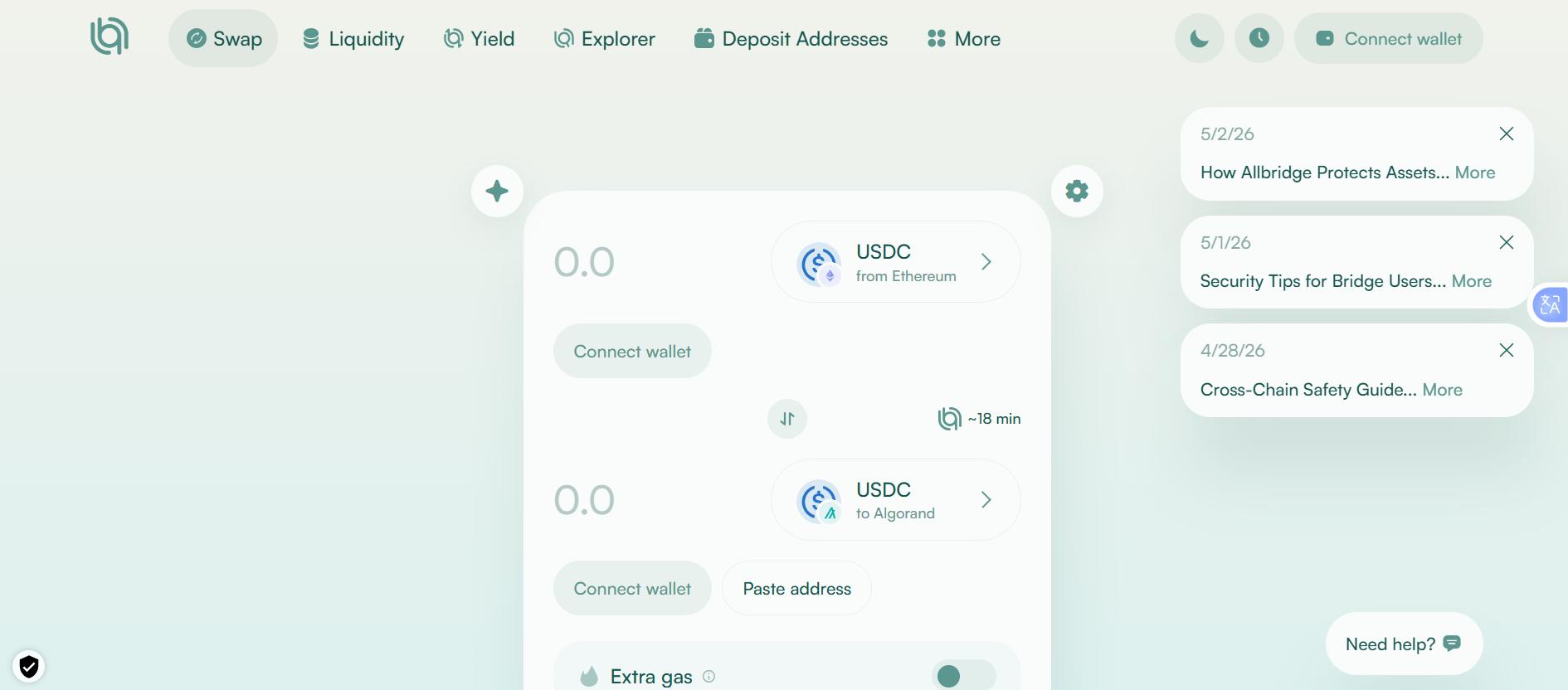
Step 2: Click Connect Wallet to link your source wallet (e.g., Phantom for Solana transfers).
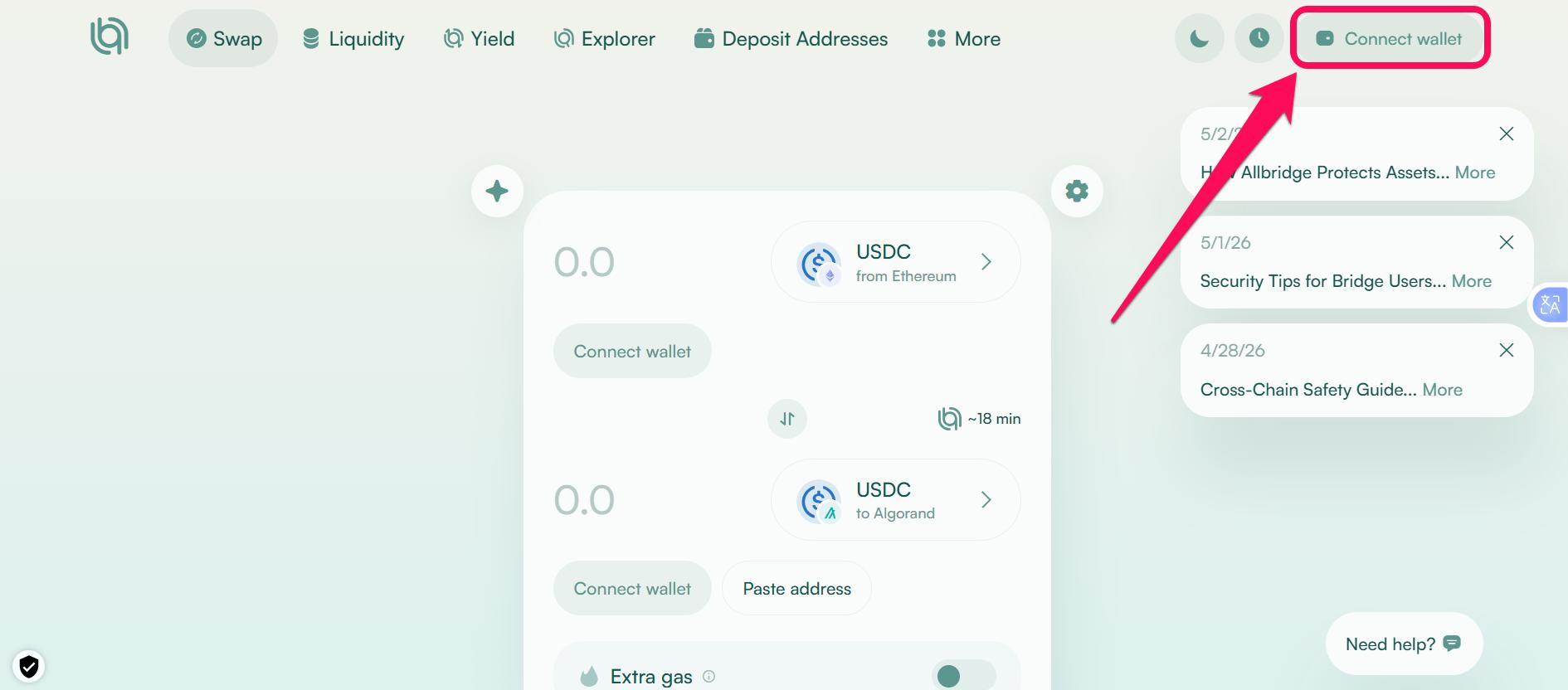
Step 3: Select the source network and token you want to send to Algorand.
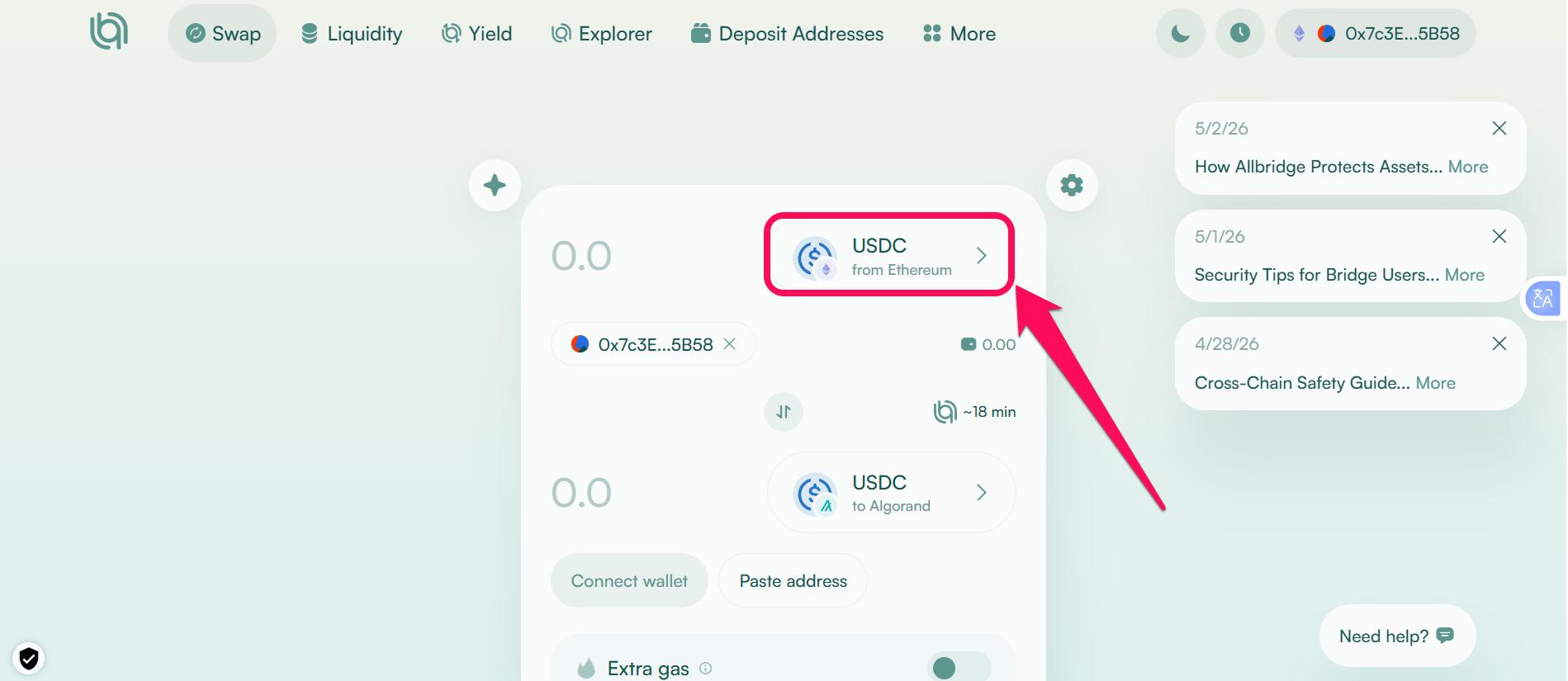
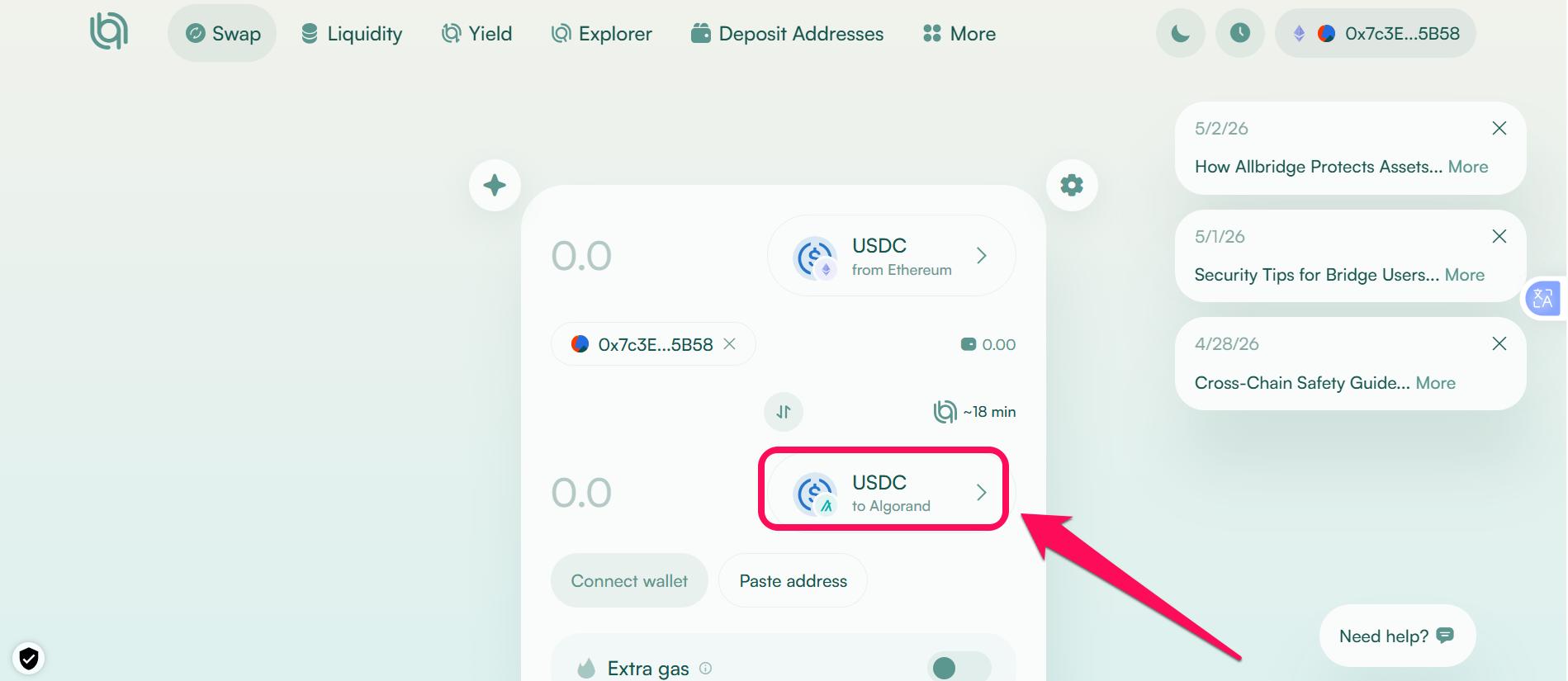
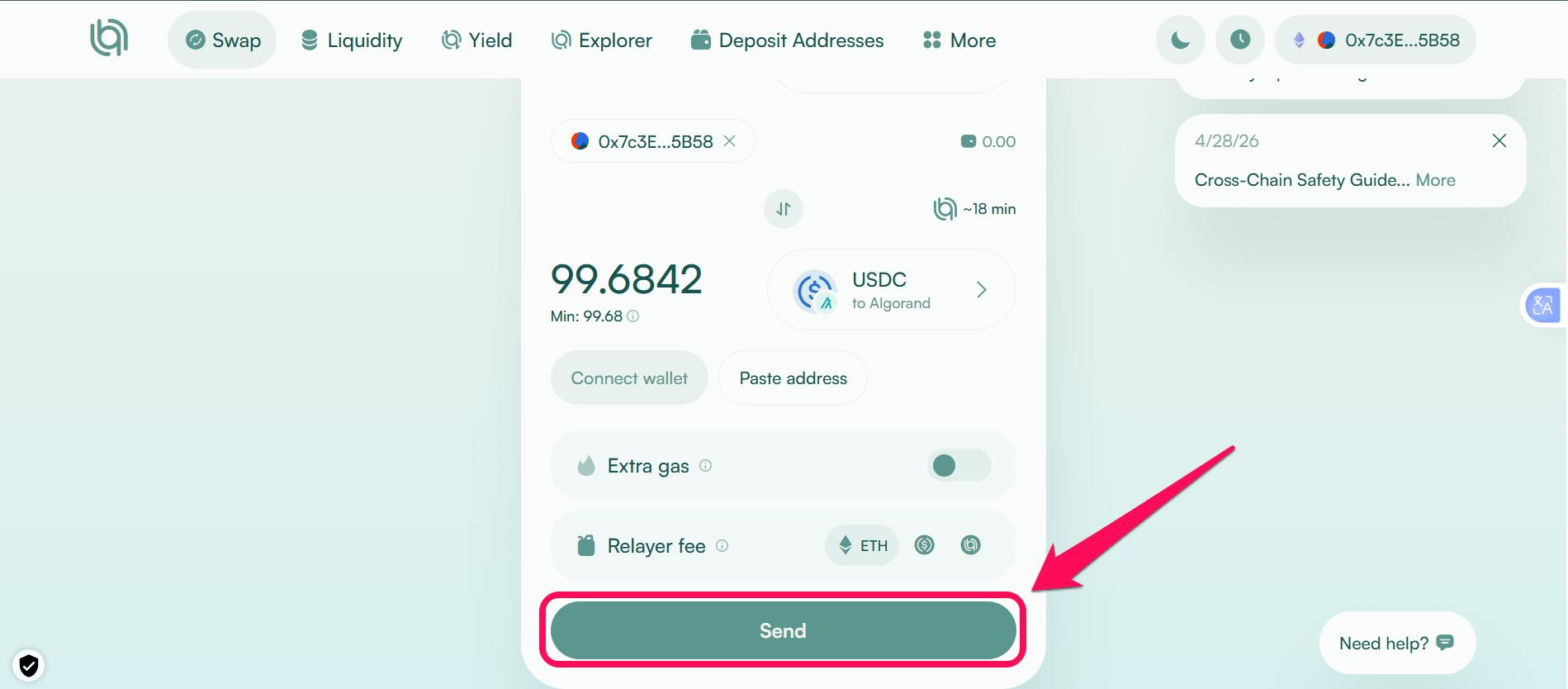
Step 4: Select Algorand as the destination chain, then specify the token you wish to receive.
Step 5: Input the amount and enter the wallet address for the token you want to receive on Algorand in the Paste address bar.
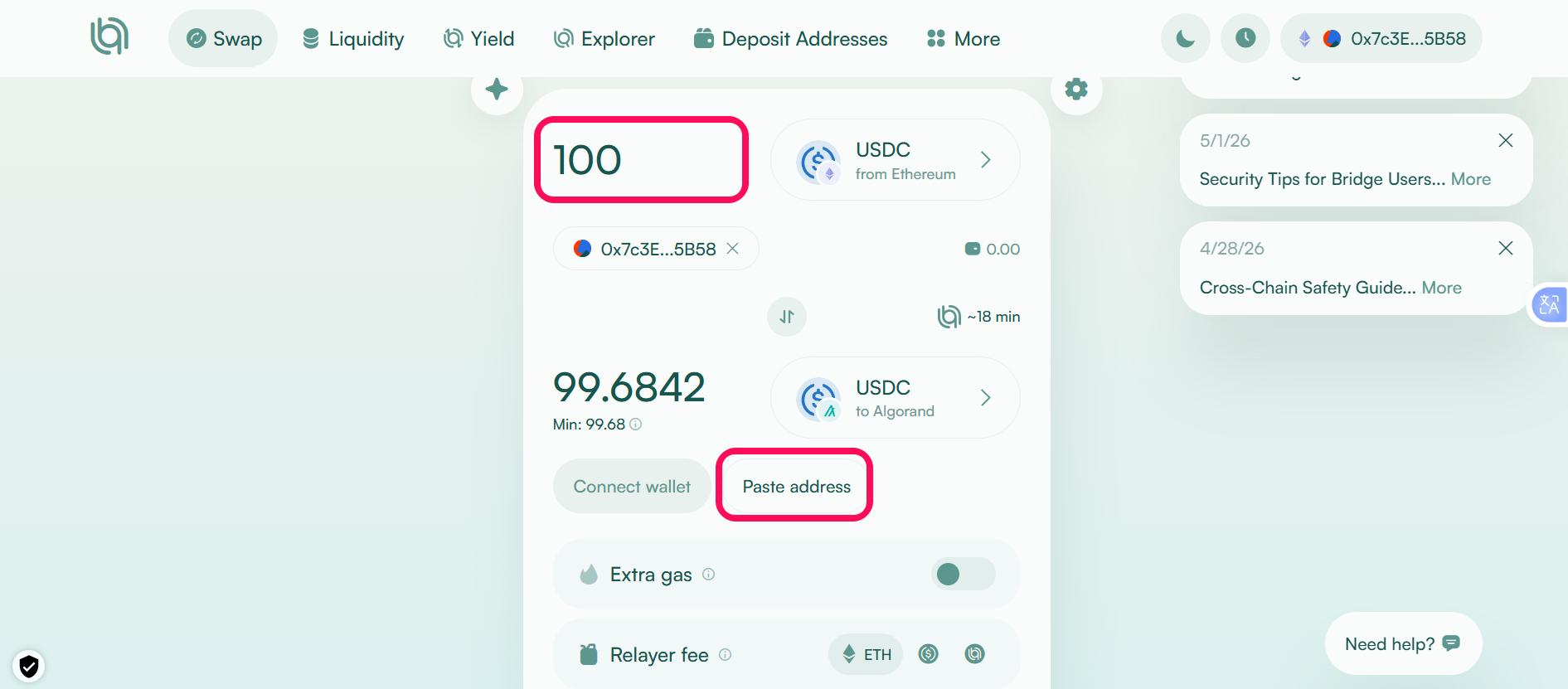
Step 6: Review transaction details, including the estimated processing time and gas fee. Click Send and confirm the transaction in your source wallet.
Method 2: Using Messina Bridge
Messina is one of the earliest bridges connecting Algorand to 9+ EVM networks, including Ethereum, Cronos, and BNB Chain. It’s a decentralized, liquidity-pool-based infrastructure that uses a basket model to wrap various stablecoins into a unified asset called goUSD, providing instant liquidity across Algorand DeFi.
Also, Messina users can stake $ALGO to receive mALGO tokens, bridge NFTs across chains, and mint goETH or goBTC tokens seamlessly. Here’s how to transfer EVM assets into Algorand using Messina bridge:
Step 1: Go to Messina bridge interface.
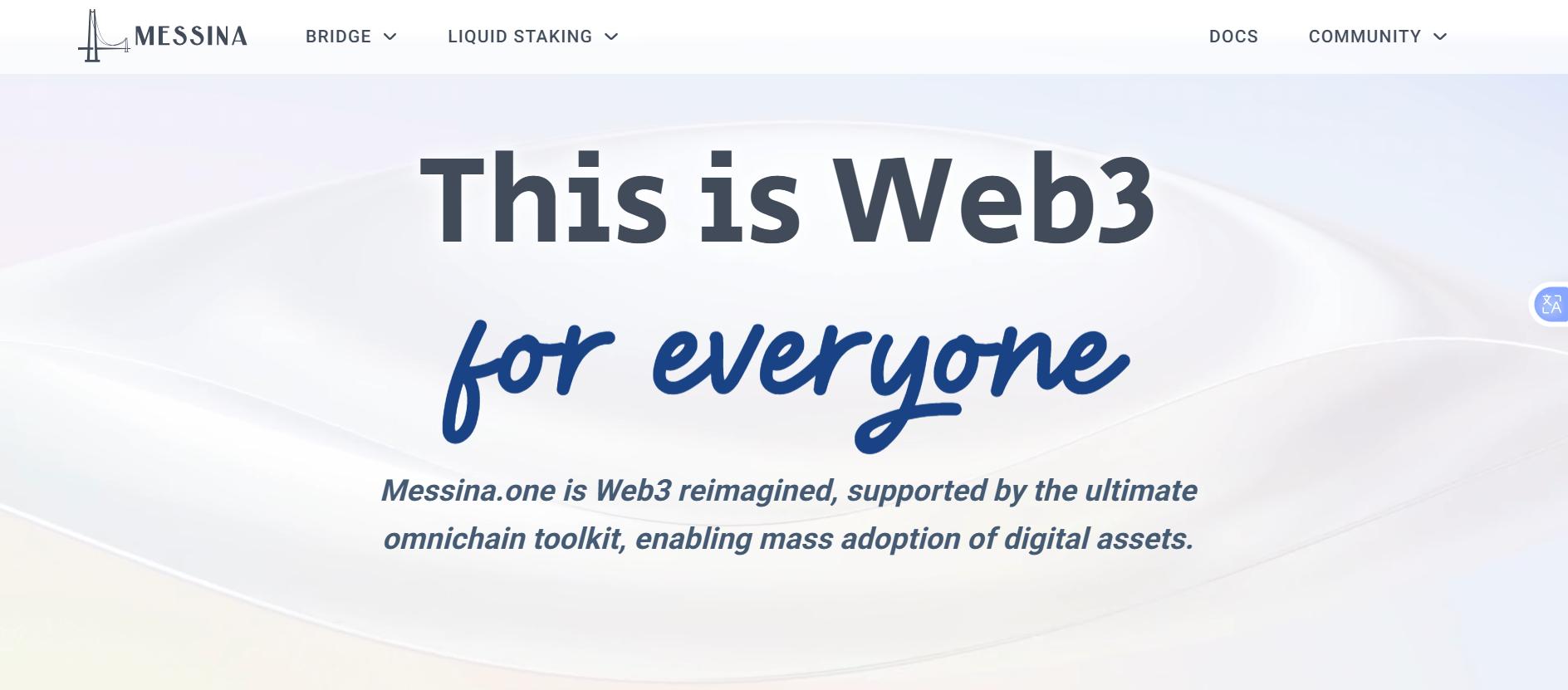
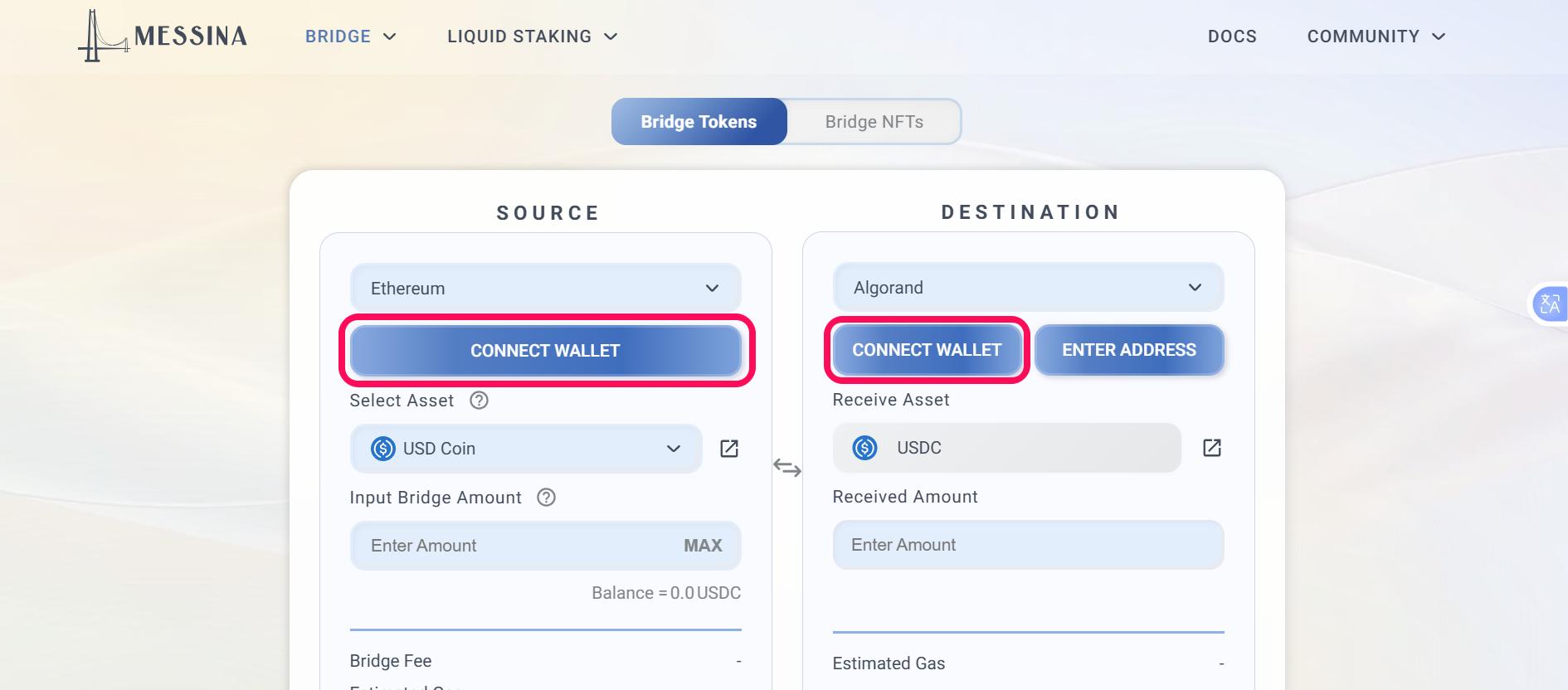
Step 2: Connect your wallets for the source and destination networks (Algorand).
Step 3: Select the assets and the amount to bridge in the Source field.
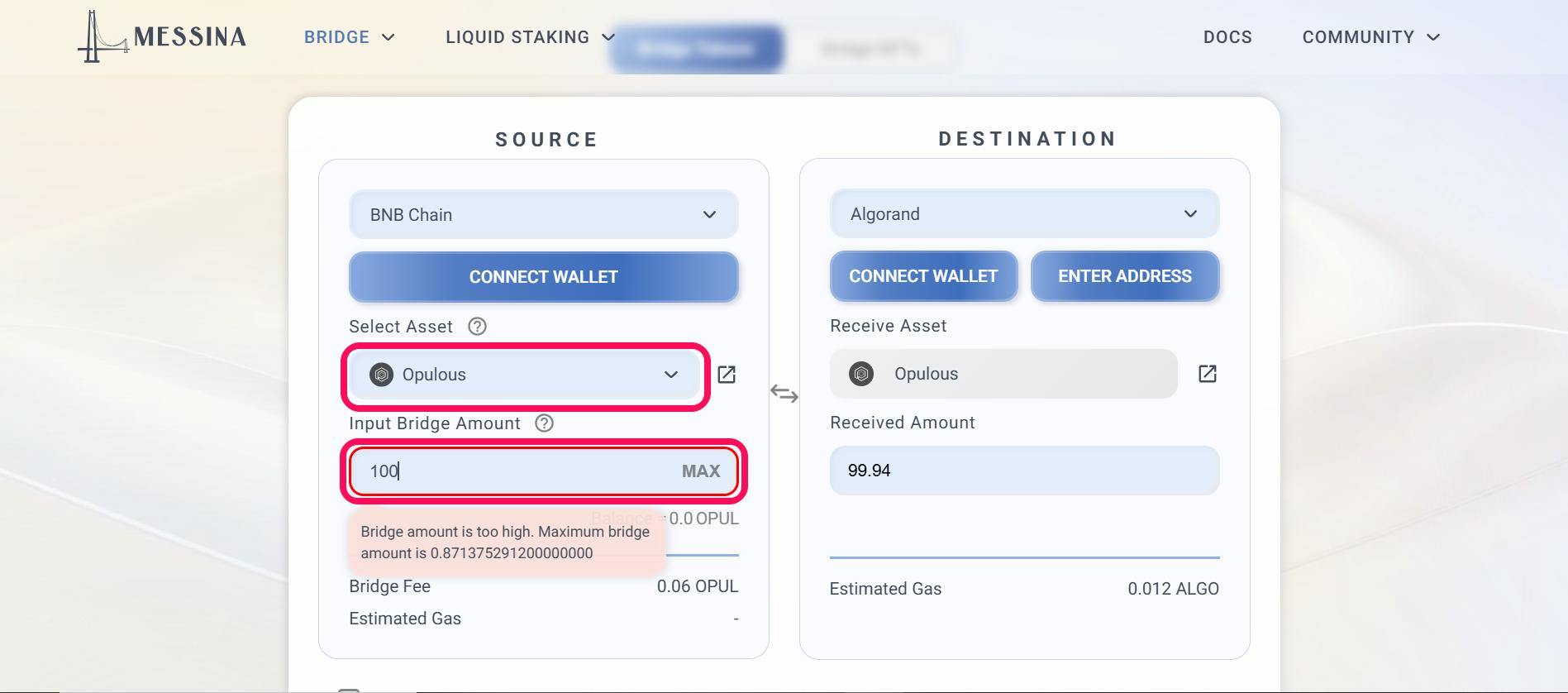
Step 4: Choose Algorand and enter the token you wish to receive in the Destination field.
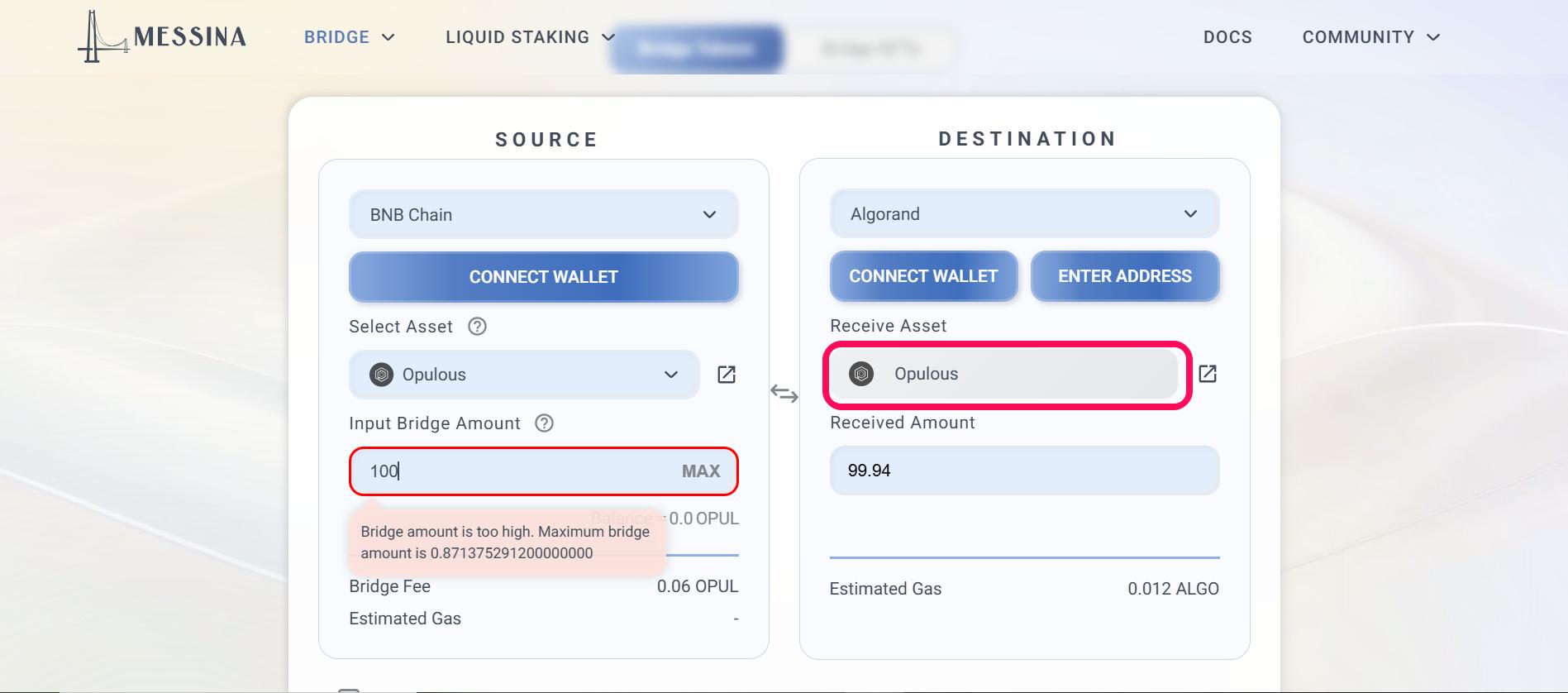
Step 5: Check the terms and condition box, then click Review transaction to proceed.
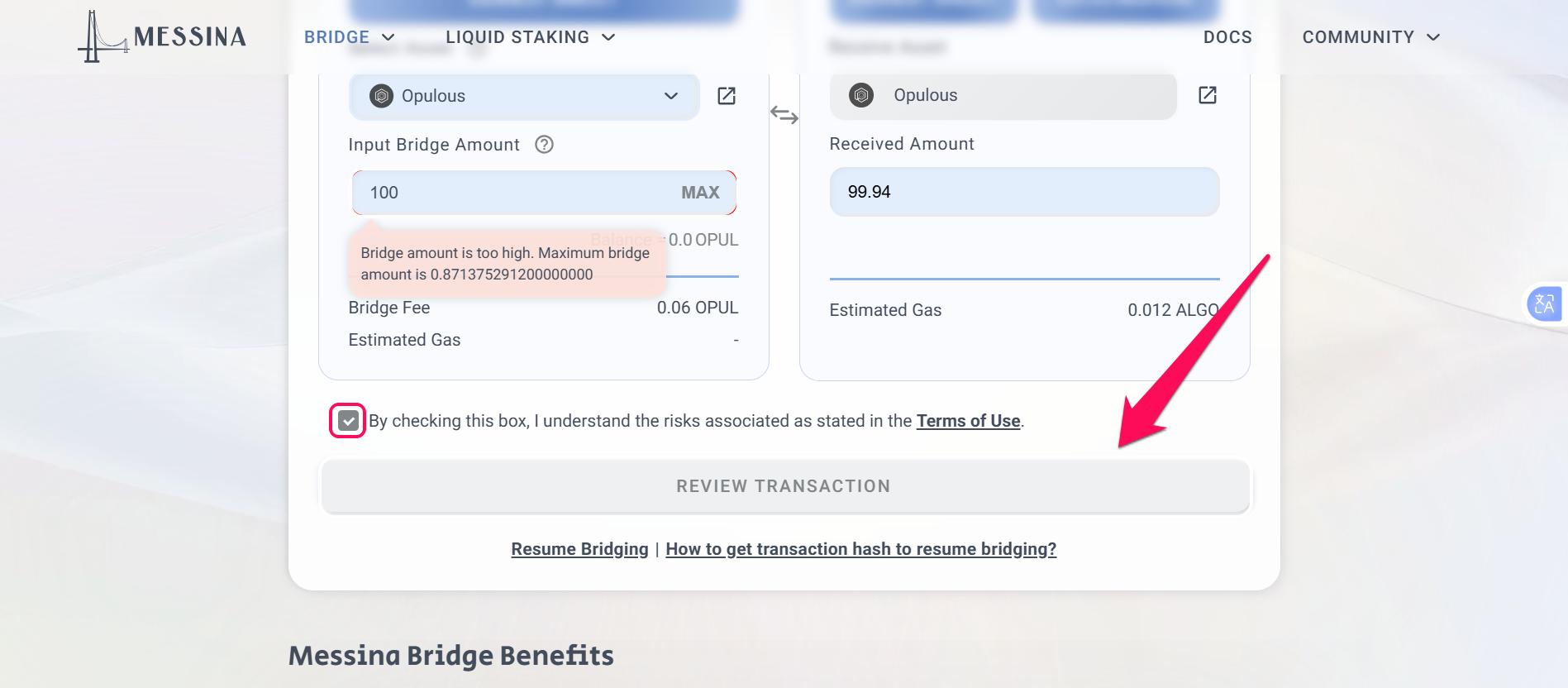
Step 6: Click confirm to start the bridging process, then sign the transaction in your source chain wallet. Once signed, click Claim to complete the bridging.
Method 3. Using a Bridge Aggregator: RocketX Exchange
A bridge aggregator is a tool that compares multiple bridges to find the best routes for moving your assets between chains. RocketX Exchange connects over 250 exchanges and 200+ blockchains, comparing their prices and security profiles to find the most efficient route for your cross-chain transfers. Its non-custodial architecture allows you to maintain 100% ownership of your assets throughout the bridging process.
RocketX Exchange provides 1-click swap compatibility that converts an ERC-20 token on Ethereum directly into ALGO or an ASA in a single interface. Follow the steps below to use RocketX Exchange for bridging your assets into Algorand:
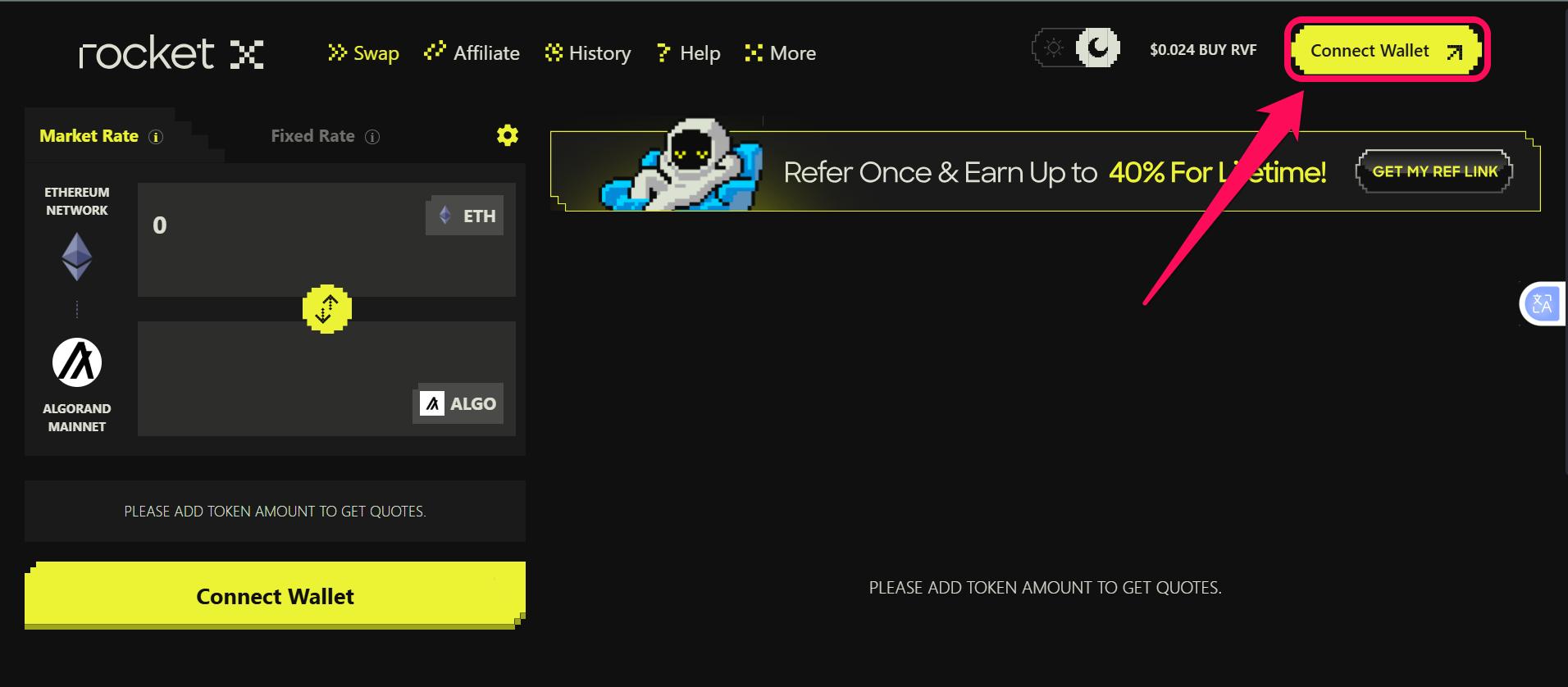
Step 1: Open the RocketX Exchange platform, and click Connect wallet to connect your source wallet.
Step 2: Select the network and token you want to bridge to Algorand as the source network. Choose Algorand as the destination chain.
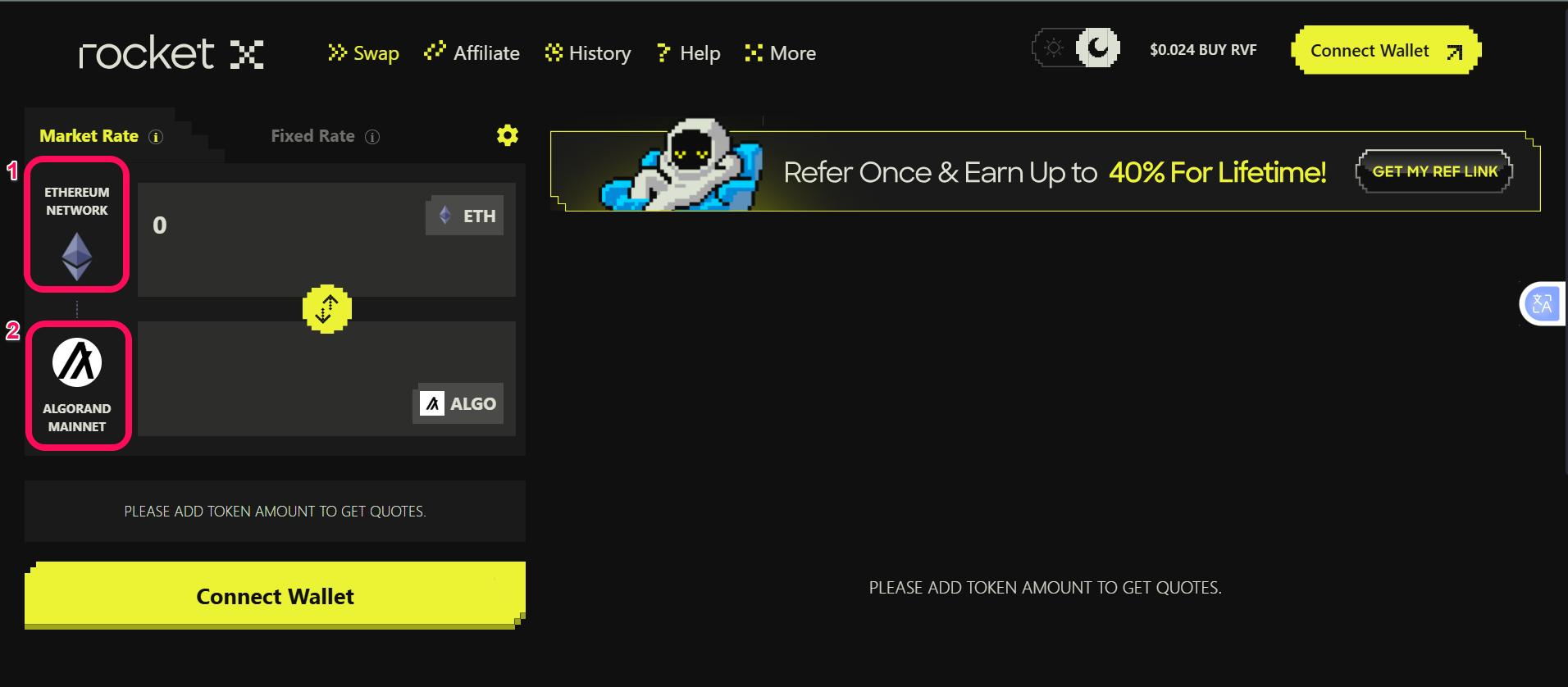
Step 3: Enter the amount of tokens you wish to bridge.
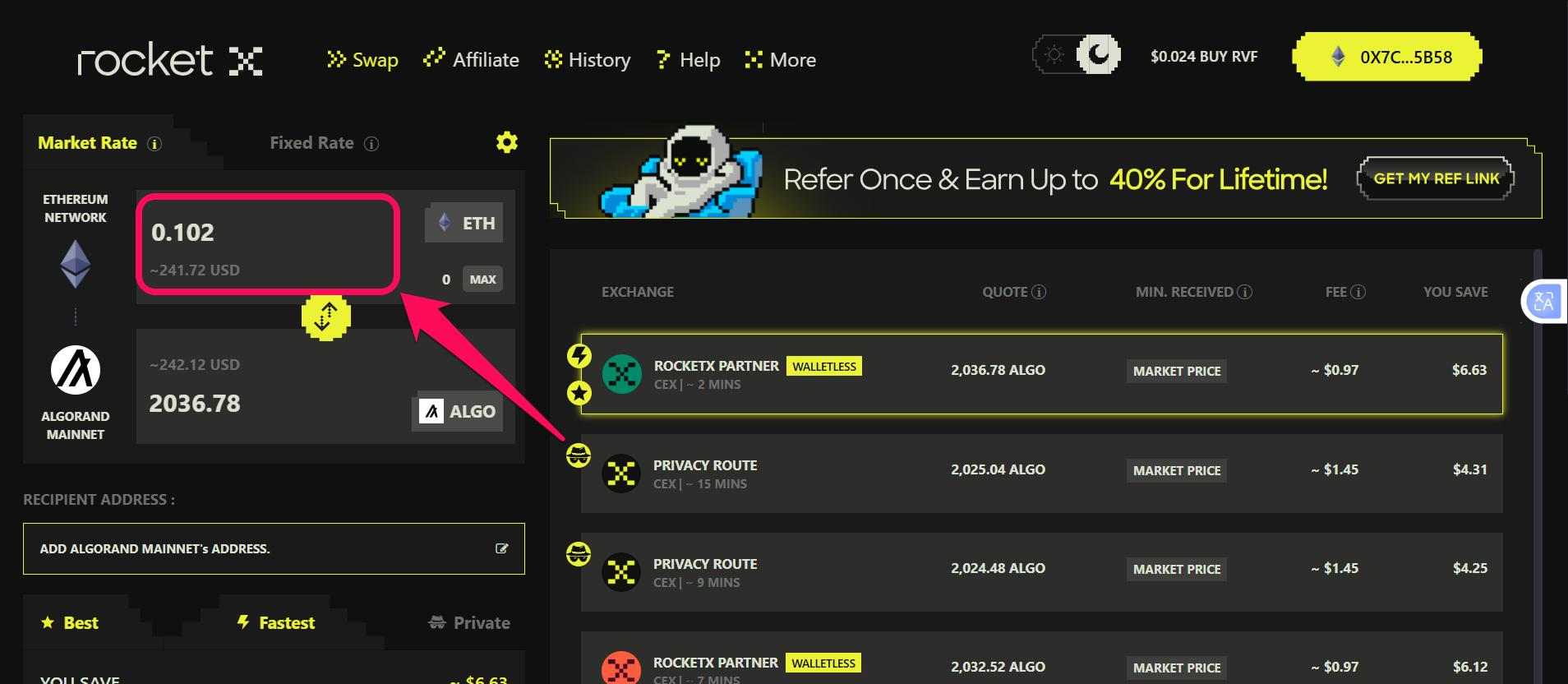
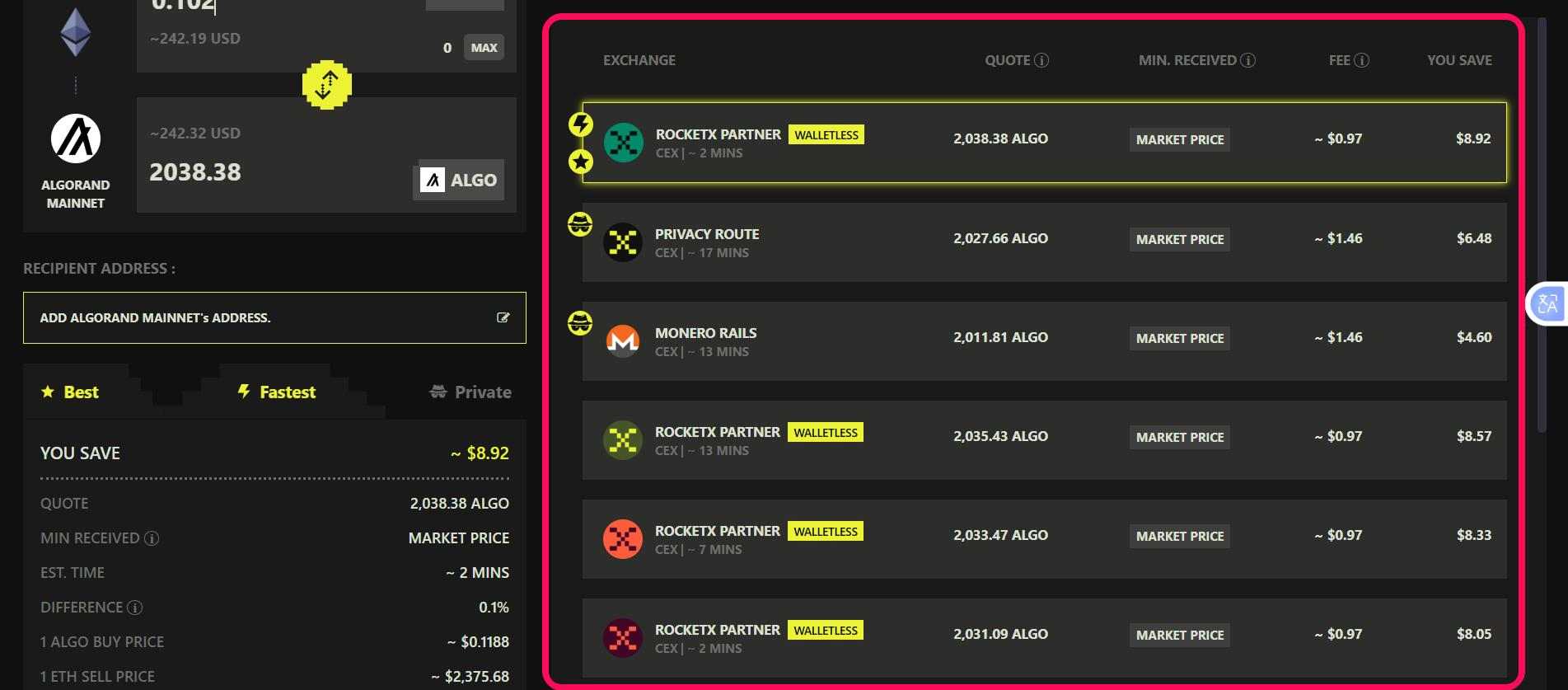
Step 4: Select the most efficient bridging route from the provided list. Consider speed, conversion rates, and gas fees when selecting a route.
Step 5: Enter your Algorand wallet address in the provided field and review the transaction.
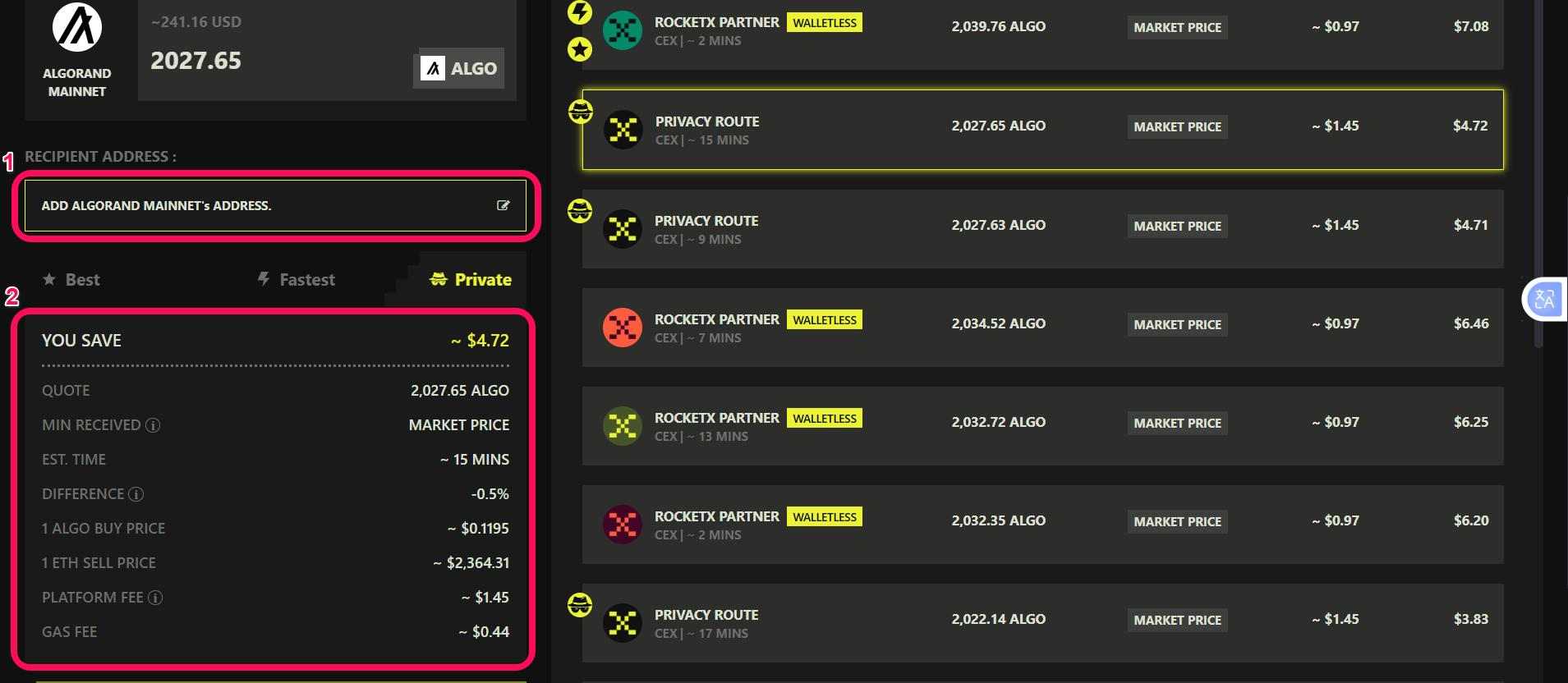
Step 6: Click cross-chain swap to initiate the transfer.
Algorand Bridging Fees
The estimated cost of bridging into the Algorand ecosystem largely involves three main layers. Firstly, the source chain fees are often the largest, especially on Ethereum, where gas costs fluctuate. Secondly, bridge protocols charge a processing fee (about 0.1% – 0.4% of the transaction value), while aggregators may add additional routing fees. Lastly, once assets reach Algorand, transaction costs are minimal at around 0.001 ALGO.
Bottom Line
Algorand is a hub for DeFi and trading activities, offering low execution risk, native asset infrastructure, and instant finality. These features, together with wallet and fee preparation emphasized earlier, lead to predictable and efficient asset management. Bridging from other chains lets you leverage Algorand’s advantages cost-effectively.
However, to bridge to Algorand using any of the methods outlined in this post seamlessly, you must have a reputable Algorand wallet set up to receive the bridged assets. Wallets like Defly Wallet offer the level of compatibility needed to explore the Algorand blockchain.
FAQS
1. Do I need to opt in to my Algorand wallet before receiving tokens?
Yes, Algorand requires an opt-in for each ASA before it can be received and viewed in your Algorand wallet.
2. What is the cheapest way to bridge to Algorand?
Using cost-effective bridge protocols in low-congestion periods and direct bridges typically reduced total costs.
3. How long does it take to bridge to Algorand from Ethereum?
The estimated arrival time for Ethereum-to-Algorand transfers largely depends on the number of confirmations required by the selected bridge protocol. For example, bridging USDC from Ethereum to Algorand using AllBridge can take about 17 minutes, though the time may vary depending on network congestion.