- •Phantom started as a Solana wallet and is now expanding into a controlled multichain setup.
- •The wallet supports 8+ major networks but does not allow custom EVM networks.
- •Solana remains Phantom’s strongest ecosystem for speed, features, and usability.
- •Built-in swaps, perps, staking, and prediction markets reduce reliance on external dApps.
- •Liquid SOL staking with PSOL offers higher yields than native staking.
- •Phantom Cash blends crypto, payments, and fiat-style balances in one interface.
When Solana started seeing real on-chain activity, Phantom became the wallet most users ended up using by default. It supported Solana early, worked smoothly with NFTs and dApps, and handled fast transactions and low fees without much setup. For many users, Phantom wallet was their first real Web3 wallet experience. Since then, the product has changed direction. Phantom is now pivoting toward a multichain setup, adding Ethereum and several other networks alongside Solana. This phantom review looks at what the wallet offers now, and how Phantom fits as a Solana wallet while expanding into multichain support.
Phantom Wallet Overview
Phantom Wallet was co-founded by Brandon Millman, Francesco Agosti launched in 2021 at a time when Solana activity was picking up and users needed a wallet that could handle frequent on-chain interactions without much setup. Its early focus was Solana, where it supported swaps, NFTs, and dApp usage with a relatively straightforward interface. That positioning helped Phantom become widely used among Solana users.
Since then, the wallet has expanded its scope. Phantom now supports 8+ major networks, including Ethereum, though support is limited to predefined chains and does not include custom EVM network configuration. The wallet includes features such as in-app token swaps, Solana liquid staking, perps trading, prediction markets, fiat on-ramps, and Phantom Terminal, which functions as an internal trading interface. Phantom has also announced a Phantom Card and added basic social elements through Phantom Chats.
From a usability standpoint, Phantom emphasizes information density. Token pages combine price charts with project details, launch data, market metrics, and liquidity information in a single view, reducing the need to rely on external tools.
Phantom Wallet Pros and Cons
| 👍 Phantom Wallet Pros | 👎 Phantom Wallet Cons |
|---|---|
| ✅ Strong Solana-native performance and tooling | ❌ No custom EVM network support |
| ✅ Supports major blockchains | ❌ Feature depth strongest only on Solana |
| ✅ Liquid SOL staking with PSOL | |
| ✅ Built-in swaps, perps, and prediction markets | |
| ✅ All-in-one Cash and payments support | |
| ✅ Ledger hardware wallet compatibility | |
| ✅ Multi-chain NFT management support |
Getting Started With Phantom Wallet
Phantom is a non-custodial wallet, which means you control your funds and there is no built-in KYC requirement when creating an account. It is available on major browsers as well as iOS and Android, so most users can get started on their preferred device without friction.
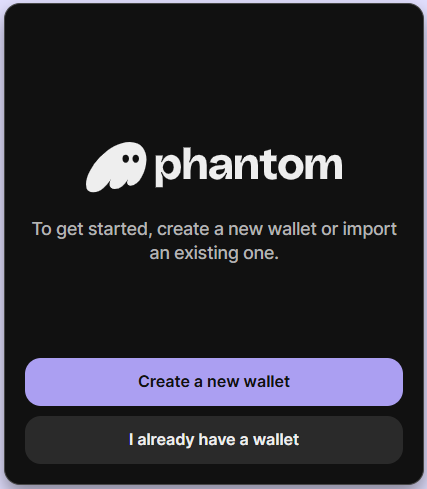
During setup, Phantom gives you a choice. You can create a traditional seed phrase wallet, or sign in using a Google or Apple account. Some users prefer the anonymity and full self-custody that comes with managing a seed phrase themselves, while others find account-based sign-in easier when they are new to Web3. It is worth understanding the trade-offs before choosing, as losing a recovery phrase means losing access permanently.
Learn more: How to Get Started With the Phantom Wallet
Phantom Wallet Network Supported
Network support plays a big role in deciding whether a wallet fits your workflow. Phantom supports 8+ major blockchains, all of which come pre-configured. This includes Solana, Ethereum, Bitcoin, Sui, along with a limited selection of widely used EVM networks. Assets on these chains can be stored, sent, and managed without additional setup.
That said, Phantom does not allow users to add custom EVM networks or RPC endpoints. This makes the experience simpler, but also more restrictive for users who rely on newer chains, testnets, or less common EVM deployments. In practice, Phantom works best for users whose activity is concentrated on mainstream networks rather than experimental ecosystems.
For Bitcoin, Phantom supports both Native SegWit and Taproot address formats. Native SegWit is enabled by default, helping keep transaction fees lower, and users can switch address types from the wallet’s preference settings if needed.
For new users who want to quickly confirm whether Phantom supports the networks they plan to use, our Phantom Wallet Network Checker can help avoid setup surprises early on.
Phantom also supports hardware wallets through Ledger integration. This allows users to keep private keys off their device while still using Phantom’s interface for signing transactions, adding an extra layer of security for long-term holdings and higher-value accounts.
Phantom Wallet Fees
Phantom does not charge a flat wallet fee, but costs depend on how you use its features. In-wallet swaps carry a 0.85% fee, applied on top of any price slippage and the underlying network fee, such as SOL on Solana or ETH on Ethereum. Trades executed through Phantom Terminal follow the same structure, with a 0.85% fee plus network costs.
For perps trading, Phantom applies a 0.05% trading fee per position. The remaining portion of the total cost is handled by Hyperliquid, which powers Phantom’s perps infrastructure. Withdrawing funds from a perps balance also carries a flat 1 USDC fee.
Phantom does not charge an additional wallet fee for Solana staking, aside from standard Solana network fees when staking or unstaking. For fiat access through Phantom Cash, there is no direct fee to hold or move funds within the Cash account. However, once CASH is withdrawn into the main Phantom wallet, any swaps made from there are treated as regular Phantom swaps and are subject to standard swap and network fees.
Phantom Wallet Products and Services
Web3 wallets have come a long way, evolving from simple storage tools into full Web3 interfaces that let users do far more with their funds. Below is a look at the features and services Phantom Wallet provides once you install the browser extension or mobile app.
Browser Extension
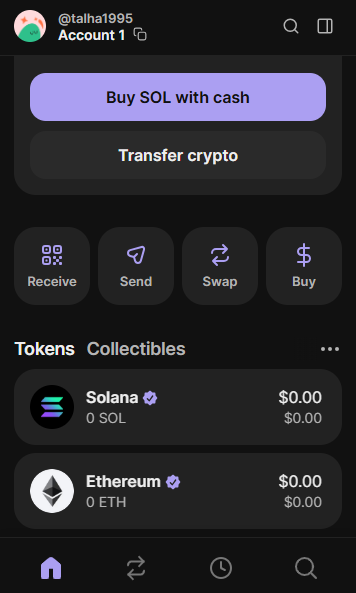
Phantom is available as a browser extension on Chrome and other Chromium-based browsers. It provides quick access to core wallet functions and is designed for simple, everyday use. The extension can be opened as a floating window or docked as a side panel inside the browser, making it easier to stay connected while using dApps. Feature support is limited to essentials such as sending and receiving tokens, swapping or bridging assets, and viewing NFTs.
Mobile App
The Phantom mobile app is built for on-the-go use and offers the most complete experience. It includes access to swaps, perps trading, prediction markets, liquid staking, and a built-in dApp browser. Unlike the extension, the mobile app acts as a full Web3 hub, allowing users to manage assets, trade, and interact with on-chain applications from one place. This makes it better suited for active users who rely on Phantom beyond basic storage or transfers.
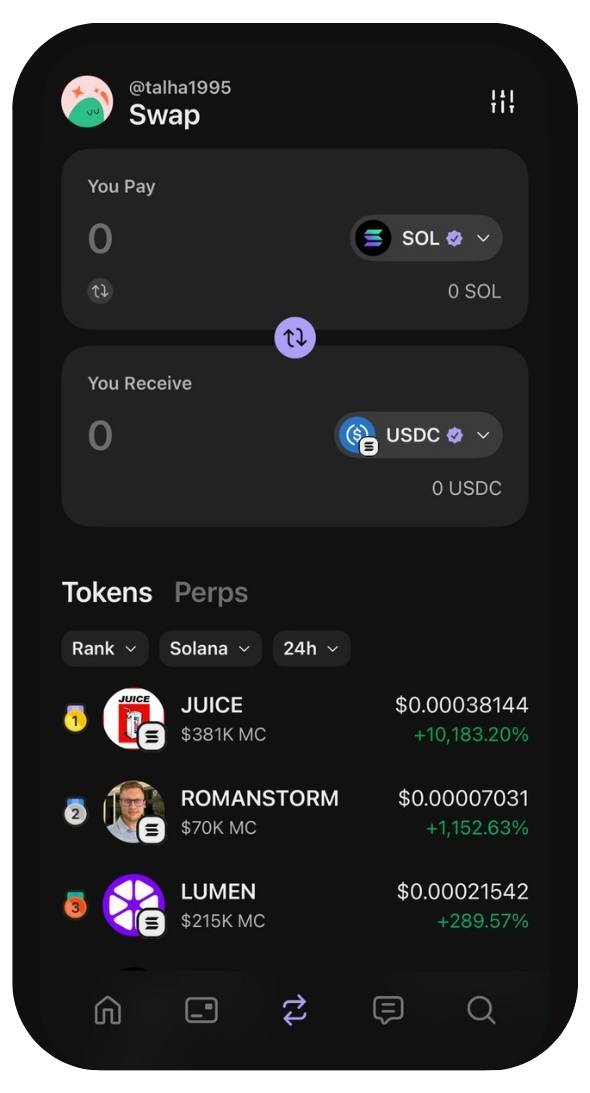
Phantom Swaps
Phantom allows users to swap and bridge tokens directly within the wallet across its supported networks. This includes moving assets between chains, such as swapping tokens from Ethereum to Solana, without relying on external tools. Swaps are available across 8+ supported networks and show final pricing before confirmation. Phantom applies a 0.85% swap fee, along with any network fees and potential slippage depending on market conditions. This setup keeps basic cross-chain and same-chain swaps accessible, though costs can add up for frequent or larger transactions.
Phantom Staking
Phantom offers native, in-app Solana staking, letting users stake SOL directly from the wallet with an estimated yield of around 6.57% per year, depending on network conditions. In addition to native staking, Phantom supports liquid staking on Solana. When liquid staking SOL, users receive PSOL, a yield-bearing token that captures additional value from MEV tips and priority fees. This setup remains fully non-custodial and uses the Solana stake pool program, which has undergone nine independent audits.

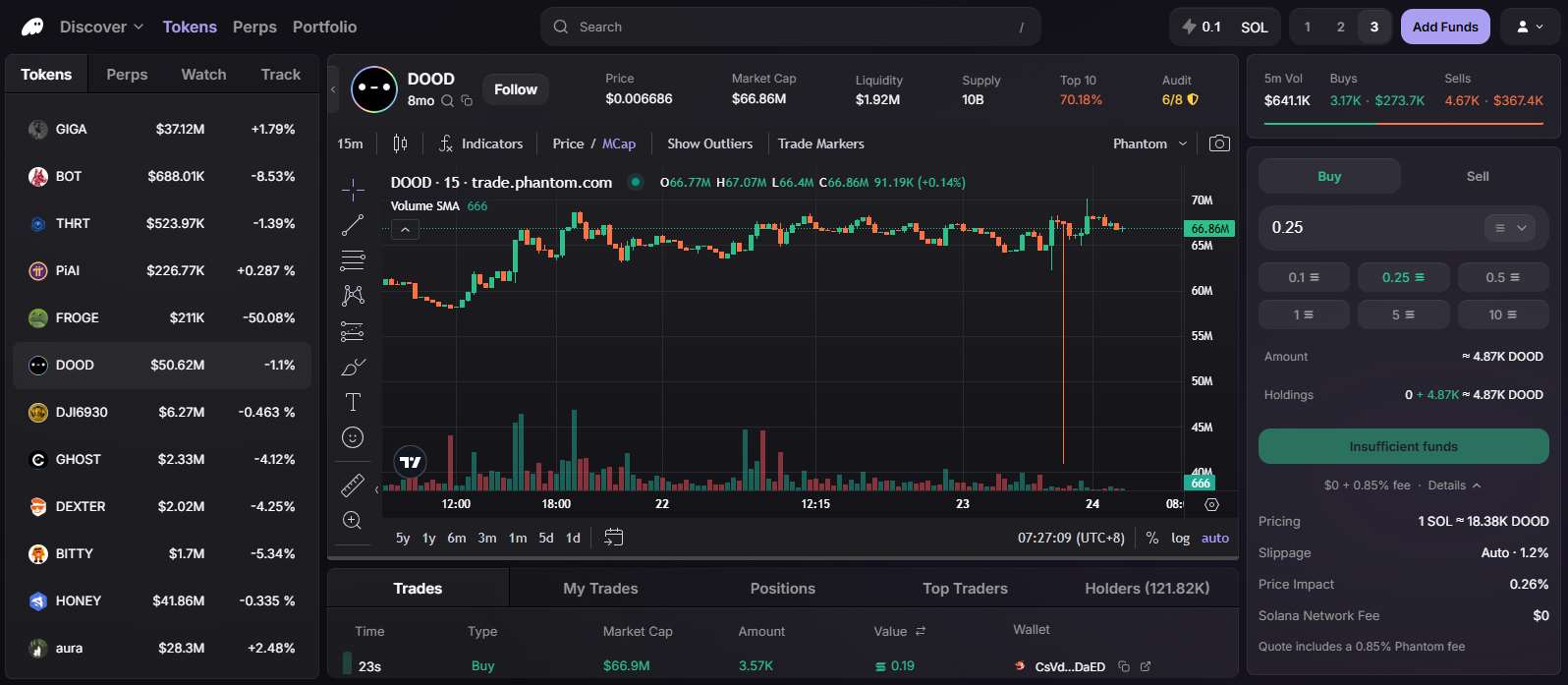
Phantom Terminal
Phantom Terminal is Phantom’s desktop trading interface, built for users who want faster execution and more visibility without leaving the wallet ecosystem. It feels closer to a launchpad-style environment, similar to how tools like pump.fun surface trending and newly launched tokens, but with broader market coverage. From one screen, users can track live charts, explore active markets, and place trades with more control than the standard wallet view. The terminal supports spot trading and perps, includes advanced charting, and keeps positions synced with the Phantom mobile app. It is designed for active trading sessions rather than casual transfers.
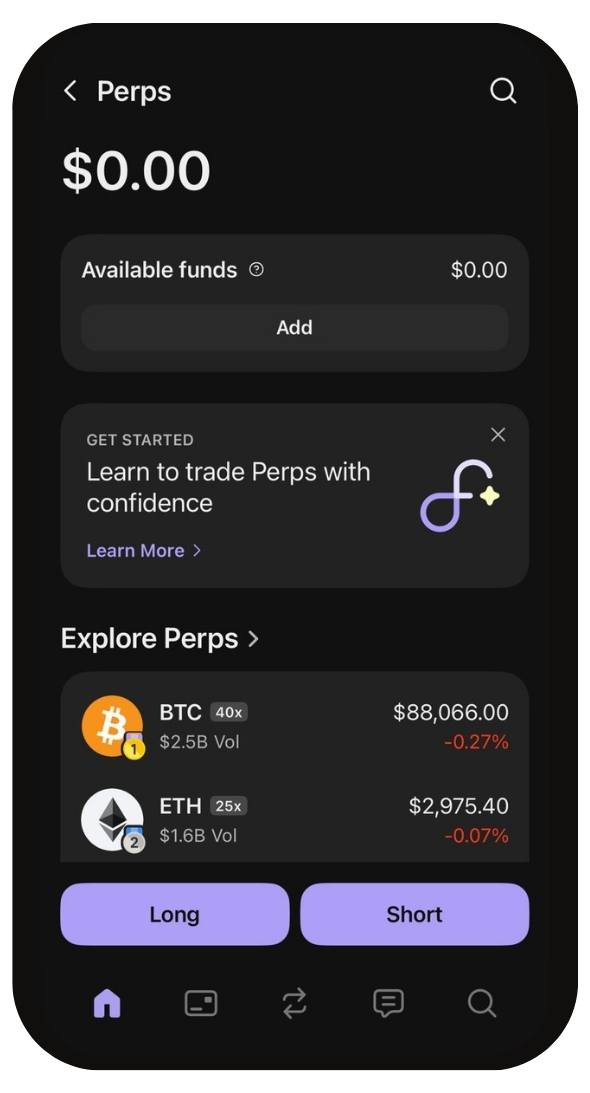
Phantom Perps
Phantom Perps lets users trade perpetual futures directly from the wallet, without moving funds to a separate trading app. It supports long and short positions with leverage of up to 40x, making it suitable for both directional trades and hedging. The perps experience is powered by Hyperliquid, which offers access to 173+ futures contracts. Total trading fees come to 0.095%, split as a 0.05% Phantom builder fee and a 0.045% provider fee. Withdrawing from the perps balance carries a flat 1 USDC fee.
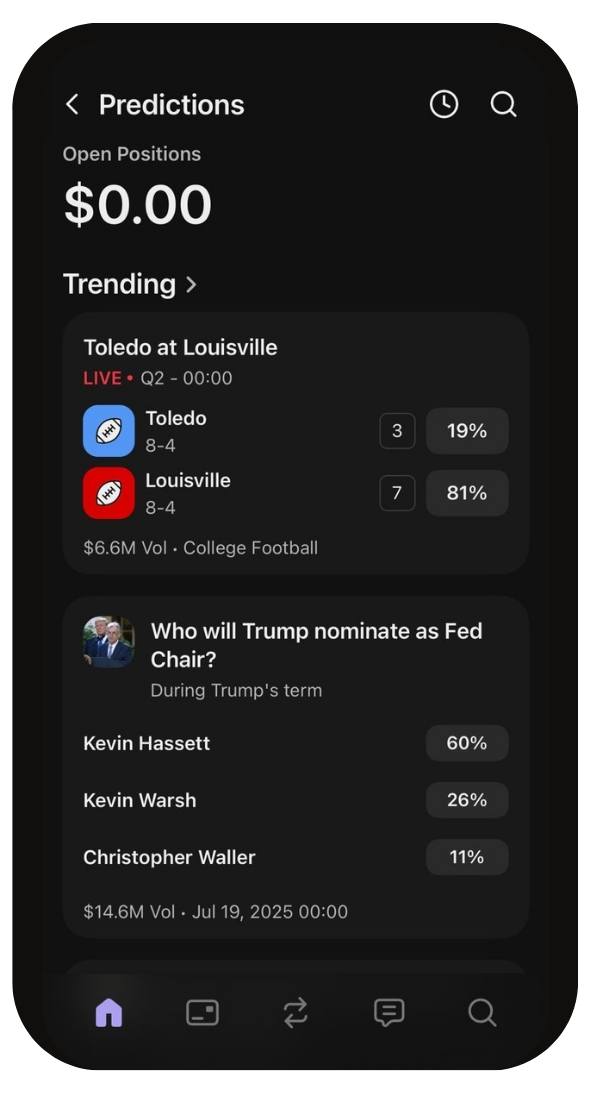
Prediction Markets
Phantom includes built-in access to prediction markets directly inside the mobile app, removing the need to connect an external platform or move funds elsewhere. Users can browse live and upcoming markets, view pricing and outcomes, and place trades without leaving the wallet. The feature is integrated with Kalshi and is currently available on mobile only. Availability depends on region, and access may be limited in certain jurisdictions due to regulatory restrictions.
Phantom Wallet Tokenized Stocks Market
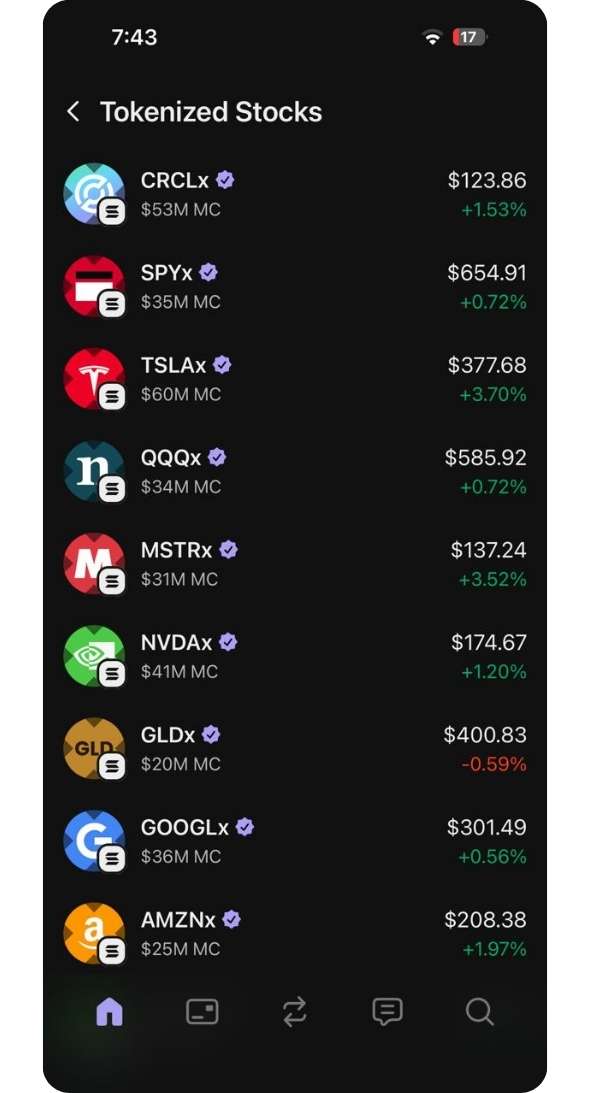
Phantom separates tokenized stock access into two clear paths, which makes it easier to use depending on your goal. On the spot side, tokenized stocks behave like regular tokens, so you can swap into them, hold them in your wallet, and move them just like any other asset. On the trading side, stock exposure also exists through perps, where you are dealing with price movement instead of ownership. Both options sit inside the same interface, so shifting between crypto and traditional market exposure stays straightforward.
NFTs
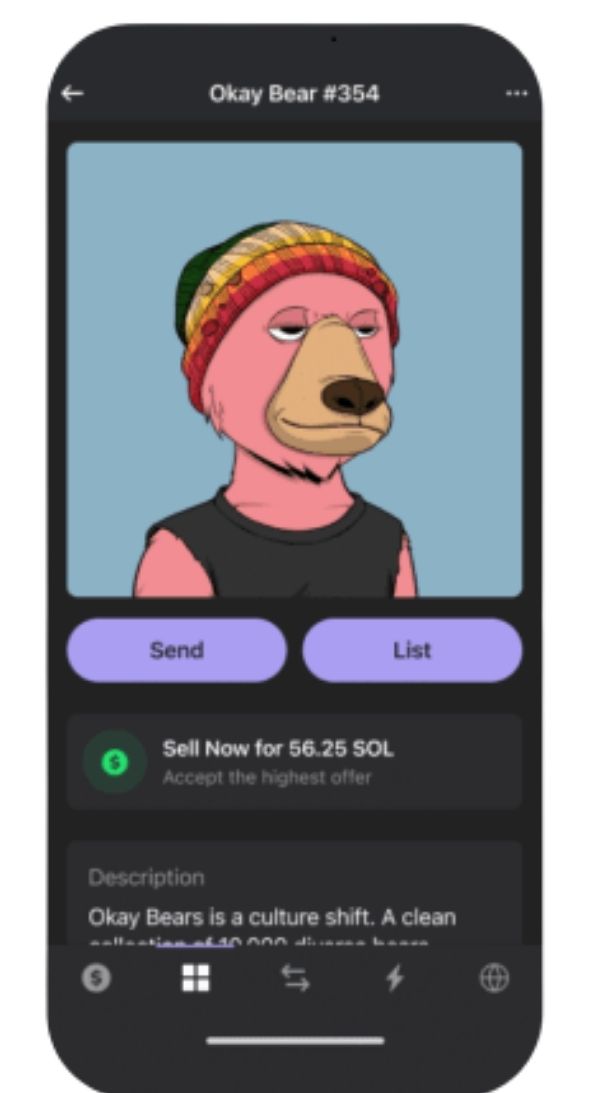
Phantom includes a built-in NFT gallery that lets users view, organize, and manage NFTs across supported networks. Collections and individual assets are displayed directly inside the wallet, making it easier to track ownership, send NFTs, or interact with NFT-based dApps without relying on external marketplaces.
Phantom Cash
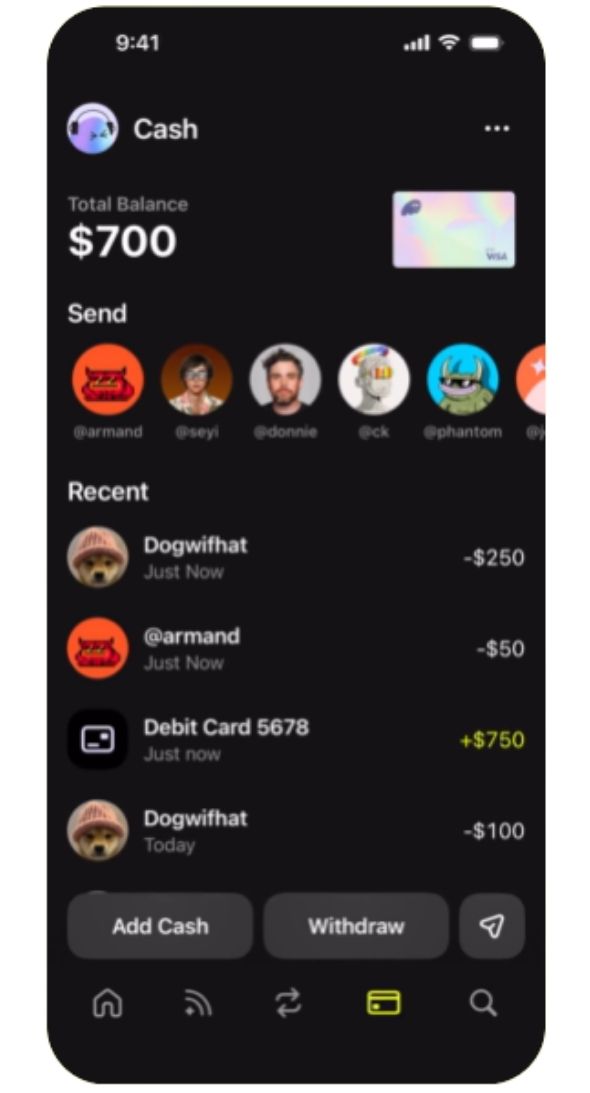
Phantom Cash extends the wallet beyond crypto-only use by combining payments, transfers, and balances in one place. Users can spend funds anywhere Apple Pay, Google Pay, or Visa are accepted, move money between bank accounts and Phantom with minimal friction, and send funds to other Phantom users instantly. CASH balances can be used alongside crypto, viewed together in a single interface. Stablecoin conversions are handled directly in-app, allowing users to move between crypto and CASH without additional swap fees on supported stablecoins.
Phantom Chats (Social Features)
Phantom includes a built-in social layer that lets users engage around specific tokens directly inside the wallet. When viewing a token, users can join a related chatroom to see ongoing discussions, sentiment, and activity from other holders. This creates a lightweight SocialFi experience without leaving the app or relying on external platforms. While it is not a trading signal tool, it helps users stay informed, gauge community interest, and follow conversations tied closely to on-chain assets.

dApp Browser
The Phantom mobile app includes a built-in dApp browser that lets users access Web3 applications directly from the wallet. It supports interaction with dApps across Phantom’s supported networks, making it easier to connect, sign transactions, and manage on-chain activity without switching apps or using separate browser extensions.
Phantom Wallet Security
Phantom Wallet is a non-custodial wallet, meaning private keys and recovery phrases are generated and stored on the user’s device, not on Phantom’s servers. In 2022, users reported losses totaling roughly $4 million across multiple Solana wallets. Phantom stated that its infrastructure was not breached, and investigations pointed to compromised private keys, likely exposed through infected devices or browser extensions rather than a Phantom backend exploit.
In 2024, Phantom was also named in a lawsuit alleging that browser-based key storage made users vulnerable to theft. The case highlighted risks inherent to hot wallets, not a confirmed protocol-level hack. Phantom supports Ledger hardware wallets to reduce this exposure and includes transaction previews, approval warnings, and scam alerts. On Solana swaps, Phantom applies limited MEV-aware routing, though protection is not universal. As with all self-custody wallets, security ultimately depends on user behavior and device hygiene.
Phantom Wallet Customer Support
Phantom provides customer support through its official help center and an in-app support system where users can submit tickets for account, transaction, or app-related issues. Support typically covers troubleshooting, token visibility problems, scam guidance, and recovery steps after a compromise.
However, because Phantom is non-custodial, the support team cannot reverse transactions or recover lost funds. This limitation is often misunderstood by new users and is a common source of frustration in public reviews. Response times can vary during periods of high usage.
MetaMask vs Phantom Wallet
The core difference is scope. MetaMask is built first and foremost for the EVM ecosystem. It supports a very large number of networks, including Solana and Bitcoin, and allows users to add custom EVM chains and RPCs, which makes it flexible for DeFi power users, testnets, and newer networks. Phantom Wallet, by contrast, supports fewer networks, all pre-configured, and does not allow custom EVM network additions. It trades flexibility for a more controlled and simpler setup.
Another major advantage MetaMask holds is first-mover positioning. MetaMask targeted Ethereum and EVM-compatible networks early, at a time when Ethereum had the largest and most active user base. This meant more users became accustomed to the MetaMask interface and workflow long before alternative wallets gained traction. Phantom, on the other hand, was primarily built for Solana users during Solana’s growth phase.
Now that both wallets have expanded into additional networks, MetaMask’s existing user base and its later support for Solana allow many users to manage assets across ecosystems without switching wallets. In practice, MetaMask benefits from user familiarity and breadth, while Phantom remains stronger where simplicity and Solana-native usage matter most.
Is Phantom Wallet Safe?
Phantom Wallet is generally considered safe from an infrastructure standpoint, but its security depends heavily on how it is used. It is a non-custodial wallet, meaning Phantom does not control your funds or recovery phrase. There have been no confirmed breaches of Phantom’s core systems.
However, some users have lost funds due to phishing, malicious dApps, fake token approvals, or compromised devices, which are common risks with hot wallets. Phantom offers safeguards like transaction previews, scam warnings, and Ledger support, but it cannot prevent user-side mistakes. For everyday use, it is safe when paired with careful permission management and good device security.
Bottom Line
Phantom makes sense when simplicity, speed, and Solana-native access matter more than maximum flexibility. The wallet keeps most everyday actions in one place, from swaps and staking to trading and dApp access, without asking users to configure networks or tools manually. That approach will not suit everyone, especially those who rely on custom EVM setups or experimental chains. Still, for activity centered on Solana and a handful of major networks, Phantom remains a strong choice and is often seen as the best Solana wallet. This phantom review should help place it in context. If your needs go beyond Solana, exploring an alternative crypto hot wallet may make more sense.
FAQs
1. Is Phantom Wallet free to use?
Yes. Phantom does not charge a wallet setup or maintenance fee. Costs only apply when you use specific features like swaps, perps trading, or on-chain transactions.
2. Does Phantom Wallet support Bitcoin?
Yes. Phantom supports Bitcoin with both Native SegWit and Taproot address formats. Native SegWit is enabled by default, and address types can be changed in the wallet settings.
3. Can I add custom networks to Phantom Wallet?
No. Phantom only supports a fixed list of pre-configured networks. Custom EVM networks or RPC endpoints cannot be added.
4. Is Phantom better than MetaMask for Solana?
For Solana-specific usage, Phantom generally offers a smoother and more complete experience than MetaMask, especially for NFTs, swaps, and dApp interaction.
5. Does Phantom Wallet support hardware wallets?
Yes. Phantom supports Ledger hardware wallets, allowing users to sign transactions securely while keeping private keys offline.