


- •Ledger Nano X keeps private keys offline and requires physical confirmation before transactions move.
- •Bluetooth makes Ledger Nano X practical for iPhone and Android users.
- •Ledger Nano X’s small OLED display works, but feels less comfortable for complex transactions.
- •Supports 15,000+ assets through Ledger Wallet and compatible wallets.
- •Received CSPN certification from France’s cybersecurity agency, ANSSI.
Ledger makes several hardware wallets, all built around the same purpose: helping users store crypto offline and safely. The Ledger Nano X is one of these devices, taking that same idea in a compact, USB-stick-sized form. It generates and stores your private keys and includes a small OLED screen, allowing you to physically review and confirm actions on the device itself. In this Ledger Nano X review, we look at its security, design, supported networks, and everyday usability to give you the most informed verdict possible, based on our experience with the device.
| Stats | Ledger Nano X |
|---|---|
| 🗝️ Type | Hardware Wallet |
| 🖥️ Screen | 1.1" OLED Display |
| 🪙 Supported Tokens | 15,000+ |
| 🌐 Supported Networks | 100+ |
| 🖼️ NFT Support | Yes |
| 🔗 Connection | Bluetooth, USB-C |
| 🔋 Wireless Charging | No |
| 🛡️ Security | CC EAL5+ (ST33J2M0), PIN |
| 📱 Mobile App | Android & iOS |
| 💻 Desktop App | Windows, macOS, Linux |
| 📲 Main App | Ledger Wallet |
| 🔌 Wallet Support | 50+ |
| ⭐ Best For | Mobile Self-Custody |
Ledger Nano X Overview
Released in 2019, the Ledger Nano X is a compact hardware wallet designed for people who want to keep their crypto private keys offline while still managing assets from a phone or computer. It is roughly USB-stick sized, measuring 72 mm × 18.6 mm × 11.7 mm and weighing 34 g. The regular version comes in Onyx Black color, with a brushed stainless-steel cover and plastic body, so it feels small enough to carry without taking up much space.
Its 1.1-inch monochrome OLED display has a 128 × 64-pixel resolution and works alongside two physical buttons. You use the left and right buttons to move through the menus, while pressing both confirms a selection. This means every transaction, PIN entry, and device setting is handled directly on the Nano X. The screen is enough for checking basic transfers, although long wallet addresses and detailed smart-contract prompts can take more time to review.
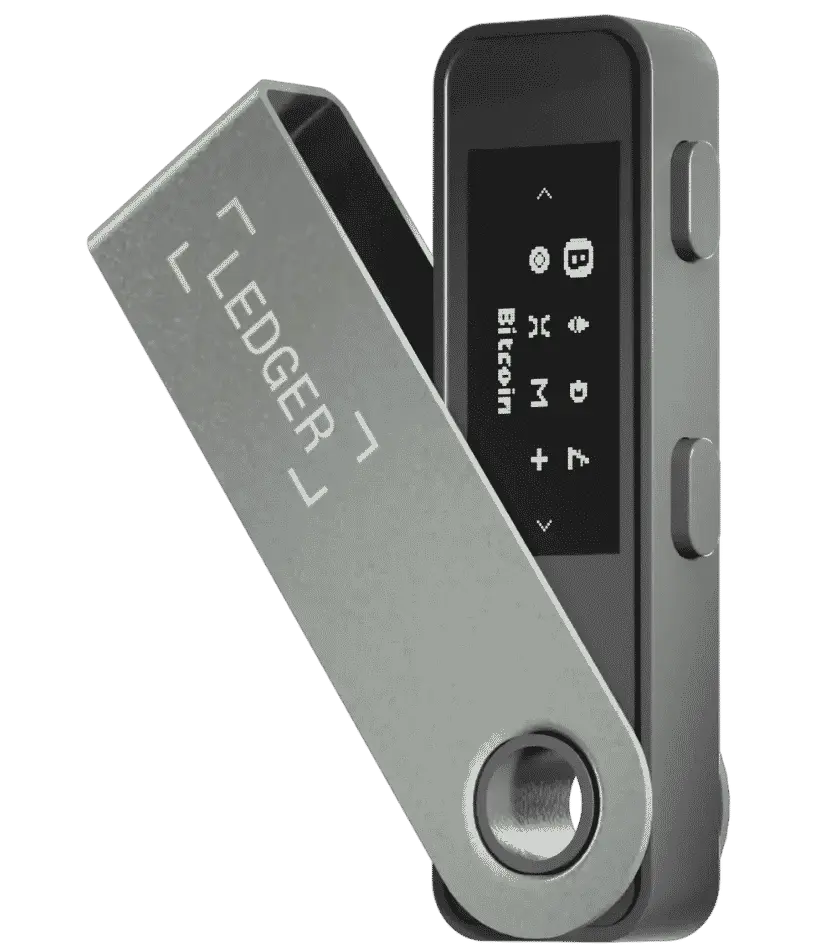
A built-in 100 mAh battery lets you use the Nano X without keeping it plugged in. It connects to phones through Bluetooth 5.2 and works with the Ledger Wallet app, previously called Ledger Live. You can also use the included USB-A to USB-C cable for desktop connections or Android devices. It supports Windows 10 and 11, macOS Monterey and later, Ubuntu LTS, iOS 14 and later, and Android 10 and later, but it does not work with Chromebooks. Unlike newer Ledger devices, it does not support wireless charging.
Through Ledger Wallet and compatible third-party wallets, Nano X can manage more than 15,000 coins, tokens, and NFTs. This includes Bitcoin, Ethereum, XRP, USDT, Polkadot, Litecoin, Solana, and EVM-compatible networks. Ledger Wallet itself directly supports more than 500 crypto assets, while third-party wallet integrations extend what you can manage.
For security, Nano X uses the ST33J2M0 Secure Element chip with CC EAL5+ certification, alongside Ledger OS and a 4 to 8-digit PIN. Its security has also been independently assessed by ANSSI, France’s national cybersecurity agency.
While Ledger’s newer devices use the newer CC EAL6+ chip certification, Nano X still provides established hardware security at a lower €82.50 starting price before VAT and delivery. Nano X sits in a reasonable middle ground for people who want mobile access but do not need a touchscreen.
Ledger Nano X Pros & Cons
| 👍 Ledger Nano X Pros | 👎 Ledger Nano X Cons |
|---|---|
| ✅ Bluetooth support for mobile use | ❌ Small OLED display |
| ✅ Compact, pocket-sized design | ❌ Two-button navigation feels slow |
| ✅ CSPN certified by France’s ANSSI | ❌ Battery capacity declines over time |
| ✅ Clear Signing for supported transactions | ❌ No touchscreen or wireless charging |
| ✅ Protective stainless-steel swivel cover | |
| ✅ Supports 15,000+ crypto assets |
How Ledger Nano X Works
Nano X works as a physical signer for your crypto. When you turn it on, you first enter your PIN using the two buttons and the small OLED display. One button moves through the numbers or menu options, while the other moves in the opposite direction. Pressing both buttons confirms your choice.
The same controls are used whenever Nano X needs your approval. It shows the transaction request on its display, including the amount, recipient address, and network fee where supported. You can move through these details with the buttons, then either approve the request by pressing both buttons or reject it by backing out.
Its private keys stay inside the Secure Element chip throughout this process. The device creates a cryptographic signature only after you approve the request, and that signature is what allows the transaction to be completed.
The two-button setup is easy to understand, but it is not always the most comfortable way to use a wallet. Going back through menus takes several clicks, and reading long addresses on the small screen requires some patience. Still, the limitation serves a purpose: nothing can leave your wallet without a physical confirmation on Nano X.
Ledger Nano X Specs, Design & Usability
Nano X keeps things compact and practical, but its smaller size comes with a few usability trade-offs. Its design, display, and mobile connectivity matter less as individual features and more in how comfortable the wallet feels when you need to use it.
Core Specs and Build
Nano X is a small, USB-stick-sized device that measures 72 mm × 18.6 mm × 11.7 mm and weighs 34 g. Its body combines plastic with a stainless-steel swivel cover, which protects the display and buttons when you carry it in a pocket or bag. It feels more substantial than its size suggests, although it is still an older-looking design rather than something made to feel premium.
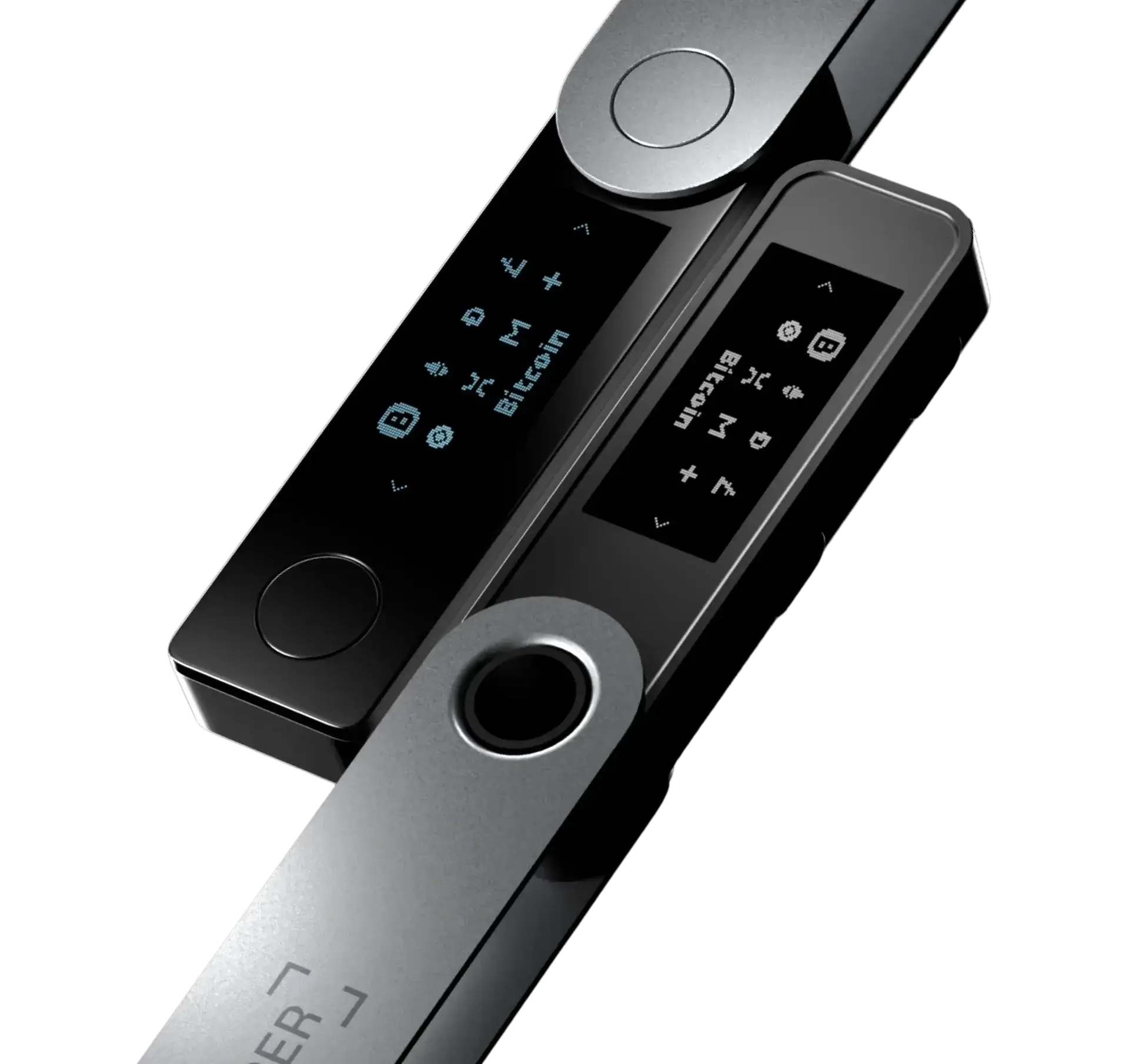
The compact form is useful if you want a wallet you can keep with you, instead of leaving it at home because it feels inconvenient to carry. It also helps keep the price lower than Ledger’s larger devices. Inside, it has 2 MB of storage, which is enough for up to 100 blockchain apps, depending on their size. You can remove and reinstall apps when needed without losing the crypto stored in those accounts.
Small Screen and Physical Controls
The 1.1-inch, 128 × 64-pixel OLED display is small, but it is still the place where you check and approve what happens to your funds. You use two buttons to move through menus and press both together to confirm a choice. After some use, the controls become familiar, but moving back through a menu or entering a longer PIN can feel slow.
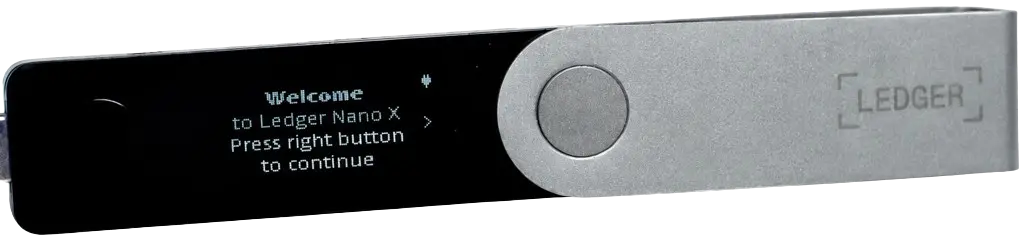
The screen becomes more demanding when you need to verify a long wallet address or a detailed smart contract request. You will need to scroll through the information instead of seeing everything at once. However, Nano X still supports Clear Signing for compatible transactions, so it can show important details in readable terms before you approve them. That makes the small display more practical than it first appears, although it cannot make every complex dApp interaction easy to review.
Battery and Mobile Connectivity
Its internal battery and Bluetooth connection are what make Nano X more useful away from a desk. You can connect it to the Ledger Wallet mobile app on iOS or Android, check an action on your phone, then approve it on the device without reaching for a cable. This is useful if you regularly manage crypto from your phone or travel with your wallet.
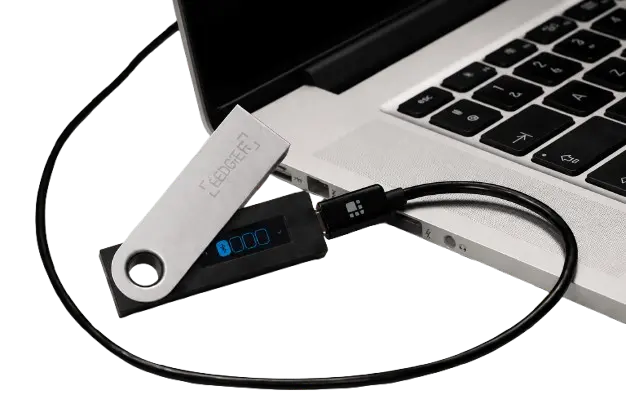
The battery does need occasional charging, and like any rechargeable component, it will age over time. Fortunately, a low or empty battery does not stop Nano X from working. You can connect it through USB-C and continue using it as a wired hardware wallet. Your private keys remain inside the Secure Element chip whether you use Bluetooth or a cable, and Nano X still requires physical confirmation before a transaction can be signed.
Clear Signing
A small screen only helps if it shows you something useful. For compatible apps and transactions, Nano X supports Clear Signing, which presents the key details in readable terms before you approve them. This makes a standard transfer easier to check, even on a compact display.
It is not a perfect safety net, though. Some dApps still require blind signing, where the transaction cannot be translated into clear information. In those moments, the small display and button controls leave you with less context, so Nano X is most comfortable for straightforward transactions rather than frequent complex DeFi activity.
Ledger Nano X Unboxing
Ledger keeps the Nano X unboxing fairly simple. The device arrives in a black outer sleeve, and sliding it off reveals a clean white box with an embossed Ledger outline on top. It has a neat, premium presentation without making the packaging feel excessive.
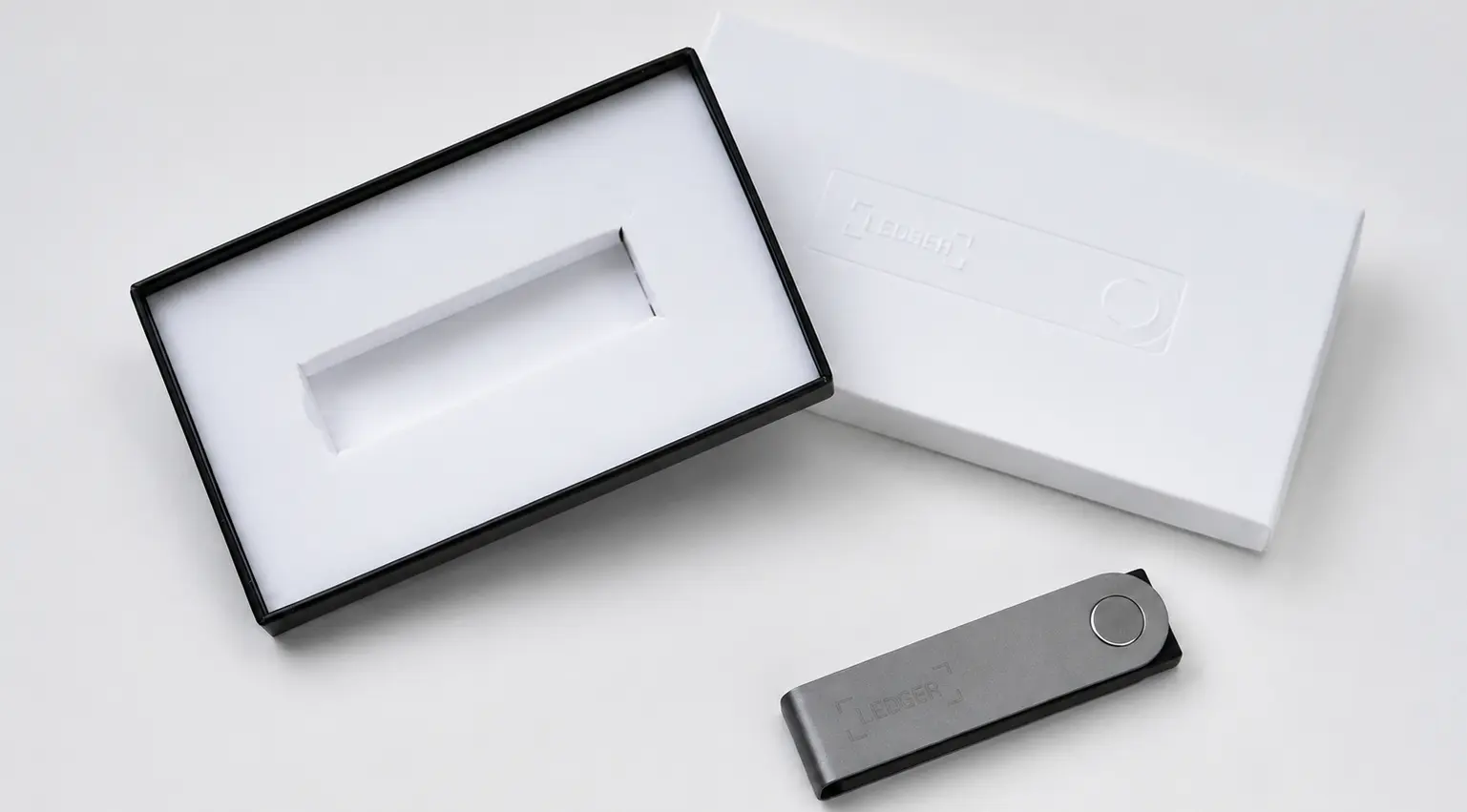
Inside the box, you get:
- 1 Ledger Nano X
- 1 USB-C to USB-A cable
- 3 recovery sheets
- 1 keychain strap
- 1 safety and regulatory leaflet
The recovery sheets matter more than the other accessories. During setup, Nano X will create a 24-word recovery phrase, and these sheets are where you should write it down and store it safely offline.
The device itself has a plastic body, a plastic screen cover, and a stainless-steel swivel that folds over the front. The cover helps protect the display and buttons when Nano X is not in use, which is useful if you plan to keep it in a bag or pocket.
There is no protective case in the box. If you want extra protection, Ledger sells accessories separately, including the Nano X Pod and Nano X Case.
Ledger Nano X Setup
You can complete the initial Nano X setup directly on the device, without connecting it to Ledger Wallet first. Before you begin, keep the recovery sheets from the box nearby and make sure no one else can see your screen. The right and left buttons move through options, while pressing both buttons together confirms your selection.
Step 1: Once Nano X is powered on, press the right button until you reach “Set up as new device”, then press both buttons together to select it.
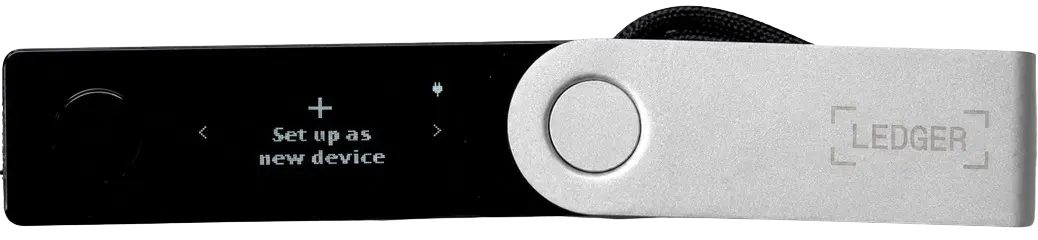
Step 2: You will first be asked to create a PIN. Press both buttons together to begin.
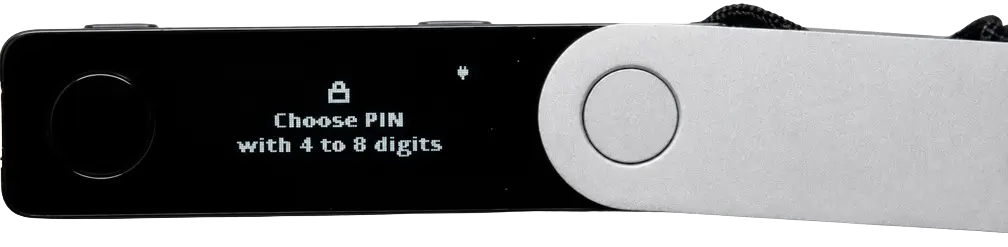
Step 3: Use the left and right buttons to choose your first number, then press both buttons together to confirm it. Repeat this until you have entered your PIN.
Step 4: Nano X will ask you to confirm the PIN. Enter the same numbers again using the same process.
Step 5: The device will now display your 24-word recovery phrase. Press both buttons together to continue.
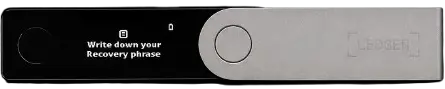
Step 6: Take out a recovery sheet, or use a paper record that you can store safely offline, and write down each word in the exact order shown. Press the right button to move through the phrase one word at a time.
Step 7: Press both buttons when you have written down all 24 words. Nano X will then ask you to confirm selected words from the phrase. For each prompt, scroll through the options, choose the word that appeared in that numbered position, and confirm it with both buttons.
Step 8: Nano X will process the setup for a few moments. When the dashboard appears, the device is ready to use.

Once you reach the dashboard, the important part is done. Nano X has created your wallet and recovery backup. From here, you can connect it to Ledger Wallet whenever you are ready, add the crypto you actually use, and start receiving funds. There is no need to rush into every setting on day one.
Ledger Nano X Pricing & Fees
Ledger Nano X costs €82.50 before VAT and delivery charges. There are no mandatory monthly fees for using the device or storing crypto on it.
However, you may still pay network fees whenever you send crypto. Buying, swapping, or staking through Ledger Wallet can also involve third-party provider fees, which vary by the service and asset you use.
Ledger Nano X Supported Chains and Assets
Ledger Nano X can manage more than 15,000 coins, tokens, and NFTs through Ledger Wallet and compatible third-party wallets. This includes Bitcoin, Ethereum, XRP, Solana, Cardano, USDT, USDC, and assets on EVM-compatible networks such as Polygon, Arbitrum, BNB Chain, and Avalanche.
It has space for up to 100 blockchain apps, depending on their size. These apps let Nano X interact with a network, rather than storing the crypto itself. If you remove an app to make space, your assets remain on the blockchain and become available again once you reinstall that app.
Ledger Customer Support
Ledger support covers its full ecosystem, including Nano X, the Ledger Wallet app, setup, firmware updates, and transaction issues. The support centre should be your first stop for pairing problems, connection errors, and recovery-phrase questions.
If the self-help articles do not resolve the issue, use the chat icon in the lower-right corner of the support page. You can ask to speak with a support agent during the conversation, with agents available Monday to Friday during office hours.
Ledger Nano X Security and Self-Custody
Nano X is a self-custody hardware wallet, meaning Ledger does not hold or control your private keys. The device generates and keeps them inside its CC EAL5+ certified Secure Element chip, while Ledger OS separates the apps installed on the wallet. Access is protected by your PIN, while the 24-word recovery phrase remains the backup that restores your accounts if Nano X is lost, damaged, or reset.
Nano X also received a CSPN security certificate from ANSSI, France’s national cybersecurity agency. This involved an external assessment of functions such as secure key generation, device authentication, PIN verification, and secure communications. It is a meaningful independent certification, but it does not remove the user’s responsibility. You still need to protect your recovery phrase and carefully verify every transaction before approving it on the device.
Is the Ledger Nano X Safe to Use?
Yes, Nano X provides the basic protections expected from a hardware wallet. Its private keys stay on the device, while Ledger Wallet, Bluetooth, or a linked wallet can only pass it a transaction request. Nano X still needs to approve that request before funds move.
The practical risk is what you approve. Its small screen can show standard transfer details, but some dApps require blind signing. In those cases, the transaction is not translated into readable information, so it is better to slow down or avoid the interaction altogether.
Ledger Nano X Alternatives
Nano X works well for mobile self-custody, but you may prefer a lower-cost wallet or one that keeps transaction signing fully air-gapped. Here are Ledger Nano X alternatives that might fit you better, depending on how you plan to use your hardware wallet:
1. Ledger Nano S Plus: A cheaper, pocket-sized Ledger for users who do not need Bluetooth or an internal battery.
2. ELLIPAL Titan: An air-gapped wallet that uses QR codes for signing, making it better suited to users who avoid wireless connections.
| Feature | Ledger Nano X | Ledger Nano S Plus | ELLIPAL Titan 2.0 |
|---|---|---|---|
| Price | $149 | $79 | $149 |
| Screen | 1.1″ OLED with buttons | 128 × 64 OLED with buttons | 4″ touchscreen |
| Connection | Bluetooth and USB-C | USB-C only | Air-gapped QR codes |
| Main Feature | Mobile Bluetooth access | Lower-cost Ledger option | QR-only transaction signing |
| Best For | Mobile self-custody | Budget Ledger users | Users avoiding wired connections |
| Buy Now | Buy Now | Buy Now | Buy Now |
Bottom Line
The Nano X is for someone who wants a hardware wallet to fit around their crypto routine, especially when that routine involves a phone. Its small screen and button controls can feel dated, but they may not bother you if you only make straightforward transfers. They matter more when you regularly use DeFi or need to read detailed transaction requests. That flexibility also extends to crypto hot wallets, where you can use a familiar interface while Nano X keeps final transaction approval on the device.
FAQs
1. Is Ledger Nano X still worth it in 2026?
Nano X can still make sense for people who want a compact hardware wallet with Bluetooth for mobile use. Its small OLED screen and two buttons feel dated, but the core self-custody setup remains practical for everyday transfers.
2. Is Bluetooth safe on Ledger Nano X?
Bluetooth does not expose your private keys. It only transfers the transaction request between Nano X and your phone, while the device keeps the keys inside its Secure Element chip and requires physical approval.
3. Can I use Ledger Nano X with MetaMask?
Yes. Nano X can connect with MetaMask and other compatible crypto hot wallets. MetaMask provides the interface, while Nano X keeps the private keys and signs transactions on the device.
4. Can Ledger Nano X be used with an iPhone?
Yes. Nano X connects to the Ledger Wallet app on iPhones through Bluetooth. A wired connection is not available for iPhone use.
5. Can I use Ledger Nano X without Ledger Wallet?
You can complete the initial device setup without Ledger Wallet, but you need a compatible wallet app to add accounts, manage assets, and prepare transactions.