



- •MetaMask users can view and claim NFT drops within the MetaMask Portfolio dashboard.
- •NFT drops are free distributions to eligible wallets, while mints often require multiple payments.
- •MetaMask supports NFT drops across 16 networks, including Ethereum, Polygon, Optimism, and more.
NFT airdrops are among the many ways crypto enthusiasts earn passive income. And thanks to recent updates, MetaMask users can now check eligible drops and claim them before they vanish. This feature is made possible due to MetaMask’s integration with Daylight, which simplifies identifying potential opportunities for users in the decentralized ecosystem. In this guide, we’ll explain how to view and claim NFT airdrops in MetaMask and spot the difference between an NFT drop and a mint.
Understanding NFT Drops and Mints
NFT airdrops and mints both give you new digital assets, but they work in different ways. A non-fungible token (NFT) drop is like a thank-you gift, where projects send free tokens straight to eligible wallets based on your on-chain history. In contrast, minting is creating or buying an NFT fresh from the source.
The criteria for NFT drops vary by project, but they usually include holding the token or interacting with the project’s dApp. Also, it is automated and often costs nothing upfront, though you might pay a gas fee to claim it. Minting, however, requires you to connect your wallet to claim NFT airdrops or pay a set price to generate one via a smart contract.
Mints tend to be pricier, requiring both gas and mint fees in a single transaction. Understanding how to view and claim NFT airdrops in MetaMask and the difference between NFT airdrops and a mint helps you avoid mix-ups or missed opportunities, especially as the airdrop season heats up.
How to View Eligible NFT Drops in MetaMask Portfolio
MetaMask Portfolio is your one-stop spot for on-chain opportunities, including eligible NFT airdrops. Follow the steps below to check NFT airdrops in the MetaMask Portfolio to know the ones your wallet is qualified to receive:
Step 1: Log in to your MetaMask Wallet and click the Browser icon to explore Web3.
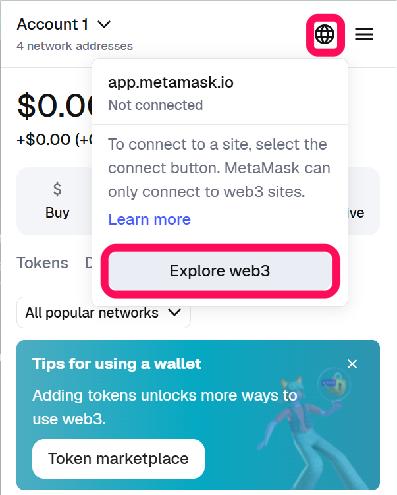
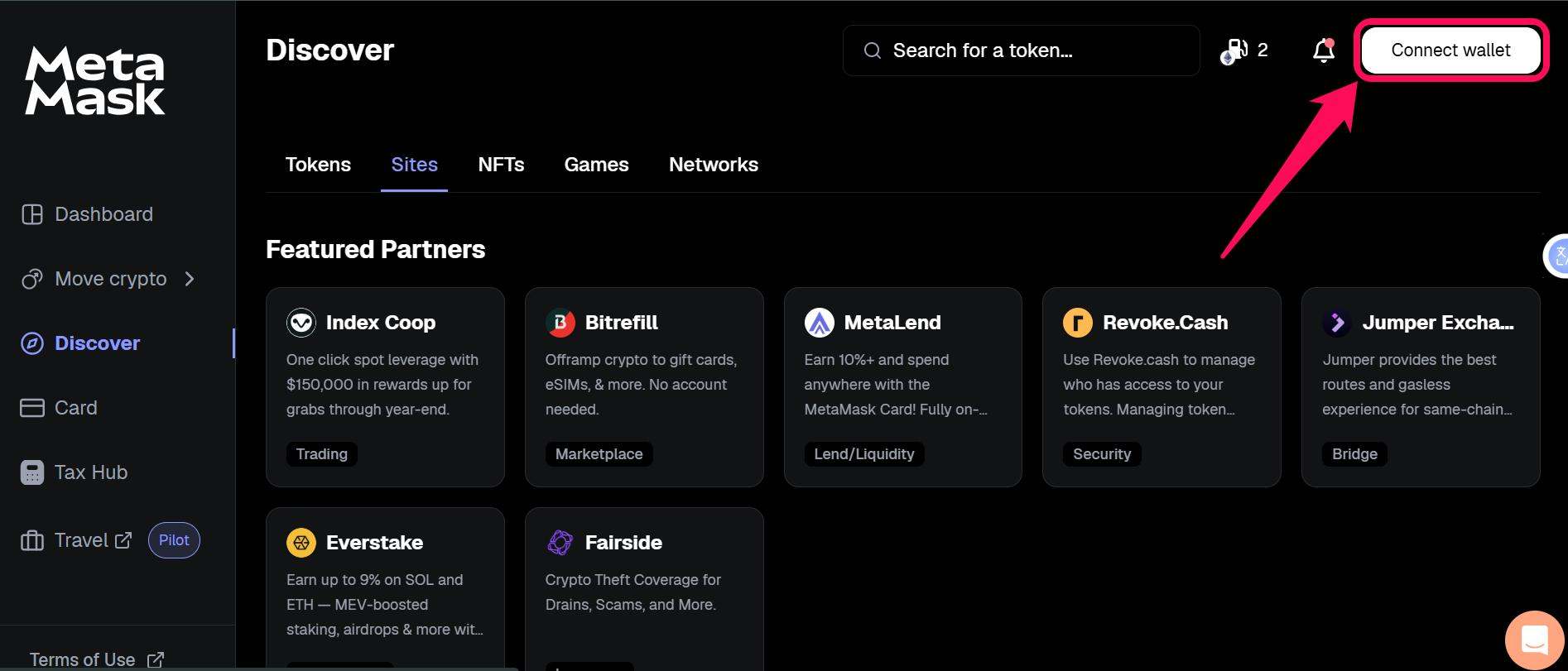
Step 2: In the latest version of MetaMask, you’ll be redirected to Portfolio. Connect your account(s) to the MetaMask browser page.
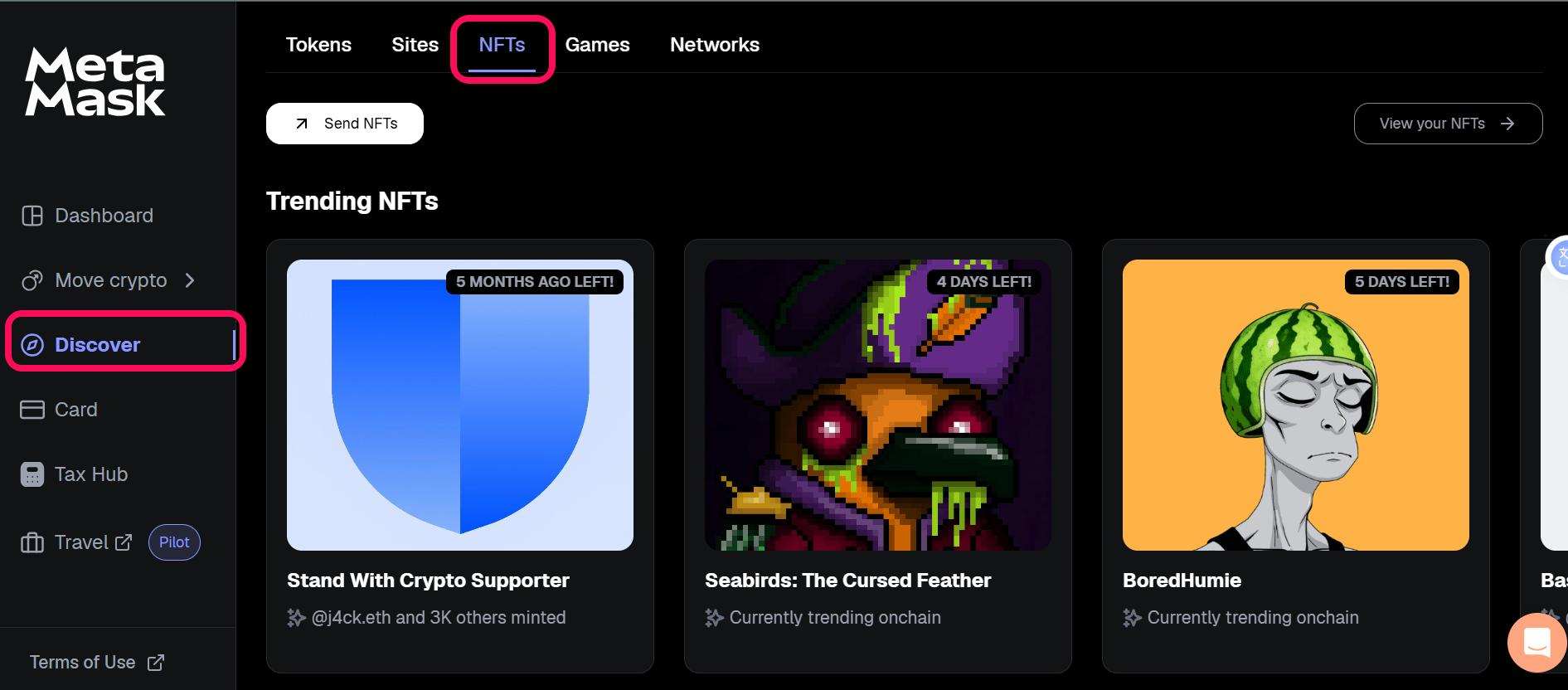
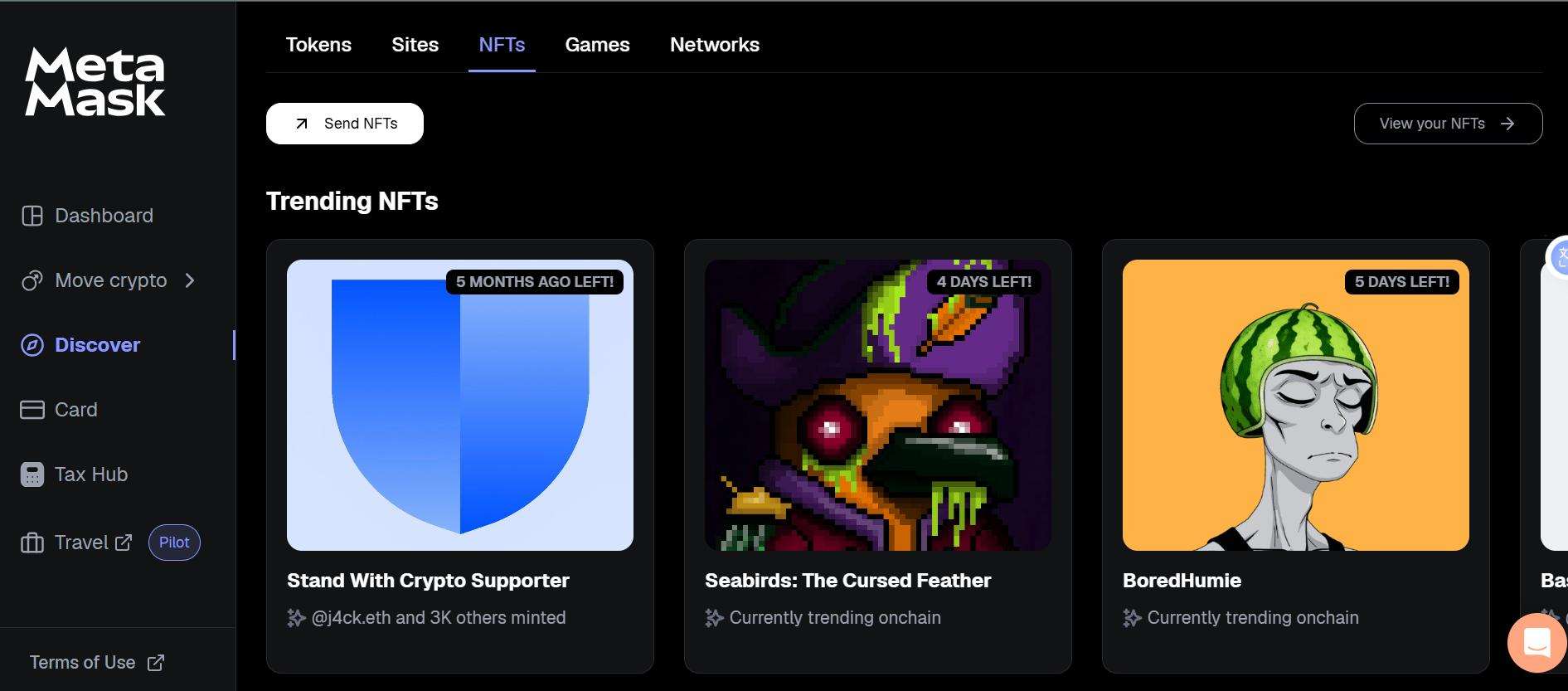
Step 3: Navigate to Discover, click on NFTs and check Eligible Airdrops.
Step 4: On that page, you will find drops you’re eligible for, with details like the project, network, and deadlines.
How to Claim an NFT Airdrop
After finding an eligible NFT airdrop, the next step is to claim it. The NFT claim process in MetaMask directs you to the project’s site securely, but always double-check to dodge fakes. Follow the steps below to claim an NFT airdrop in MetaMask:
Step 1: In MetaMask Portfolio’s Eligible Airdrops, locate your target NFT drop.
Step 2: Review the details, NFT info, network, and any requirements, such as holding a specific asset.
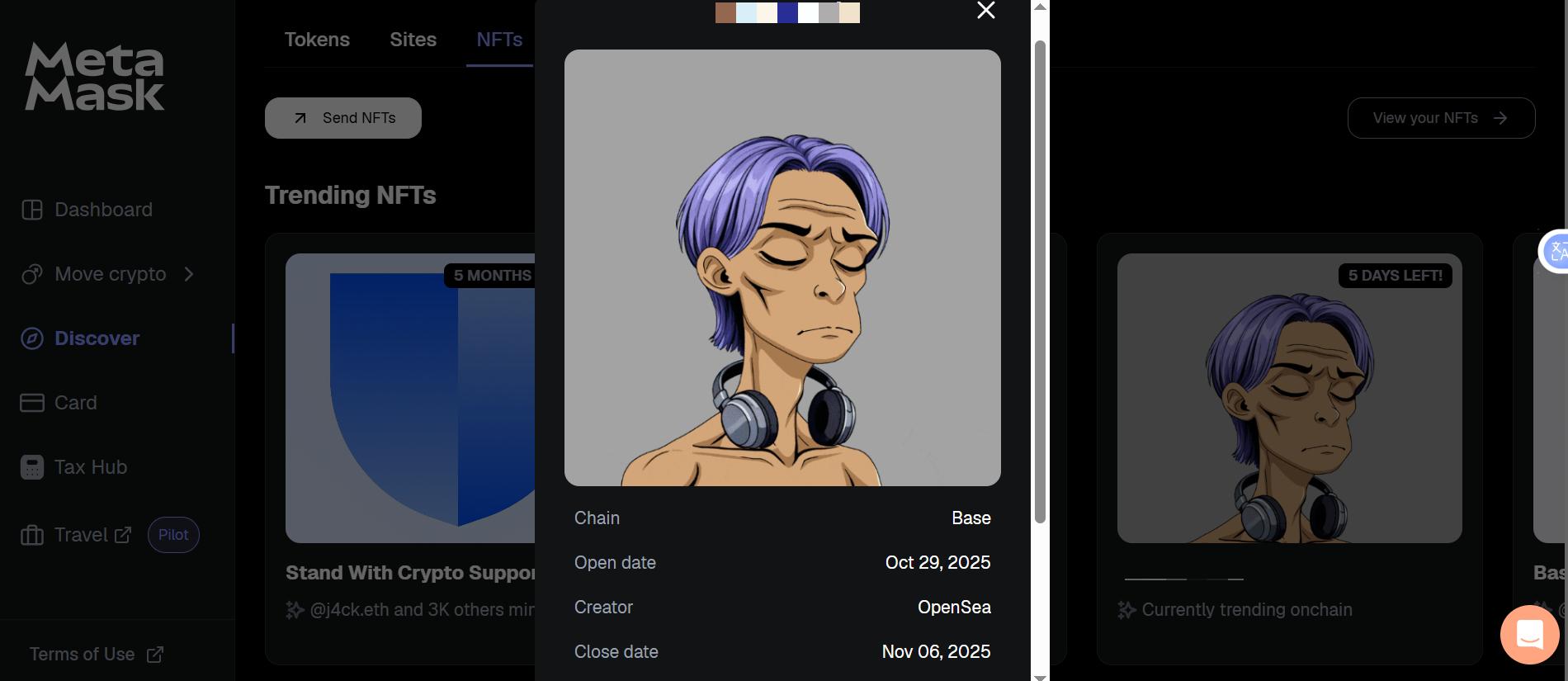
Step 3: Tap “Claim” to be redirected to the project’s dApp.
Step 4: Connect your wallet, approve the prompts, and confirm the transaction in MetaMask.
How to Find Available NFT Mints
Here’s a step-by-step guide to finding available NFT mints in MetaMask Portfolio:
Step 1: Navigate to Portfolio, then head to the NFTs section under the Discover page.
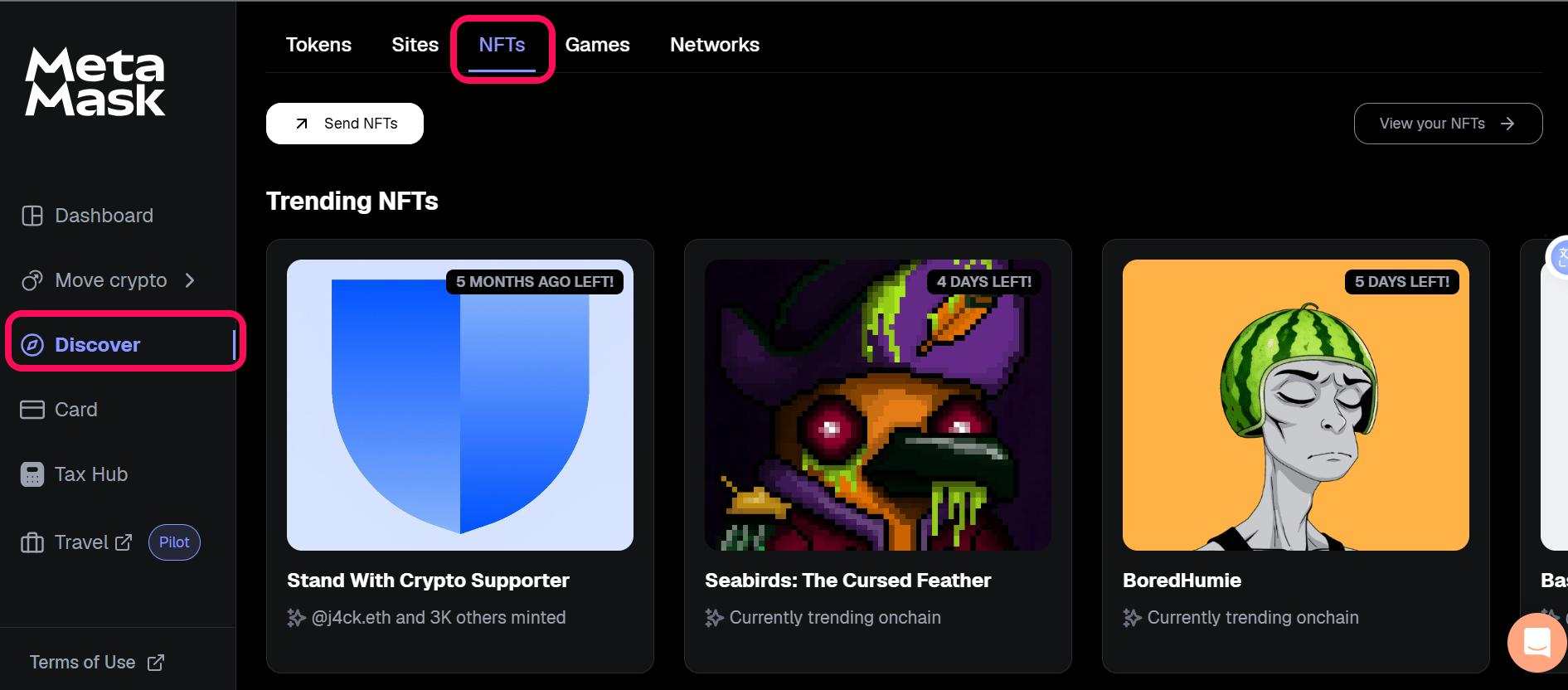
Step 2: Scroll to Trending NFTs.
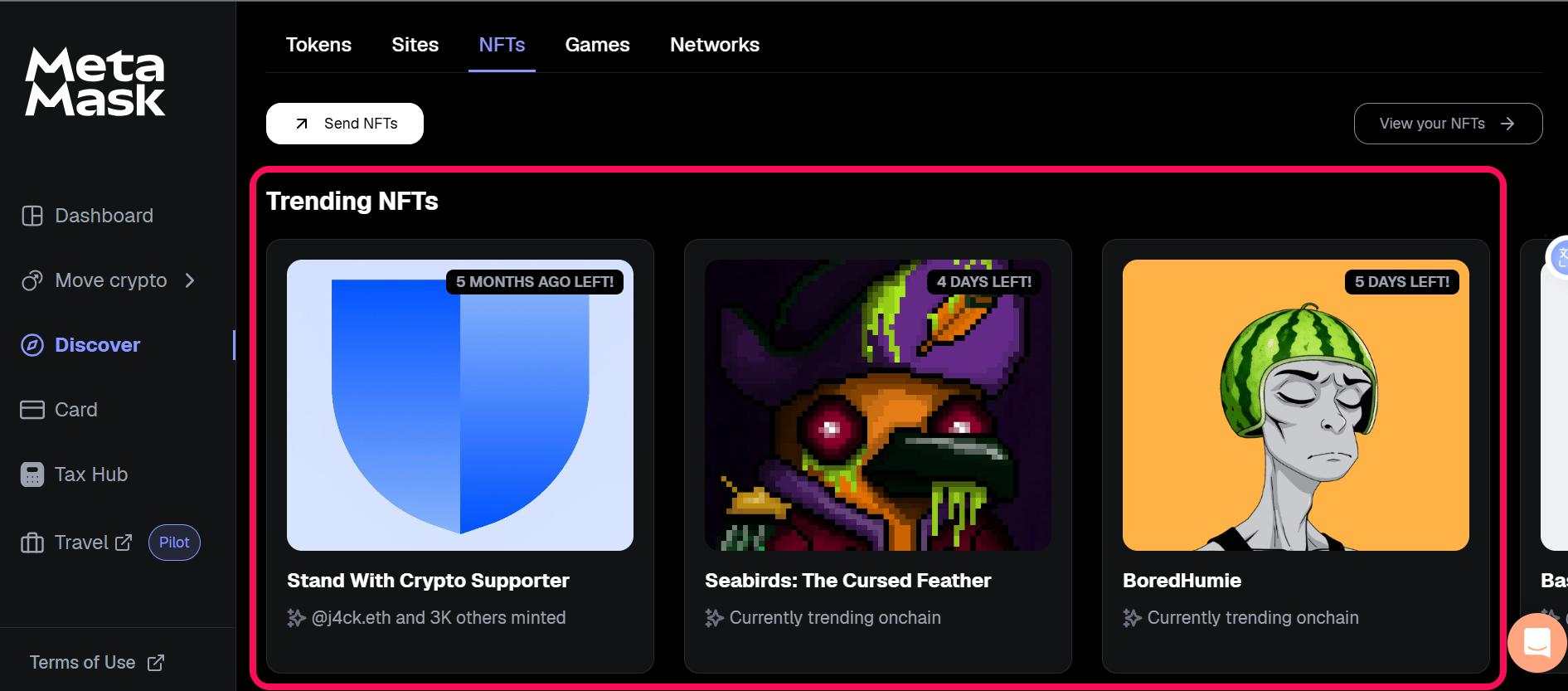
Step 3: Click an NFT banner to view details such as mint price, remaining supply, creator, and network.
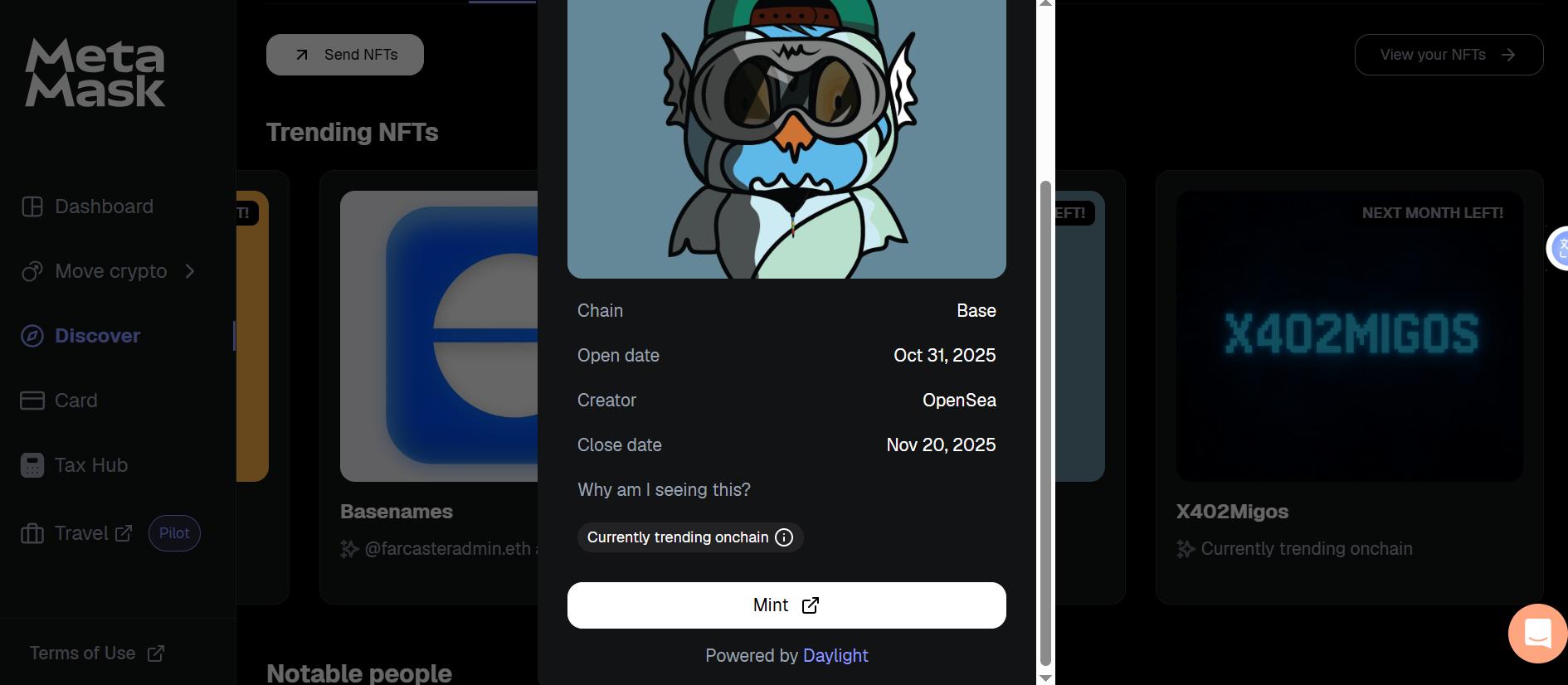
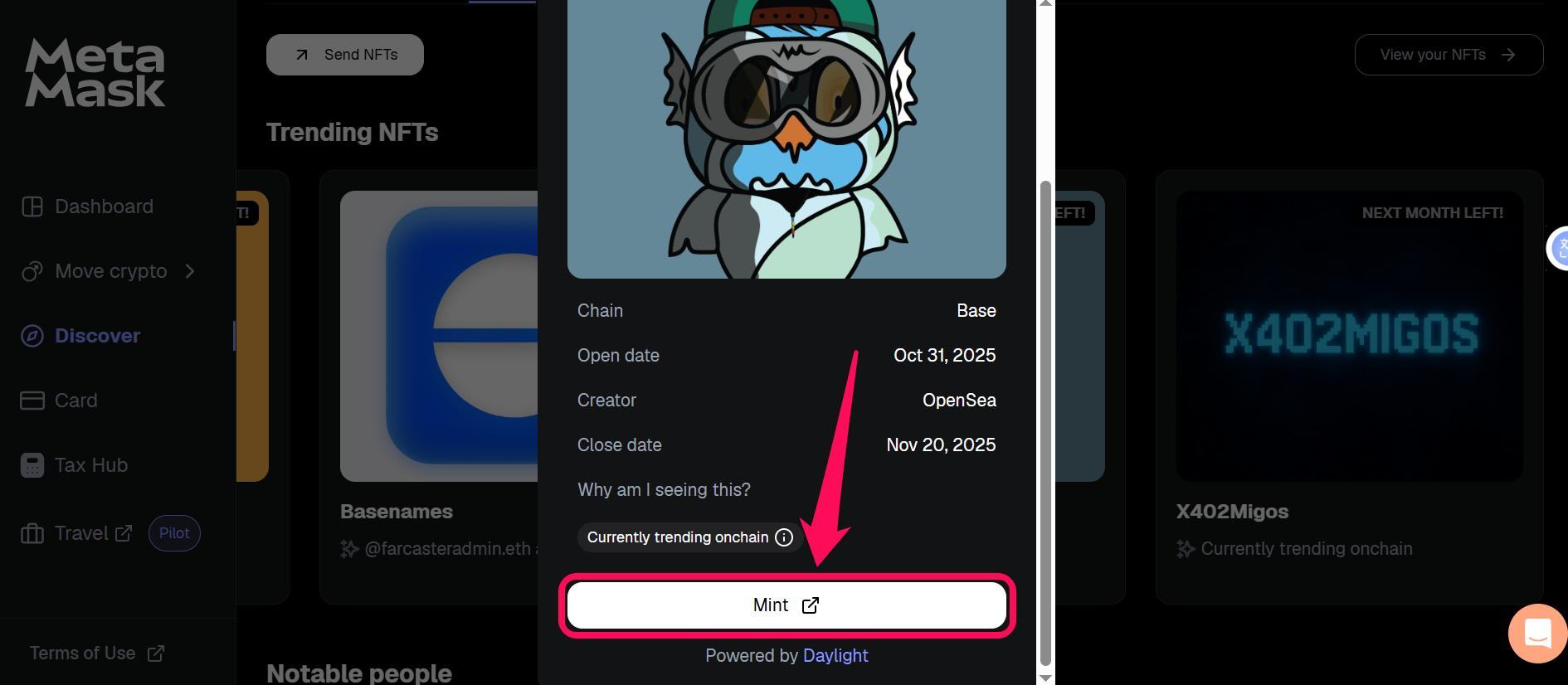
Step 4: Tap “Mint” to open the dApp where you can connect your wallet and complete the transaction.
How to View Your NFTs After Claiming
MetaMask Portfolio lets you view your claimed NFT rewards and free mints to check their progress, list, or use them. Follow these steps to view claimed NFTs in MetaMask:
Step 1: Head to Portfolio and click NFTs in the Discover page.
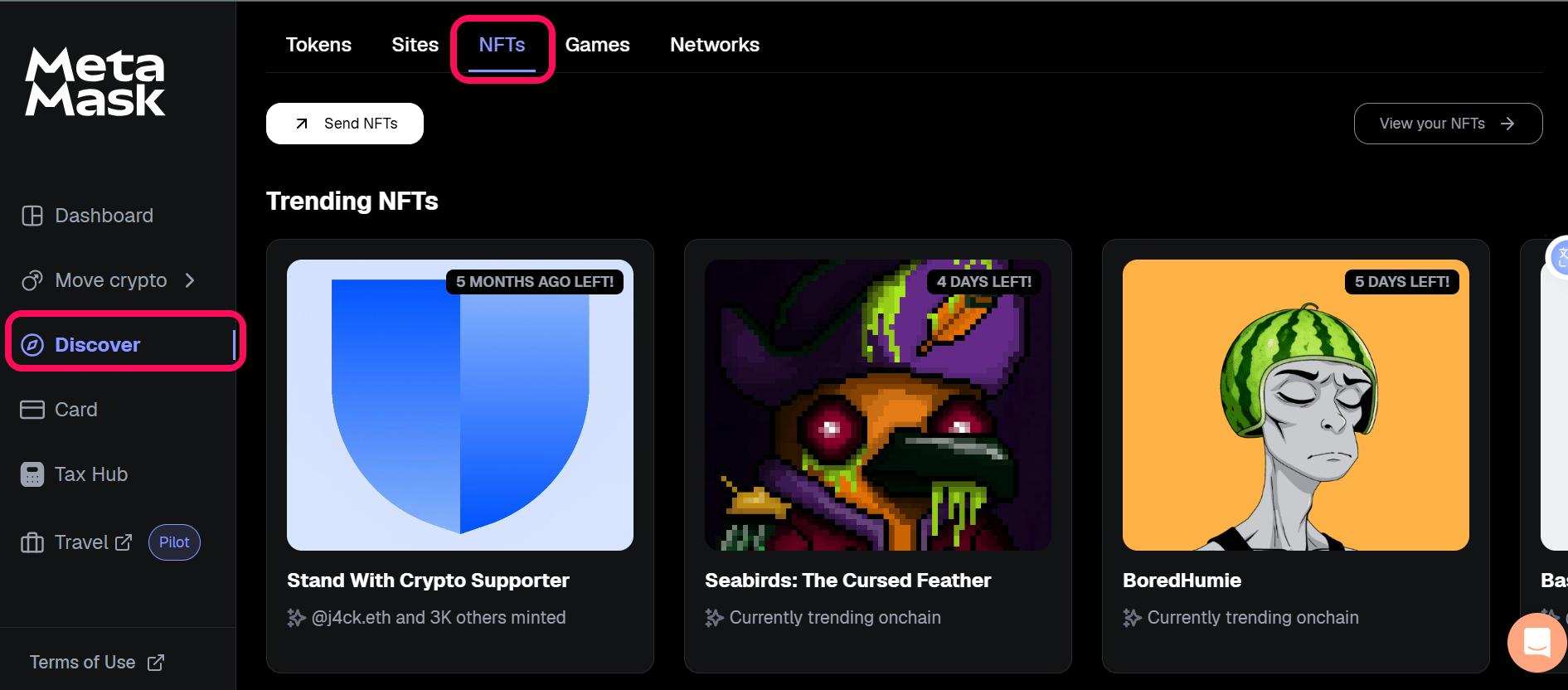
Step 2: Find and click the View Your NFTs button.
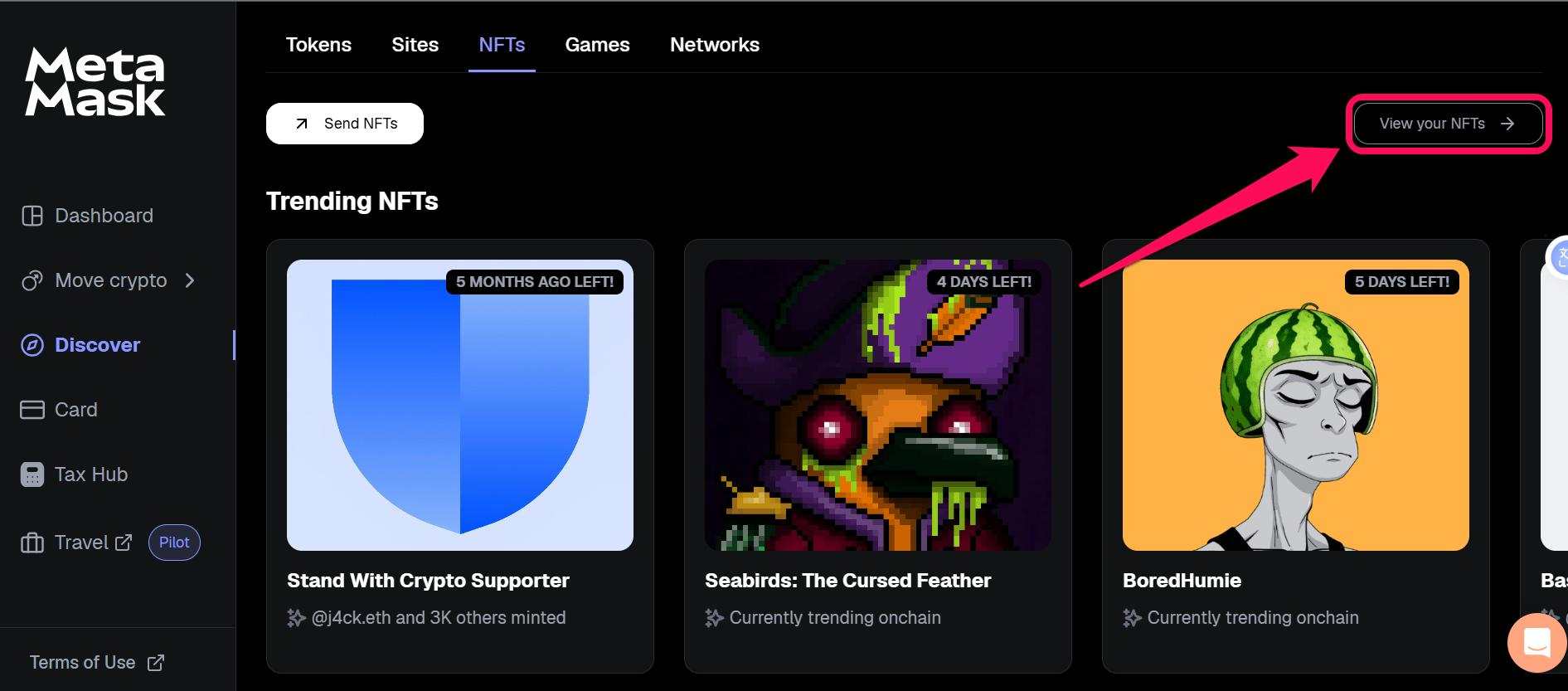
Step 3: You would find a list of non-fungible tokens you own, and you can perform any action on them. Tap the card showing the NFT you want to use and follow the prompt to proceed.
Supported Networks For NFT Drops in MetaMask
MetaMask Portfolio supports NFT drops and mints across multiple networks to expand the user base and enhance interoperability. At the time of writing, MetaMask supports NFT airdrops across 16 chains: Ethereum, Linea, BNB, Polygon, Sei, Base, Optimism, Arbitrum, Gnosis, Cronos, Fantom, Polygon zkEVM, Moonbeam, Moonriver, Celo, and Aurora. Ensure you switch networks in the dropdown before claiming to match the drop’s network.
Bottom Line
With a few clicks, you can view and claim NFT airdrops in MetaMask, manage your collectibles, and track your haul across supported chains. This process rewards your on-chain participation with free NFTs that may appreciate in value. The steps are simple and keep you in control from eligibility check to final claim.
FAQs
1. Do NFT airdrops cost gas fees?
Yes, you must pay a specific gas fee for most NFT airdrops to claim and record the token in your wallet. Fees vary by chain, so check the preview before claiming.
2. How do I connect my wallet to claim NFT airdrops?
In MetaMask Portfolio, hit Connect Wallet, then approve the prompts and select the account you want to connect.
3. Can I convert NFT airdrops to real cash?
It is possible to turn a non-fungible token (NFT) into cash, but the process involves several steps. Since an NFT is a digital asset traded on a blockchain, you cannot just exchange it for cash until you sell the NFT on a marketplace (like OpenSea) for crypto (ETH).




