



- •You can change your Rabby wallet password by uninstalling and reinstalling the application from your device.
- •Back up your secret recovery phrase or private key so you can import your account if you need to change your Rabby password.
- •Your Rabby wallet password protects access to your wallet on your device and doesn’t affect your funds or blockchain data.
Like several other apps, Rabby Wallet uses passwords to protect user accounts. Your Rabby password is the first line of defense against unauthorized access to your wallet on a device. Since the password is a crucial wallet feature, you should regularly update it to ensure maximum security. If you feel your password is too weak, has been compromised, or you simply want to improve your security, changing your password is a good choice. Read this article to find out how to change Rabby wallet password easily, anytime you want to.
Can You Change Your Rabby Wallet Password?
Yes, you can change your Rabby wallet password at any time without affecting your assets or wallet data. Changing the Rabby wallet password is straightforward, but not in the usual way most wallets allow. This is because there is no in-app option to change your password directly. Instead, the only way to edit the Rabby wallet password is to reset the wallet, or remove it from your device, then reinstall it to set a new password.
Additionally, your account’s password is not the same as its private key or secret recovery phrase (SRP). These are not editable and provides full access to your account on multiple devices, which is also crucial for account recovery. If you forget your password, but remember your seed phrase or private key, you can recover your account and change the password. However, if both are lost, account recovery is not possible.
Also read: How to find your secret recovery phrase in Rabby Wallet.
Steps to Change Rabby Wallet Password
Before you start, ensure your recovery phrase or private key is within arm’s reach, as you will need it to import the wallet and proceed with the password change on your device. Once your SRP is secure, follow the steps below to change your Rabby wallet password.
Browser Extension
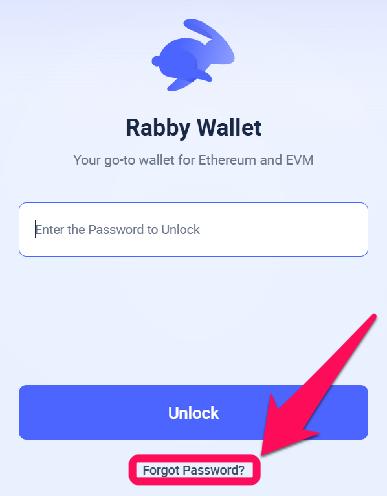
Step 1: Open the Rabby Wallet extension on your browser, and click Forgot Password? on the lock page.
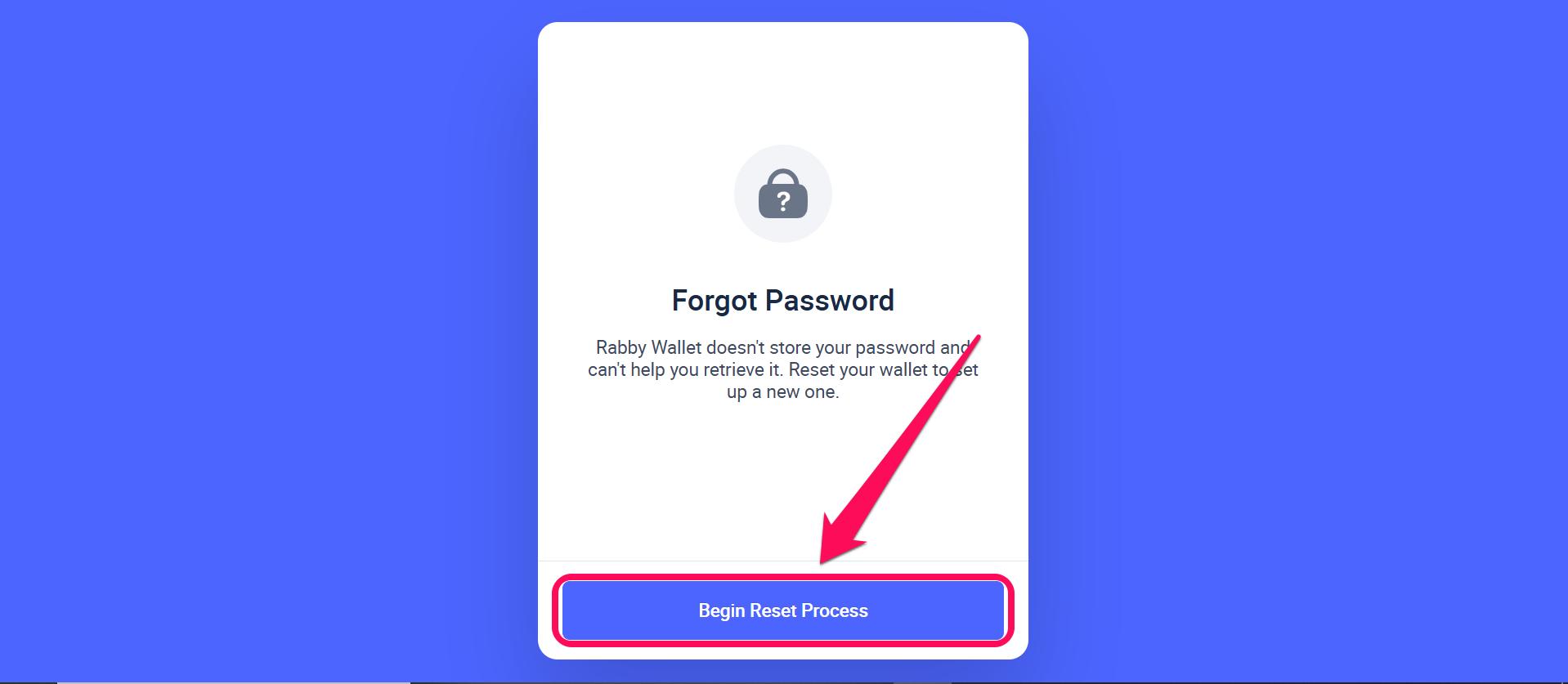
Step 2: On the pop-up page, click Begin Reset Process to proceed with the password change.
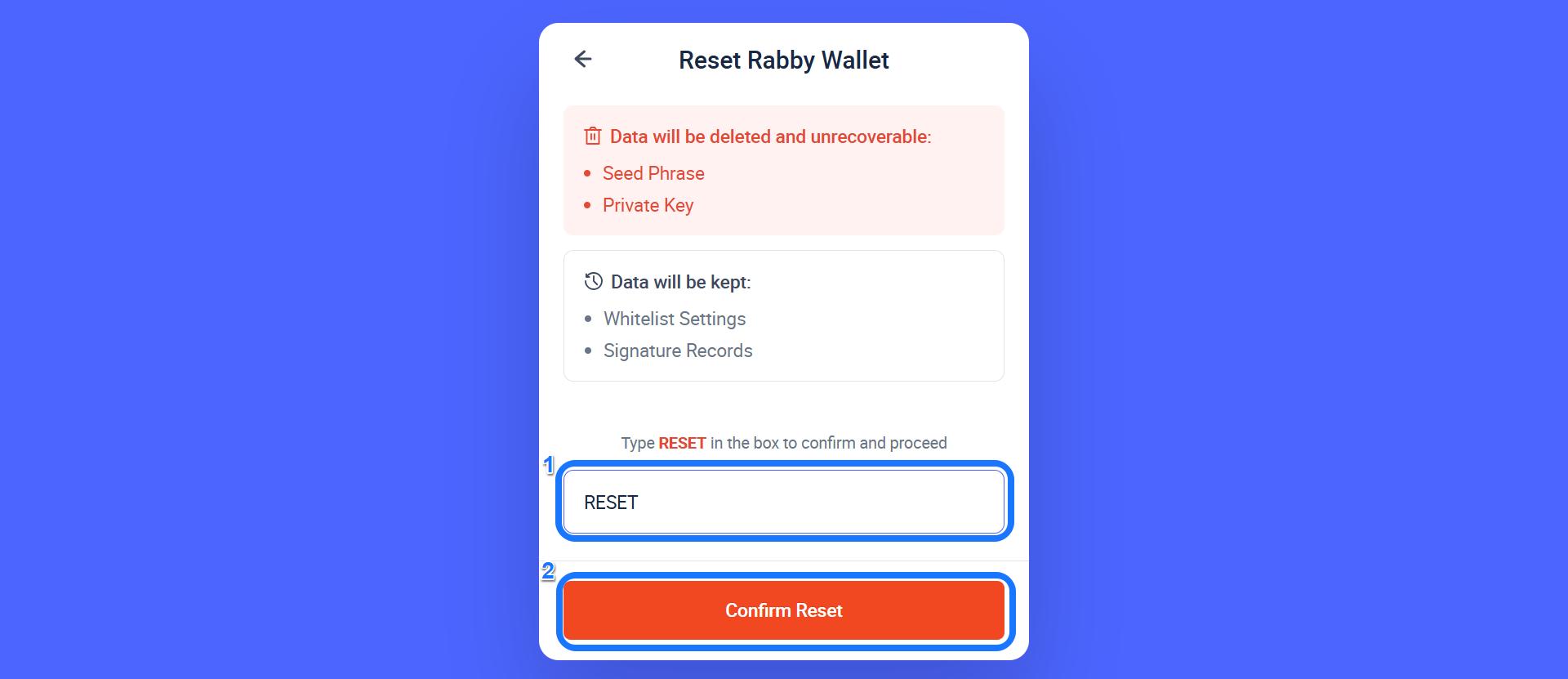
Step 3: Type “RESET” and click “Confirm Reset” to acknowledge the implications on the warning page.
Step 4: Once the reset is complete, click Add Address to proceed.

Step 5: For this setup, select “I already have an address” to import and return to your account.
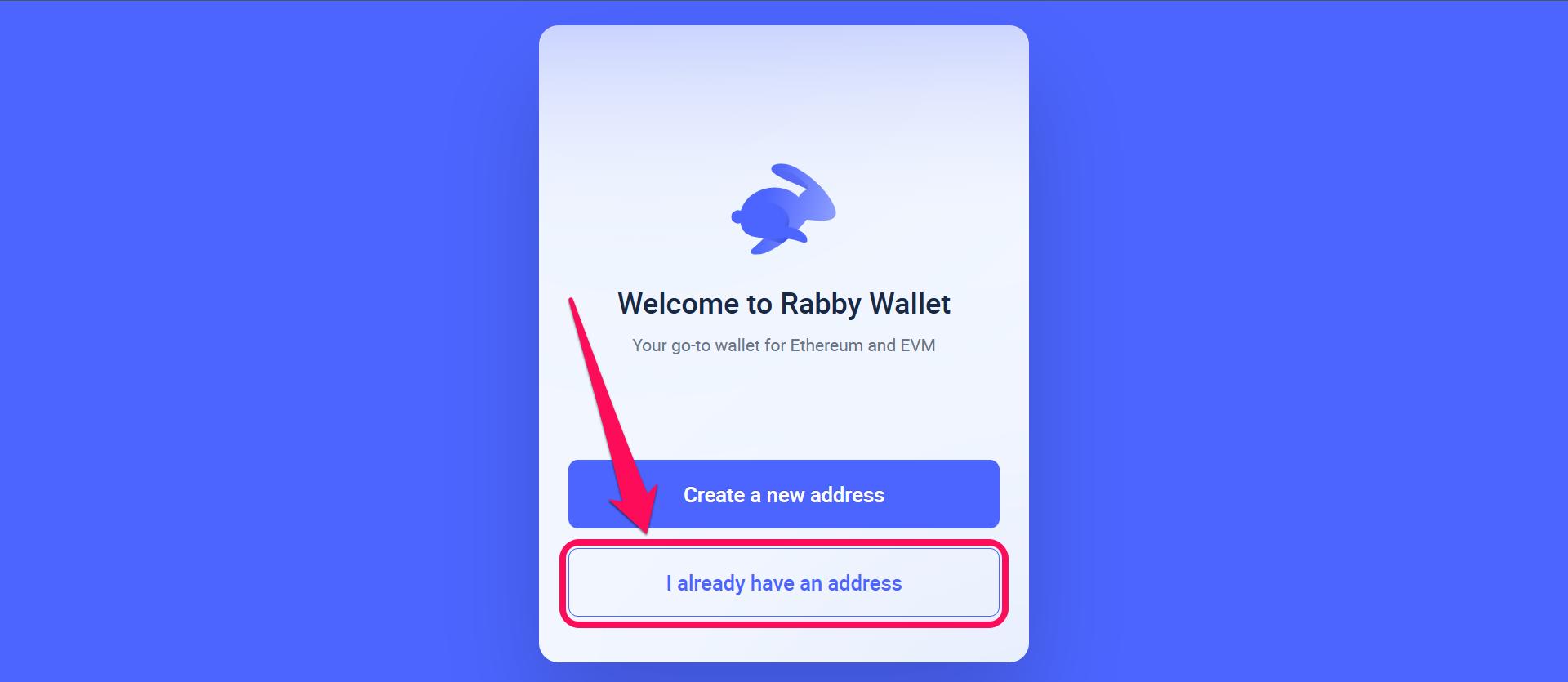
Step 6: Select your preferred import method; we’ll go with the Seed Phrase for this guide.
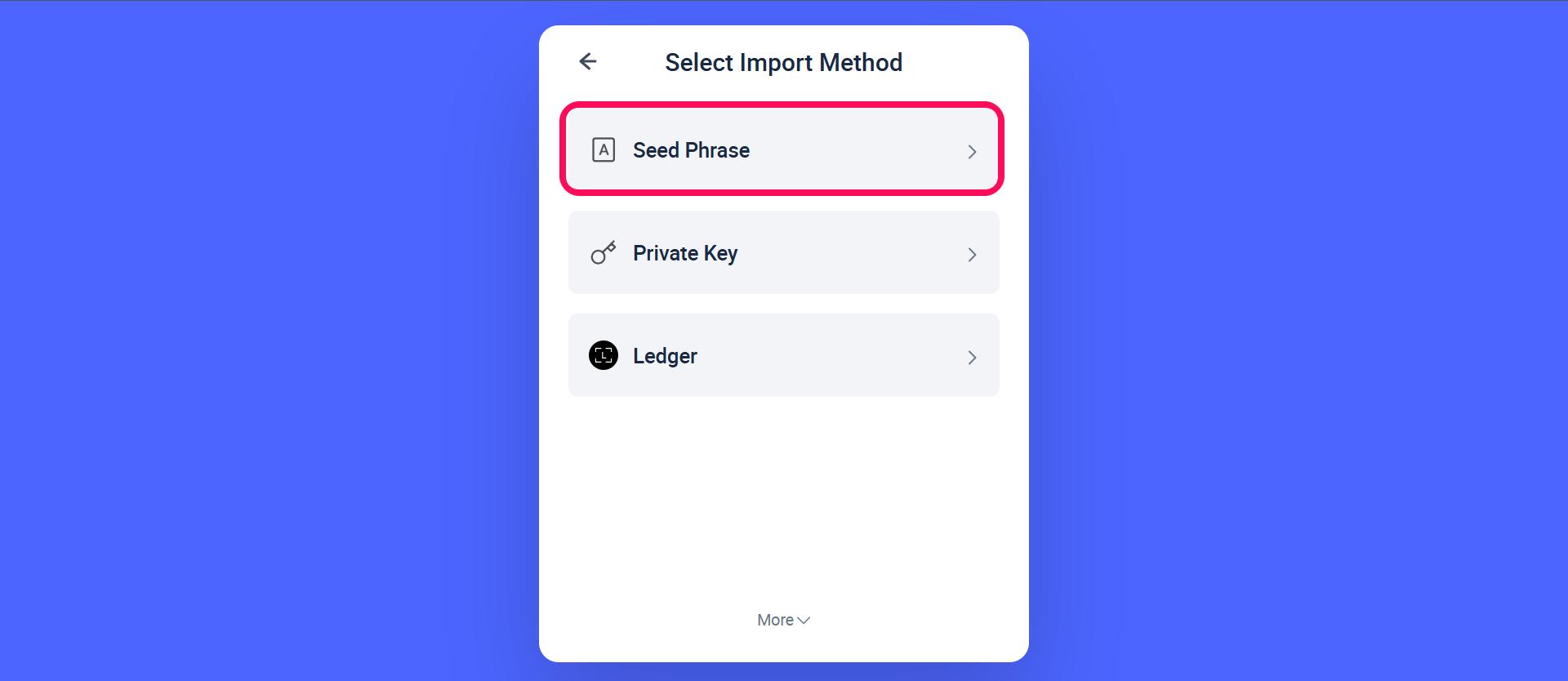
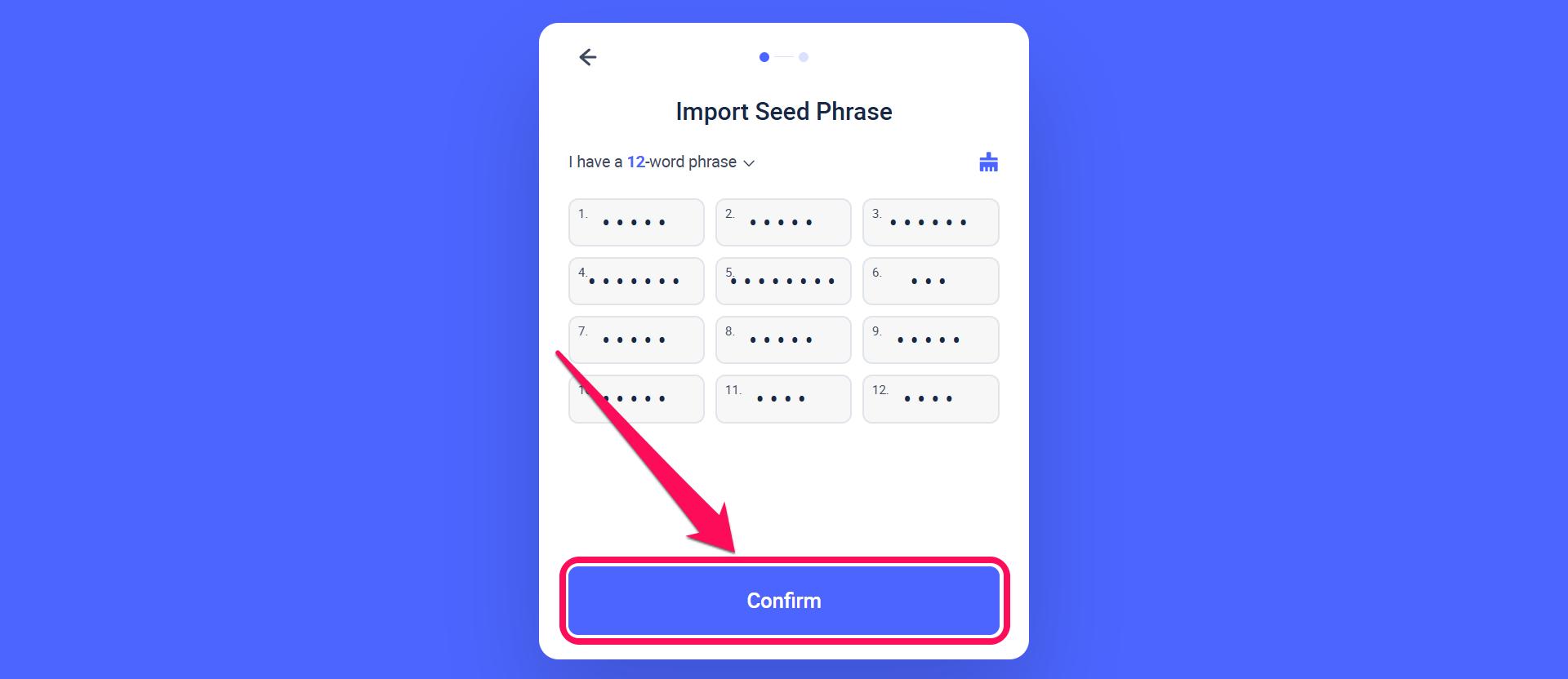
Step 7: On the next page, carefully enter your 12-word secret recovery phrase in lowercase and click Confirm to detect the wallet linked to the phrase.
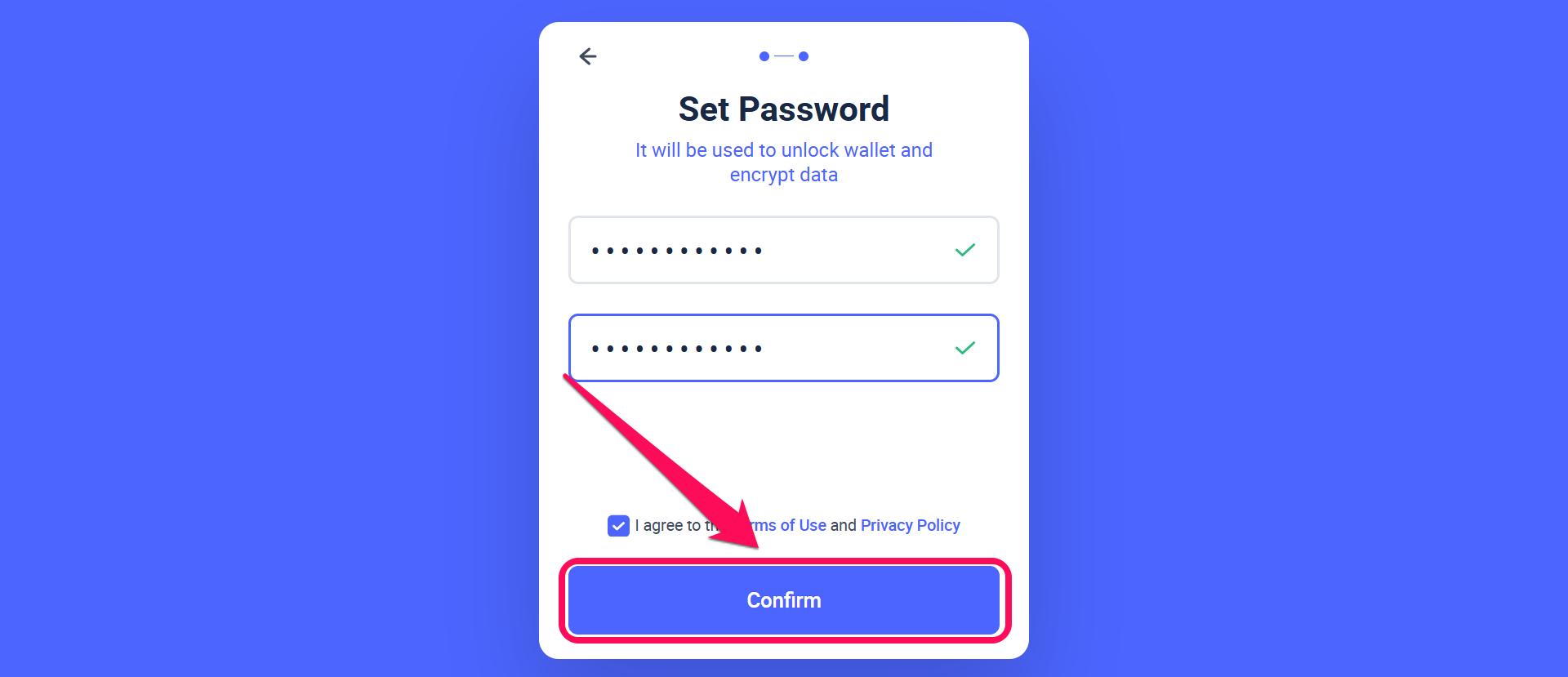
Step 8: Next, create a new password with at least 8 characters, confirm it, and then click Confirm.
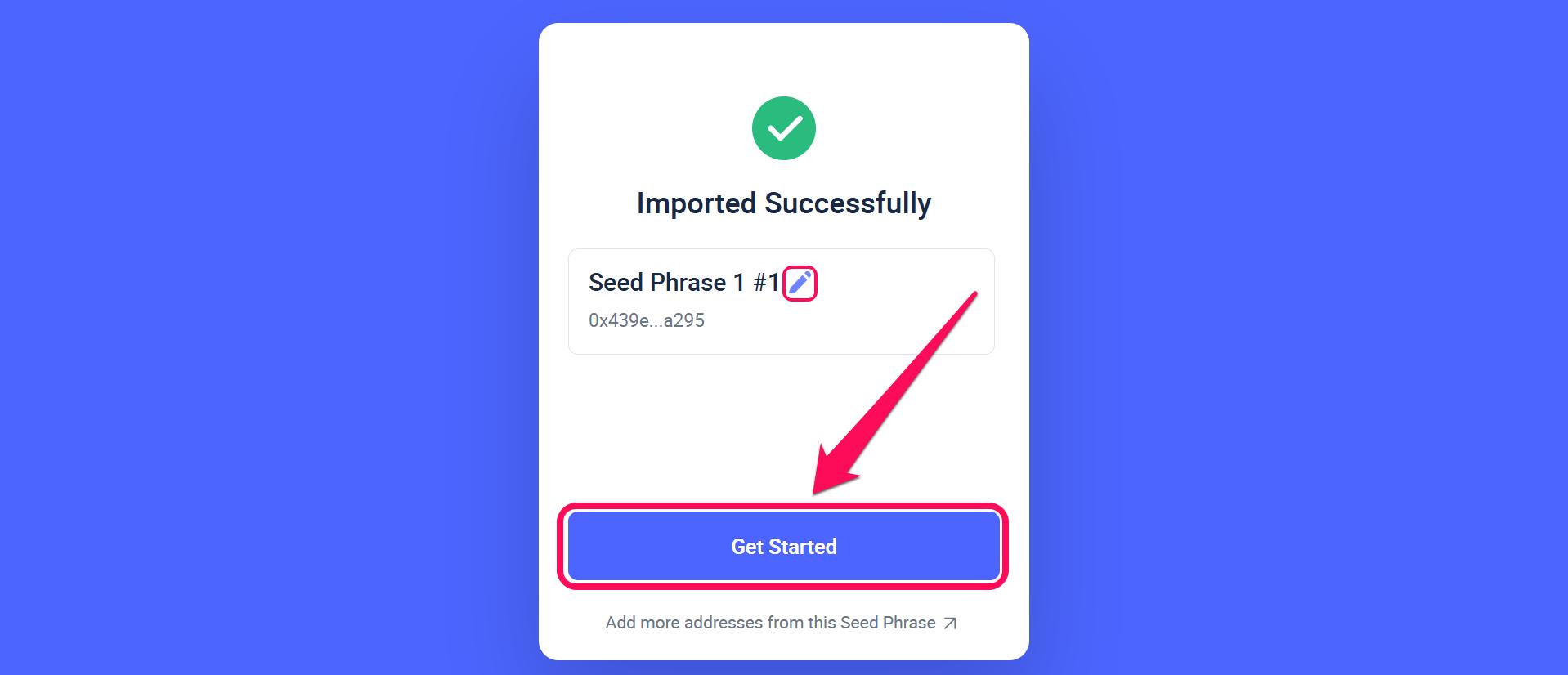
Step 9: Once the import is successful, you can rename the wallet by clicking the pen icon next to the wallet name. Finally, click on “Get Started” to access your assets.
Mobile App
Step 1: Secure your wallet SRP, then uninstall the Rabby wallet app from your phone.
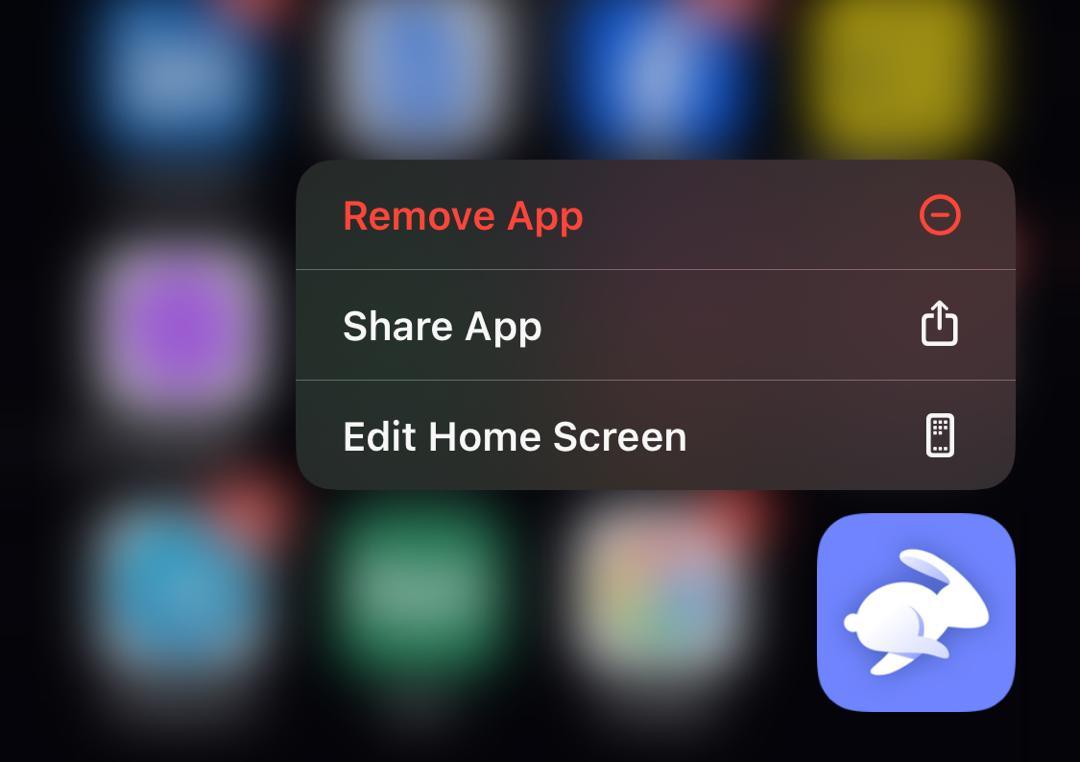
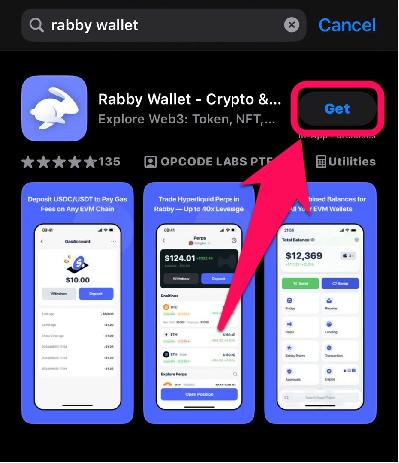
Step 2: Visit your device’s app store to download and reinstall the Rabby wallet mobile app.
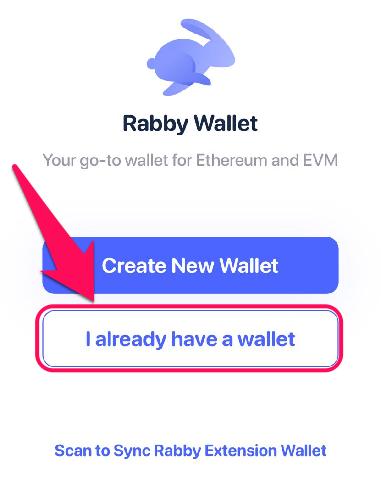
Step 3: Select “I already have a Wallet” to restore the deleted wallet account.
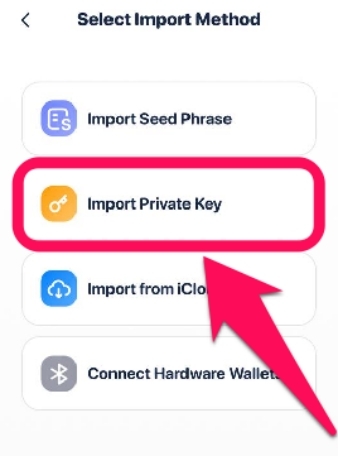
Step 4: Select the import method; for this process, we’ll go with the Private Key. Carefully type in your private key and confirm.
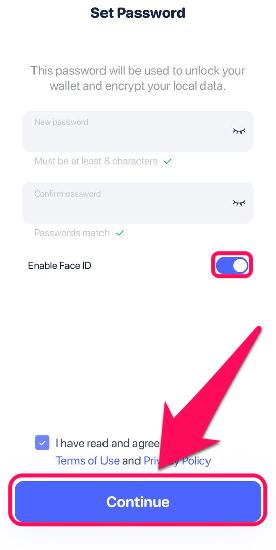
Step 5: Next, set up your new Rabby wallet password and confirm it. You can even toggle on the Enable Face ID feature, then click Continue.
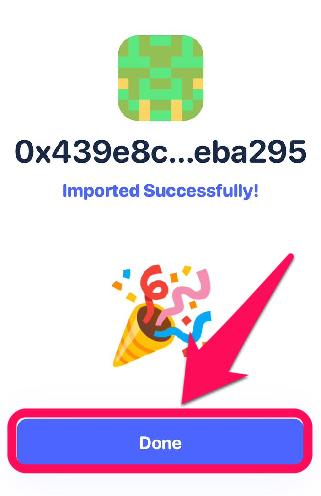
Step 6: Finally, click Done to access your funds and start using the new password.
Bottom Line
Updating your password whenever necessary lets you stay one step ahead of wallet intrusions. However, get familiar and follow our outline to change the Rabby wallet password, as the steps differ significantly from those in other wallets.
Also, remember that the Rabby wallet password change is a local, device-specific edit and does not affect your blockchain data or wallet funds. There are other ways to keep your wallet safe, and our guide on securing and backing up your Rabby Wallet provides a detailed explanation.
FAQs
1. How can I recover my Rabby wallet?
Start by reinstalling Rabby Wallet to import your wallet. After reinstalling, you can set up a new password and restore your wallet addresses using your seed phrase or private key.
2. What type of wallet is Rabby?
Rabby Wallet is a multi-chain, open-source Web3 cryptocurrency wallet developed by DeBank. It enables users to securely store, send, and manage digital assets while interacting with decentralized applications (dApps) across over 100 blockchains.
3. How to export the private key from Rabby wallet extension
Open your Rabby browser extension and click the wallet account tab on the top left-hand corner. Click the arrow icon next to the wallet you’d like to export the seed phrase from, and then click “Backup Private.”




