



- •Rabby wallet is available for free download on Android and iOS app stores.
- •Rabby Wallet is beginner-friendly, with an easy setup process.
- •The wallet supports all EVM networks, including BNB Chain, Polygon, Ethereum, and more.
Finding the right crypto wallet app can be challenging, as many fake or malicious apps try to drain your funds. Interestingly, the Rabby Wallet mobile app is also a target, since it’s now available on Android and iOS devices. So, how can crypto enthusiasts who prefer the convenience of mobile apps be sure they’re downloading the real Rabby Wallet mobile app? The good news is we’ve run the security checks for you, and this guide outlines the steps to download Rabby Mobile apps for iOS and Android.
What You Need to Know Before Downloading the Rabby Wallet App
Before installing the Rabby wallet, understand what makes it different from traditional wallets to decide if it suits your needs. Rabby is a non-custodial EVM wallet, made for exploring Ethereum and other EVM-based networks. If you use networks like BNB Chain, Polygon, Arbitrum, Optimism, or other EVM chains, Rabby is a good fit.
Rabby wallet offers strong security features. It automatically simulates transactions before approval, helping you spot malicious smart contracts. You can manually revoke approvals and use network auto-detection to speed up DeFi and NFT interactions. Lastly, the Rabby wallet is available for free download on the Google Play Store and Apple App Store for Android and iOS devices.
How to Download the Rabby Wallet App
In the guide below, we’ll explain how to download the Rabby wallet mobile app for Android and iOS devices.
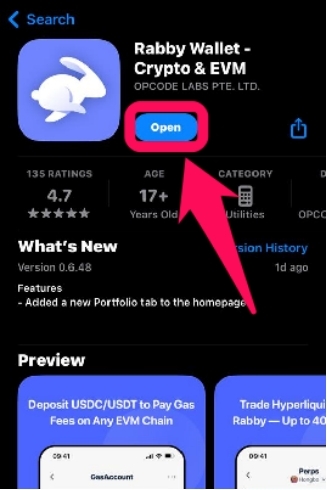
Step 1: Visit the official Rabby wallet website and scroll down to select your appropriate device.
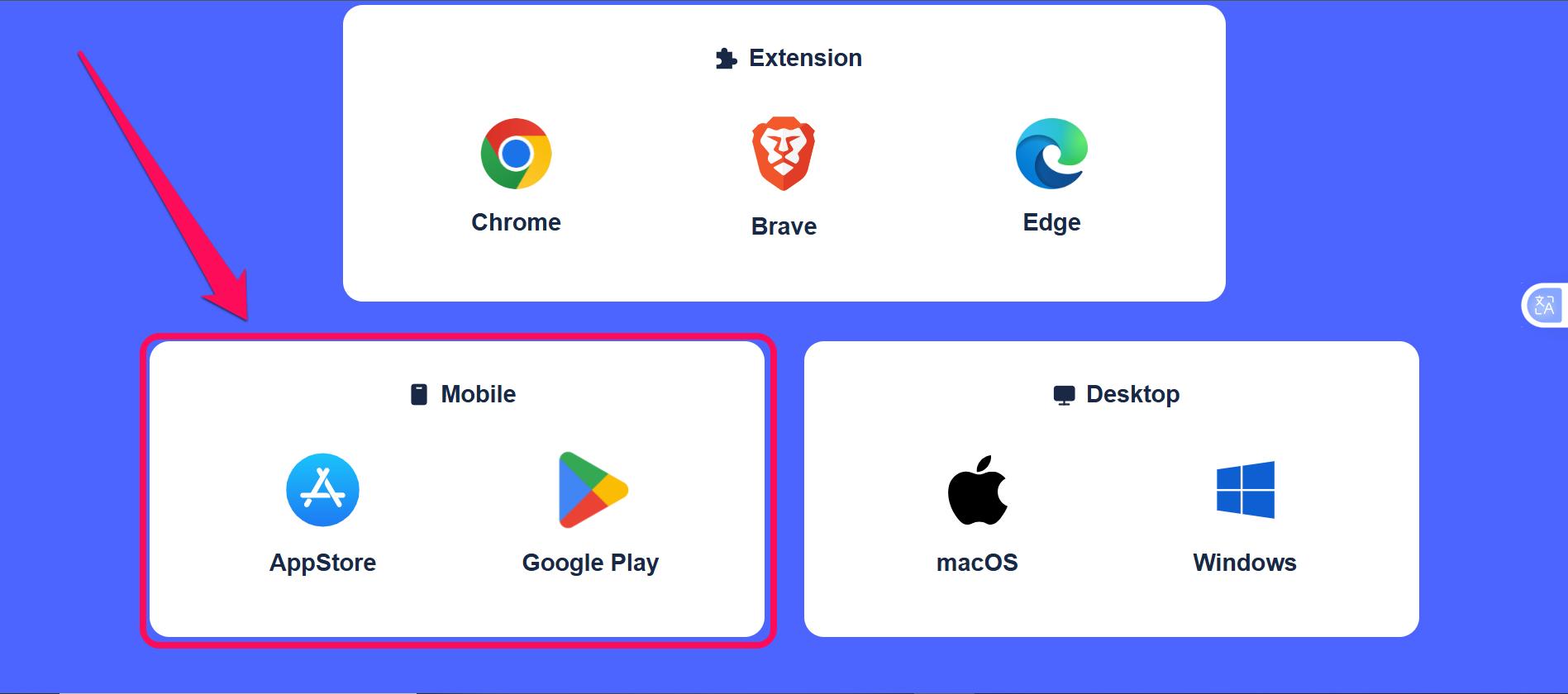
Step 2: Alternatively, search for Rabby Wallet on the Google Play (Android) or Apple App Store (iOS).
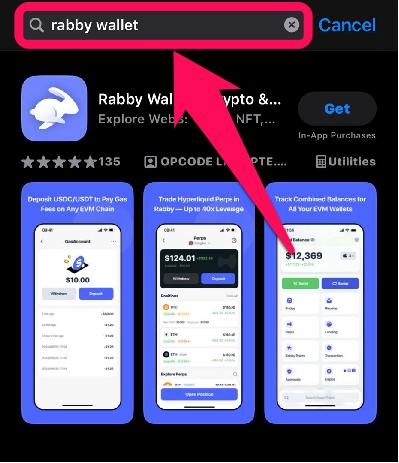
Step 3: Click Install or Get to begin the download on your mobile phone.
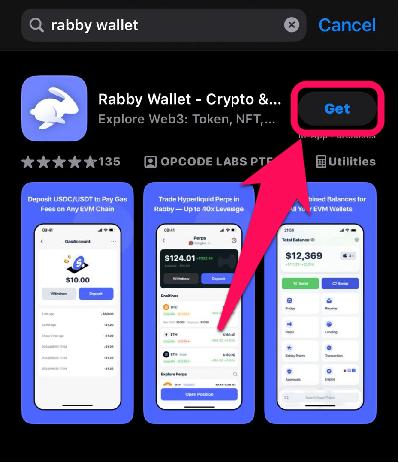
Step 4: Once the installation is complete, tap the Rabby Wallet icon to launch and begin account creation and setup.
How to Create a Wallet on the Rabby Mobile App
After downloading your Rabby Wallet, you need to create a new wallet or import an existing one to access all its features and manage your funds. Below are the steps to follow to create a wallet on the Rabby mobile app:
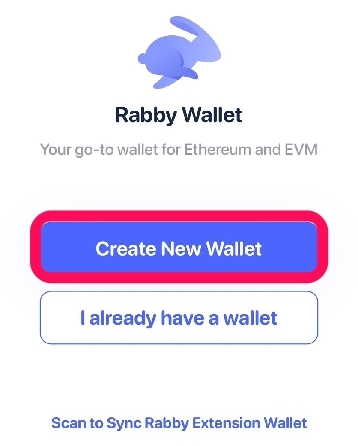
Step 1: Open the Rabby app and click Create New Wallet. Alternatively, tap on “I already have a wallet” to import an existing wallet.
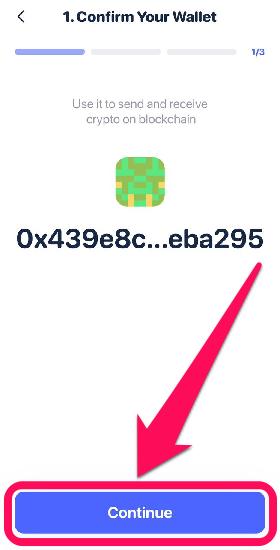
Step 2: The associated wallet address for your seed phrase is displayed. Tap on Continue to proceed.
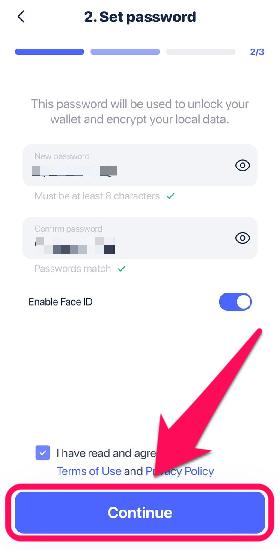
Step 3: Create a secure password for your wallet. Double-check and confirm the password before continuing, then click Continue.
Step 4: Next, choose how you wish to back up your seed phrase. The first option is faster, easier, and automated with your familiar web2 account (Google or iCloud).
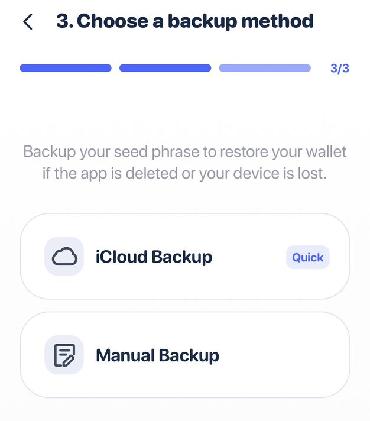
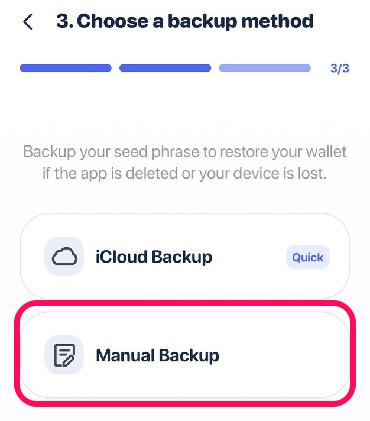
Step 5: Alternatively, select the Manual method and tap the Show Seed Phrase option to reveal your account’s secret recovery phrase (SRP). Once you’ve seen it, please write it down in the exact order and store it securely offline. Confirm SRP safety by clicking I’ve Saved the Phrase.
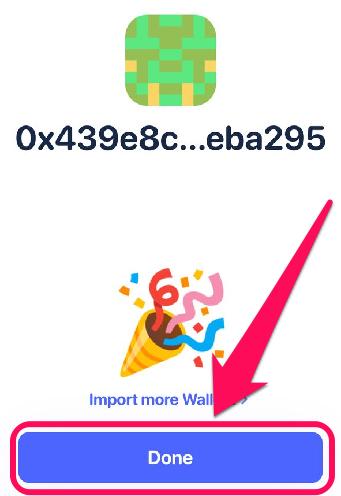
Step 6: Click Done to complete the process. Once you reach this stage, your account is ready for nonstop use.
Bottom Line
Downloading the Rabby wallet on your mobile device is straightforward and gives you the freedom to manage your assets without being tied to your desktop. The wallet serves as a close alternative to MetaMask, offering security features like transaction simulation. However, if you prefer exploring crypto on your PC, you can install the Rabby wallet extension on your preferred browser anytime. Check out our detailed guide on installing and setting up Rabby Wallet to get started on your computer.
FAQs
1. Is the Rabby wallet beginner-friendly?
This ease of use makes Rabby one of the most beginner-friendly wallets without sacrificing advanced features.
2. Who is behind Rabby Wallet?
Rabby Wallet is developed and maintained by the DeBank team. DeBank is a well-established DeFi dashboard that provides users with tools to track their investment portfolios across hundreds of decentralized protocols on dozens of blockchains.
3. Can I link my Rabby wallet app with the extension?
Yes, you can import the same seed phrase into both the mobile app and browser extension to access the same wallet across devices.




