



- •Monero is a privacy-focused cryptocurrency that hides sender, receiver, and transaction amounts by default.
- •XMR is available on several exchanges, but fees, liquidity, and features can vary widely between platforms.
- •Transferring XMR to a compatible wallet lets you use the network directly for private payments and full fund control.
Privacy tokens often attract users who value financial discretion and control over their transaction history. Among them, Monero stands out for its strong privacy features and its long-standing role in the crypto ecosystem. Many traders look to buy XMR for both practical use and portfolio exposure. In this guide, we walk through the steps to buy Monero, compare exchanges, and choose the option that offers the best overall value.
Where to Buy Monero?
Monero has built a strong following over the years, especially among users who value private, fungible digital cash. Its consistent development, active community, and recent price momentum have helped it regain attention across the market. As a result, XMR is now listed on several major exchanges.
However, not every platform offers the same experience. Fees, liquidity, security practices, and extra features like futures or earn programs can vary widely. Instead of buying from the first exchange you see, it makes sense to compare your options. Below, we look at some of the main exchanges where you can buy Monero and what each one offers.
How to Buy $XMR on MEXC
XMR is available on a number of platforms, but we went with MEXC because of its availability on both the spot and futures markets, along with its low fees. MEXC is a well-established platform, founded in 2018, and is known as a major altcoin exchange offering over 2,100 tokens on spot.
For futures traders, it also provides high leverage of up to 500x for those who want to trade XMR perpetual contracts. The exchange keeps fees very low, set at 0.05% for both maker and taker orders. With all of this in mind, and support for the Monero network to transfer XMR, we decided that buying through MEXC offers strong overall value.
Below are the steps to buy XMR on MEXC using the spot market.
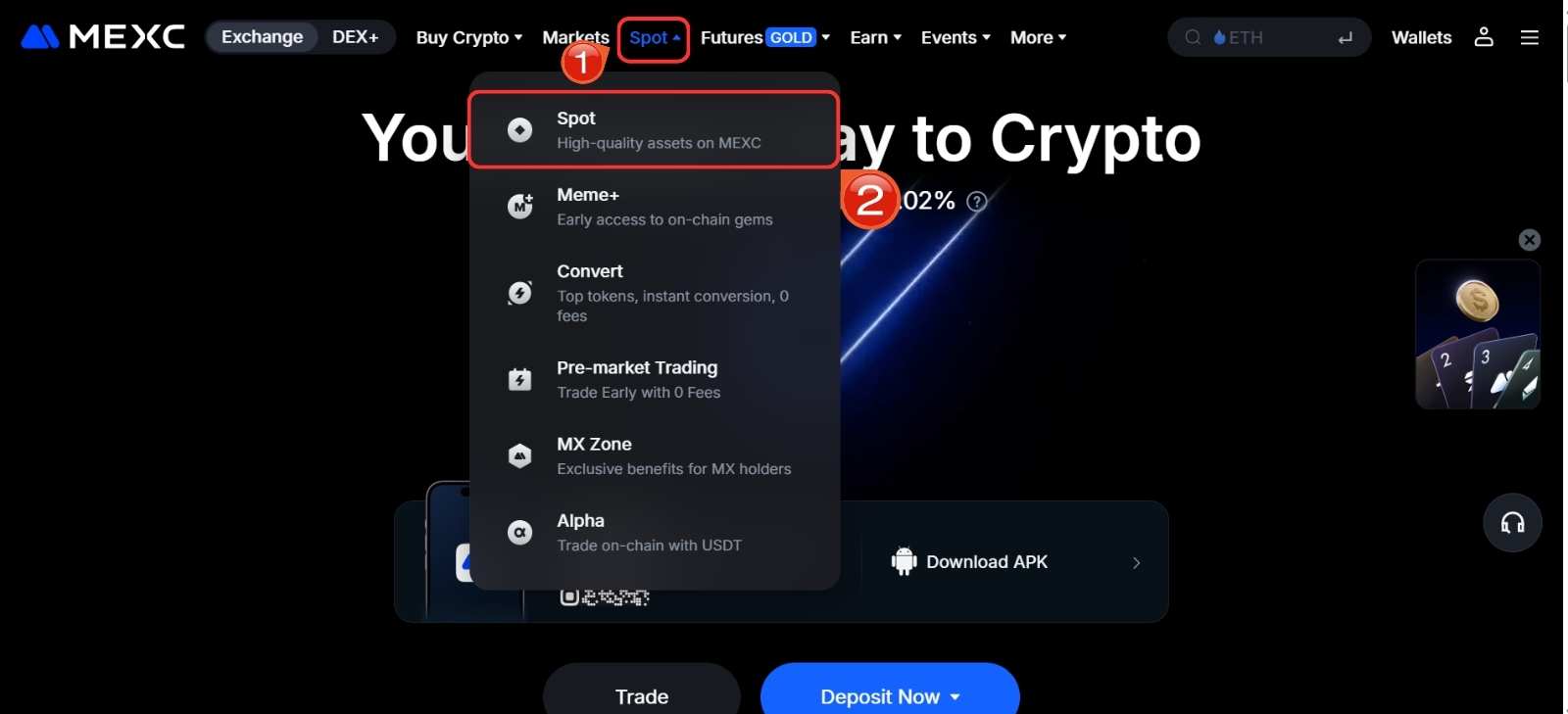
Step 1: Go to the MEXC platform. Hover over the Spot tab in the top navigation bar and click Spot from the dropdown menu.
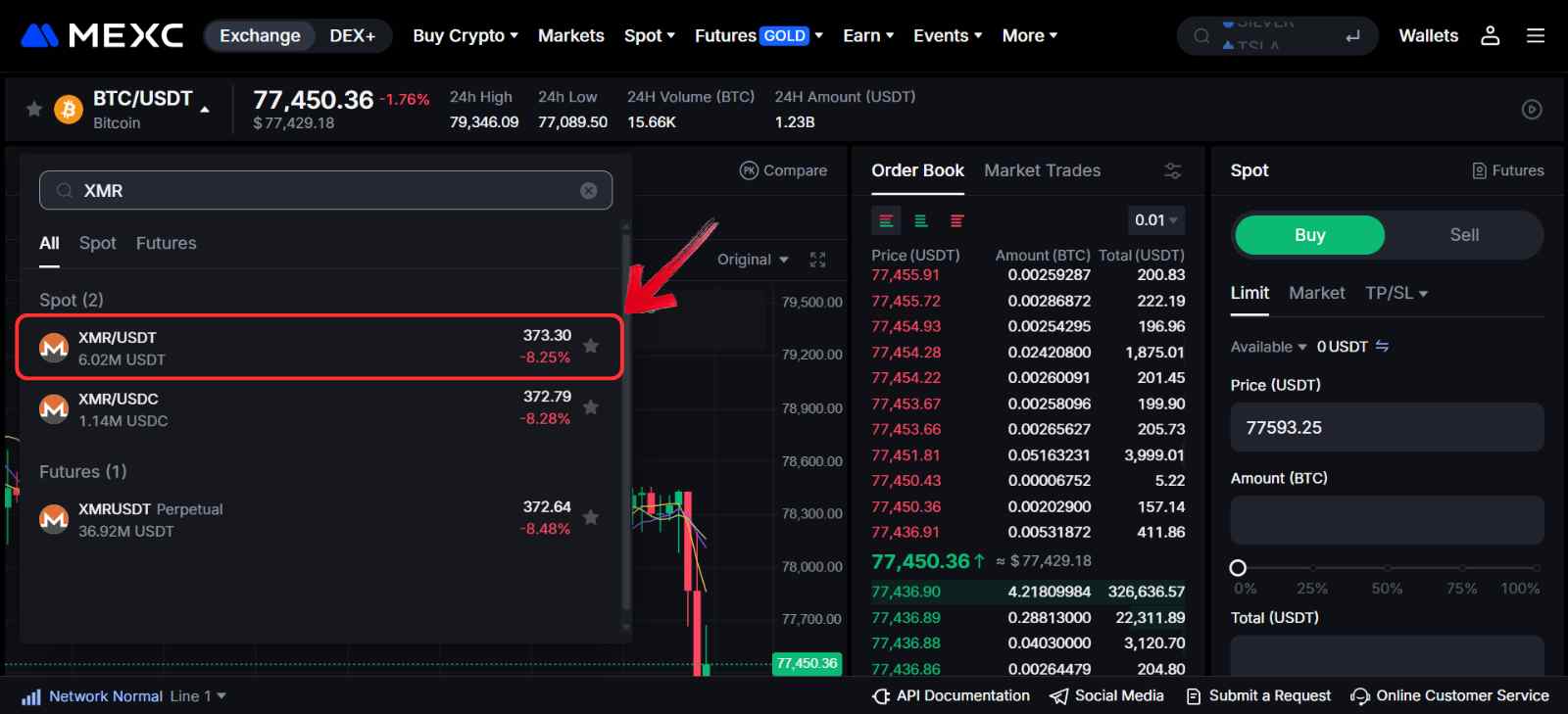
Step 2: Open the assets list, search for Monero (XMR), and select the XMR/USDT trading pair under the Spot section.
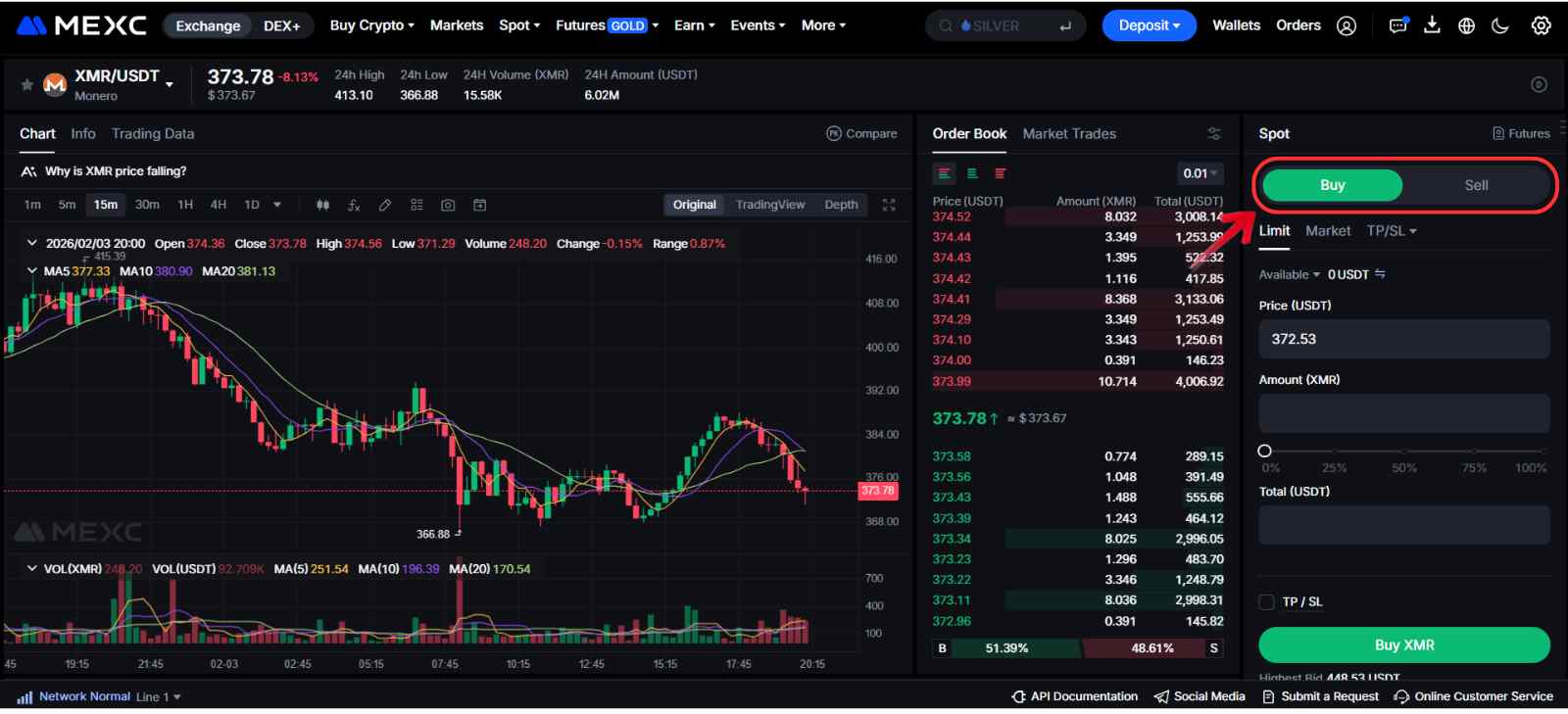
Step 3: On the right side of the interface, locate the Buy/Sell panel. Choose a Market order for instant execution or a Limit order to set your preferred price.
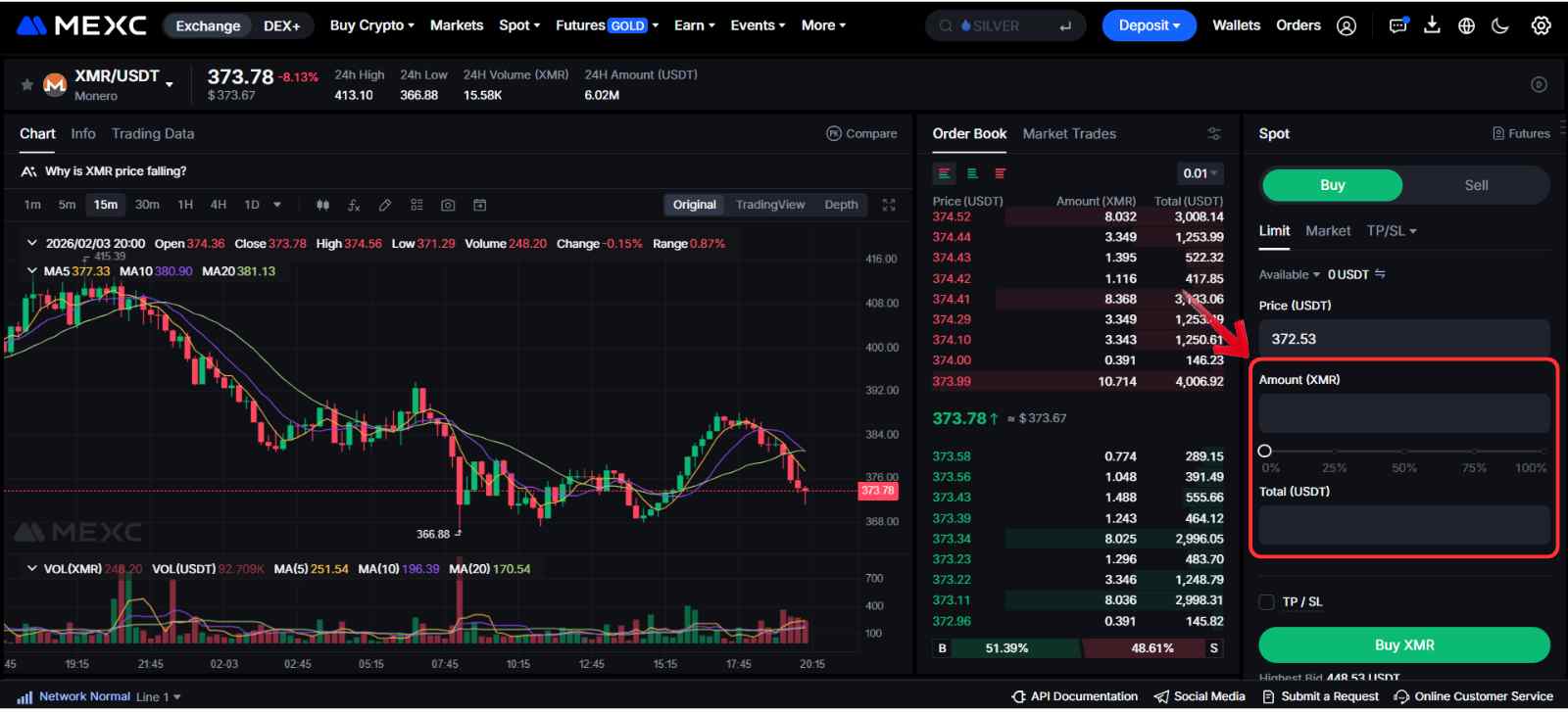
Step 4: Enter the amount of XMR you want to buy in the Amount field, or type the total value in USDT under the Total field. You can also use the slider for quicker selection.
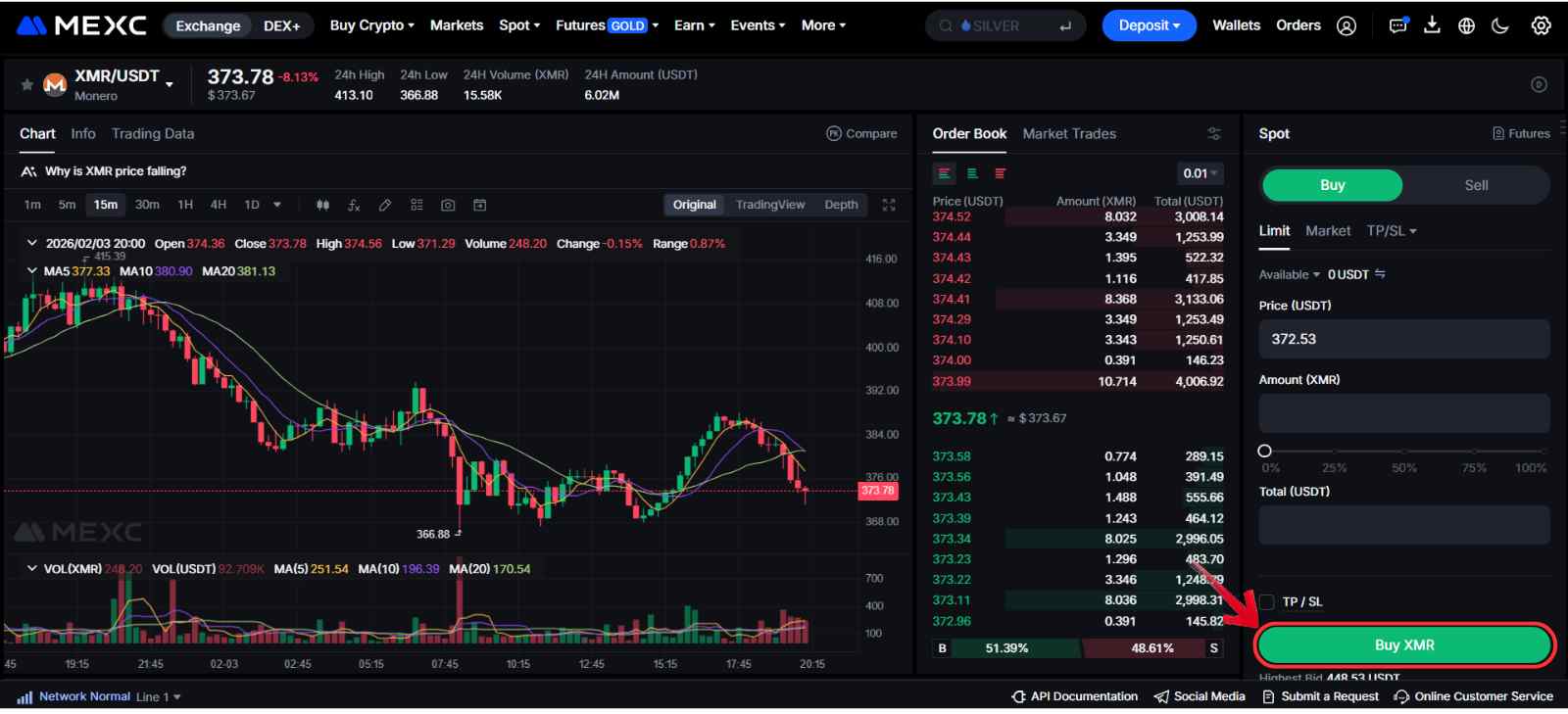
Step 5: Review the order details, then click Buy XMR to complete the purchase.
Fees When Buying Monero on MEXC
MEXC charges a standard 0.05% trading fee for both maker and taker orders. For example, a $100 XMR purchase would result in about $99.95 worth of tokens after fees. Users who hold MX, the exchange’s native token, may qualify for trading fee discounts of up to 50%, depending on their account level.
How to Transfer $XMR to a Web3 Wallet (GUI wallet)
If you plan to use Monero for private payments rather than just hold it as an investment, you will need a compatible Web3 wallet. Monero does not work with typical Ethereum or multi-chain wallets, so you need a native option built for its network.
The official Monero GUI Wallet is one of the most commonly used choices, offering full support for XMR transactions and network features. To interact with the Monero network, you first need to withdraw your XMR from the exchange and send it to your GUI wallet address. This step gives you full control over your funds and lets you use Monero as intended.
Here is how, in a few simple steps, you an transfer Monero tokens from MEXC to your Monero GUI Wallet:
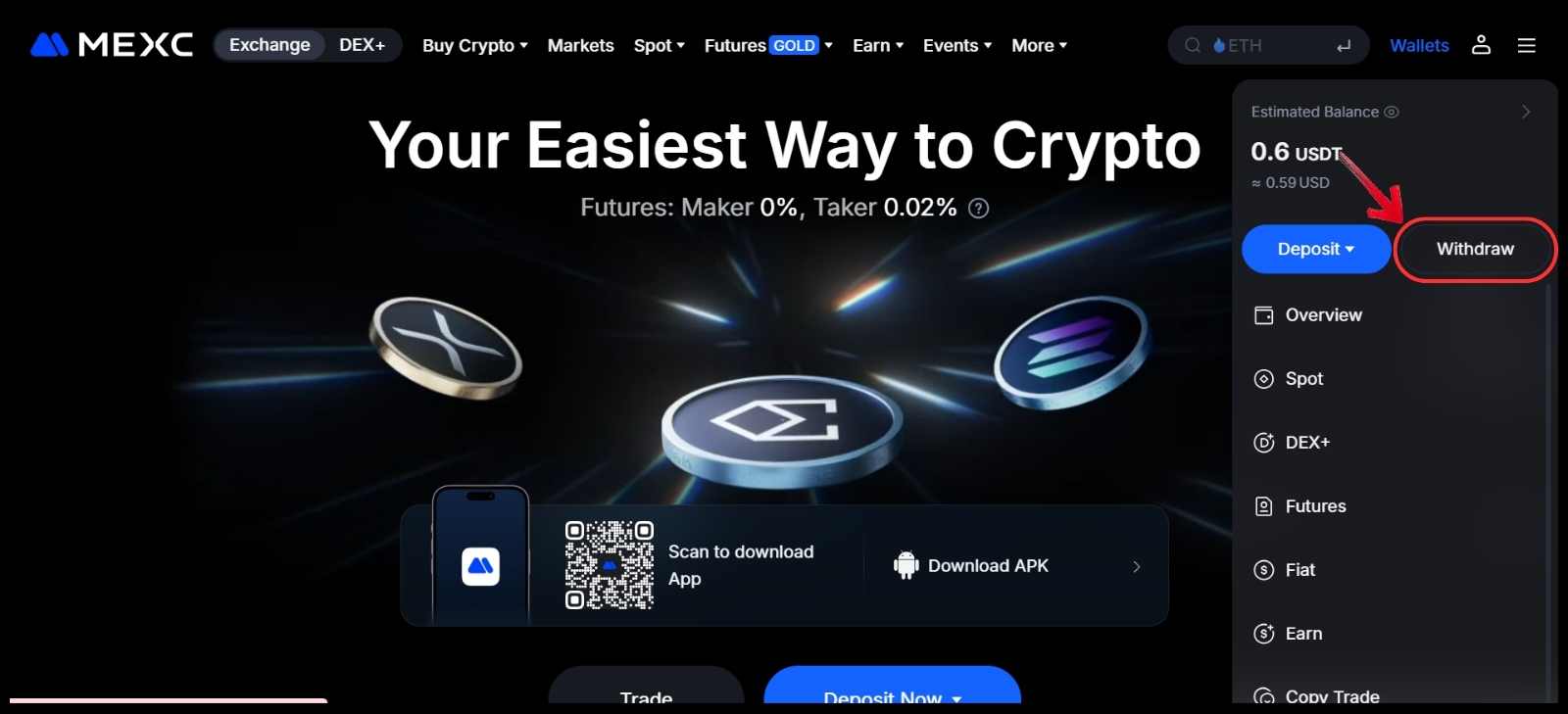
Step 1: Hover over the Wallets tab and click Withdraw from the dropdown menu.
Step 2: In the Crypto field, search for Monero (XMR) and select it from the list.
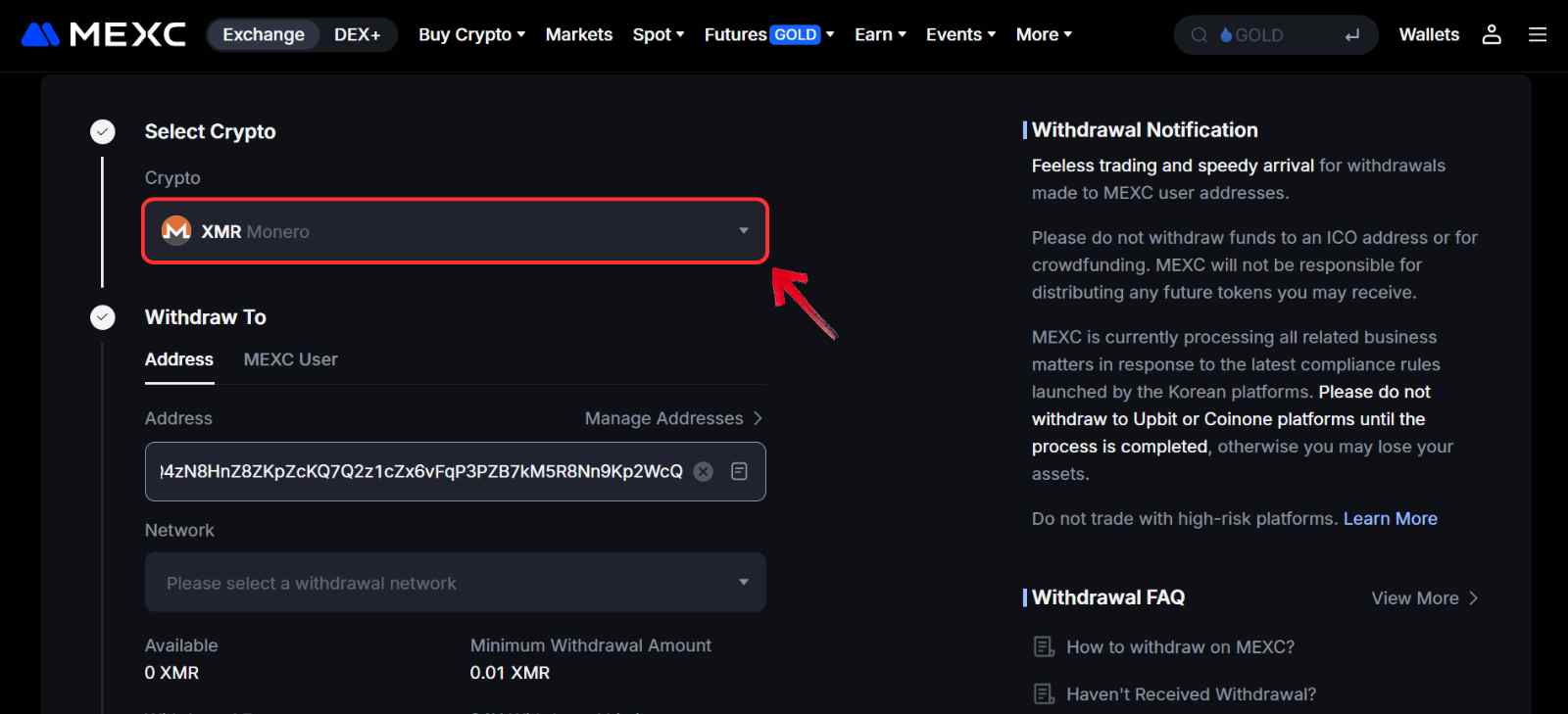
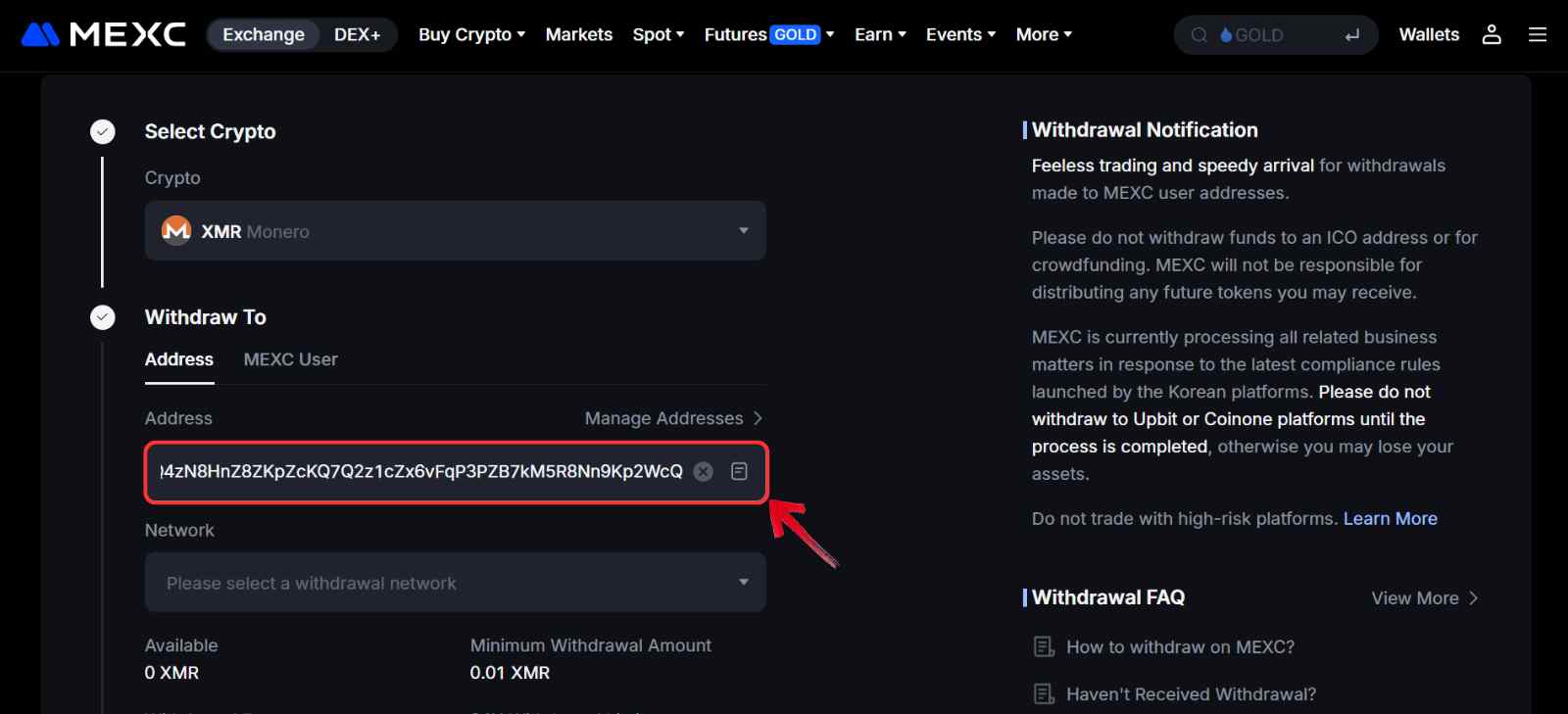
Step 3: Open your Monero GUI wallet, copy your XMR receive address, and paste it into the Withdraw To address field on the exchange.
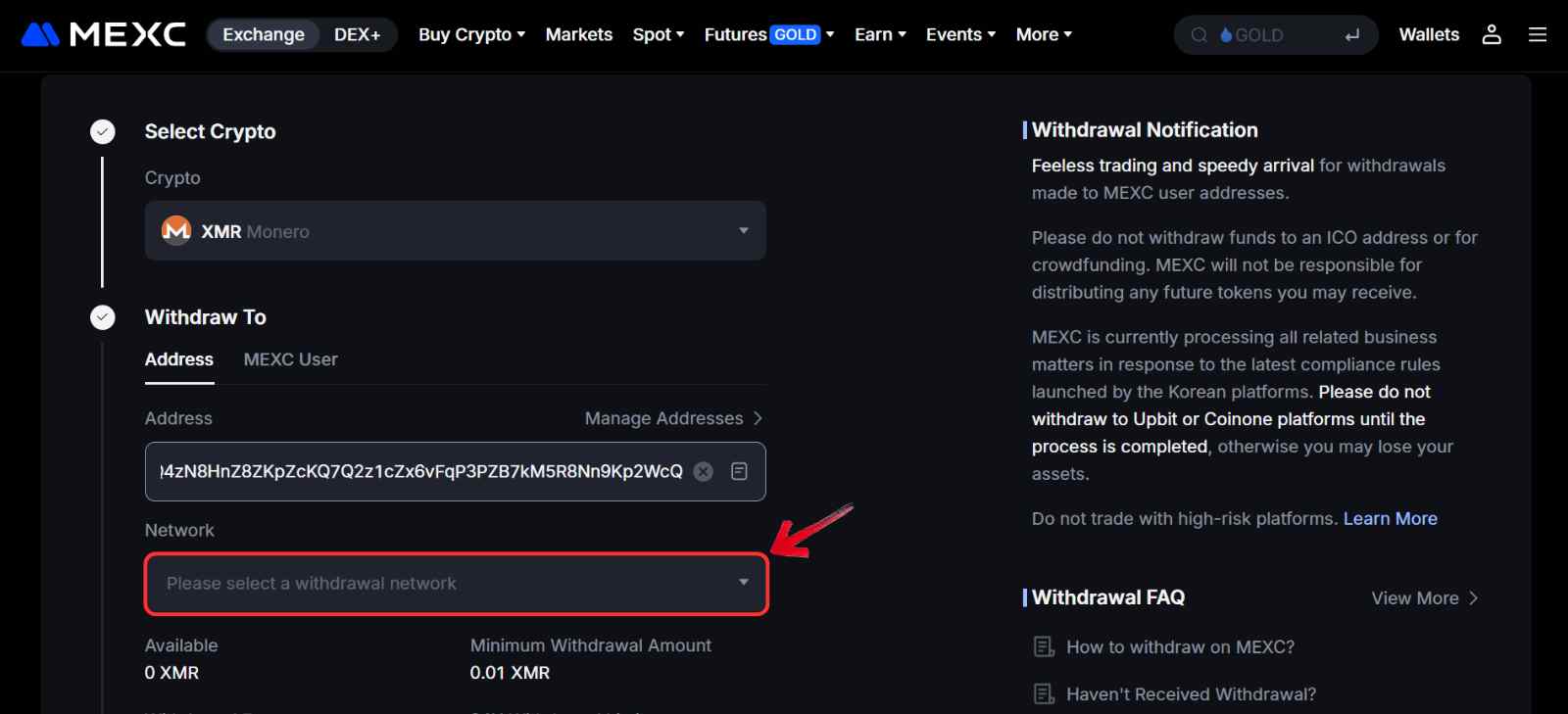
Step 4: Choose the Monero network as the withdrawal option.
Step 5: Enter the amount of XMR you want to transfer.
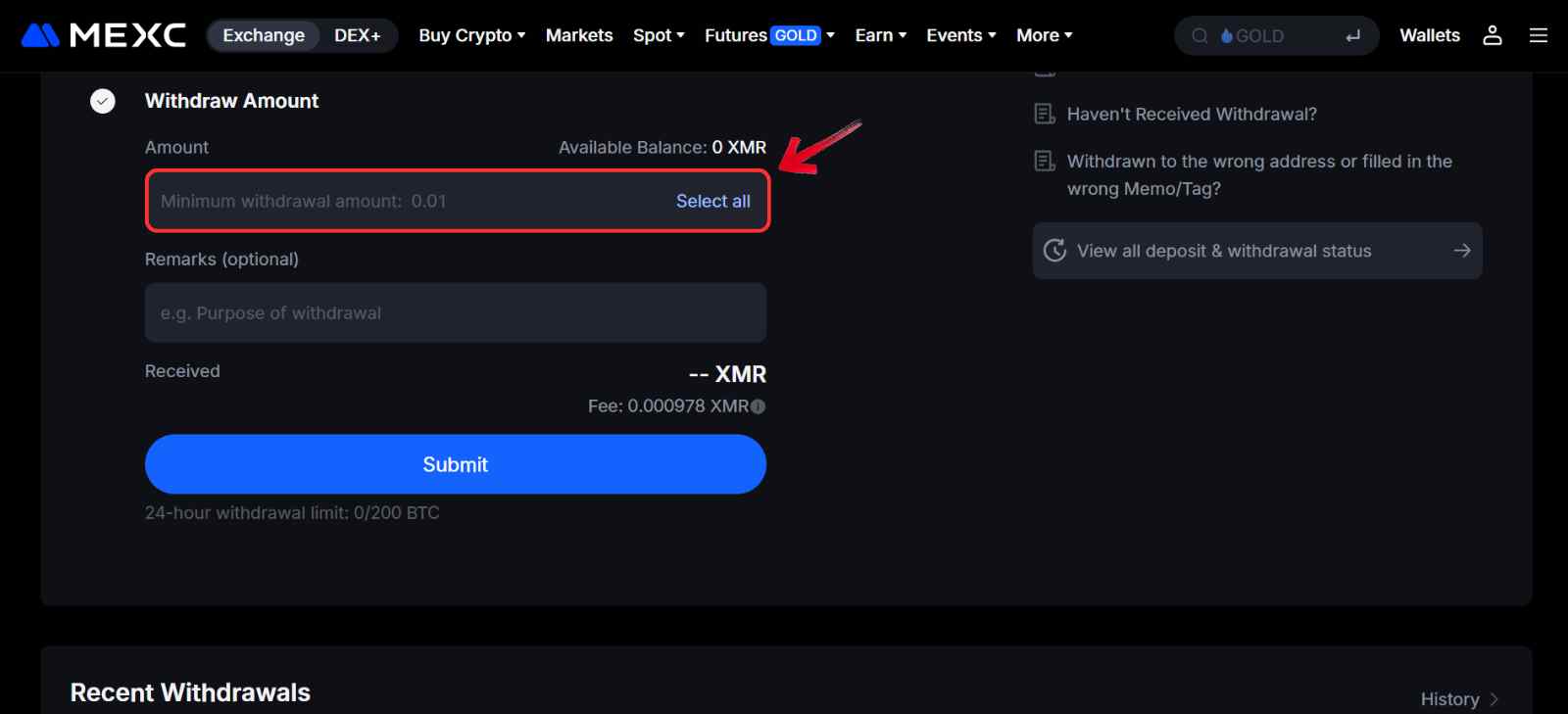
Step 6: After checking all details, click Submit to complete the withdrawal.
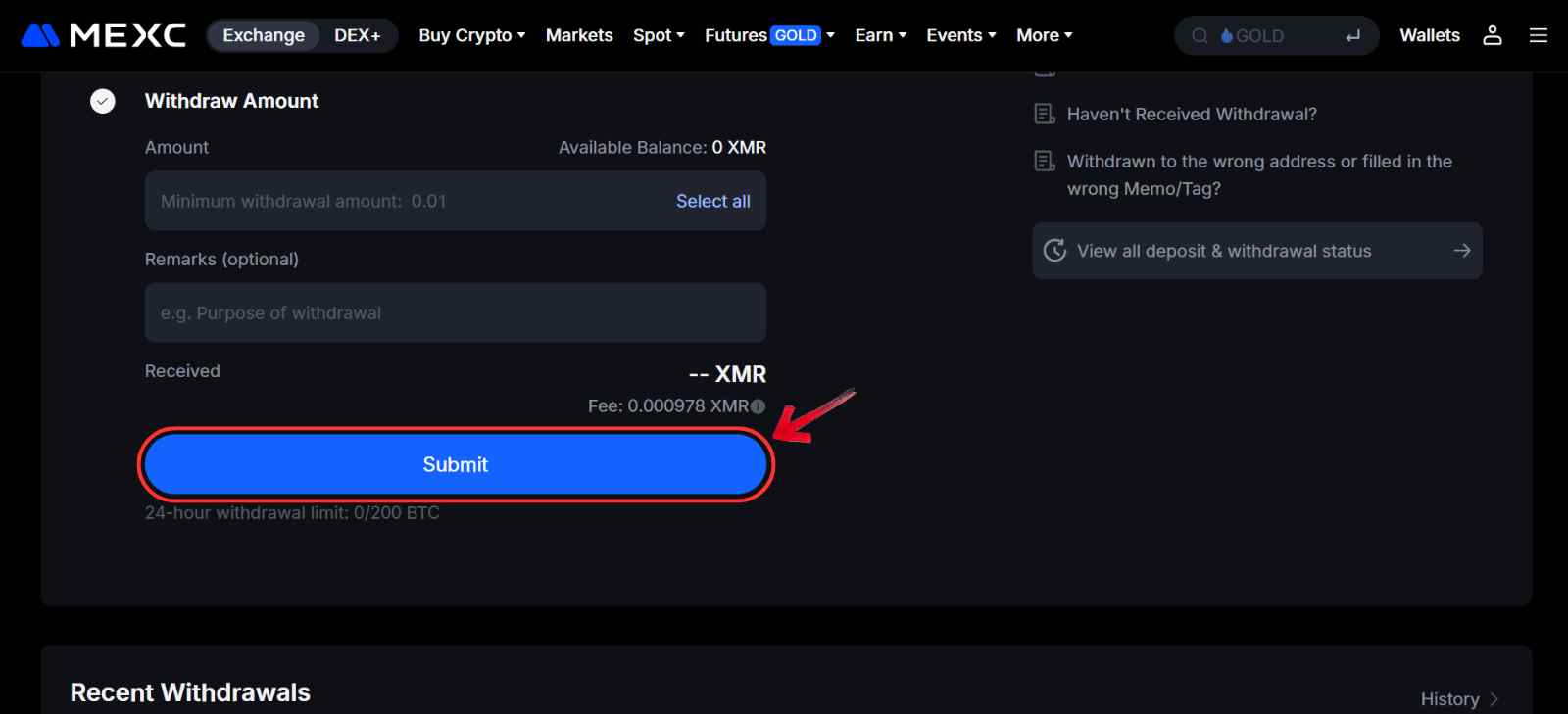
You can track the status of the withdrawal using the transaction ID provided by MEXC and monitor it through a Monero block explorer.
Monero Explained
Monero is a cryptocurrency built around one core idea: private digital money. While most blockchains like Bitcoin or Ethereum are transparent, meaning anyone can view transaction details, Monero is designed to keep that information hidden. This focus on confidentiality is a big reason the privacy narrative around Monero has remained strong over the years.
Every Monero transaction hides the sender, receiver, and amount using technologies such as stealth addresses, ring signatures, and RingCT. Because of this, coins cannot be traced or blacklisted, which makes XMR fully fungible. In simple terms, Monero works like digital cash, allowing people to send payments anywhere in the world without exposing their financial activity.
Bottom Line
The privacy sector stayed quiet for a long time, but as interest returned, Monero came back into focus as a market leader in the privacy narrative, alongside Zcash, with strong price gains. Since XMR has been around longer than most privacy tokens, it is listed on many exchanges. While other platforms are also an option, we chose MEXC based on availability, network support, and low fees. For anyone looking to buy Monero, it remains one of the few cryptocurrencies built around fully private, untraceable transactions by default.
FAQs
1. What is Monero used for?
Monero is mainly used for private digital payments. It allows users to send and receive funds without exposing transaction details on a public ledger.
2. Why is Monero considered private?
Monero hides the sender, receiver, and transaction amount using built-in privacy technologies like ring signatures, stealth addresses, and RingCT.
3. Is Monero traceable like Bitcoin?
No. Unlike Bitcoin, Monero transactions are not publicly traceable, which makes it difficult to link activity to specific users.
4. Can Monero be mined?
Yes. Monero uses a mining algorithm designed to work on standard computer hardware, which helps keep the network more decentralized.
5. How long do Monero transactions take?
Monero transactions usually confirm within a few minutes, though the exact time can vary depending on network conditions.




