



- •Beldex is a privacy-focused proof-of-stake network built for confidential transactions, messaging, and private browsing tools.
- •Choosing the right exchange matters, since fees, liquidity, and network support affect the overall cost of buying BDX.
- •Moving BDX to the official Beldex Wallet enables staking, private transfers, and access to ecosystem applications.
In a market where on-chain activity is increasingly transparent, projects built around user control and data protection continue to attract steady interest. Beldex fits into this space as a proof-of-stake network focused on anonymous transactions and practical privacy tools, not just speculation. In this guide, we will walk through the steps to buy Beldex (BDX), compare exchanges where it is listed, and help you choose the option that offers the best overall value.

Where to Buy Beldex?
Beldex (BDX) has steadily gained traction as its privacy-focused ecosystem expands, and today it is listed across a growing number of crypto exchanges. This wider availability makes it easier to access, but the experience can differ depending on where you buy. Fees, liquidity, security practices, and added features like futures trading or earn products vary from platform to platform. Instead of choosing the first option you see, it helps to compare what each exchange offers. Below, we look at several exchanges where you can buy Beldex.
How to Buy $BDX on KuCoin
We chose KuCoin for this guide mainly because it supports the native Beldex network, which allows users to withdraw BDX directly to a compatible wallet and use the network’s privacy features later if needed.
It is also an established exchange with consistent liquidity and competitive spot fees set at 0.1% for both maker and taker orders. The platform offers a wide range of spot assets, making it practical for regular trading. New users can also access bonuses of up to $10,500 when signing up with a KuCoin referral code.
Below are the steps to buy Beldex (BDX) on KuCoin:
Step 1: Open KuCoin in your browser and log in or sign up to start trading on the platform.
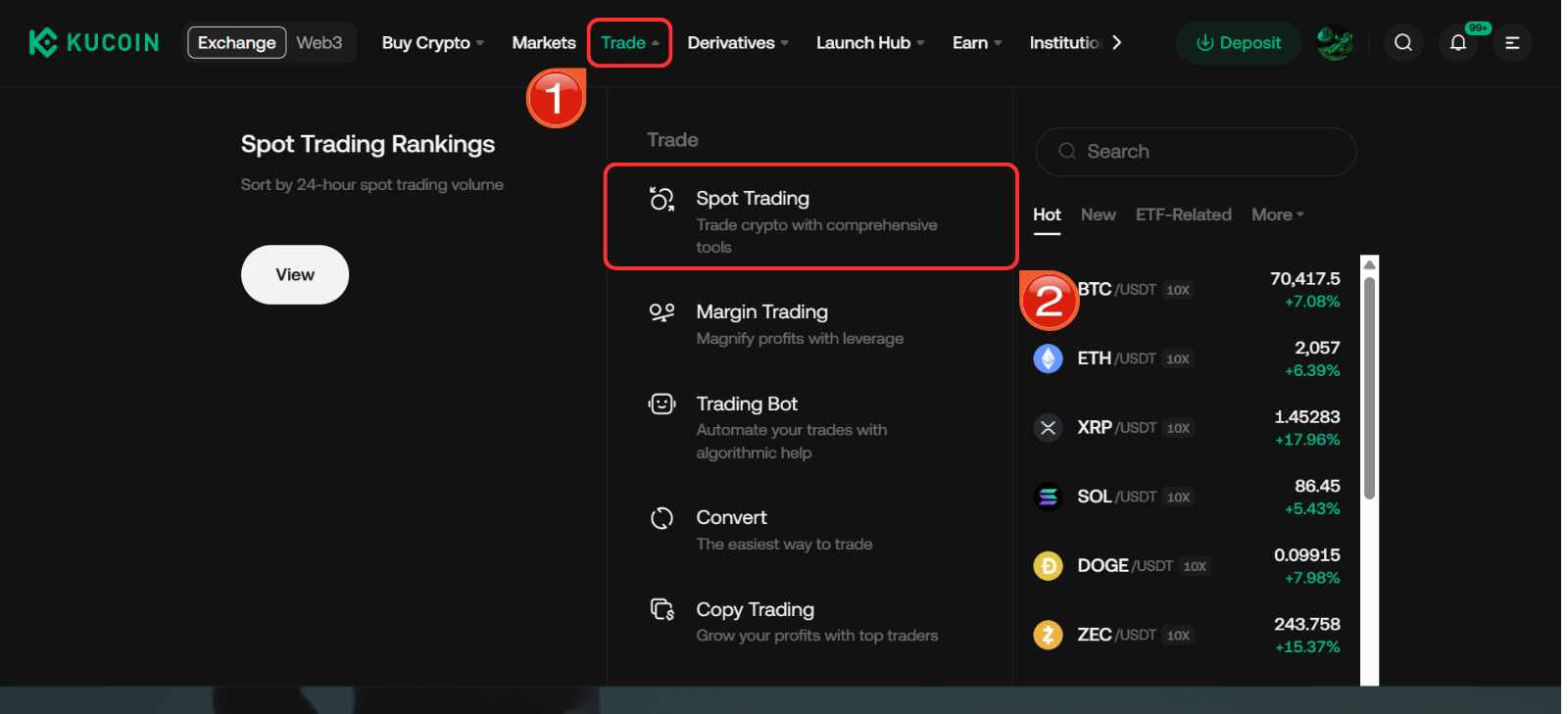
Step 2: On the navigation bar, hover over the Trade tab, then select the Spot Trading option from the dropdown menu.
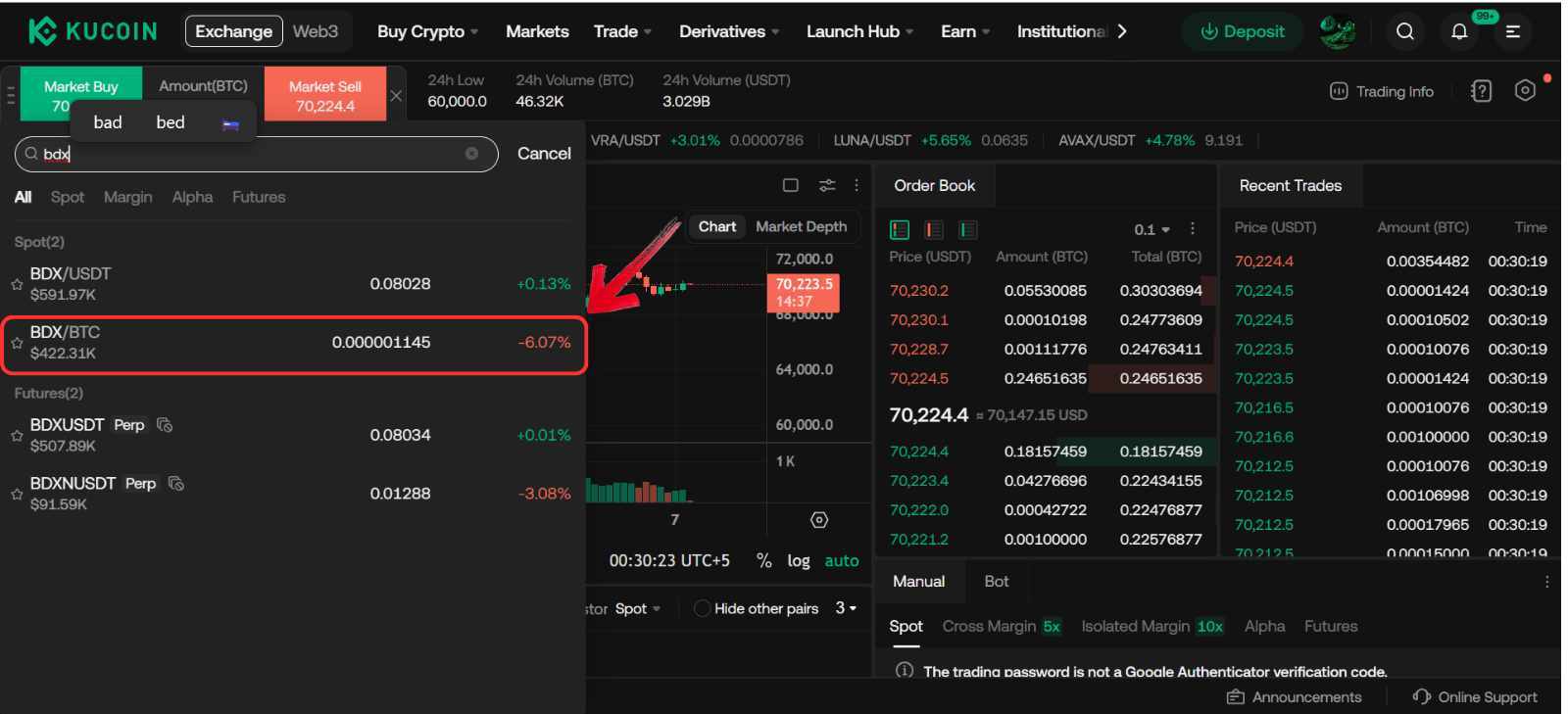
Step 3: You are now on the KuCoin spot trading platform. Use the Asset dropdown to search and select the BDX/USDT spot trading pair.
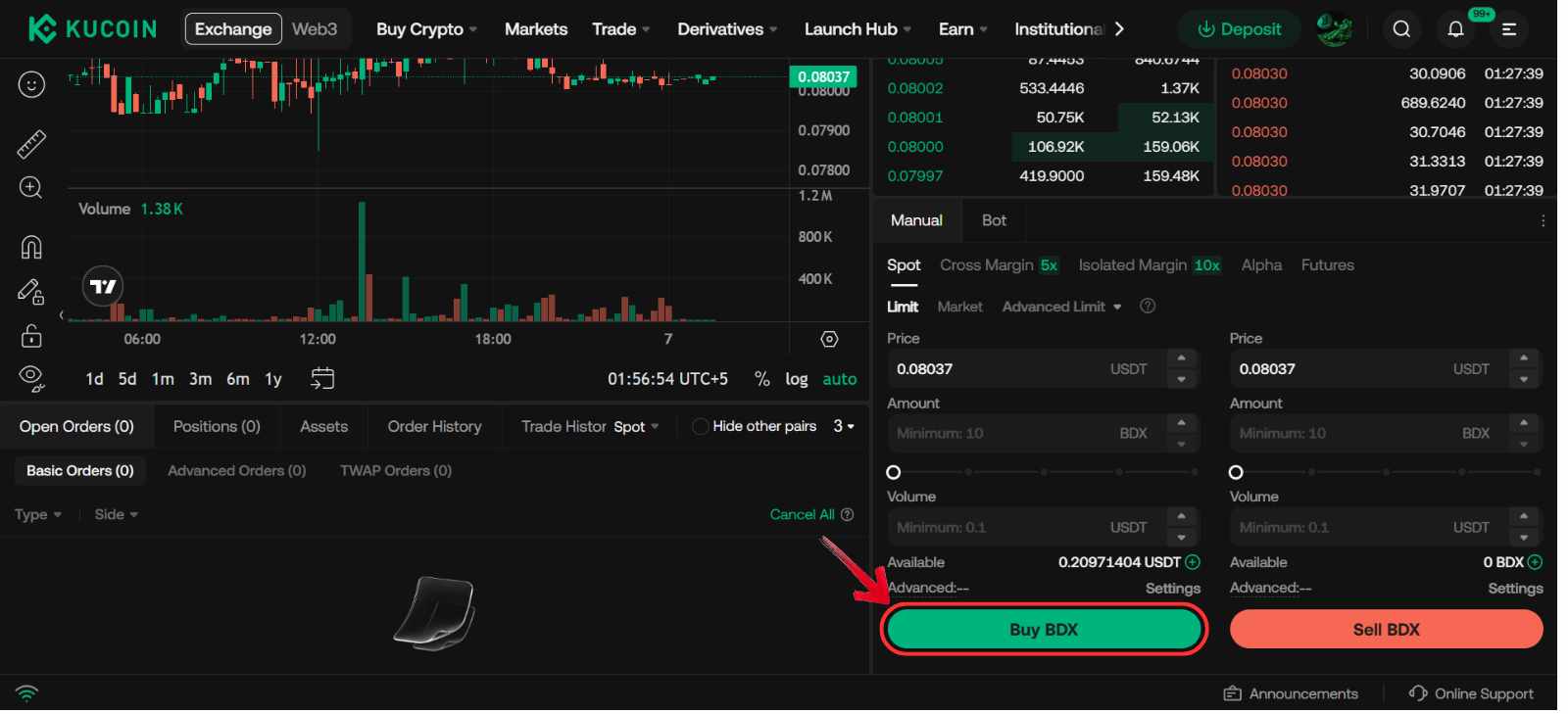
Step 4: Scroll down to the trading panel on the right, below the order book, and start placing your order by selecting an order type.
Step 5: Enter the amount of USDT you want to use to buy BDX.
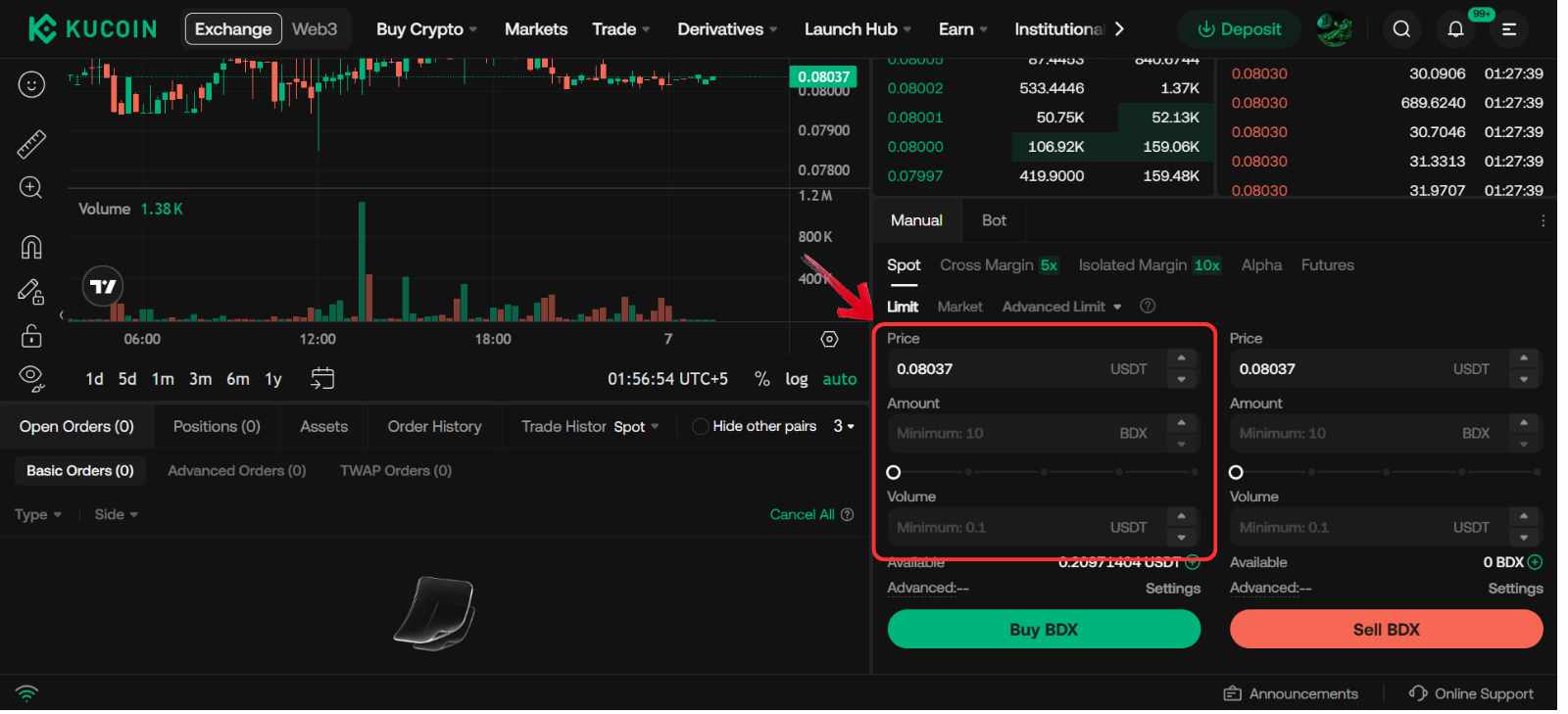
Step 6: Now just click on the Buy BDX button to confirm your order.
Fees When Buying Beldex on KuCoin
When purchasing Beldex on KuCoin’s spot market, the base trading fee starts at 0.10% for both maker and taker orders. The fee is applied directly to each completed trade. For example, if you place a spot order to buy $1,000 worth of BDX, the trading fee at the base tier would be $1. KuCoin uses a tiered fee model, so costs can decrease as your trading volume increases, but the 0.10% rate applies to most standard spot purchases.
How to Transfer $BDX to a Web3 Wallet (Beldex Wallet)
If you plan to use the Beldex network rather than simply hold BDX as an investment, you will need a compatible Web3 wallet. The official Beldex Wallet is designed for this purpose and supports the network’s privacy features, staking, and ecosystem tools like BChat and BelNet.
After buying BDX on an exchange, the next step is to withdraw your tokens to your Beldex Wallet address. This transfer gives you full control over your funds and allows you to interact directly with the Beldex ecosystem instead of leaving your tokens on a centralized platform.
Here is how you can transfer your BDX tokens to Beldex wallet from KuCoin:
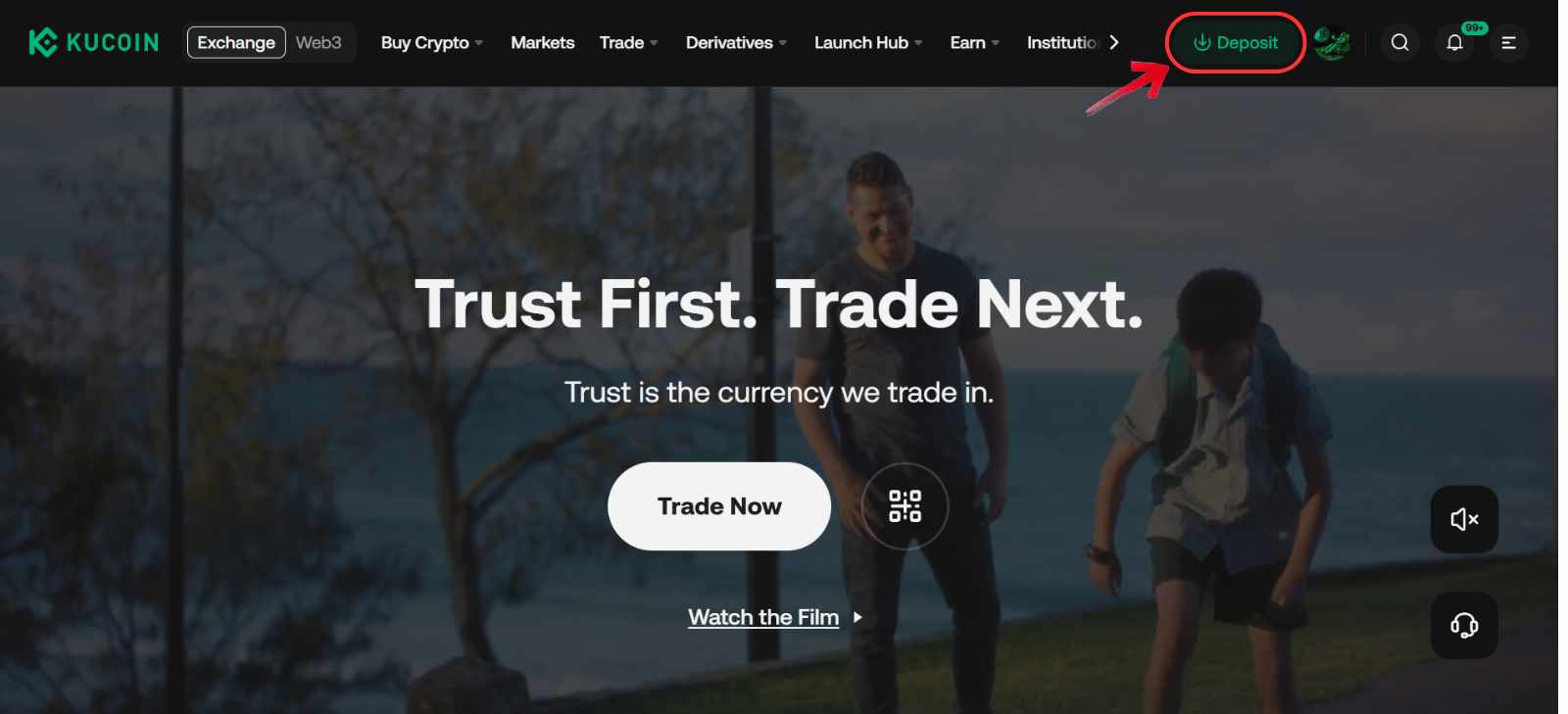
Step 1: To withdraw funds, click on the Deposit button on the KuCoin navigation bar to open your account overview page.
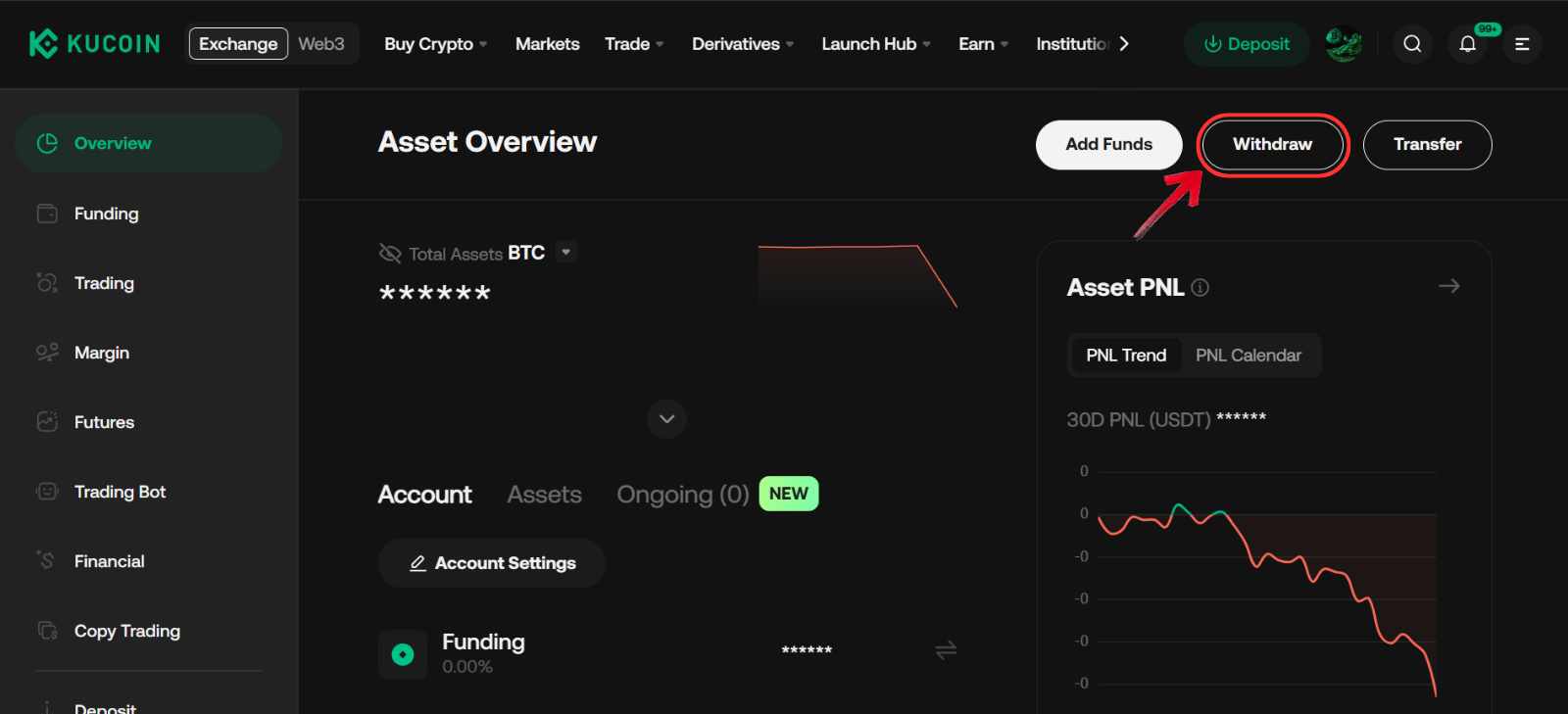
Step 2: On your account overview page, click the Withdraw button.
Step 3: In the Select Coin field, choose the BDX token.
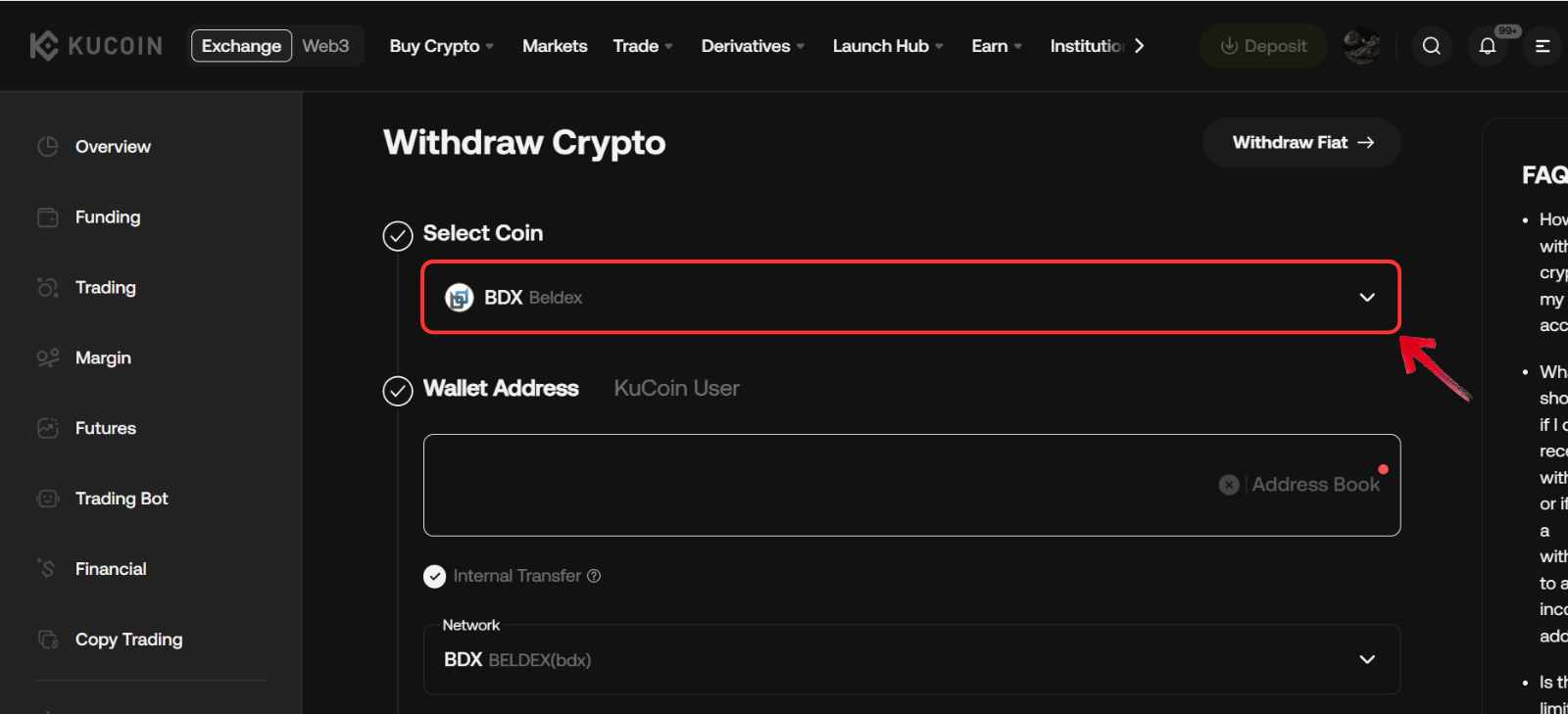
Step 4: In the Withdrawal Address field, paste your BDX wallet receiving address.
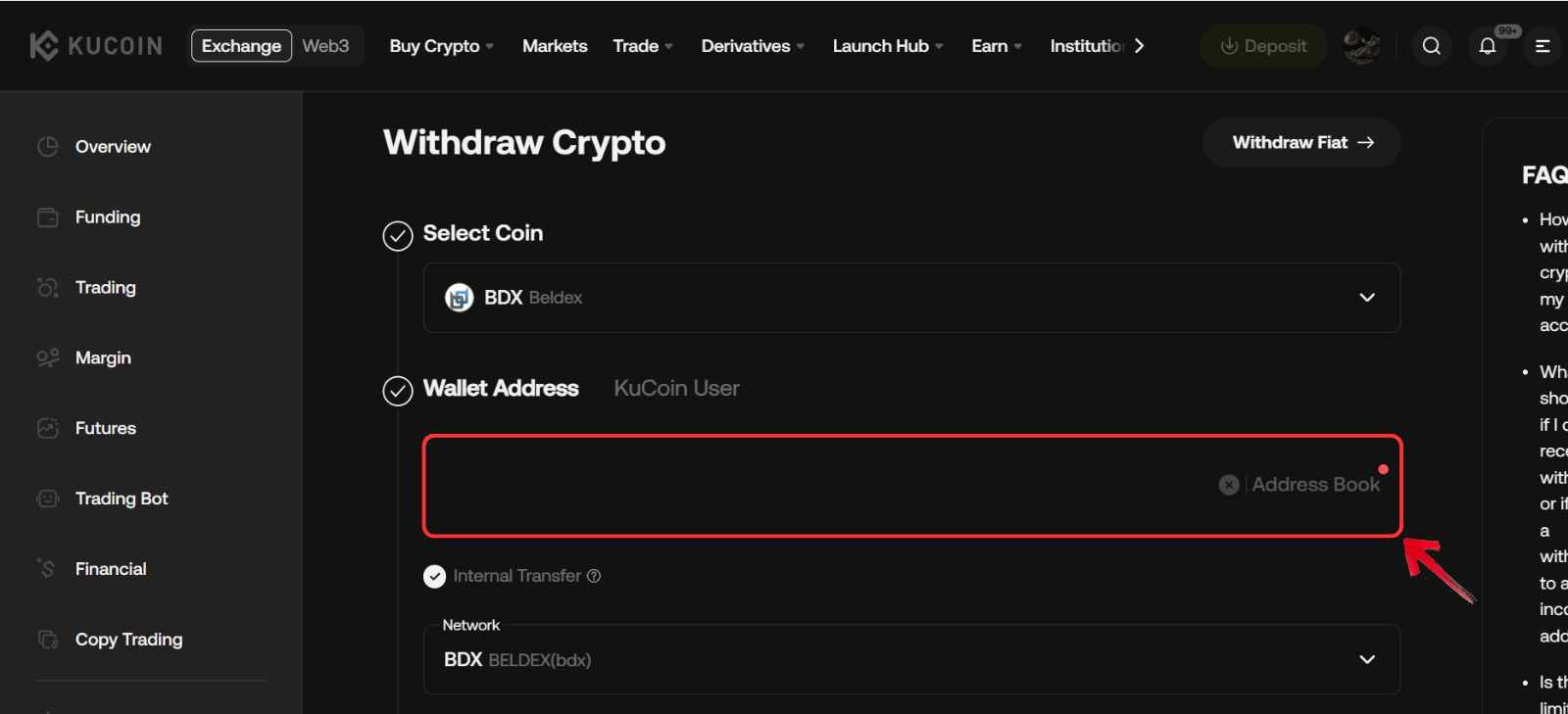
Step 5: In the Network field, select Beldex as the network for the withdrawal.
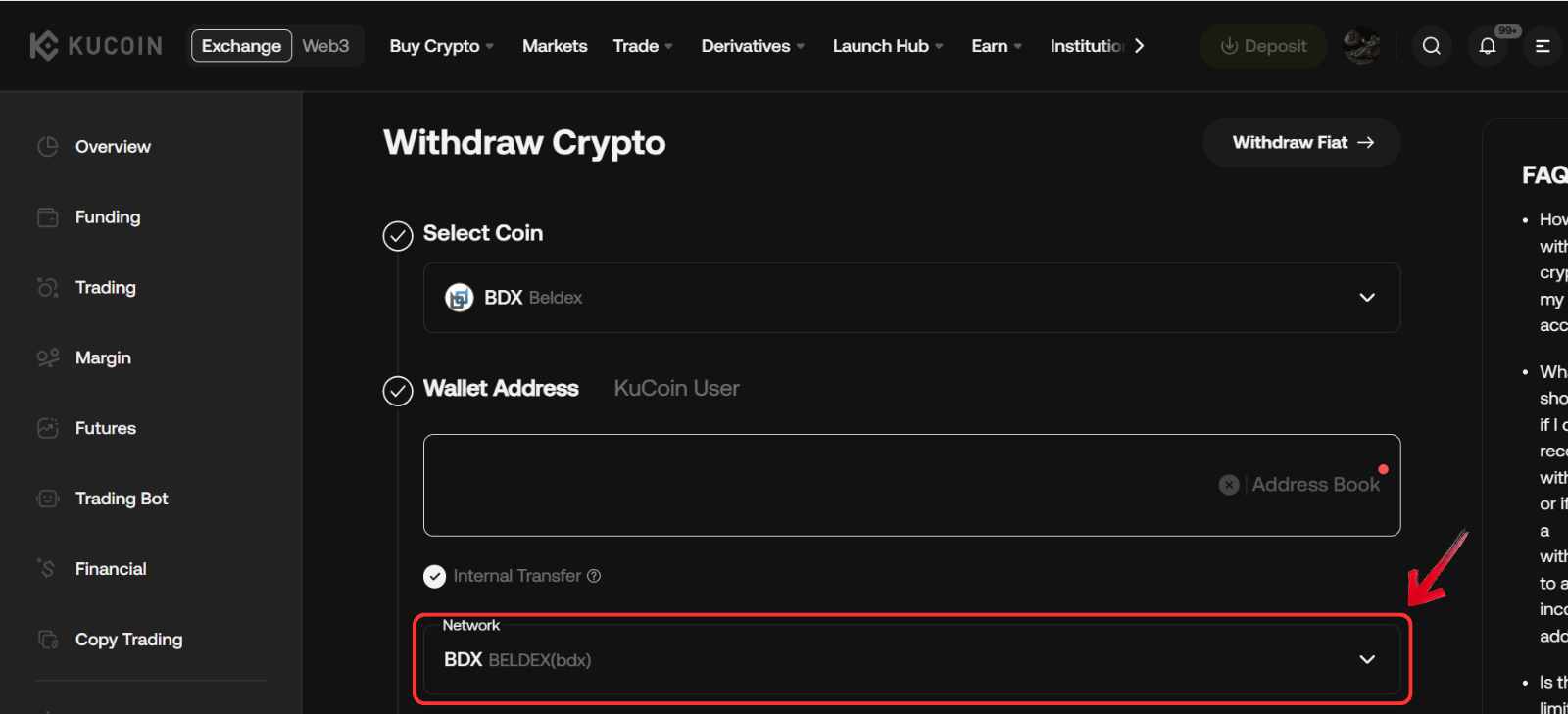
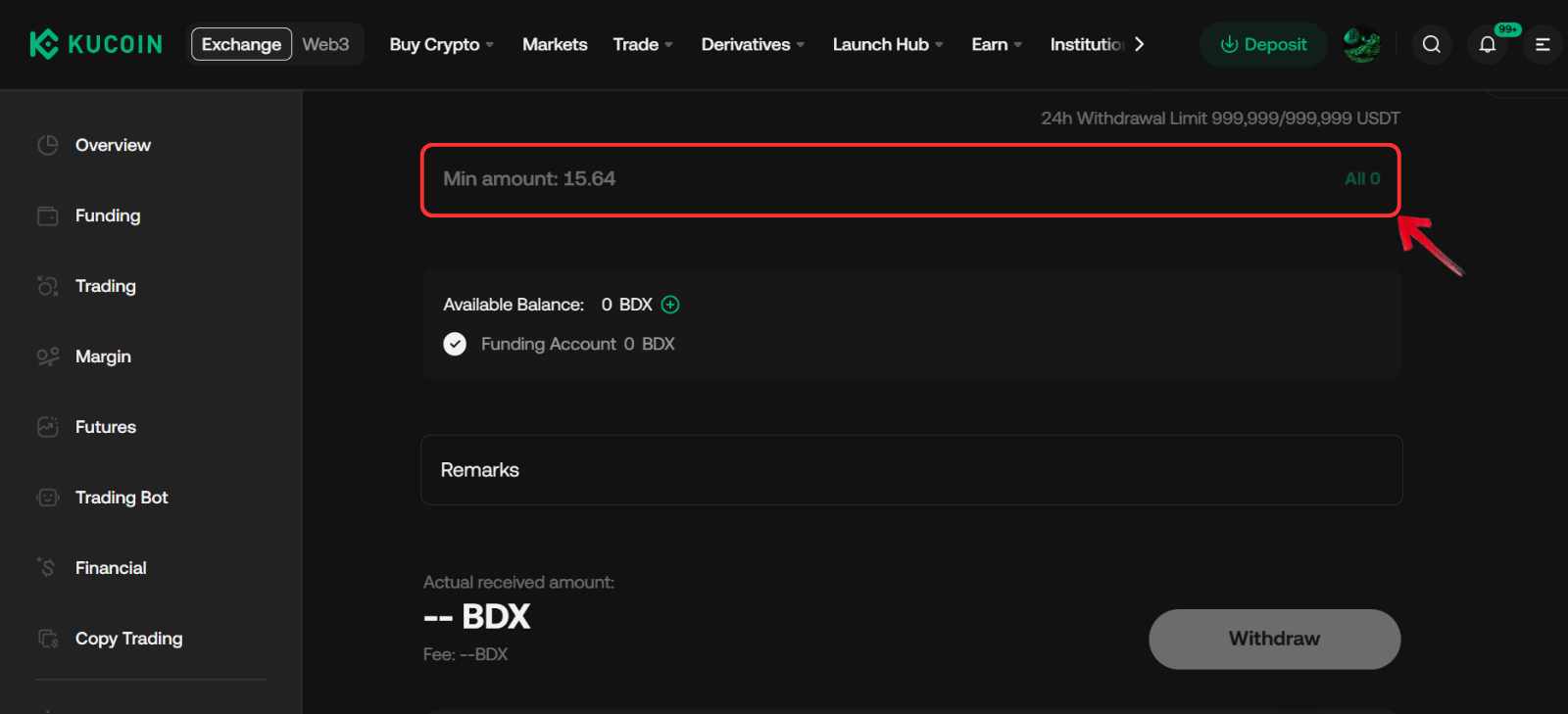
Step 6: Enter the amount of BDX you want to withdraw from KuCoin to your BDX wallet.
Step 7: To finalize the withdrawal, click the Withdraw button.
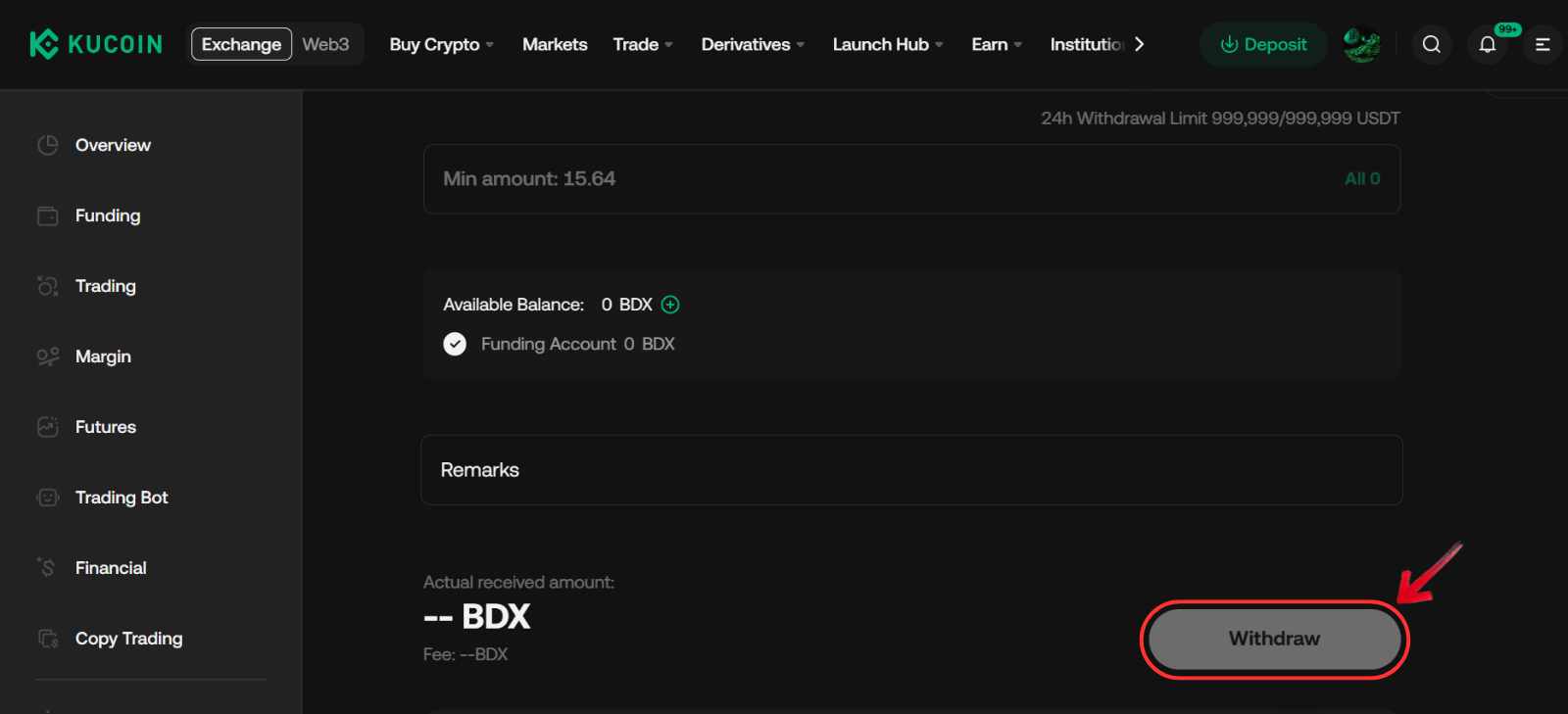
You can track the status of the withdrawal using the transaction ID provided by KuCoin. After submission, the transaction can be monitored through the Beldex block explorer.
Beldex Explained
Beldex is a privacy-focused blockchain built to give users more control over how their data and transactions are seen online. It was launched in 2018 with technology inspired by Monero, and later moved to a proof-of-stake model supported by masternodes. This shift helped improve speed, lower energy use, and keep transaction costs relatively low.
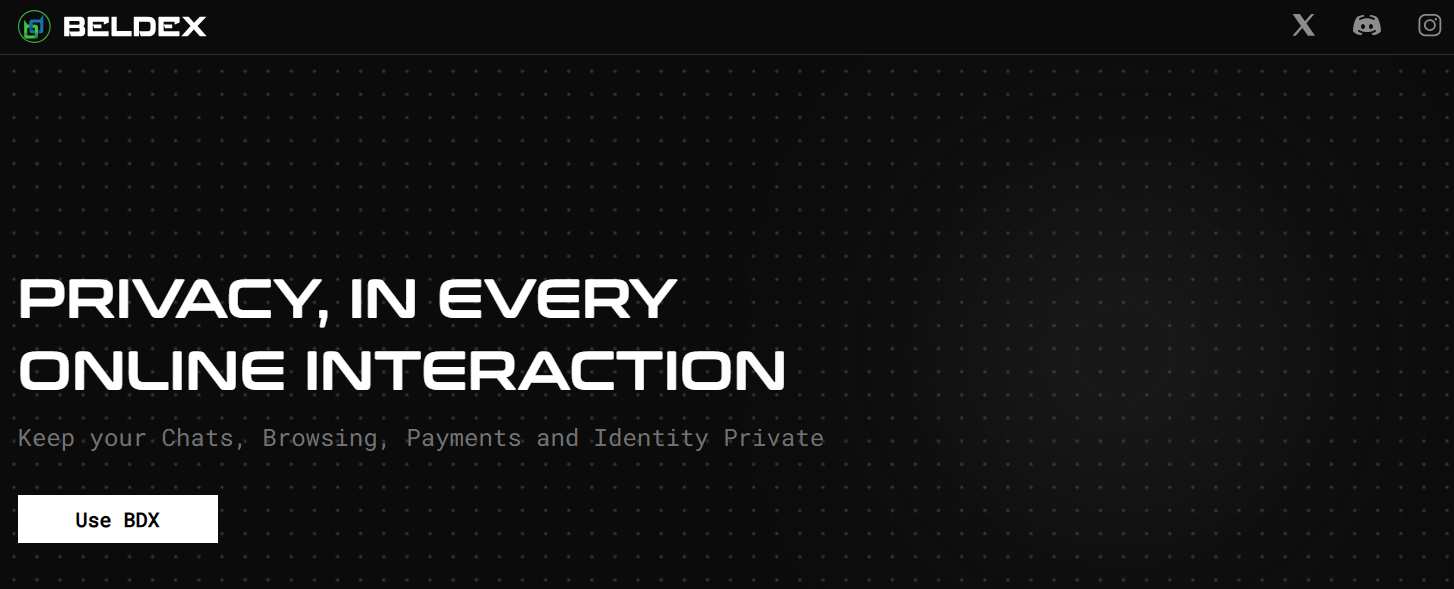
At its core, Beldex uses confidential transaction techniques such as ring signatures and stealth addresses. These tools hide the sender, receiver, and transfer amount, making activity on the network difficult to trace. The native token, BDX, is used for transactions, staking, masternode collateral, and network fees.
What sets Beldex apart is its focus on building a full privacy ecosystem rather than just a payment coin. The network supports tools like BChat for encrypted messaging, BelNet for private browsing, and BNS for decentralized identities. Together, these services position Beldex as a broader privacy layer for Web3 applications.
Bottom Line
We went with KuCoin because it supports the native Beldex network, which makes deposits and withdrawals more practical compared to exchanges that only list limited pairs. It also offers steady liquidity, reasonable fees, and a familiar interface that works well for both short-term trades and long-term Beldex (BDX) holders. Before buying, it helps to review withdrawal costs, staking options, and how you plan to use the network. If privacy-focused ecosystems interest you, projects like NYM also explore similar ideas around private communication and VPN-style infrastructure.
FAQs
1. What is Beldex used for?
BDX is the native token of the Beldex network and is used for private transactions, staking, masternode collateral, and accessing privacy tools within the ecosystem.
2. Is Beldex a proof-of-stake coin?
Yes. Beldex moved from a proof-of-work model to a proof-of-stake system supported by masternodes to improve scalability, reduce energy use, and speed up transactions.
3. What makes Beldex different from other privacy coins?
Beldex focuses on a full privacy ecosystem, including tools for messaging, browsing, and decentralized identities, rather than only private payments.
4. What wallet supports Beldex?
The official Beldex Wallet is the main option, designed to support private transactions and interaction with the Beldex ecosystem.
5. Does Beldex have any real-world applications?
Yes. The ecosystem includes tools like BChat for encrypted messaging, BelNet for private browsing, and BNS for decentralized identity services.




