



- •Trust Wallet swap features simplify complex swaps, reducing them to a few clicks on your screen.
- •The wallet supports swaps on over 20 networks, including popular ones like Ethereum and Solana.
- •The swap process is beginner-friendly on Trust Wallet’s mobile app and extension.
If you’ve purchased crypto but need a different altcoin or token, you can make the swap directly in Trust Wallet with just a few steps. You can avoid high fees, skip the hassle of KYC checks, and forget about waiting for slow withdrawals from centralized exchanges. Trust Wallet’s built-in swapping tool makes it safe and straightforward, even for beginners in cryptocurrency. In this guide, you will learn exactly how to swap crypto in Trust Wallet, plus what you need to know about supported networks, gas fees, and compatible chains.
What You Need Before Swapping Coins in Trust Wallet
Firstly, know that swapping only works on certain networks (for example, Ethereum for ERC-20 tokens). Therefore, ensure your coin is on the correct network before attempting a swap; i.e., the “from” token must be on its corresponding chain.
Trust Wallet lets you swap tokens both within the same chain and across different chains, and the steps are almost the same. Also, be ready to pay gas fees to complete your swap. Gas is usually paid in the network’s native token, like ETH for Ethereum, and you will see the fee in your transaction details before you complete it.
Furthermore, be aware that slippage may affect your transaction. Slippage occurs when the price of a token changes between the time you initiate a swap and when it is finalized, so you might get fewer tokens than you expected. To prevent this, adjust your wallet’s slippage tolerance (lower slippage for stablecoins and highly liquid tokens; higher for volatile coins).
Supported Networks For Swapping in Trust Wallet
Trust Wallet supports token swaps across a wide range of popular networks, including major chains such as Ethereum, BNB, and Solana, as well as dozens of others. Below is a list of some of the popular networks supported in Trust Wallet’s latest version:
- Bitcoin
- Op Mainnet
- Sonic
- Fantom
- zkSync Era
- Avalanche C-Chain
- Arbitrum
- Cosmos Hub
- Aurora
- XRP
- Bitcoin Cash
- Tron
- Litecoin
- BNB Smart Chain
- Dogecoin
- Solana
- Celo
- Scroll
- Linea
- Ethereum
- Ton
- Sui
- Blast
- Base
- THORchain
- Polygon
- Plasma Mainnet
Steps to Swap Coins in Trust Wallet
The guide below shows how to swap crypto in the Trust Wallet extension and mobile app.
Extension
Follow the steps below to swap coins in Trust Wallet on your desktop via the Trust Wallet extension:
Step 1: Open the Trust Wallet extension on your favorite browser.
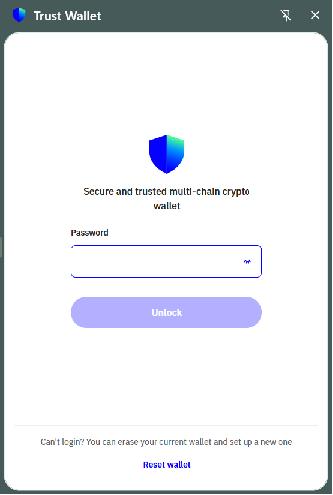
Step 2: Click the Swap button.
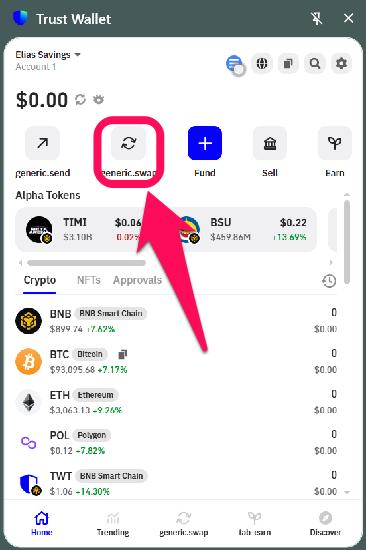
Step 3: In the From field, select the token and amount you want to swap. Ensure it’s in the correct network.
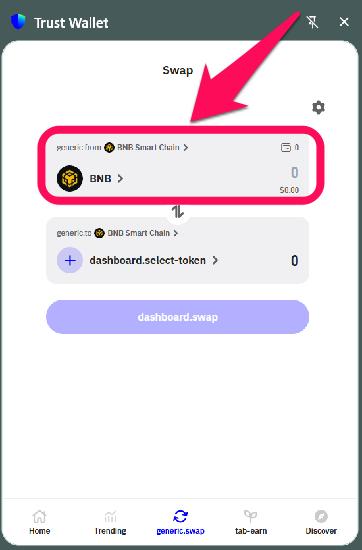
Step 4: Choose the token you want to receive in the To field.
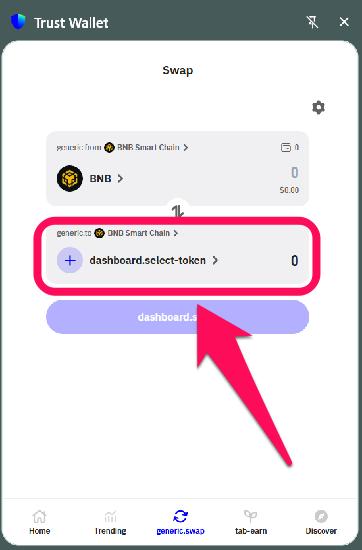
Step 5: Review the live quote, transaction fees, and swapper details, then click Continue to complete the swap.
Mobile
If you’re using the official Trust Wallet app on your Android or iOS device, here’s how to swap coins seamlessly:
Step 1: Launch the Trust Wallet app and log in to your wallet.
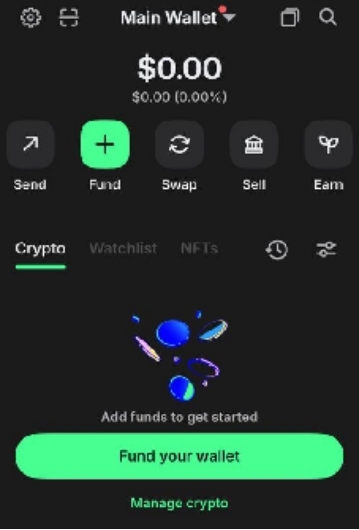
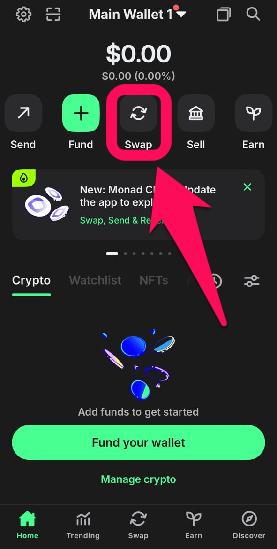
Step 2: Tap the Swap icon at the center of your screen.
Step 3: Select the token you want to swap in the From field and specify the amount you want to swap.
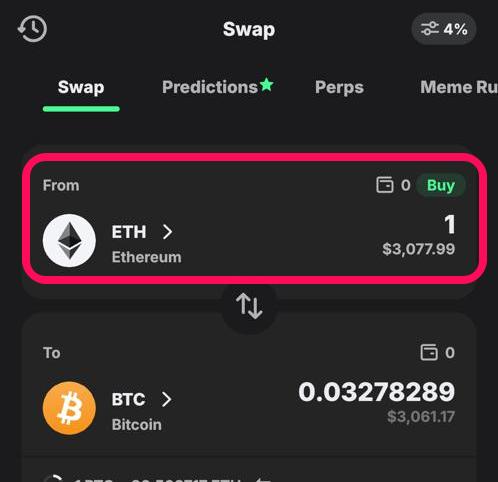
Step 4: Choose the network and token you want to get in the To section.
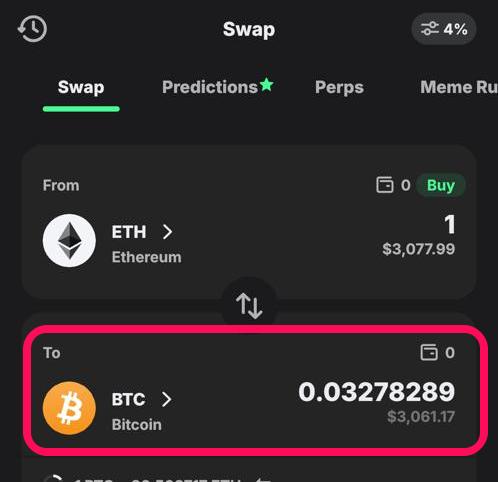
Step 5: See quotes, fees, and other transaction details before hitting Continue to swap.
Bottom Line
As a beginner, you can swap crypto in Trust Wallet with confidence, thanks to its fast and simple swap feature. Using this lets you obtain the tokens you want quickly, privately, and with full control. However, always check your transaction details and be aware of gas fees. You can save on fees by swapping at less busy times or choosing a cheaper network.
Trust Wallet offers simple swapping features along with other useful options that help you keep your funds secure and organised. After making swaps, your wallet can sometimes end up with multiple zero-balance tokens that you don’t actually need. To keep things tidy and easy to navigate, you can check our guide on how to hide zero-balance tokens in Trust Wallet.
FAQs
1. Why did my swap fail in Trust Wallet?
Gas limit issues, insufficient liquidity, or unsupported tokens cause failed swaps in Trust Wallet. Checking gas fees, liquidity pools, and token compatibility before swapping helps prevent transaction failures.
2. How can I swap USDT in Trust Wallet?
Open the app, select “Swap” on the home screen, choose USDT as the asset you want to swap, enter the amount, select BTC or the corresponding asset you wish to receive, preview the details, and confirm the swap.
3. What is the difference between swap and sell in Trust Wallet?
The main difference is that swap exchanges one cryptocurrency for another within the Trust Wallet app, while sell sends crypto to a centralized exchange to be cashed out for fiat currency.




