- •AdaLite Wallet lets users delegate ADA to multiple stake pools, helping them maximize rewards.
- •The wallet runs entirely in your browser, giving instant access to Cardano without installing apps.
- •Built by Vacuumlabs, ADALite supports Ledger and Trezor hardware wallets for offline transaction signing.
Many Cardano users struggle to earn extra rewards from staking because of frustrating stake limits in many wallets. However, AdaLite offers Cardano enthusiasts a unique opportunity to spread their ADA across multiple stake pools to maximize staking rewards. Additionally, it is a perfect tool for sending, receiving, storing, and managing crypto assets on the Cardano network. AdaLite is a lightweight online wallet that supports holding and managing Cardano-native tokens ($ADA) and other blockchain assets. This guide explains how to get started with the AdaLite Wallet to maximize your ADA staking rewards and securely control your Cardano tokens.
Why You Need The AdaLite Wallet
The AdaLite Wallet is an ideal alternative to full-node Cardano wallets as it connects you to the blockchain immediately you create an account. The AdaLite Wallet is also self-custody, meaning you keep control of your private keys or use a hardware wallet. This guarantees utmost security as you explore the Cardano network.
Additionally, the AdaLite Wallet allows you to delegate ADA to Cardano stake pools directly from the wallet. Unlike many Cardano lightweight wallets, AdaLite allows ADA to be fragmented across multiple stake pools to maximize staking rewards. AdaLite is a web-based wallet that runs directly in your browser, allowing you to access funds without downloading apps, extensions, or the full blockchain during setup.
Created by VacuumLabs, AdaLite also supports hardware wallets, allowing users to sign transactions offline with Ledger or Trezor. Lastly, the wallet offers multiple options for account creation. You can choose to create an account using mnemonic phrases, encrypted Keystone files, or by connecting a hardware wallet.
Getting Started With AdaLite Wallet
AdaLite Wallet’s simple structure makes it easily accessible to crypto enthusiasts worldwide. Once you have located the wallet’s website, you can create your Cardano account with AdaLite to stake and manage ADA. This section explains the fastest way to get started with AdaLite Wallet.
Download
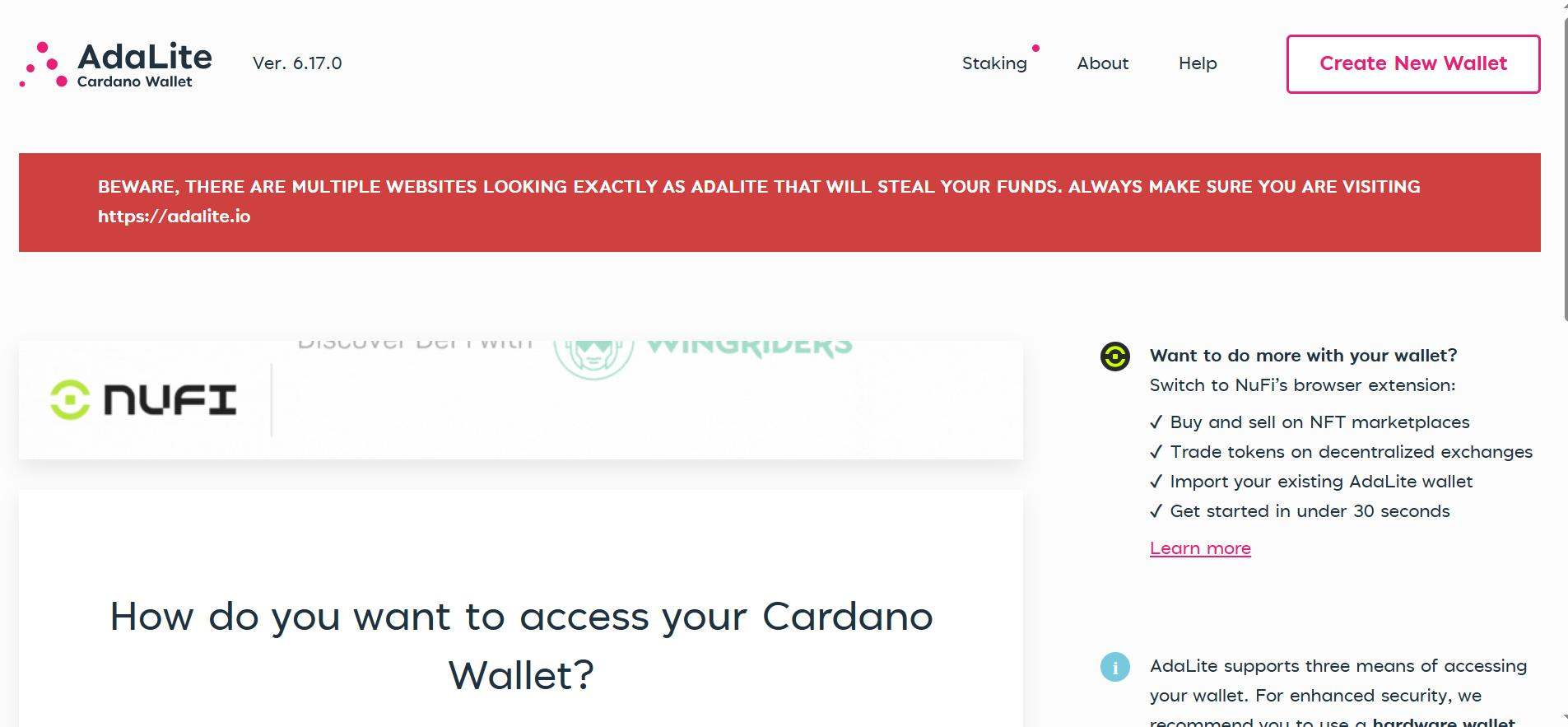
AdaLite is a browser-only crypto wallet, so users do not need to download external files, extensions, or apps to access their funds. Rather, you can visit the AdaLite Wallet official website to create your account and get started. Once found, you can also save the wallet’s website as a bookmark in your browser or on your desktop for faster access.
Wallet Creation
AdaLite Wallet allows users to create multiple accounts with a single secret phrase. This helps to organize your crypto portfolio, allowing you to assign specific functions to specific wallet accounts. To create your first AdaLite Wallet for Cardano, follow the steps below:
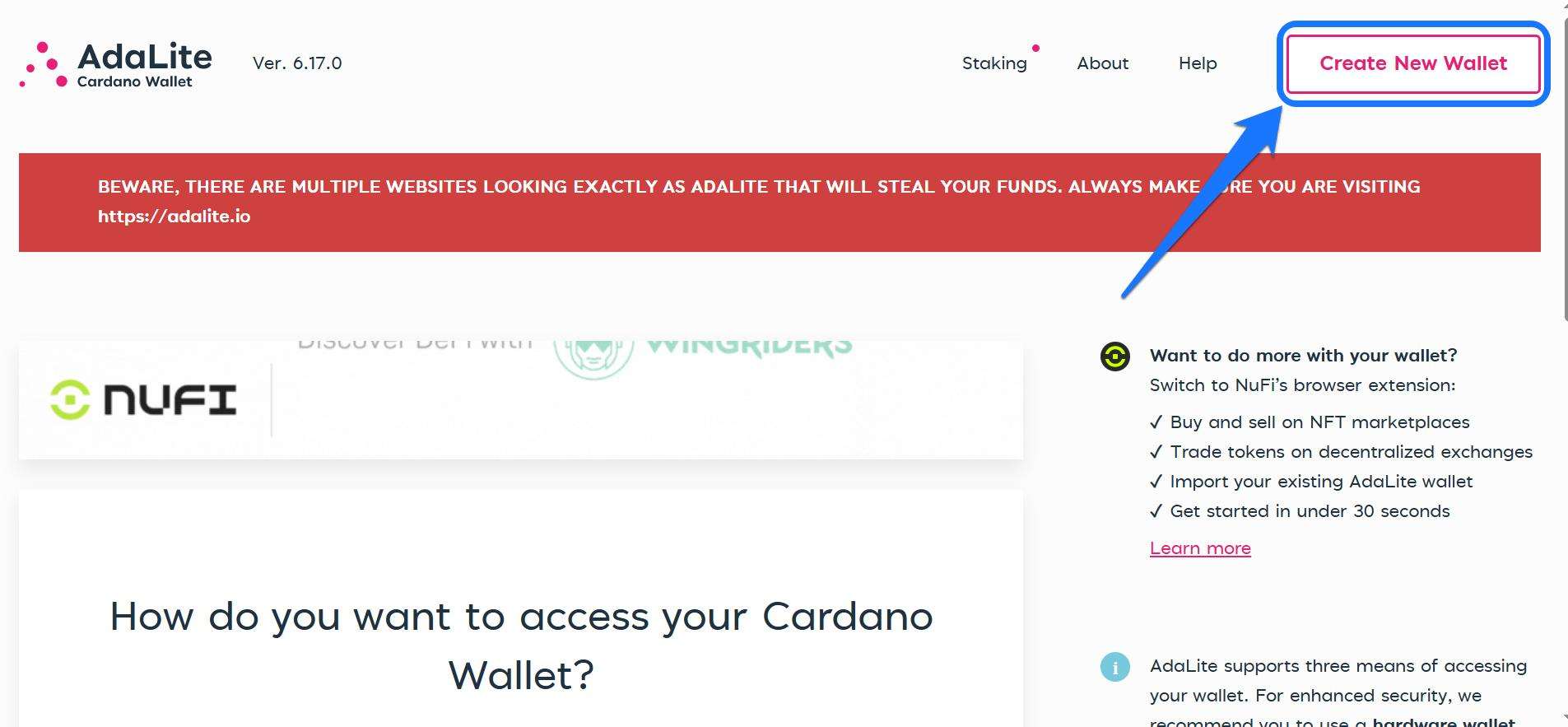
Step 1: Head to the AdaLite website. On the landing page, click Create new wallet.
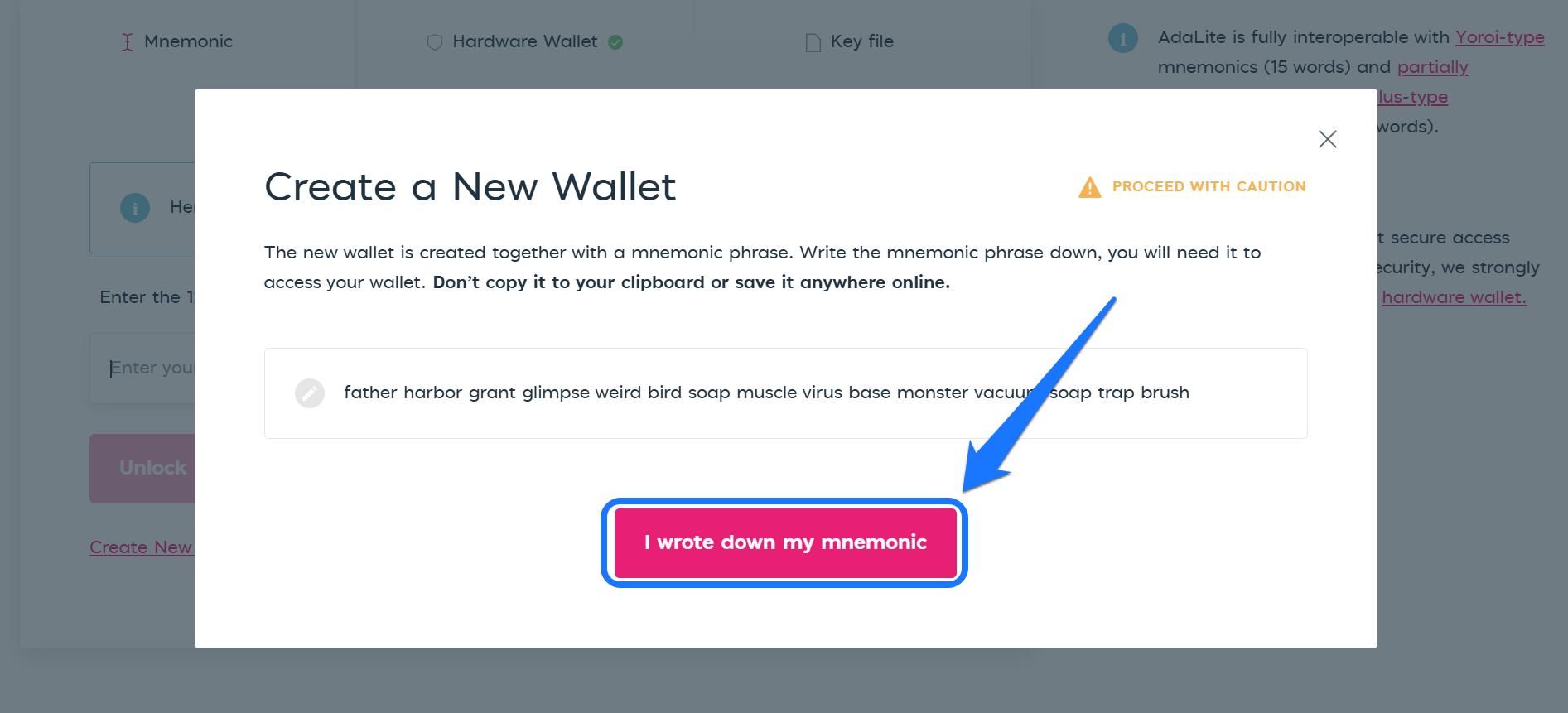
Step 2: A window opens showing the secret recovery phrase (15-word passphrase). Ensure you write it down on paper and keep it in a safe, hidden place. Click on “I wrote down my mnemonic” to proceed.
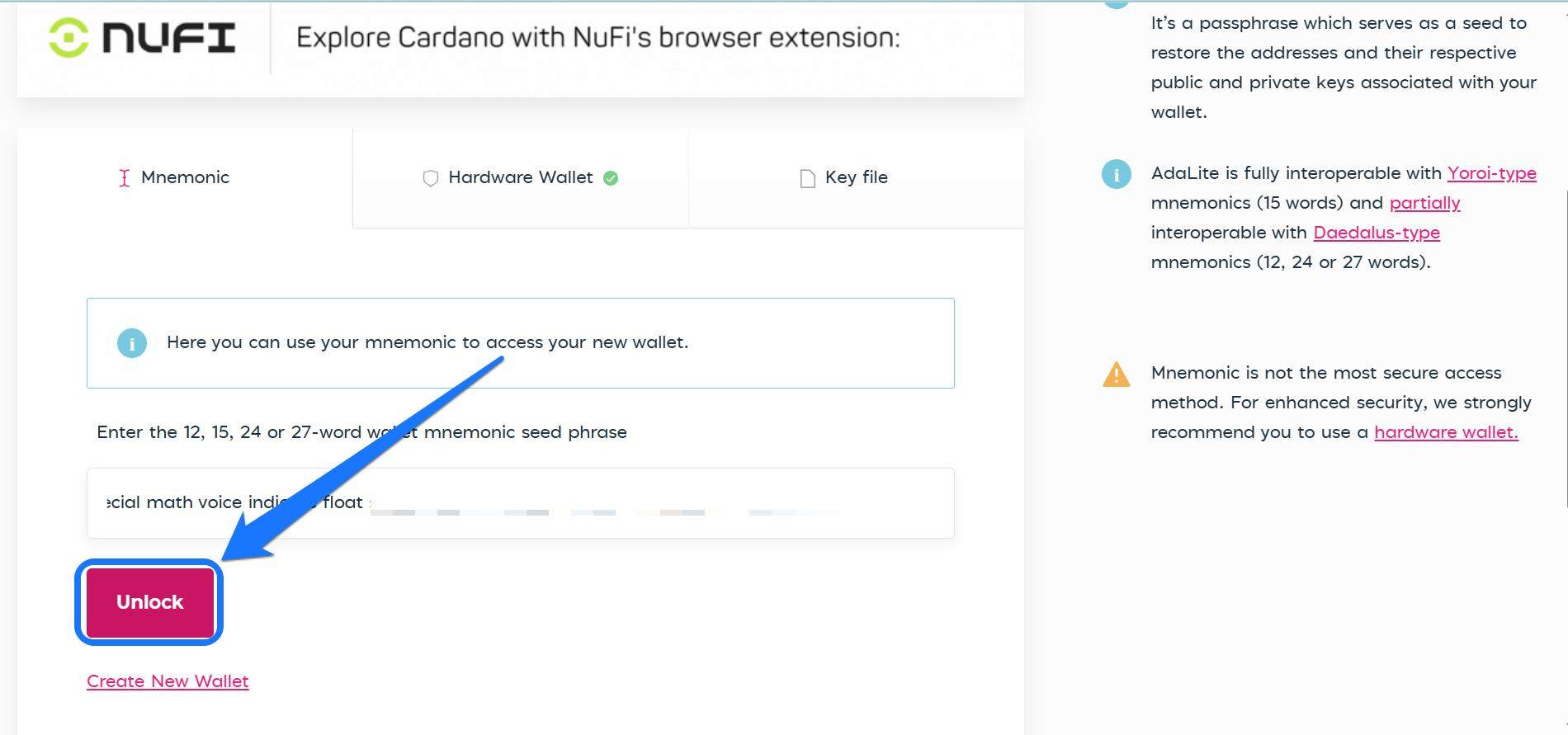
Step 3: Confirm the seed phrase, then tap the Unlock button to access your new AdaLite Wallet account.
Quick Tour of the AdaLite Wallet
AdaLite Wallet’s interface focuses on simplicity and direct access to Cardano asset management and staking features. After unlocking your wallet, you’ll find the wallet dashboard, which displays transaction history, balance, and staking statistics. In the “Sending” section, you will find the Buy ADA button, which lets you top up your wallet with a single click.
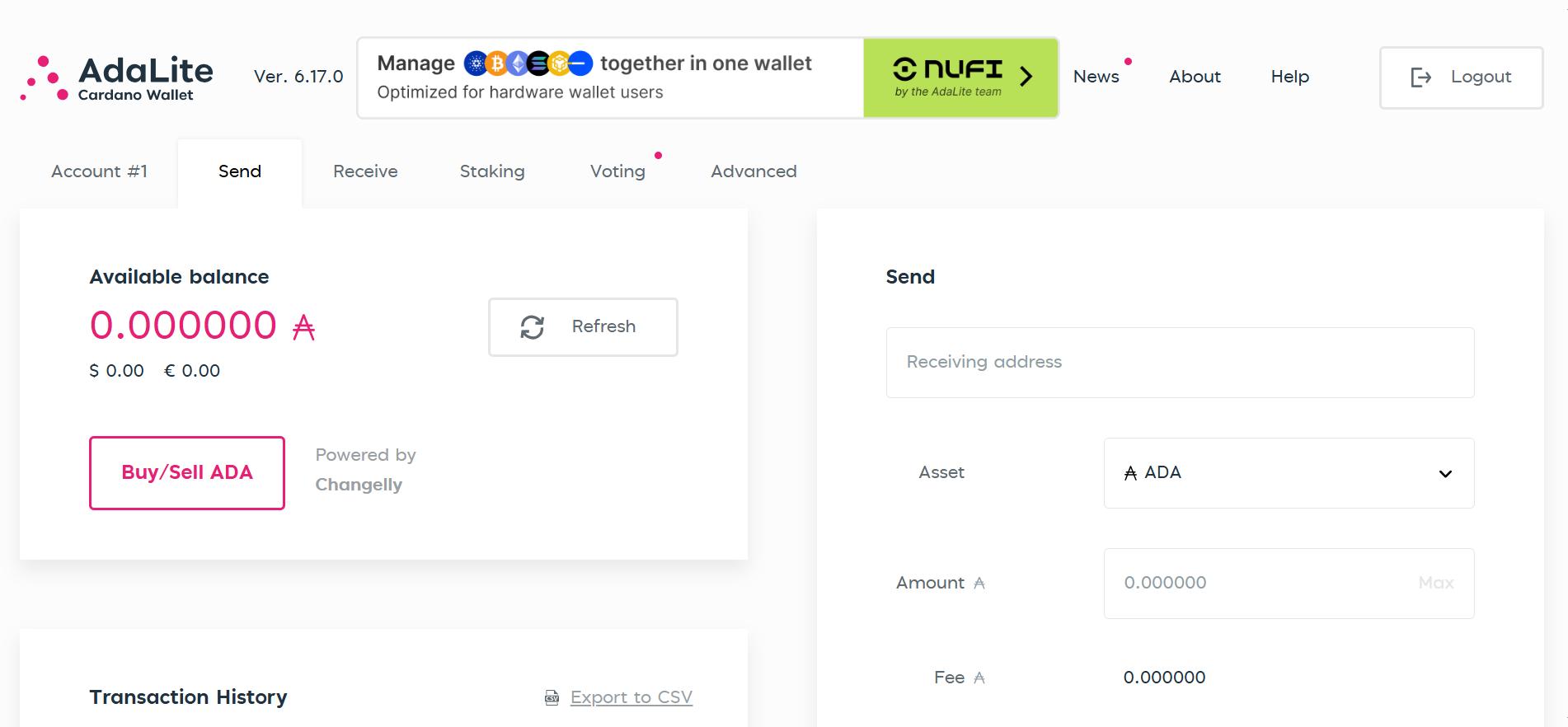
You can also send ADA tokens using the Send ADA function with empty fields to register the receiving address and the amount of tokens you want to send. Switch to “Staking” to delegate ADA to Cardano stake pools and earn passive rewards.
Bottom Line
AdaLite Wallet was built with new crypto users in mind. The wallet offers a simple interface with extensive staking and management features for Cardano tokens. Users can send and receive ADA and leverage the stake pool fragmentation feature for extra staking rewards. To maximize your use of the Cardano network, we suggest creating a full node wallet to access the blockchain’s technical features. Combining your Daedalus (full node) wallet with AdaLite may be the game-changer you need.
FAQs
1. Is AdaLite Wallet safe?
Yes, AdaLite has never had a security breach. However, it is not directly developed or supported by IOHK, the organization behind Cardano. If you want the highest level of safety for storing large amounts, opt for Daedalus instead.
2. What are the limitations of the AdaLite Wallet?
AdaLite is limited to 10 pre-defined (sequentially derived) addresses per wallet.
3. Is there a dApp connector in AdaLite Wallet?
No, there is no dApp connector in the AdaLite Wallet, and it’s unlikely one will be added. The reason is that VacuumLabs has launched a much-improved wallet, NuFi, which includes a Cardano dApp connector for marketplaces, DEXes, DeFi, and so on.