



- •You can bridge to Movement using the official Movement Bridge or SwapSpace, depending on the network you are transferring from.
- •Movement uses MoveVM, so you need a compatible wallet like Nightly Wallet along with $MOVE tokens for gas fees.
- •Bridging costs are generally low, with most fees coming from the source network, while transactions on Movement remain inexpensive.
New networks always seem to attract crypto users’ interest, especially when dApps on them offer attractive yield opportunities. Movement has also drawn attention in a similar way, mainly because of its high-throughput, low-fee infrastructure, along with dApps that present strong yield-generation opportunities. Because of this, many users look for a safe and reliable way to move assets to the Movement network, and that is exactly what this guide covers. In this article, we will be looking at 2 cross-chain bridge protocols that allow you to bridge to Movement.
Can I Bridge to Movement?
Yes, you can bridge to Movement, but only if you’re using the right cross-chain tools. Bridging between networks in crypto is not as straightforward as a regular transfer. While it may seem similar on the surface, the process involves different protocols, network interactions, and a basic understanding of how cross-chain transactions work.
During our research, we identified 2 reliable methods that allow you to bridge assets to the Movement network. However, before getting into those methods, there are a few prerequisites you need to take care of to ensure the process goes smoothly.
1. Gas Fees:
When you use a bridge to move assets to the Movement network, you need the native gas token in your wallet to complete the transaction. Without it, the transaction will fail. For Movement, this means you need to hold $MOVE tokens in your wallet. The fees are relatively low, but having zero $MOVE will still result in a failed transaction.
Loading...
Rank #Token Symbol
-
All-Time High
-
Current Price
-
Market Cap
-
Total Supply
-
2. Wallet:
The first step is to make sure you are using the right wallet. Bridging can feel a bit confusing at first, mainly because there are multiple wallets available and different networks you might be bridging from. Movement is not an EVM-compatible network, as it is built using MoveVM. Because of this, it is currently supported by wallets like Nightly Wallet, which are designed to work with Move-based ecosystems.
How to Bridge to Movement?
With your wallet set up and funded with $MOVE tokens, the next step is to choose a bridge protocol. There are a few options available, but the one you choose depends on the network you are bridging from or to Movement. Some bridges are limited to specific chains, while others support a wider range of networks, so your choice will mainly come down to compatibility and convenience.
Using Movement Bridge
Movement Bridge is the official bridge developed by Movement Labs is the most reliable option for transferring assets to the Movement network. It is designed specifically for this purpose and currently supports networks such as Ethereum, Hyperliquid, Base, and Movement, allowing users to move assets from supported ecosystems.
Here is how you can use the Movement Bridge to transfer assets to the Movement network:
Step 1: Start by navigating to the official Movement Bridge website in your browser.
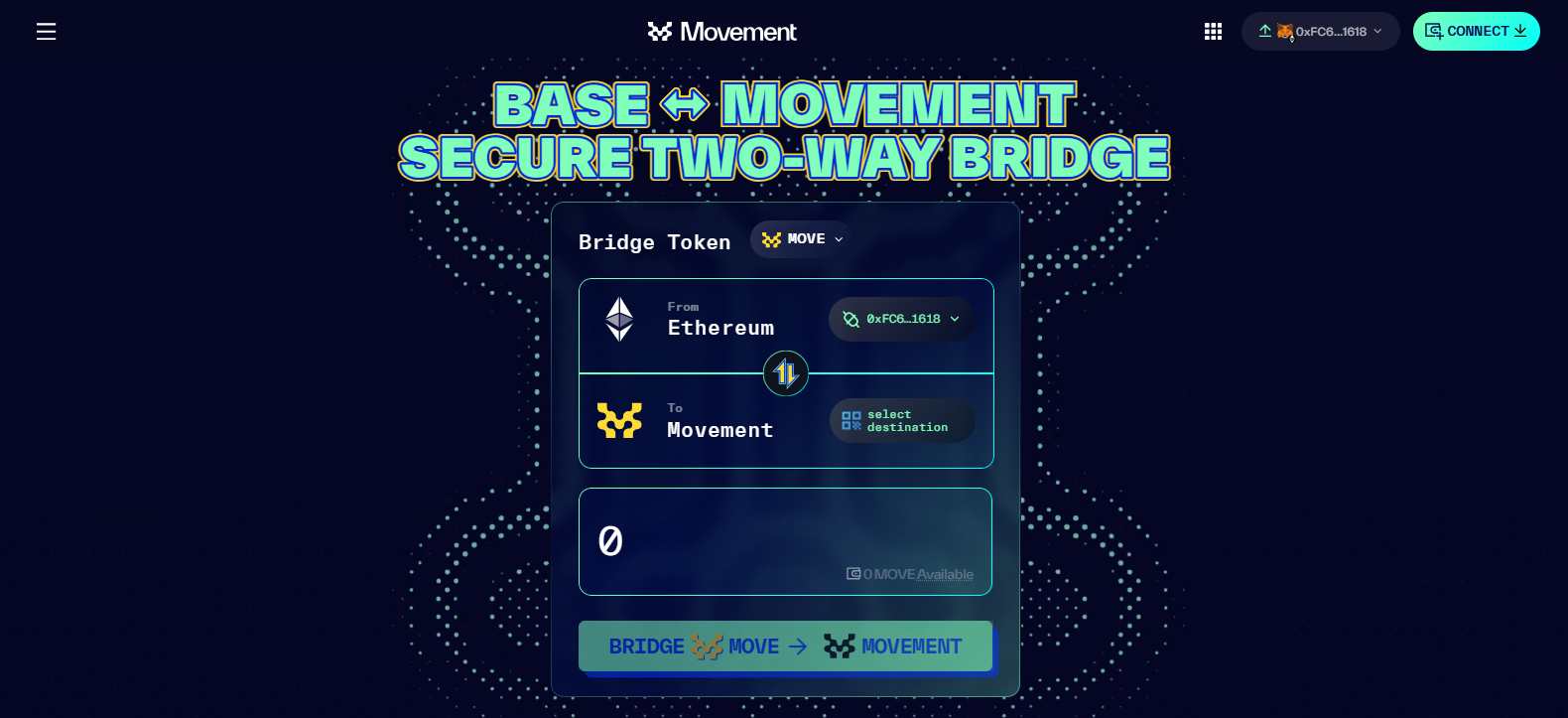
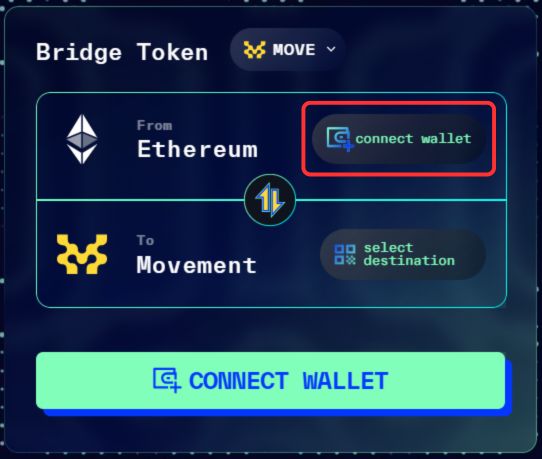
Step 2: Connect your wallet by clicking on the “Connect” button in the “From” field, and select an EVM-compatible wallet.
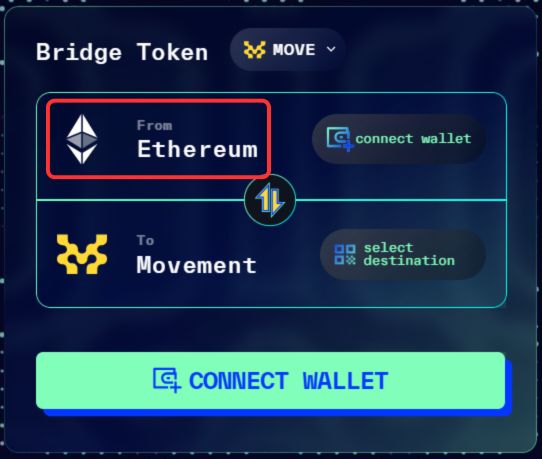
Step 3: In the “From” section, choose the network and token you want to bridge to the Movement network.
Step 4: In the “To” field, Movement will be selected by default. Click on “Select destination” and connect a compatible wallet such as Nightly Wallet.
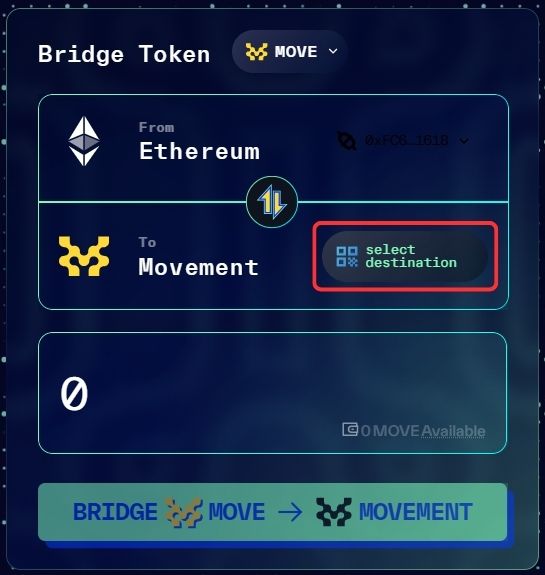
Step 5: Enter the amount of tokens you want to bridge to the Movement network.
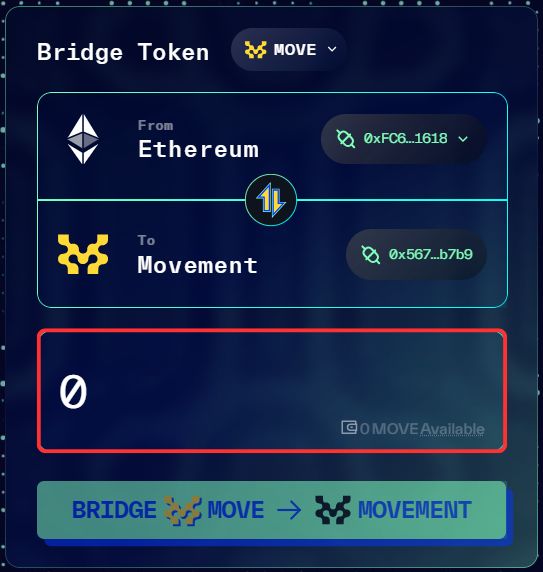
Step 6: Review the transaction details carefully, then confirm to bridge your funds to the Movement network.
Using SwapSpace
SwapSpace supports the Movement network along with over 318 other blockchains, making it a flexible option for cross-chain transfers. It is particularly useful if you want to move funds from networks that are not supported by the Movement Bridge. Rather than relying on a single route, it gives you access to multiple exchange options in one place, allowing you to transfer assets with more flexibility and convenience.
Here is how you can use SwapSpace to bridge assets to the Movement network:
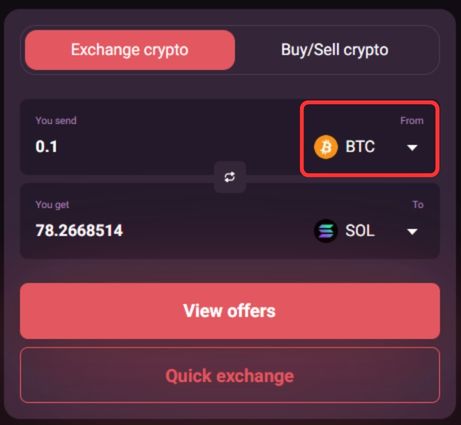
Step 1: Start by opening SwapSpace on your mobile device. In the “From” drop-down menu, select the network and token you want to bridge from to the Movement network.
Step 2: In the “To” drop-down menu, choose the Movement network and select MOVE as the token you want to receive in your Movement wallet.
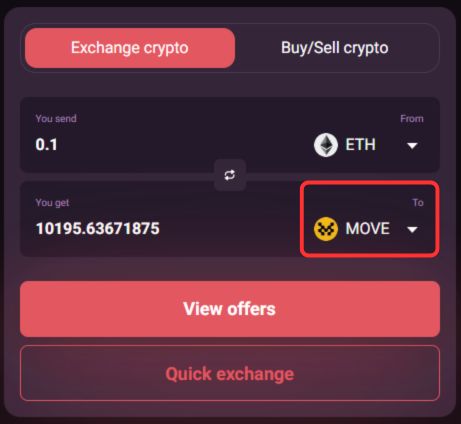
Step 3: In the “You send” field, enter the amount you want to transfer to the Movement network.
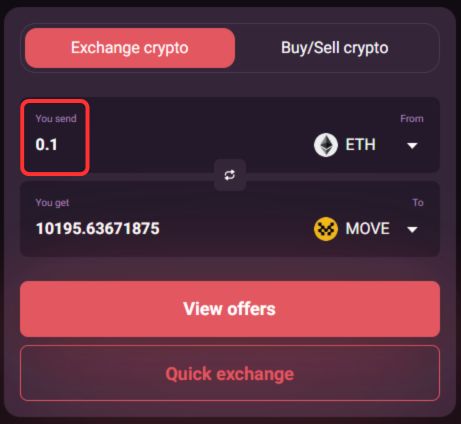
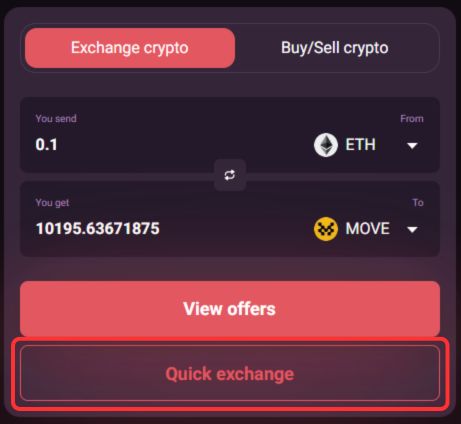
Step 4: Click on the “Quick Exchange” button to move to the next step.
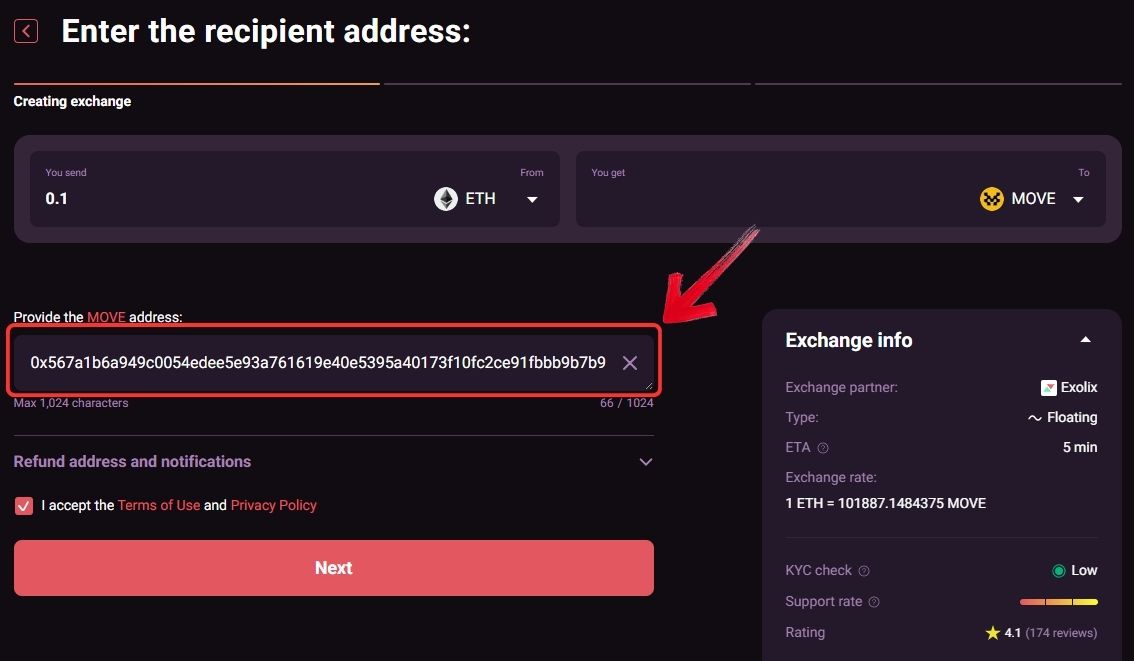
Step 5: In the “Provide the MOVE address” field, paste your Movement wallet address.
Step 6: Next, click on “Connect Wallet” to connect the wallet that currently holds the funds you want to transfer.
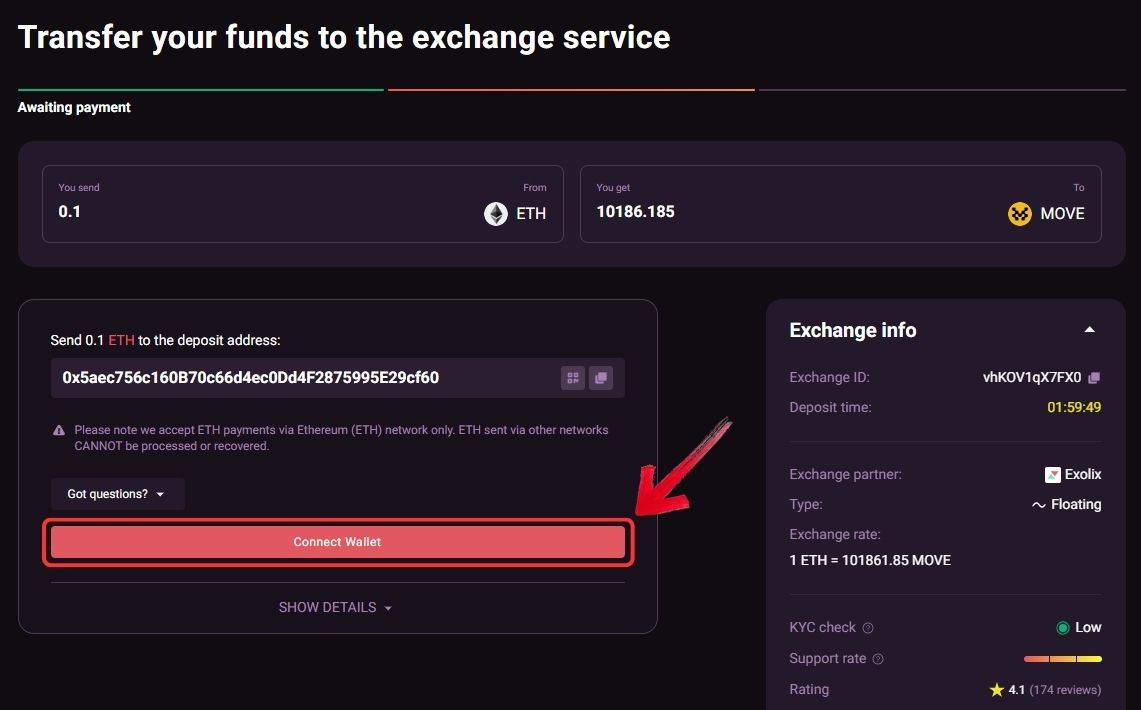
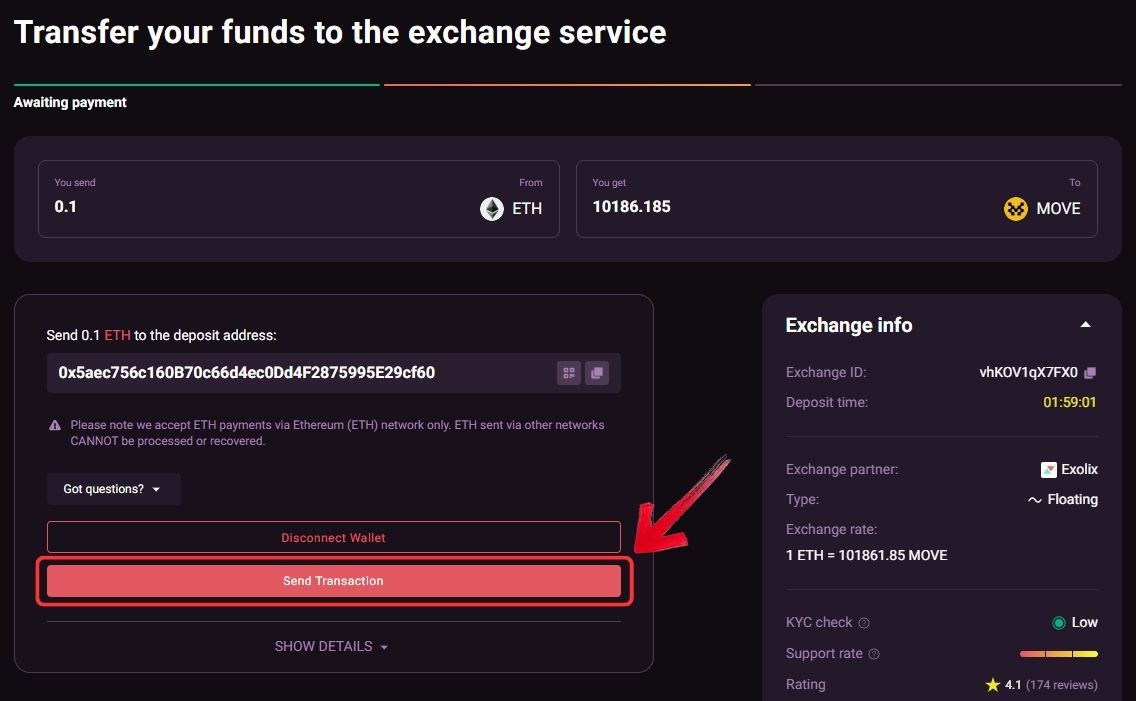
Step 7: Review the transaction details shown on the right side carefully, then click on the “Send Transaction” button to bridge your funds to Movement using SwapSpace.
Movement Bridging Fees
Bridging to the Movement network is relatively inexpensive and mainly depends on the source chain, asset, and network conditions. Most of the cost comes from gas fees on the originating network, especially Ethereum. In typical cases, the bridge transaction itself costs around $0.50 to under $1. Fees are even lower when bridging from networks like Base, while costs on Movement remain almost negligible.
Bottom Line
New networks attract users when they offer real utility, and Movement is a strong example with its low fees and high-throughput design supporting yield-focused dApps. Accessing these opportunities starts with bridging, and choosing a reliable method is key to moving funds safely. Using the official Movement Bridge or SwapSpace both work well, but your setup plays an equally important role in ensuring a smooth transfer. At the same time, SUI follows a similar Move-based approach, so if you are exploring Movement, it is also worth looking into how to bridge to SUI.
FAQs
1. What is Movement Network?
Movement is a MoveVM-based blockchain ecosystem designed for high throughput and low fees, supporting scalable dApps and efficient transactions.
2. Do I need $MOVE tokens to use Movement?
Yes, you need $MOVE tokens in your wallet to pay for gas fees when interacting with the Movement network.
3. Is the Movement Bridge safe to use?
The official Movement Bridge is considered reliable as it is built by Movement Labs and designed specifically for the network.




