



- •Bridging to Ink requires a supported cross-chain bridge or aggregator, depending on the source network and available routes.
- •Ink uses ETH for gas, so keeping a small balance on the network is necessary for transactions.
- •Fees are usually low on L2 transfers, but costs vary based on the source chain, bridge, and aggregator used.
Ink, a new addition to the Ethereum ecosystem built using Optimism’s OP Stack, has started attracting DeFi users, with total value locked reaching $459M+. The network is designed as a dedicated hub for decentralized finance, offering tools for trading, lending, borrowing, and yield generation. As more users move to Ink to explore its dApps, one common hurdle is choosing the right bridge. New chains usually come with multiple options, which can create confusion. In this guide, we’ll go through the safest and most cost-efficient ways to bridge to Ink.
Can I Bridge to Ink?
Yes, there are several secure options available to move funds to Ink with little friction. As liquidity on the network has grown, bridging has generally become smoother and more reliable. To transfer assets, you will need a cross-chain bridge, or in some cases a bridge aggregator if the networks you’re using are not directly supported by a single bridge.
Before you start the bridging process, it’s important to handle a few basic preparations.
1. Wallet:
The first step is choosing a wallet. Ink is a Layer 2 network built on Ethereum, which means it is fully EVM compatible. Because of this, you have several wallet options to choose from. MetaMask is the most common choice for EVM networks, and it works with the Ink network once the network is added.
2. Gas Fees:
You will need funds to cover transaction fees. On the Ink network, the native token used for gas is ETH. While using the network, make sure you keep a small amount of ETH in your Ink wallet so you can cover any transaction costs without interruptions.
3. Add Support to Wallet:
This step is important if you are using MetaMask. The Ink network is not added by default, so you will need to add it manually using the network’s RPC details. For a quicker setup, you can simply click the “Add Ink to MetaMask” button, which will automatically configure the network in your wallet.
Download MetaMask for your device




How to Bridge to Ink?
To bridge to Ink, you’ll need access to a cross-chain bridge or a bridge aggregator that supports the Ink network. These tools let you transfer assets from Ethereum or other supported chains directly onto the Ink network. Below, we’ll take a look at some of the most secure and commonly used bridge options that support Ink.
Using Superbridge
Superbridge is the first option we’ll use, as it supports the Ink network along with more than 38 other chains. It is also listed on Ink’s official website and is usually the preferred choice when bridging to networks built on Optimism’s OP Stack.
Superbridge provides a simple interface focused on direct transfers across the Superchain ecosystem, making it easier to move assets between supported networks. Let’s take a look at how to use Superbridge to bridge assets to Ink.
Step 1: Open your browser and go to the official Superbridge website to start the bridging process.
Step 2: Once you’re on the Superbridge website, connect your wallet by clicking the “Connect Wallet” button.
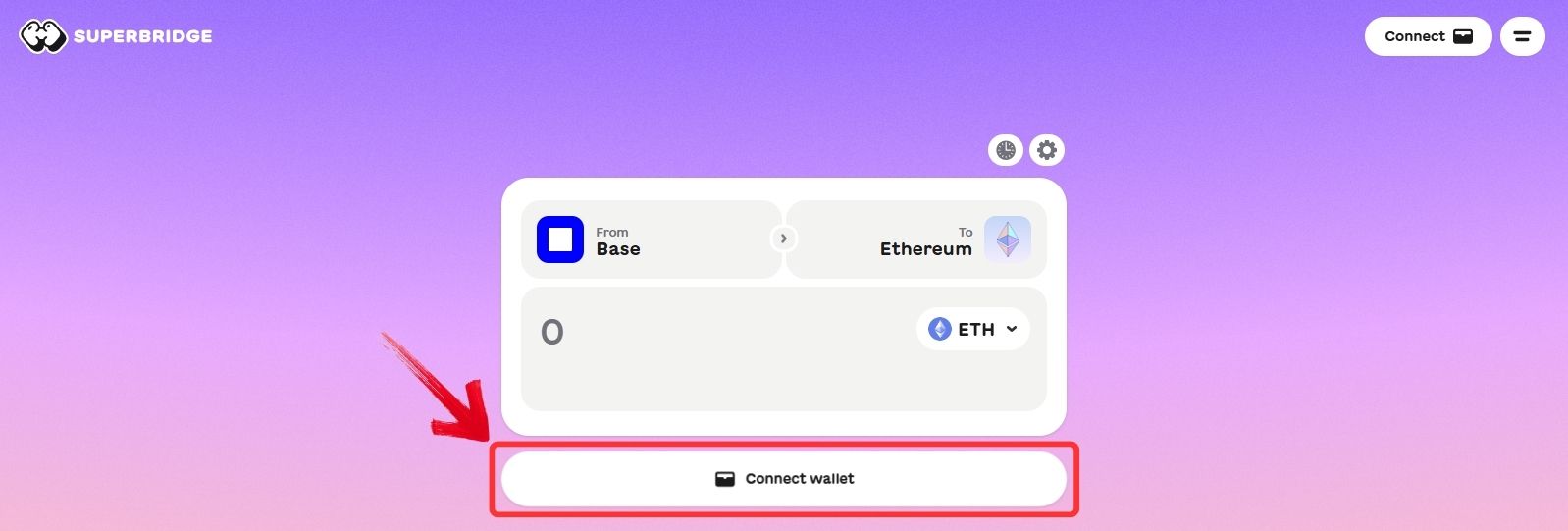
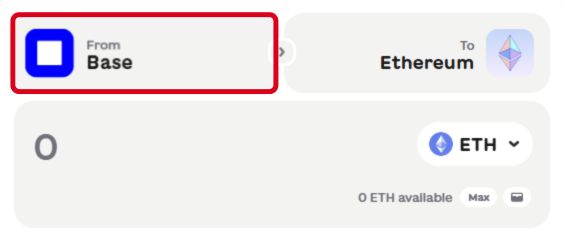
Step 3: After your wallet is connected, go to the “From” field and select the network you want to bridge assets from.
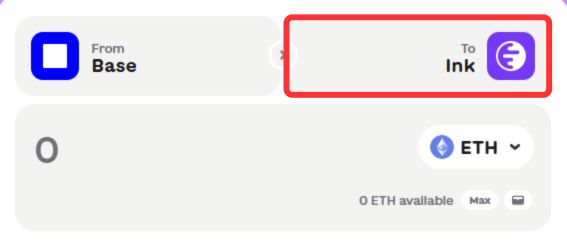
Step 4: In the “To” field, choose Ink as the destination network.
Step 5: After selecting both networks, pick the token you want to transfer from the asset list and enter the amount you want to bridge.
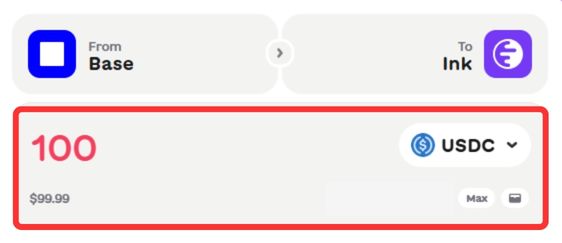
Step 6: Once you enter the amount, Superbridge will display the available routes, usually starting with the lowest-cost option. Select your preferred route to continue.
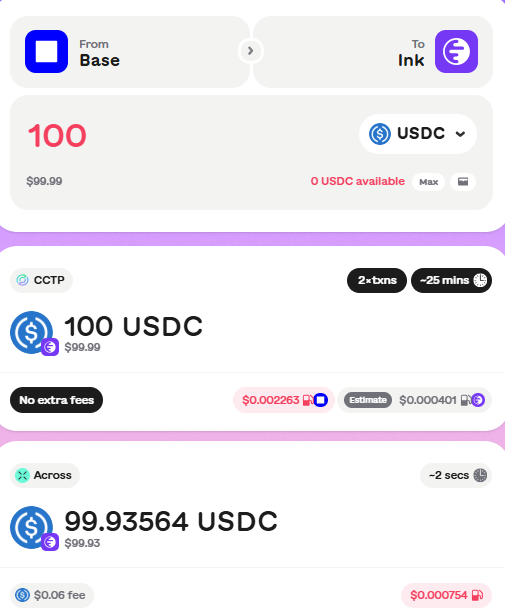
Step 7: Review the transaction details, including fees and estimated completion time, then click “Swap” to confirm the transfer.
Using Stargate
Stargate Finance is another bridge that supports Ink, along with more than 100 other networks. It was also the official bridge for Plasma at launch. Stargate works as a unified liquidity protocol that enables direct asset transfers between different blockchains without complex routing.
It offers a simple transfer mode for quick transactions, as well as an advanced mode for more complex scenarios, such as when the source and destination wallets are different. Here’s how you can bridge to Ink using the Stargate Finance bridge.
Step 1: Open your browser and go to the official Stargate Finance website, then click the “Connect Wallet” button.
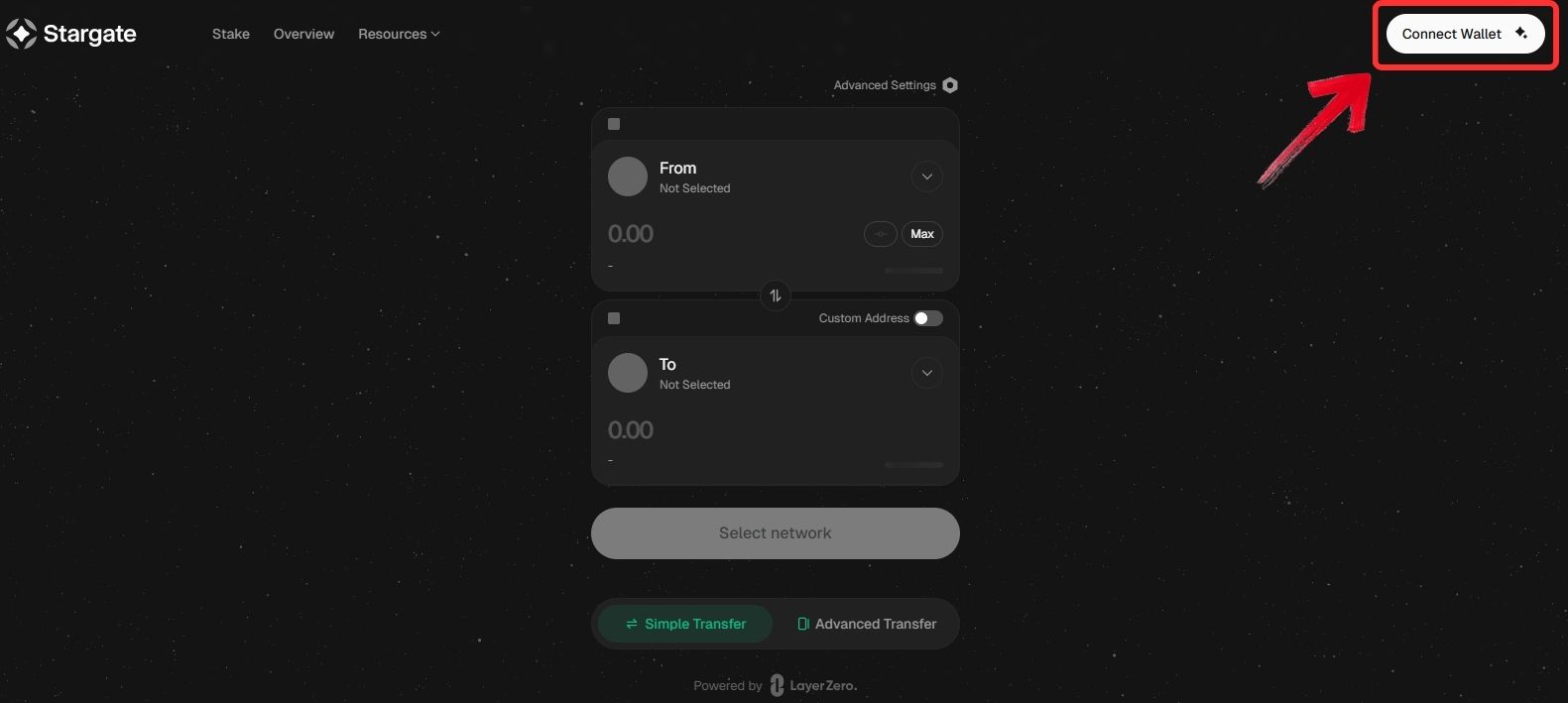
Step 2: Once your wallet is connected, go to the “From” field and select the source network and token you want to bridge.
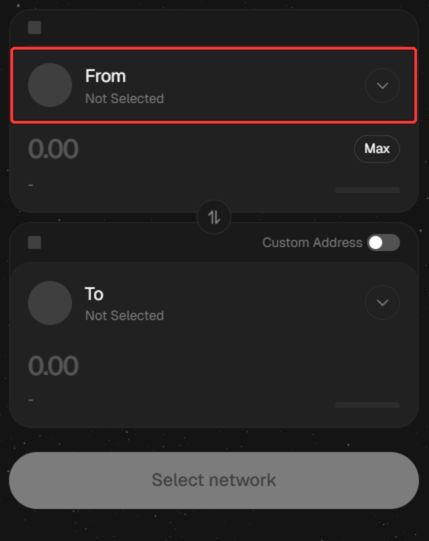
Step 3: In the “To” field, scroll to find Ink and select the token you want to receive in your Ink wallet.
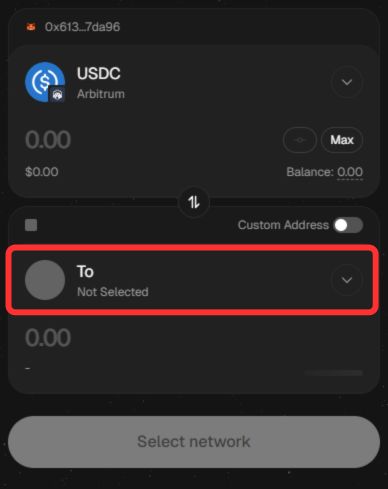
Step 4: Enter the amount you want to transfer and review the transaction details, including the estimated amount received and transfer time.
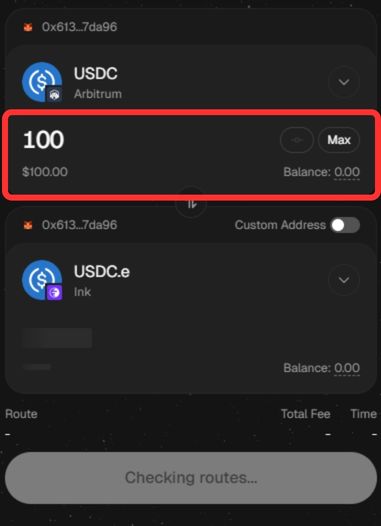
Step 5: Click “Transfer” to confirm and start the bridge. Your funds will arrive in your Ink wallet once the transaction is complete.
Using Rhino Bridge
Rhino is a bridge aggregator and is often the better choice when you want to bridge to Ink from less common networks or from non-EVM chains. Instead of relying on a single route, it searches across multiple bridges to find the most efficient path.
Rhino operates as a non-custodial cross-chain bridge and liquidity hub, designed for fast and cost-efficient asset transfers, especially for stablecoins, across several blockchain ecosystems. Here is how you can Rhino bridge to move assets to the ink network.
Step 1: Open your browser and go to the official Rhino.fi website, then click on the “Connect Wallet” button.
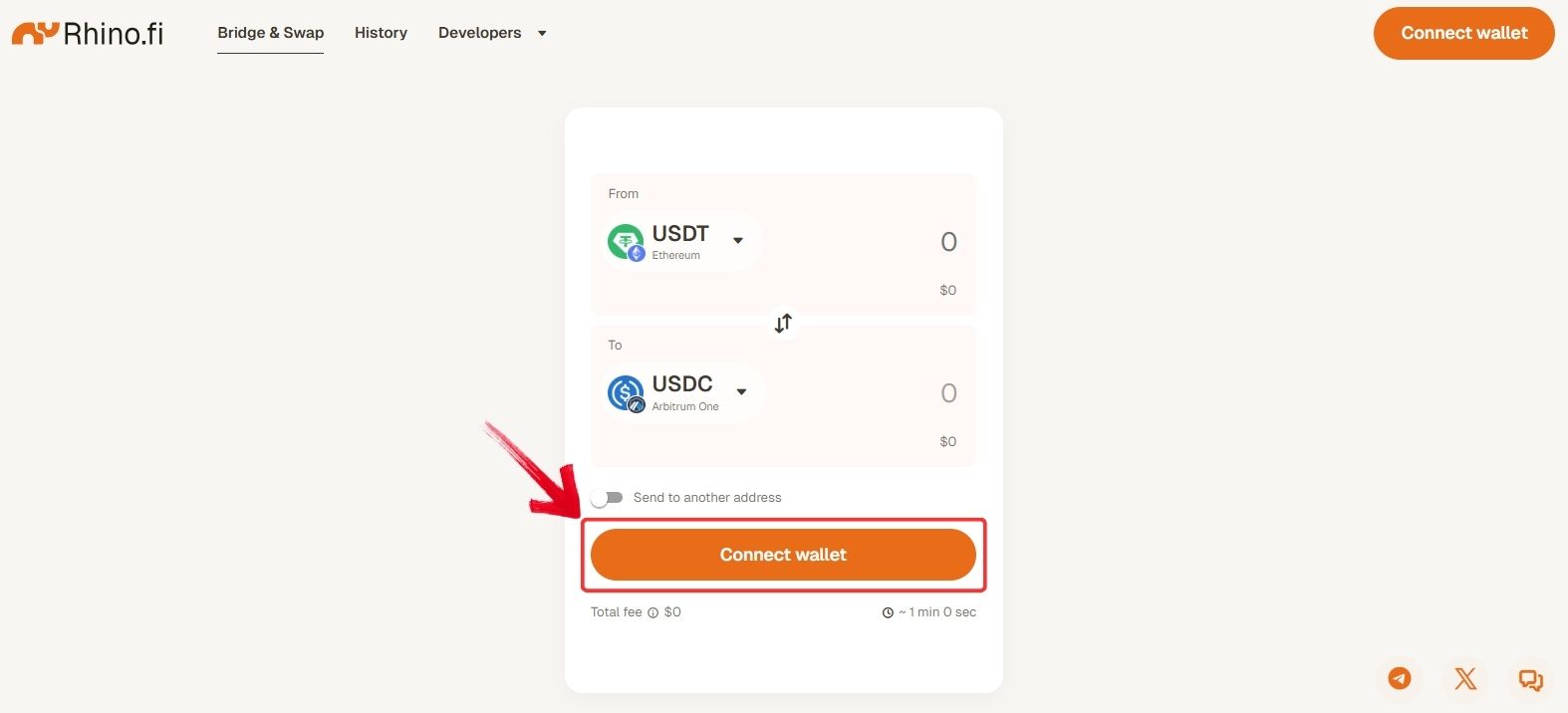
Step 2: A pop-up will appear with a list of supported wallets. Choose the wallet that holds the funds you want to move to the Ink network.
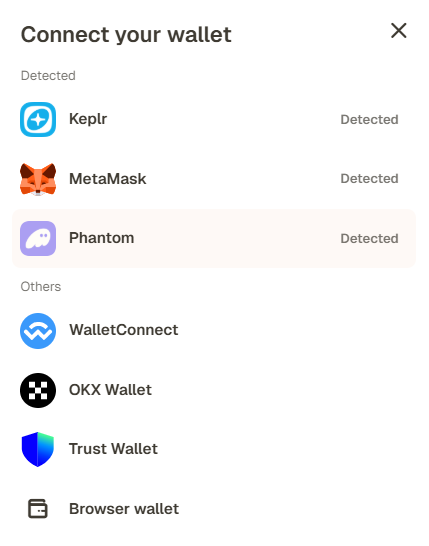
Step 3: After connecting your wallet, select the source network in the “From” field and choose the token you want to bridge.
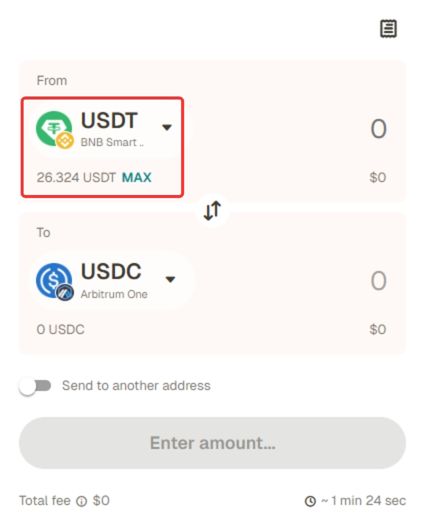
Step 4: In the “To” field, select Ink as the destination network and choose the token you want to receive.
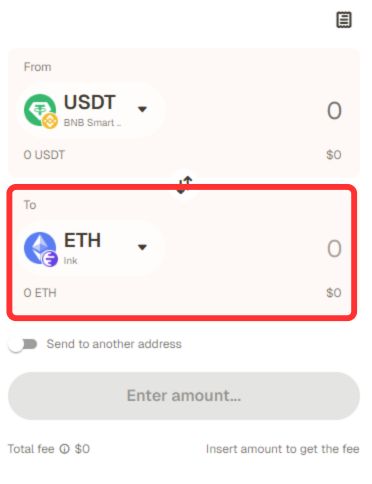
Step 5: Enter the amount you want to transfer and review the transaction details carefully before confirming.
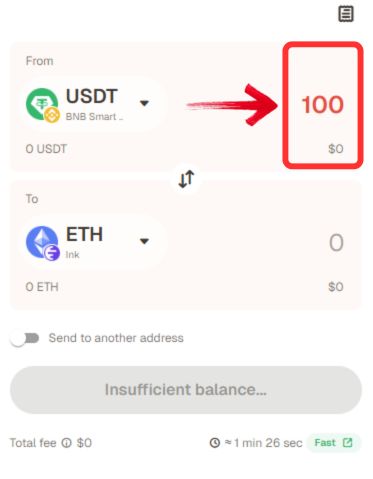
Step 6: Click “Bridge” to confirm the transaction. Your funds should appear in your Ink wallet once the transfer is completed.
What is Ink Network?
Ink is a Layer 2 blockchain built on Ethereum using Optimism’s OP Stack, making it part of the wider Superchain ecosystem. The network was launched by Kraken in late 2024 and is designed as a dedicated hub for decentralized finance. It offers fast transactions, low fees, and full EVM compatibility, so existing Ethereum apps can deploy easily.
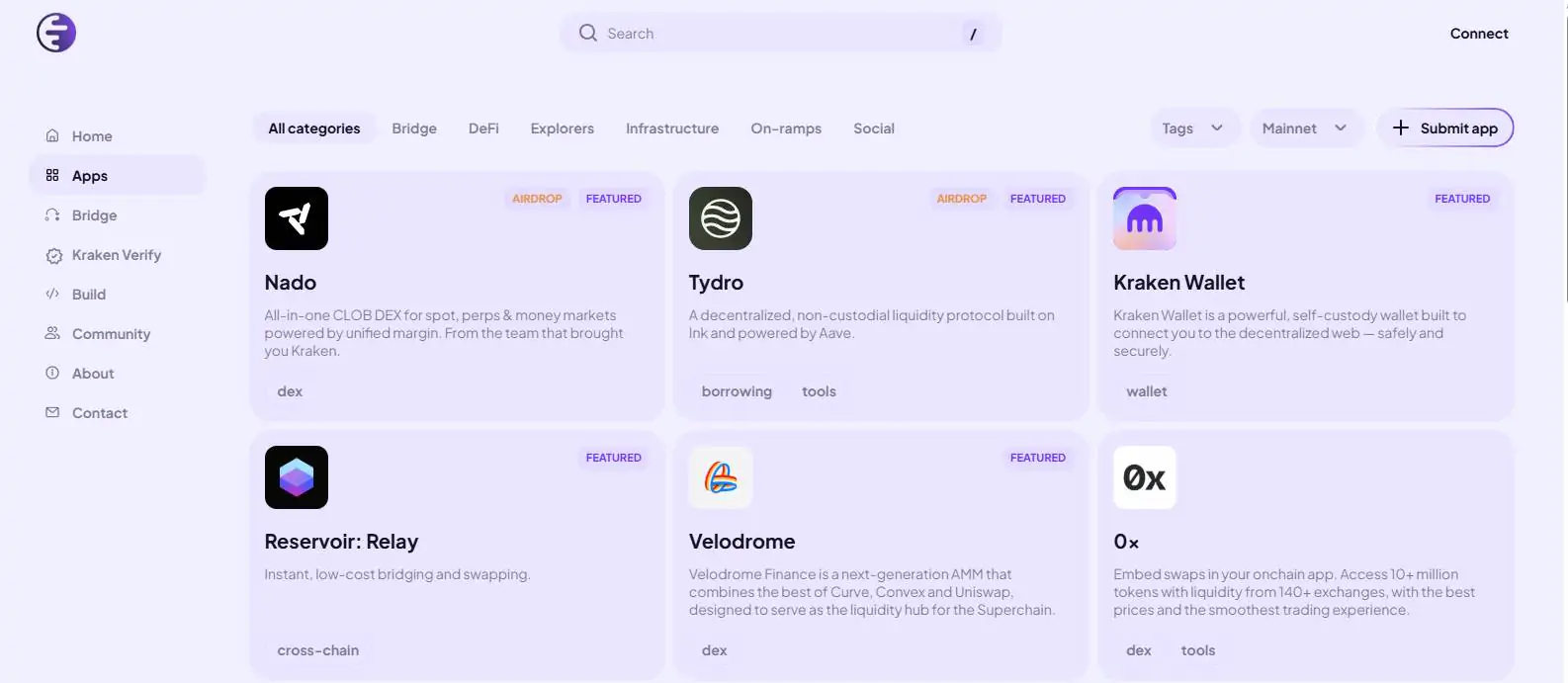
Ink focuses on trading, lending, borrowing, and yield strategies while aiming to connect centralized exchange users with on-chain DeFi. With Kraken’s backing and Superchain integration, the network is positioned to attract both retail users and institutions looking for scalable DeFi infrastructure.
Fees When Bridging to Ink
The main costs come from the source network’s gas fees and the bridge provider’s charges. Transfers to Ink are usually low-cost, especially when moving between Layer 2 networks, where fees can be just a few cents and confirmations are fast. If you use a bridge aggregator, there may be an extra service fee on top of the network and bridge costs, which can make the total slightly higher depending on the route chosen.
Bottom Line
With more OP Stack networks entering the scene, Ink is starting to attract liquidity from users looking for new DeFi environments. Bridging to the network is fairly straightforward, with options like Superbridge, Stargate, and Rhino covering most routes and assets. Costs are usually low, especially for Layer 2 transfers, though fees can vary based on the source chain and bridge used. If you’re exploring similar ecosystems, you can also take a look at our guide on how to bridge to Plasma, another network that has recently been gaining attention.
FAQs
1. Can I bridge directly from Ethereum to Ink?
Yes, several bridges support direct transfers from Ethereum to the Ink network.
2. What tokens can I bridge to Ink?
Most bridges support major assets like ETH, USDC, and other popular tokens, depending on the route.
3. Which wallet works best with Ink?
Any EVM-compatible wallet works, with MetaMask being the most commonly used option.
4. Can I bridge from non-EVM networks to Ink?
Yes, bridge aggregators like Rhino can help route funds from non-EVM or less common networks.
5. Why are fees different between bridges when moving funds to Ink?
Fees depend on the source network, gas costs, bridge liquidity, and whether an aggregator is used.




