



- •MegaETH is an EVM compatible network, which means it works with MetaMask and other Ethereum wallets without needing a separate wallet setup.
- •The network does not appear in MetaMask by default, so you must add it manually using the correct RPC, chain ID, and currency details.
- •After adding MegaETH, you can bridge assets, test early apps, mint NFTs, and interact with onchain tools available on the network.
The idea of MegaETH centers on having a blockchain that can process transactions in real time, targeting over 100,000 TPS with sub-millisecond latency, which could bridge the gap between Web2 apps and blockchain usability. That focus on speed and low latency has drawn users who want to test swaps, mint NFTs, and interact with early apps on the network. Since most wallets do not include MegaETH by default, users looking for a compatible option will find this guide useful as we walk through the steps to add MegaETH to MetaMask and use the wallet to explore different dApps on the network.
Does MetaMask Support MegaETH Network?
Yes. MetaMask supports the MegaETH network because it is EVM compatible. Like other Ethereum-based networks, MegaETH can be added to MetaMask as a custom network using the correct details.
Can I Add MegaETH to MetaMask?
Yes. MetaMask supports the MegaETH network because it is EVM compatible. Since MegaETH follows Ethereum’s execution environment, it can be connected to MetaMask as a custom network. MetaMask is built to work with any EVM compatible blockchain, so users are not limited to Ethereum mainnet alone. Once MegaETH is added using the correct network details, you can use MetaMask to send transactions, manage assets, and interact with apps on the MegaETH network.
How to Add MegaETH to MetaMask
To add MegaETH to MetaMask, you need to manually configure the network using its RPC details. Like other EVM compatible networks, MegaETH does not appear in MetaMask by default and must be added as a custom network. This involves entering the network name, RPC URL, chain ID, and currency symbol. After saving these details, MetaMask connects to MegaETH, letting you check balances, send transactions, and interact with applications on the network.
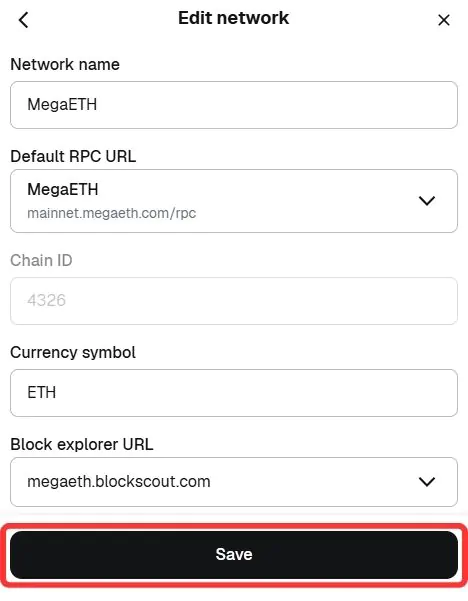
Network name: MegaETH
New RPC URL: mainnet.megaeth.com/rpc
Chain ID: 4326
Currency symbol: ETH
Block explorer URL (Optional): megaeth.blockscout.com
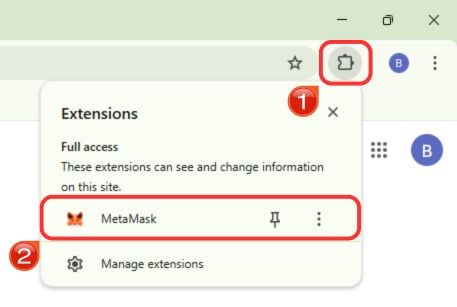
Step 1: Open the MetaMask extension in your browser to access your wallet.
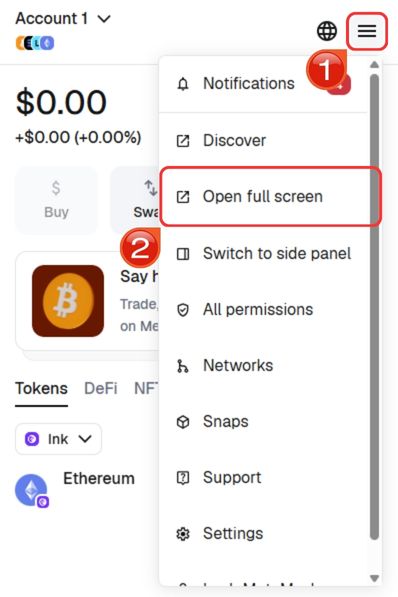
Step 2: For easier navigation, expand MetaMask into a full browser tab. Click the hamburger menu in the top right corner and select “Open full screen”.
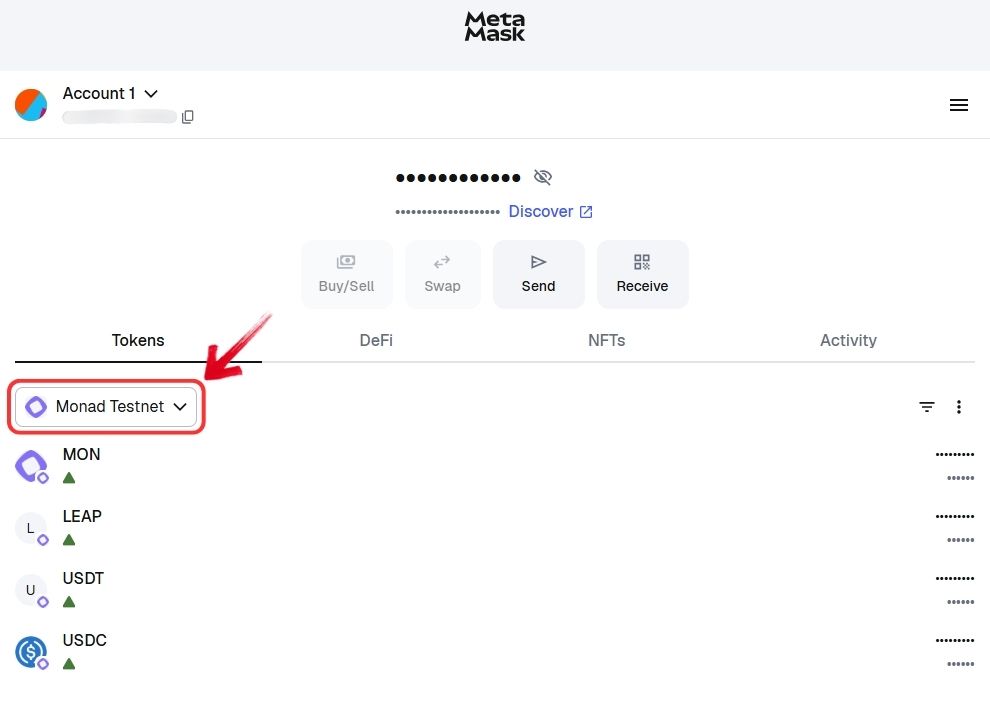
Step 3: In the expanded view, click on the “Network” dropdown near the top of the interface.
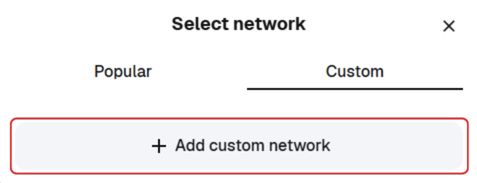
Step 4: Click on the “Custom” tab, then select “Add custom network”.
Step 5: Enter MegaETH’s RPC details in the required fields. Double check the information, then click “Save” to add MegaETH to MetaMask.
Step 6: MetaMask will automatically switch to the MegaETH network. You can now start interacting with apps and assets on MegaETH.
Alternatively, you can skip the steps above if you’re looking for a quicker setup by adding the MegaETH network to MetaMask directly using the “Add MegaETH to MetaMask” option.
Download MetaMask for your device


About MegaETH
MegaETH is an Ethereum Layer 2 network built around the idea of real-time blockchain performance. Instead of making every node handle the same tasks, it divides responsibilities between specialized nodes such as sequencers, replicas, provers, and full nodes. This structure reduces coordination delays and allows the network to process transactions in milliseconds.
MegaETH also introduces mini-blocks that stream updates every few milliseconds, while final settlement still happens on Ethereum. Security is anchored to Ethereum and EigenLayer, while data is handled through EigenDA. The project is backed by notable investors and focuses on pushing hardware and architecture limits to make onchain applications feel closer to real-time web experiences.
Read more: MegaETH Explained: Can Ethereum Really Go Real-Time?
Exploring MegaETH via MetaMask
Once MegaETH is added to MetaMask, you can start exploring the network through its early ecosystem. Many users begin with the Rabbithole portal, which lists live apps where you can bridge assets, swap tokens, and interact with different projects.
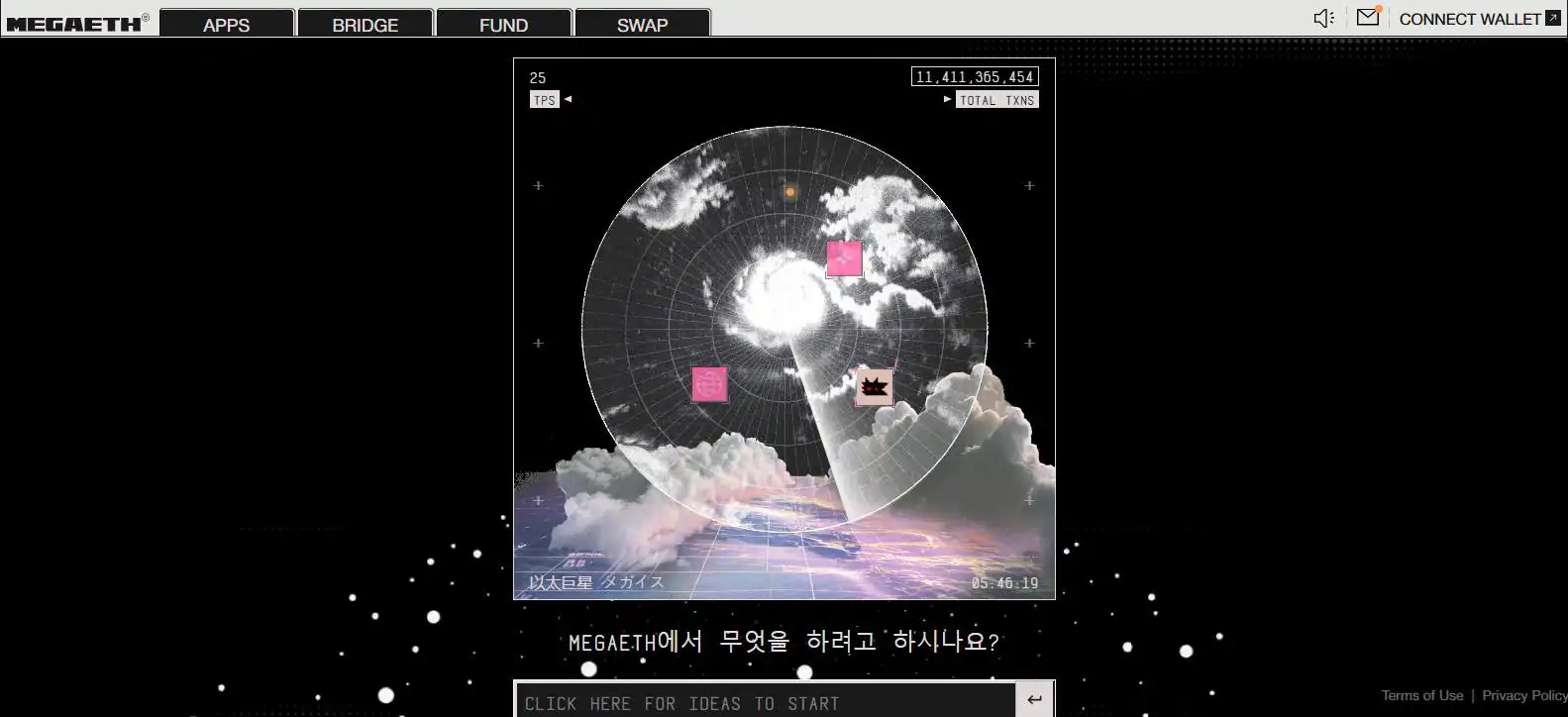
Some also mint free NFTs, test gaming or DeFi apps, or simply move funds to experience the near-instant confirmations. Since the mainnet is still new, most activity focuses on trying these early apps and participating in tasks that may qualify for future airdrops.
Bottom Line
MegaETH is still in an early phase, with most activity focused on testing swaps, minting NFTs, and trying basic transactions to evaluate its real-time performance. The network is designed around speed, but its ecosystem and liquidity will take time to develop. It is best approached as a testing environment rather than a place for large capital. After adding the network, you can follow our guide on how to bridge to MegaETH to transfer funds and start using the available apps.
FAQs
1. What token is used for gas on MegaETH?
MegaETH uses ETH as its native gas token, similar to most Ethereum Layer 2 networks.
2. Is MegaETH secured by Ethereum?
Yes. MegaETH relies on Ethereum for final settlement and uses external data availability through EigenDA, keeping its trust model anchored to Ethereum.
3. Which wallets support MegaETH?
Any EVM-compatible wallet can support MegaETH. This includes popular options like MetaMask, Rabby, and other Ethereum wallets that allow custom network additions.




