- •Daedalus is considered the official wallet for the Cardano blockchain.
- •The wallet runs only on desktop operating systems.
- •Users can delegate ADA to 3,000+ Cardano stake pools directly from the wallet interface.
More crypto users are now interested in full-node wallets that support self-custody and independent transaction verification. This is especially true within the Cardano ecosystem, where decentralized, direct staking offers a premium experience. Daedalus is one such full-node wallet built specifically for the Cardano (ADA) blockchain. It downloads and verifies the entire blockchain history locally, allowing users to validate transactions without relying on third-party servers. This article explains how to get started with Daedalus Wallet to securely store, manage, and stake your ADA assets with maximum privacy.
Why You Need The Daedalus Wallet
You need the Daedalus wallet if you’re looking for a secure, trustless wallet to store and manage ADA, and explore the Cardano network seamlessly. Daedalus was created by IOG (formerly IOHK, the same team that founded Cardano), making it the official wallet for the blockchain.
Unlike lightweight wallets (such as Yoroi and Lace), Daedalus runs a full Cardano node. This means the app downloads and validates 100+ GB of Cardano data, allowing you to verify transactions independently.
You can also stake your ADA tokens directly within the wallet. Specifically, Daedalus allows you to delegate to 3,000+ stake pools, ensuring you earn rewards while maintaining full custody of your funds. You can create and manage multiple ADA wallets within the same interface, keeping things smooth and using each wallet for specific purposes. However, make sure to download Daedalus from an official, trusted source.
Getting Started With Daedalus Wallet
Download
Daedalus does not currently offer web-based services, a browser extension, or a mobile app. So, you need a desktop/PC to install the wallet and get started. Before downloading the Daedalus wallet, ensure your PC is connected to a stable internet connection to prevent installation issues. Additionally, the application is only available for macOS, Linux, and Windows 11 & 10. Follow the steps below to download the Daedalus wallet for ADA successfully:
Step 1: Visit the official Daedalus wallet website.
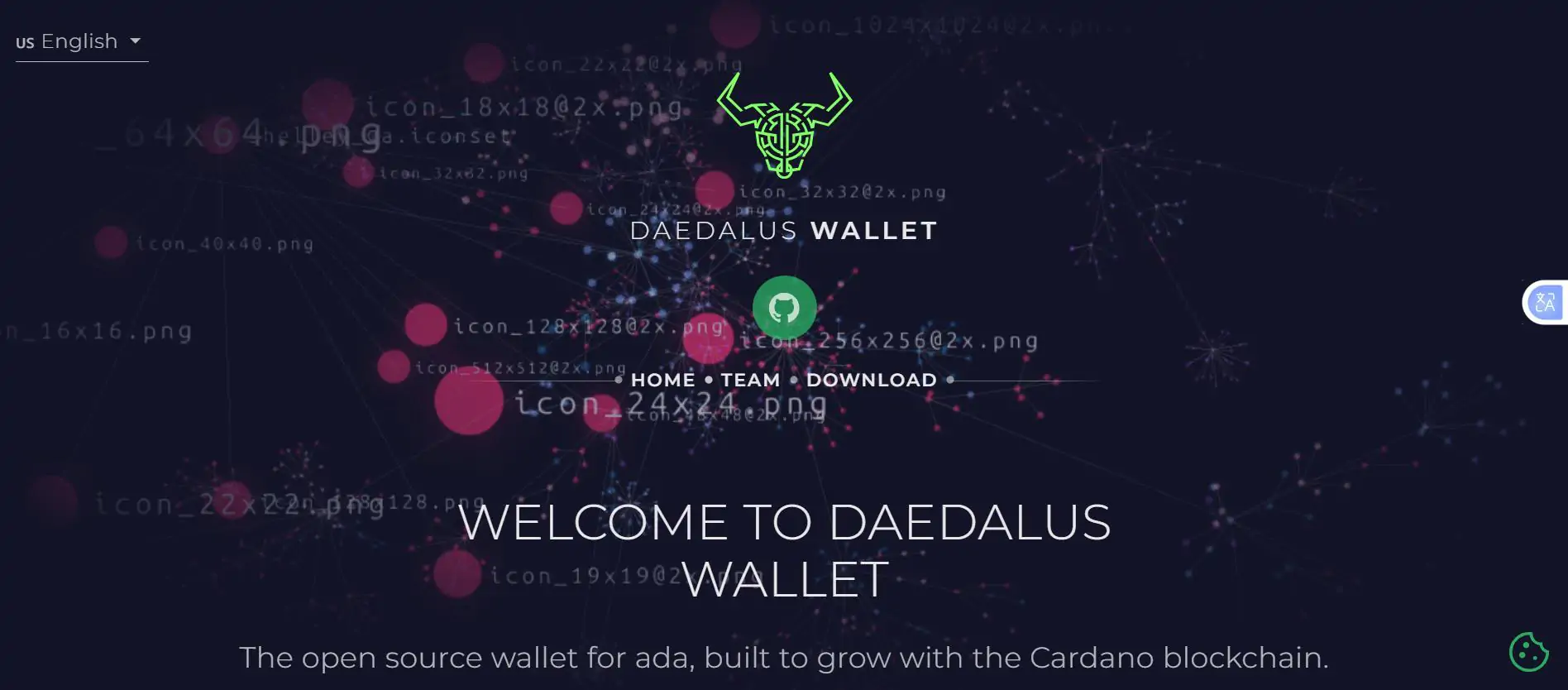
Step 2: Scroll down and click Download to launch the OS selection page.

Step 3: Choose the download option for your computer’s operating system (e.g, macOS, Linux, or Windows) to download the installation file to your computer.

Step 4: Open the file and follow the installation instructions.

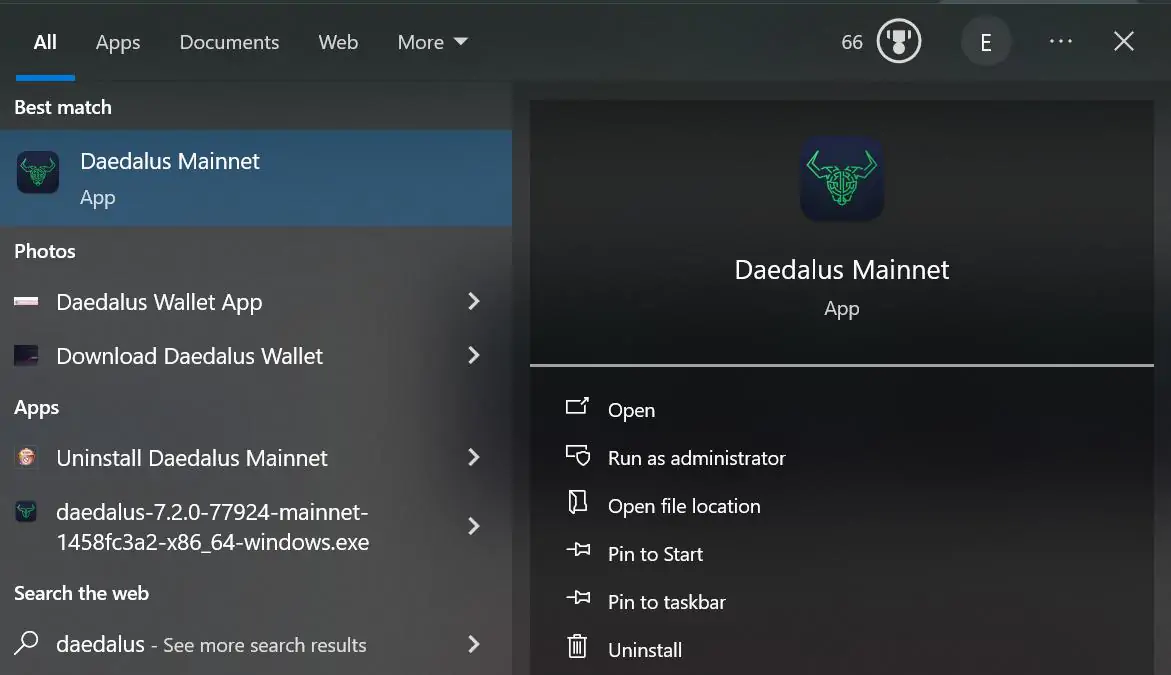
Step 5: Launch Daedalus after installation.
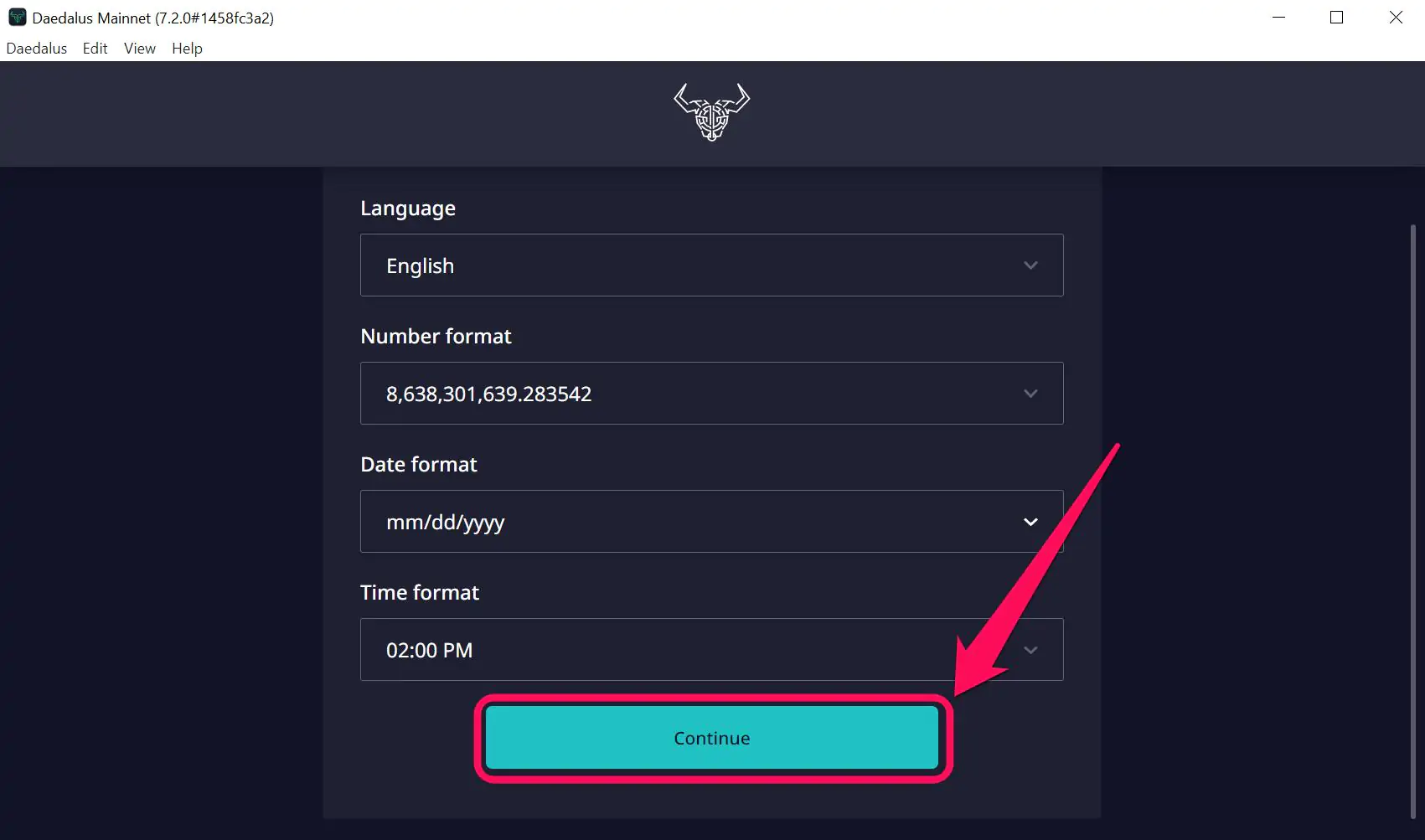
Step 6: Set your preferred number, language, date, time format, and click Continue.
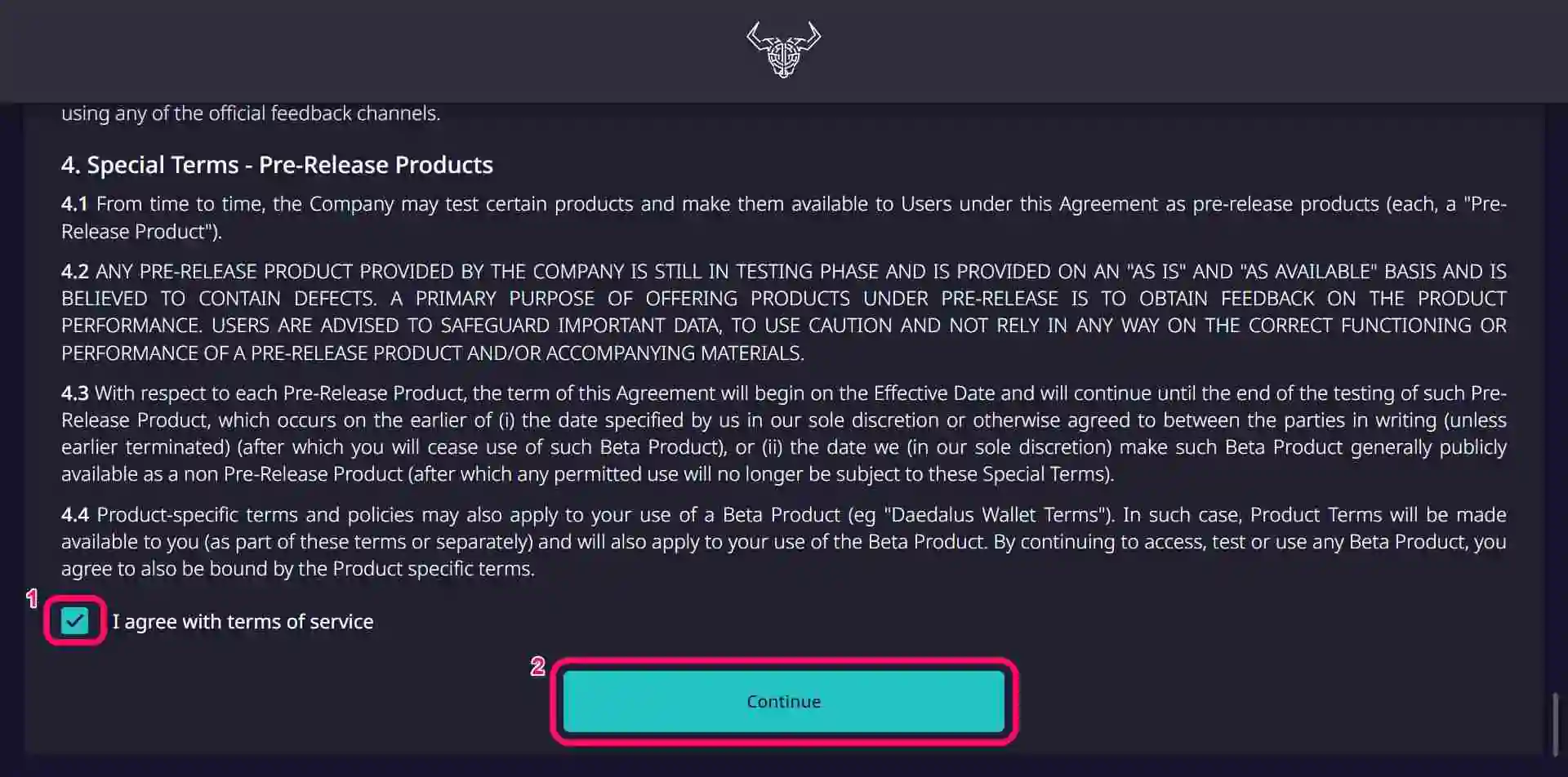
Step 7: Read and agree to the IOHK Terms of Service, then click Continue to complete setup.
Wallet Creation
Once you have configured your basic preferences, the app will automatically begin synchronizing the Cardano blockchain. While the blockchain is updating, you can create your new wallet to fully get started with Daedalus Wallet. Here’s how to do that:
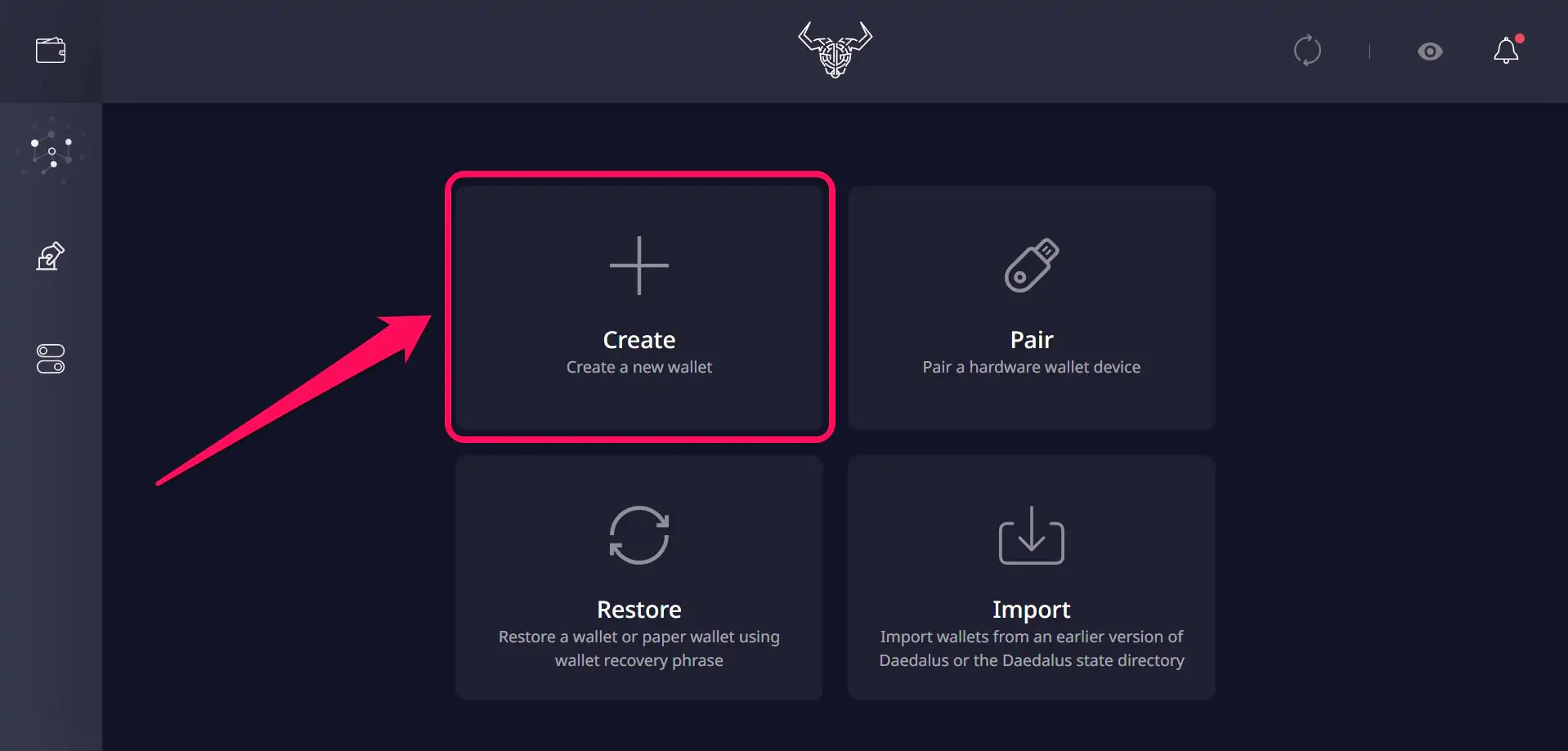
Step 1: Click Create (create a new wallet) to get started.
Step 2: Set your wallet name and create a “Spending Password” for your account. This password will be needed whenever you want to trade ADA, stake, or register for voting. Tap Create Shelly Wallet to proceed.

Step 3: Acknowledge that no one can see your screen in this interface, and click Continue to view your recovery phrase.
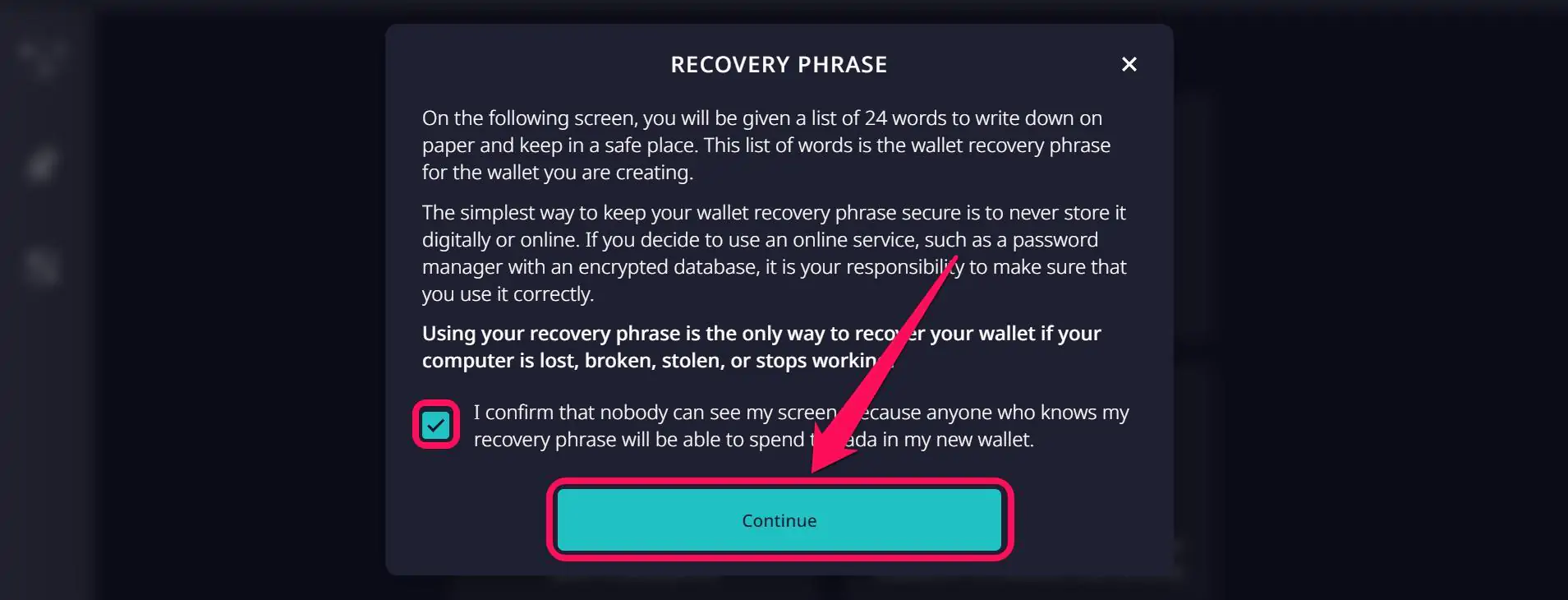
Step 4: Write down the displayed 24-word recovery phrase on paper and store it offline. Click “Yes, I have written down my wallet recovery phrase” to proceed.

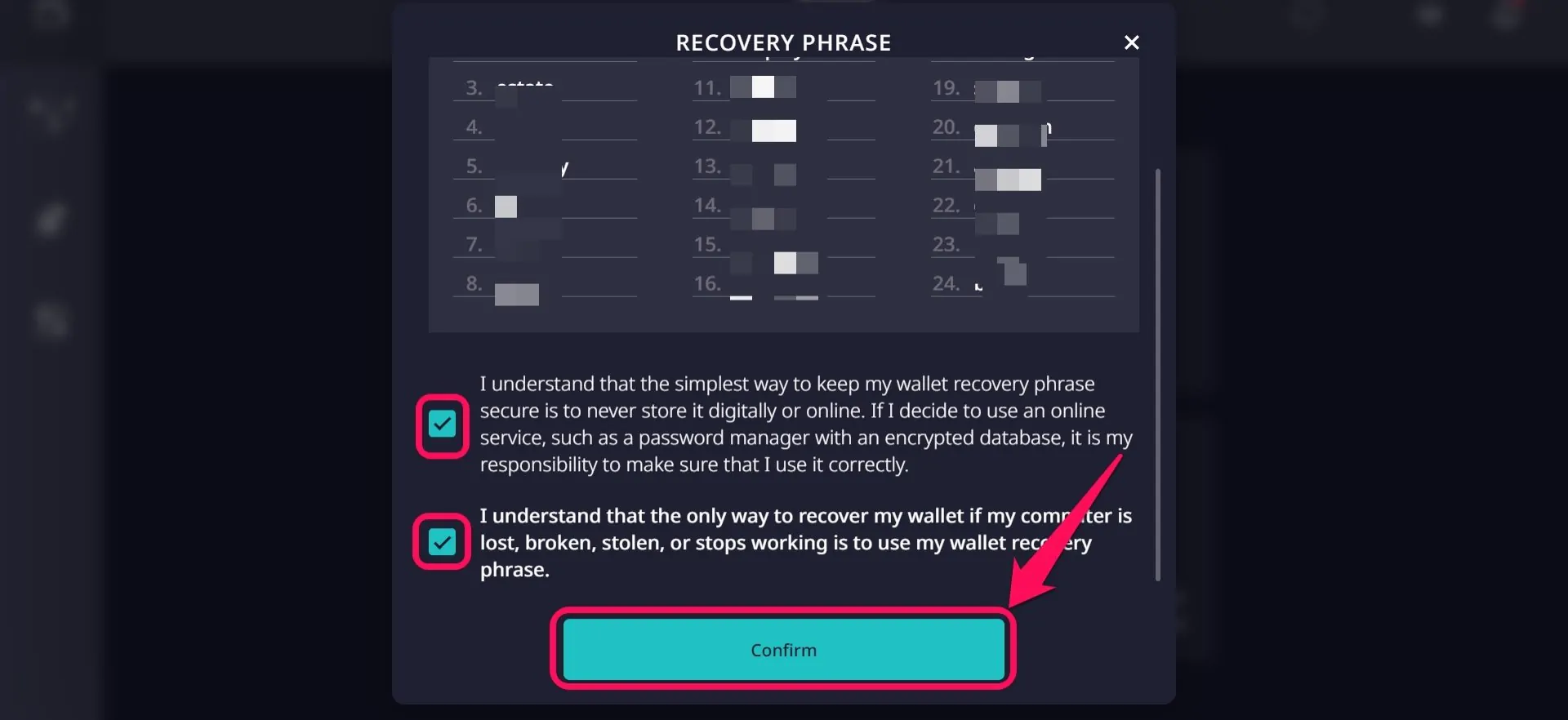
Step 5: Verify your secret phrase, acknowledge it’s the only way to recover your wallet, and click on Confirm. Once completed, your Daedalus wallet is ready for exploring Cardano.
Quick Tour of the Daedalus Wallet
Although the Daedalus wallet can handle tough blockchain tasks, its interface simplifies the process so even new users can operate it seamlessly. Once inside the wallet interface, the dashboard displays wallet balances, a transaction summary, synchronization status, and a bell icon to check new notifications.
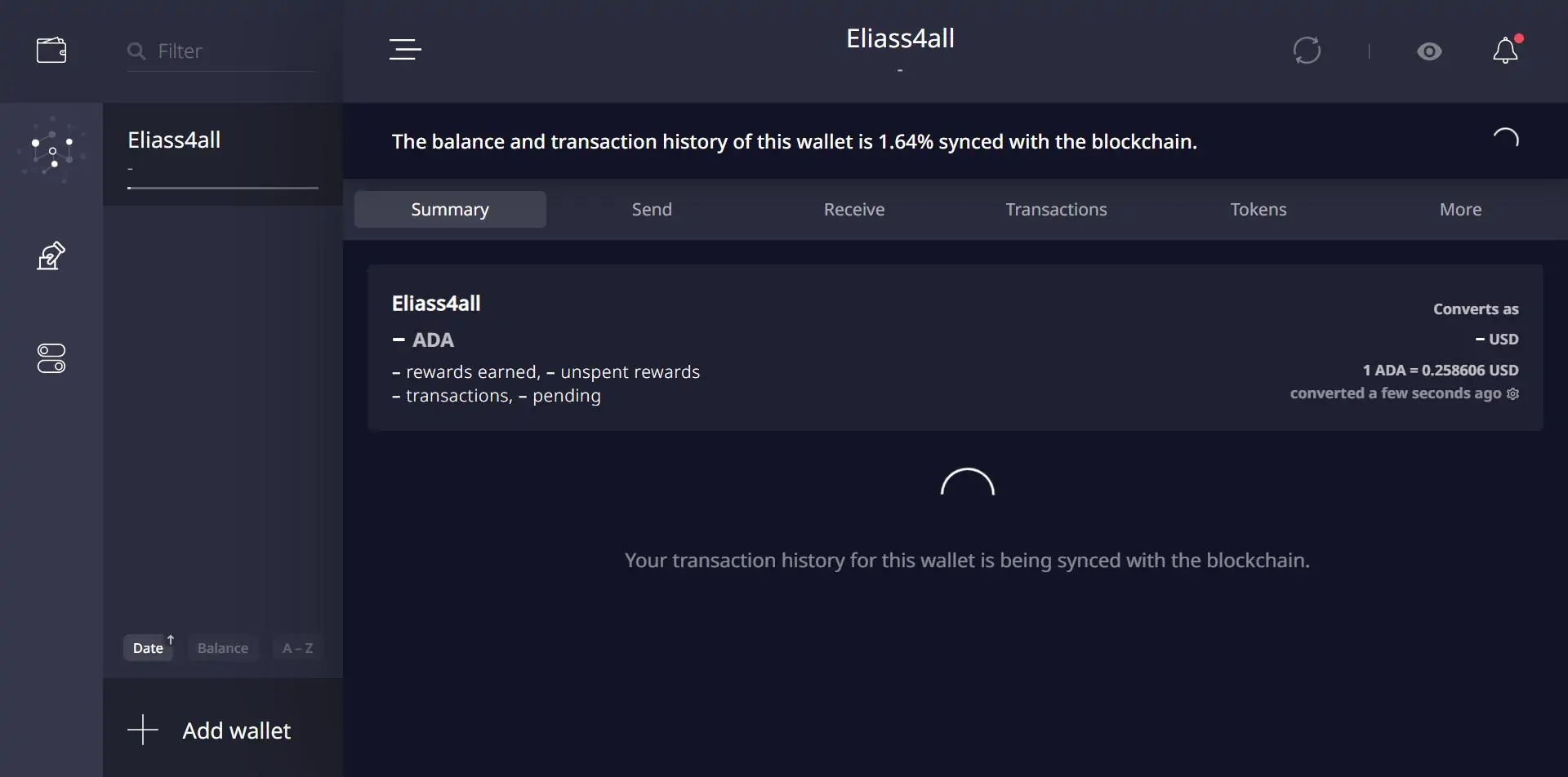
You will also find quick-access buttons in the toolbar to send and receive ADA tokens and check transaction history. Additionally, the wallet icon in the top-left corner lets you switch wallets without restarting the app.
Bottom Line
For Cardano users who prefer self-custody and independent verification, Daedalus remains a viable option. When you get started with Daedalus Wallet, it eliminates the need to connect to third-party nodes by validating the entire Cardano blockchain locally. This means you can perform all your Cardano tasks, including trading, ADA token staking, and voting, seamlessly within the wallet.
Once you’ve installed and configured your Cardano wallet to suit your preferences, the next growing blockchain to explore is Solana. Find out how to download and set up the Phantom Wallet to navigate Solana seamlessly in our next guide.
FAQs
1. Does Daedalus Wallet support other cryptocurrencies besides ADA?
No, Cardano is designed specifically for the Cardano ecosystem and supports only ADA and Cardano-native assets.
2. Why does Daedalus take time to synchronize?
Upon installation, the wallet downloads and verifies the entire Cardano blockchain, which is over 100 GB in size. So, synchronization can take several hours depending on the internet speed and hardware performance.
3. Is Daedalus safe to use?
Yes, Daedalus is considered a safe wallet because it runs a full Cardano node and verifies every transaction locally rather than relying on external servers. Also, Daedalus has never been a victim of cyberattacks since its creation.