- •Your secret recovery phrase is the master key to your Rabby wallet and all its accounts.
- •Rabby is non-custodial, so there’s no direct way to reset your password other than using your seed phrase.
- •Rabby hides your recovery phrase by default, so you must reveal it manually using your password.
Most users often set up a wallet quickly to make transactions and end up not saving the recovery phrase. However, finding your Rabby Wallet’s secret recovery phrase (SRP) is a necessary step to securing your wallet, whether you misplace it, change devices, want to regain access after forgetting your password, or want to back it up. The SRP is the master key to accessing all accounts within the wallet, so you must find it and keep it safe at all times. This guide provides a walkthrough on finding the secret recovery phrase in the Rabby wallet browser extension and mobile app.
What Exactly is the Rabby Wallet Recovery Phrase?
The Rabby Wallet SRP, also known as a seed/mnemonic phrase, is a 12-word string of random words that represents your private keys. The phrase is generated when you create a new wallet in Rabby and helps secure all accounts created within that wallet. With these words in the correct order, you can regenerate your passkeys and recover accounts on multiple devices.
Rabby is self-custodial, meaning the wallet does not store the phrase in its servers. Instead, users manage and store their private keys and SRP keys themselves. Therefore, you must protect your seed phrase at all costs, because if anyone else finds it, they can gain full access to your wallet, accounts, keys, and funds. The best way to secure your SRP is to write it down offline and then store the paper in a secure, undisclosed location.
How to Reveal Your Rabby Wallet Secret Recovery Phrase
Rabby intentionally hides your secret recovery phrase after initial setup. To reveal your secret phrase, you’ll need the password (or biometrics, if applicable) you set up when you created or imported the wallet on your device.
Browser Extension
The steps below walk you through finding your secret phrase in the Rabby wallet browser extension:
Step 1: Open the Rabby wallet extension on your browser and log in to your account.
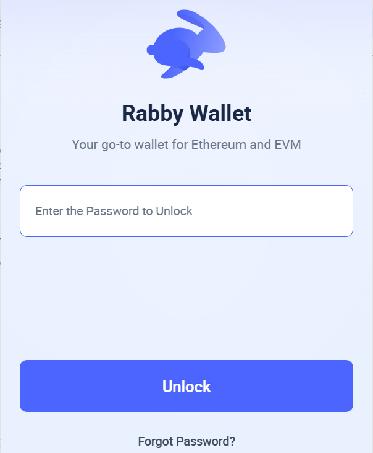
Step 2: Click on the wallet account selector tab and select the wallet address for which you need the phrase.
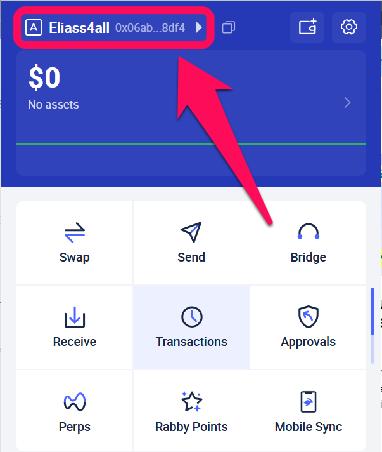
Step 3: Tap the arrow button next to the account address to access the account details.
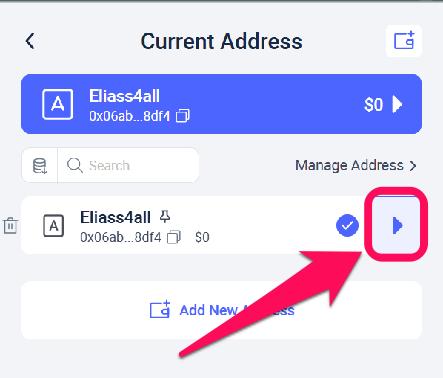
Step 4: Select the Backup seed phrase option.
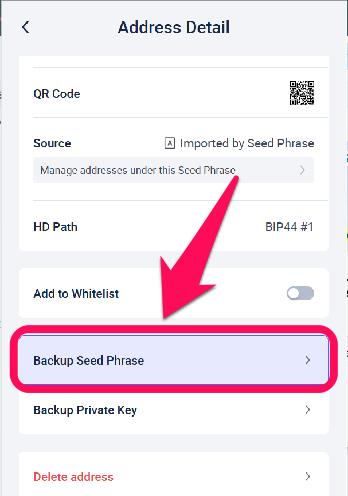
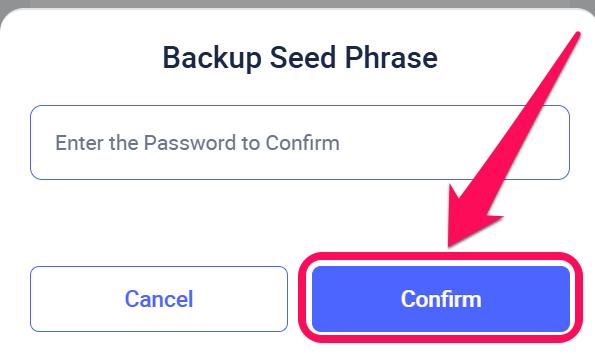
Step 5: Enter your wallet’s password to confirm your identity.
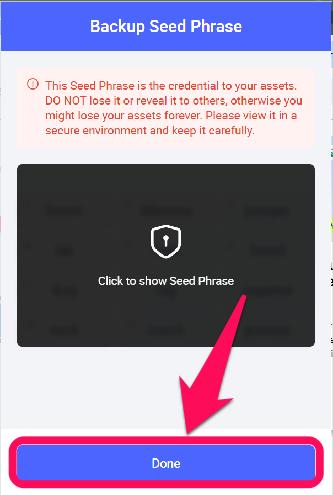
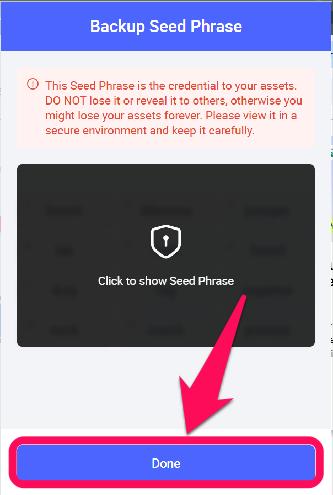
Step 6: Click on the blurry part to reveal your secret recovery phrase, and click done after you’ve seen or written it down.
Mobile App
To find the secret recovery phrase for the Rabby wallet mobile app, you must have the latest version installed on your device. Read our guide to download the Rabby wallet for mobile, then follow these steps to find your secret recovery phrase:
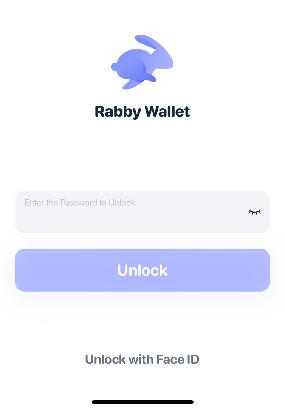
Step 1: Open the Rabby wallet app and unlock your wallet with the correct password.
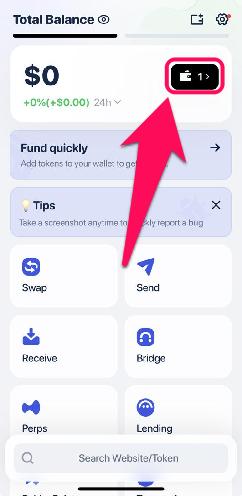
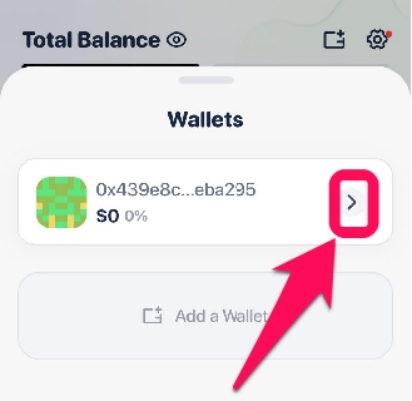
Step 2: Tap the wallet account selector icon next to the balance display on the screen.
Step 3: Select the account you want to use to reveal SRP and click the arrow icon next to it.
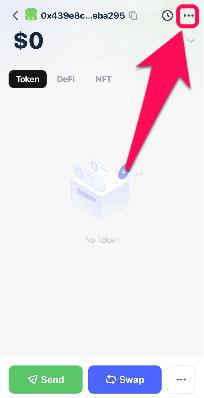
Step 4: On the page displayed, tap the three dots at the top right corner to view the account details.
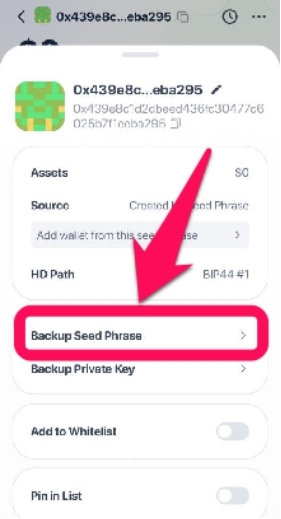
Step 5: Choose the backup seed phrase from the list of options.
Step 6: Enter your password or verify with other biometrics you activated.
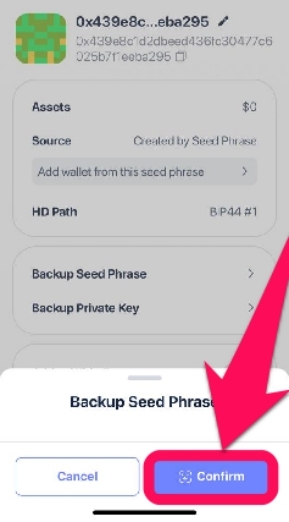
Step 7: Finally, tap the button to reveal your secret recovery phrase.
Bottom Line
Finding your seed phrase is easy, and it’s the only way to recover your wallet if you change devices or forget your password. Once found, protecting it must be your number one priority. Do not reveal it to a third party; instead, write it down offline and store it in a safe place. Never rely on screenshots or cloud drives to secure your SRP for you. In our extensive guide, we’ve thoroughly discussed how to secure and back up your Rabby wallet to ensure peace of mind on your accounts.
FAQs
1. Can I change my Secret Recovery Phrase in Rabby
No, the seed phrase is permanent. If you want a new one, you must create an entirely new wallet and transfer funds manually.
2. What if I forget my password but still have the seed phrase?
You can still recover your account if you forget your password, provided the SRP is secured. Just import your existing seed phrase into the wallet to regain full access.
3. Is it safe to reveal the phrase inside Rabby?
Yes, as long as your device is clean (no malware/keyloggers). Rabby never sends the phrase anywhere as it’s shown only locally. Also, ensure no one is looking at your device whenever you try to reveal your secret recovery phrase.