




- •Gemini accounts can be closed through either the web browser or mobile app.
- •Withdraw all crypto and fiat balances before submitting the account closure request.
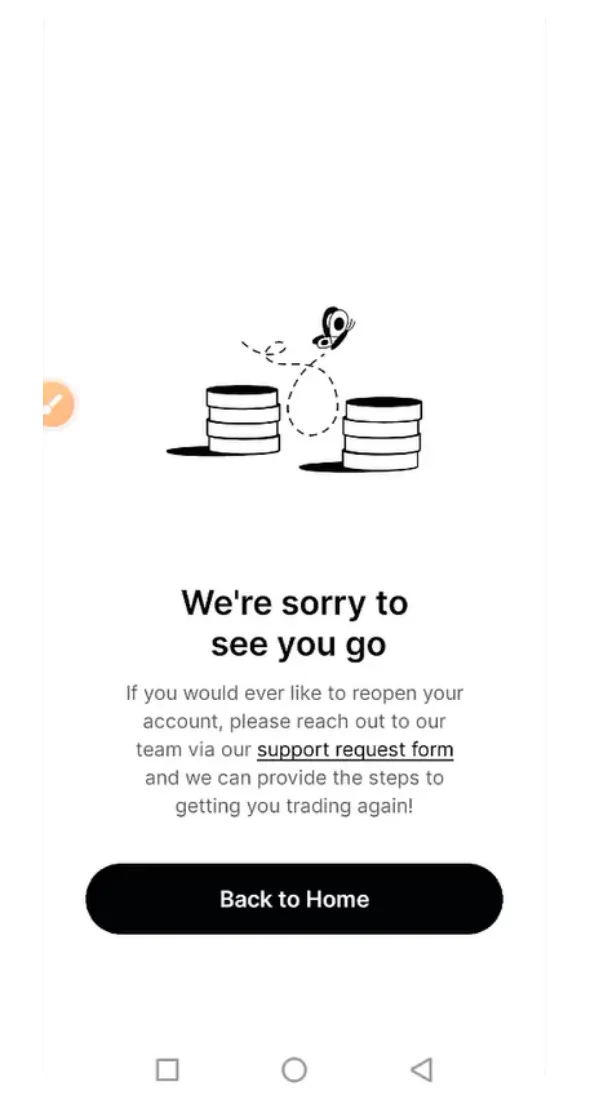
- •Closed accounts may be reopened later by contacting Gemini’s support team.
These are things people rarely plan for, but sometimes you start realising that a platform is simply no longer suitable for you. If that is how you feel about Gemini, whether because of its fees, features, or any other reason, the exchange gives users a way to permanently close their account.
There are a few important things to consider first. Account closure is permanent, and any remaining funds should be safely moved before starting the process. In this article, we will explain how to delete your Gemini account step by step.
Before You Delete Your Gemini Account
Before you close your Gemini account, there are a few things you should take care of first so you do not run into any issues later.
- Withdraw all crypto and fiat balances.
- Cancel any open orders or recurring purchases.
- Download statements or transaction records if needed.
- Account closure is permanent and irreversible.
- Gemini may retain required regulatory records.
How to Delete Gemini Account on Web
Probably the most convenient way to delete your Gemini account is through a web browser, since everything is easier to find and navigate. Here is how you can delete your Gemini account on the web:
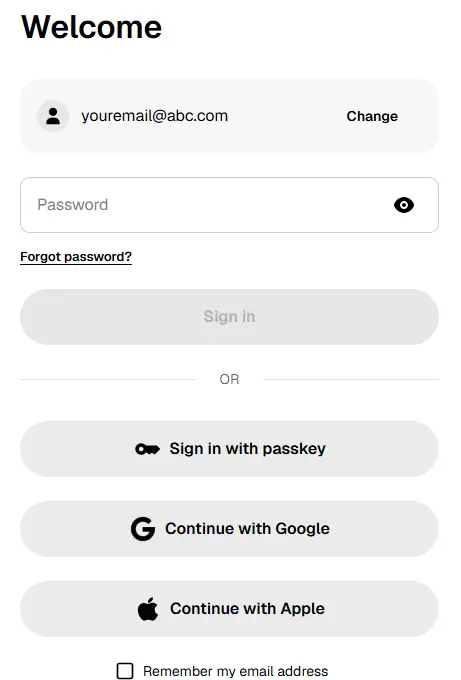
Step 1: To start, log in to your Gemini account through a desktop or mobile browser.
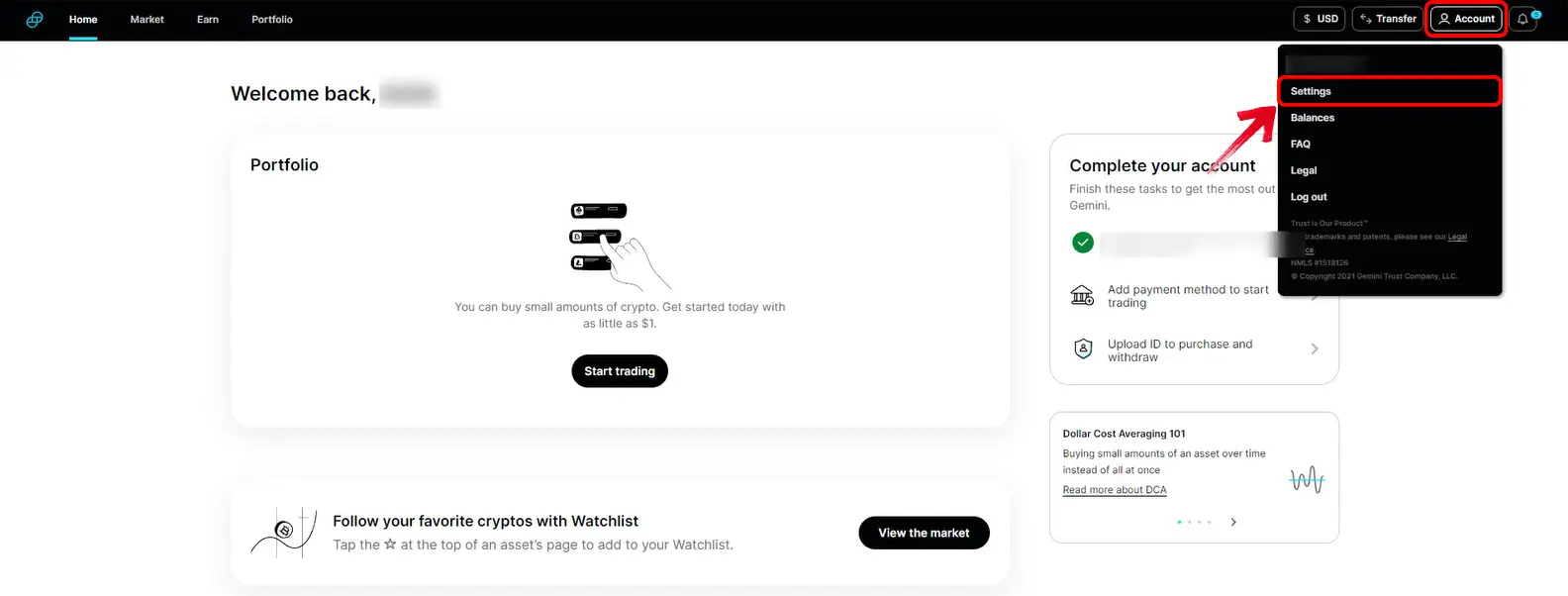
Step 2: Once you are logged in, click the Profile icon in the top-right corner. From the drop-down menu, select “Account”.
Step 3: Scroll down until you see the “Account Closure” section.
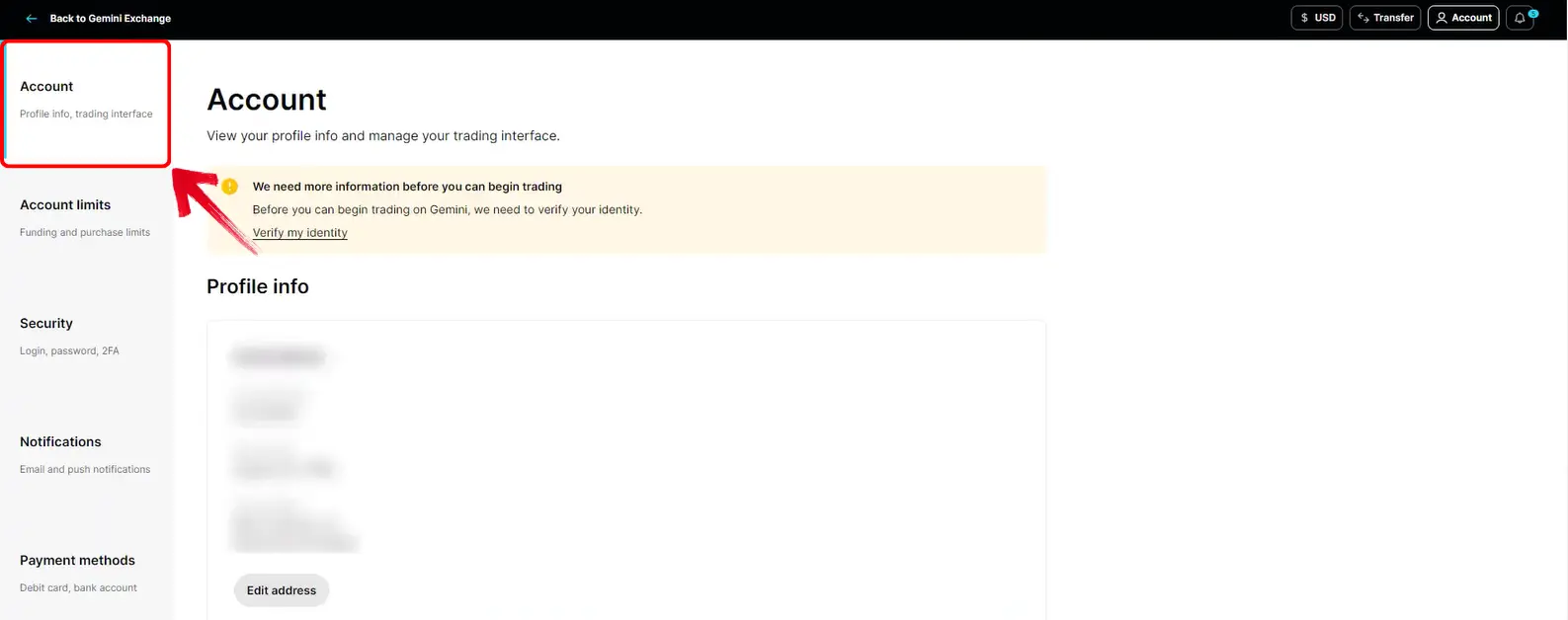
Step 4: Here, click the “Close account” option to begin the process.
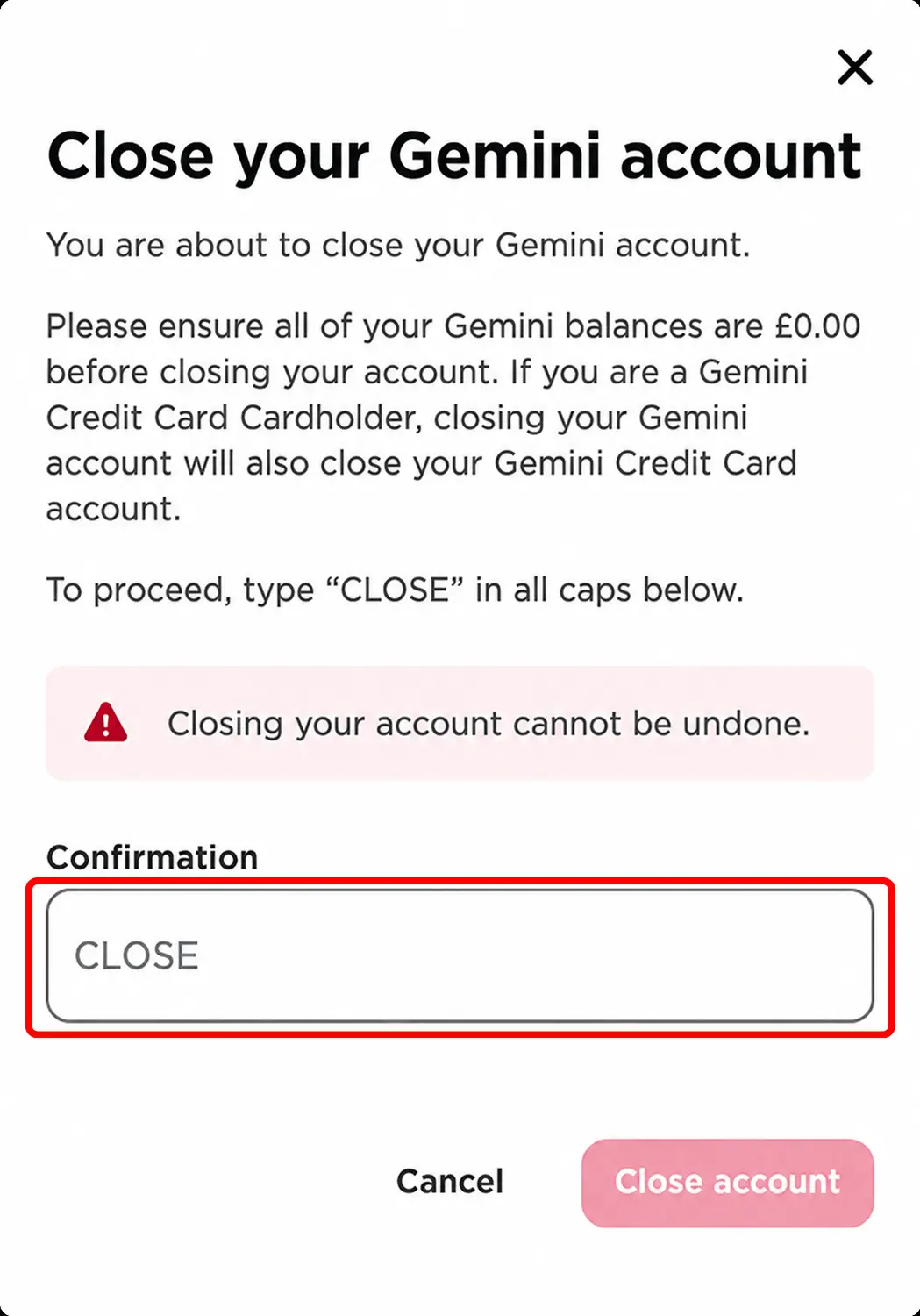
Step 5: Gemini will ask you to type “CLOSE” in capital letters. Enter it, confirm the request, and your account closure will be submitted.
How to Delete Gemini Account on Mobile App
If you mainly use Gemini on your phone, you can close the account from the app as well. The option is placed under your account preferences:
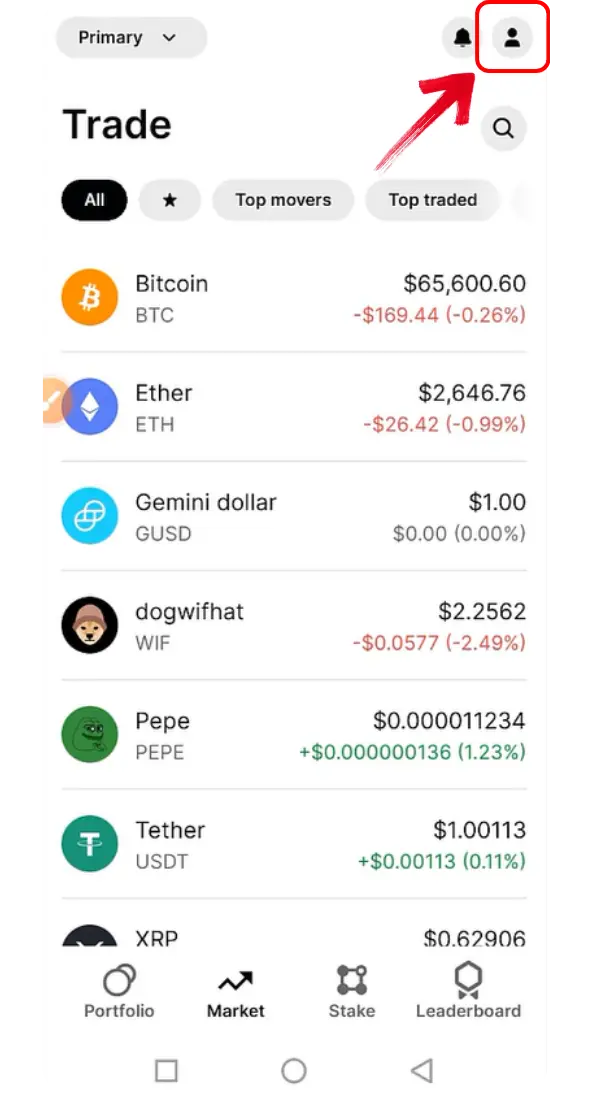
Step 1: Start by opening the Gemini app on your phone. Once you are on the home screen, tap the profile icon at the top to open your account page.
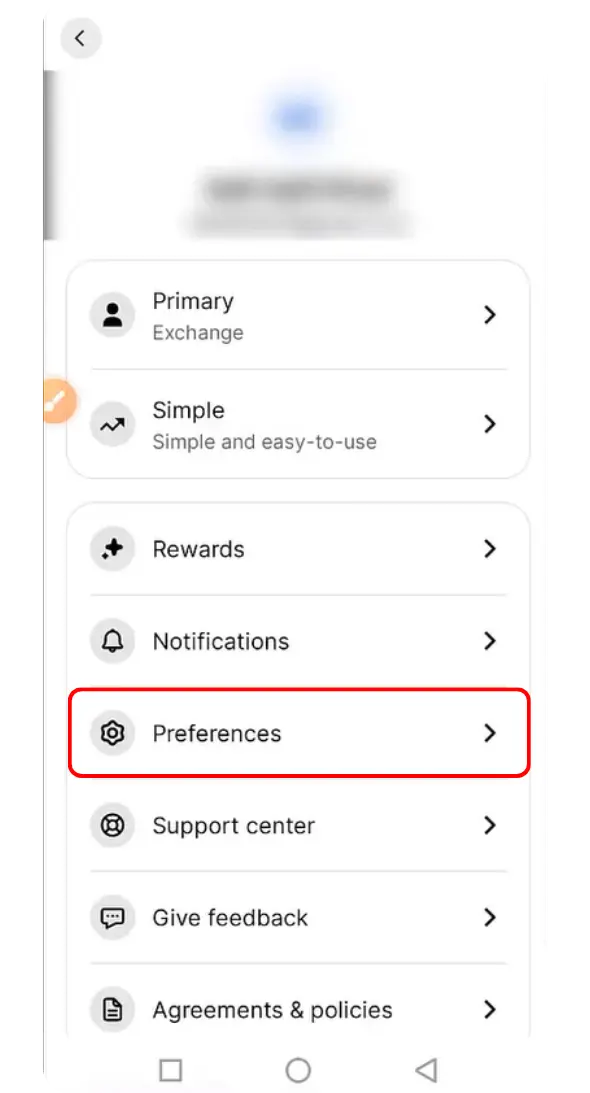
Step 2: Once the account page opens, you will see the “Preferences” option. Tap on it to access your account settings.
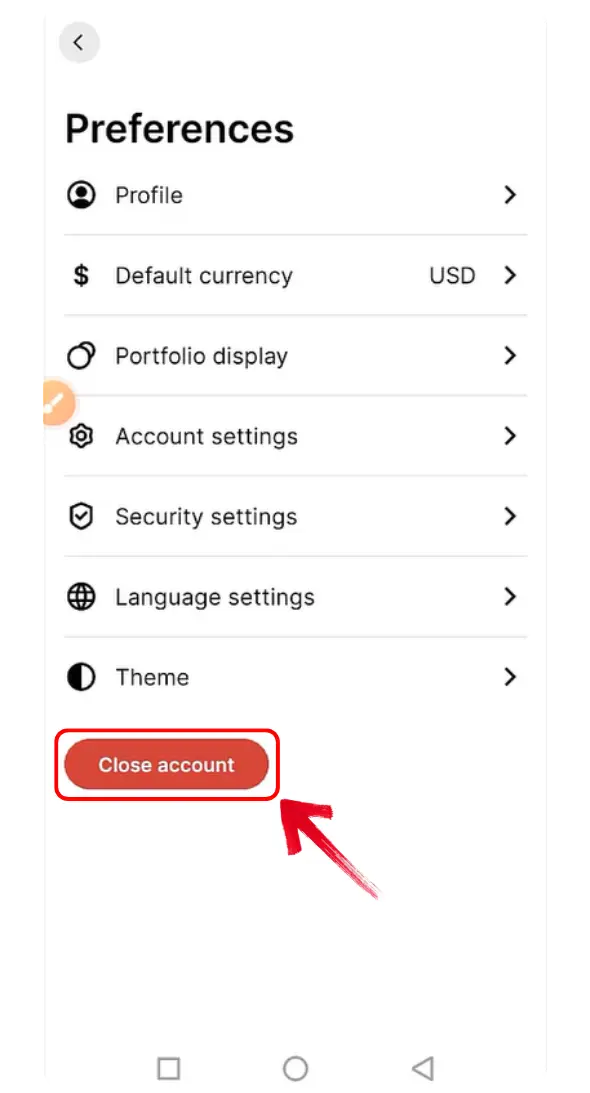
Step 3: On the Preferences page, tap on the “Close account” option to continue.
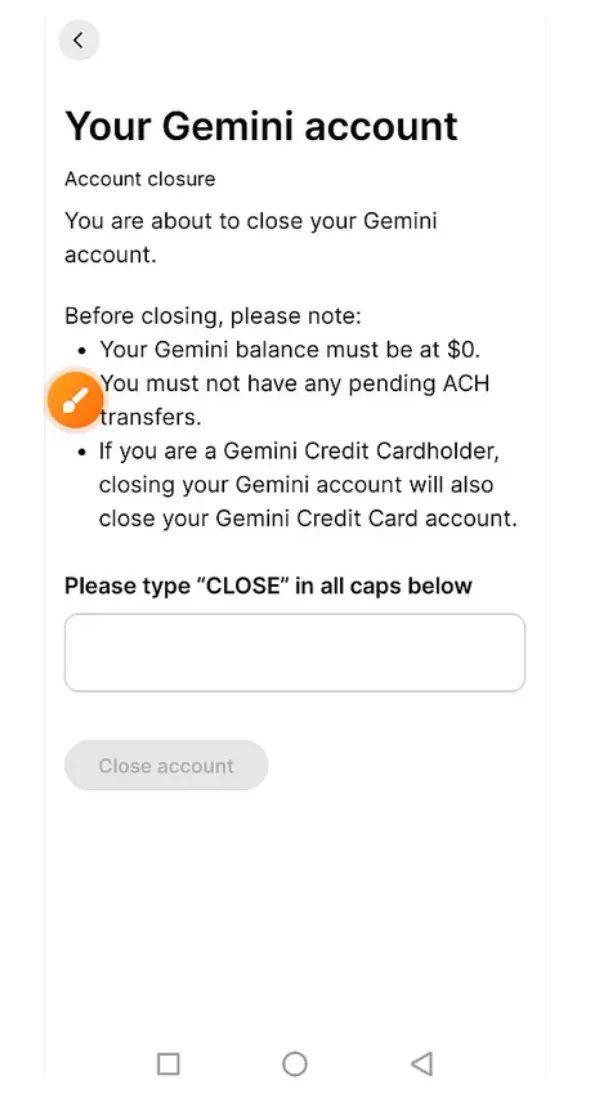
Step 4: Gemini will now ask you to confirm your decision. Make sure to type “CLOSE” in caps.
Step 5: Once you confirm the closure, Gemini will show a notice on your screen confirming that your request has been received.
Best Gemini Alternatives
If Gemini no longer feels suitable for the way you buy or trade crypto, Coinbase and BloFin are two alternatives worth considering, depending on the features you need.
Coinbase
Coinbase is one of the more established Gemini alternatives, particularly for users who want a regulated, secure, and feature-rich crypto exchange. It supports spot trading, recurring purchases, staking, Coinbase Advanced, and a self-custody wallet, giving both beginners and experienced users several ways to manage their crypto.

Coinbase has also recently partnered with Better Mortgage to let eligible US buyers use Bitcoin as collateral for home down-payment financing, without having to sell their BTC. However, standard mortgage eligibility checks still apply.
BloFin
BloFin may suit traders who want more market choice without completing identity verification immediately. KYC remains optional for basic account use, although completing it can provide higher withdrawal limits and access to certain services.

The exchange lists more than 328 assets across its spot markets and 488 perpetual contracts, giving traders considerably more choices than Gemini. It also supports copy trading, trading bots, and perpetual futures for users who prefer a more trading-focused experience with advanced order types and leverage controls.
Bottom Line
Sometimes, an exchange simply stops fitting the way you use crypto, whether because of its fees, available markets, or account features. If that is where you stand with Gemini and you are looking to delete your Gemini account, make sure any crypto or fiat balance is withdrawn before confirming the closure. Any crypto or fiat balance needs to be withdrawn before confirming the closure, as access may not be recoverable afterward. If you are planning to move to another platform, our guide on best Gemini alternatives can help you review other available exchanges instead.
FAQs
1. Can I reopen my Gemini account after closing it?
Yes. Gemini allows users to request account reopening by contacting its support team. However, you cannot reactivate the account yourself through the website or app.
2. Should I withdraw my funds before closing Gemini?
Yes, move all crypto and fiat balances before confirming the closure. This helps prevent access issues and avoids having to contact Gemini later to recover remaining funds.
3. Does closing Gemini erase my personal data?
Closing the account does not necessarily erase every record. Gemini may retain account information, activities, and communications to meet its legal and regulatory obligations.