



- •Katana is a DeFi focused Ethereum Layer 2 designed to concentrate liquidity into core protocols while remaining fully EVM compatible.
- •MetaMask supports Katana as a custom network, allowing users to add it manually using RPC details and interact with Katana dApps.
- •Once added, users can swap assets, access vault based earn pools, and bridge funds from other major EVM networks.
Katana has started drawing attention as its TVL climbed past $300 million within about 3 months of launch, which naturally leads users to ask how to actually use the network. This guide focuses on how to Add Katana to MetaMask, starting with the basics. Katana Network is EVM compatible, so interacting with its dApps requires a Web3 wallet. MetaMask is a common choice, but it does not come pre configured with Katana. To connect, users need to manually add the Katana RPC details so MetaMask can interact with the network correctly.
Does MetaMask Support Katana Network?
Yes. MetaMask supports the Katana Network because it is EVM compatible, but users must manually add the network by entering Katana’s RPC details in MetaMask.
Can I Add Katana to MetaMask?
Yes, you can add Katana to MetaMask, and the process is straightforward once you understand how EVM networks work. Katana Network is EVM compatible, which means it can be used with standard Ethereum wallets. MetaMask does not include Katana by default, so users need to add it manually using the network’s RPC details. Once added, MetaMask allows you to interact with Katana dApps, manage assets on the network, and sign transactions just like on other EVM chains.
How to Add Katana to MetaMask
MetaMask allows users to add any EVM compatible network by manually entering its RPC details. This feature exists so wallets are not limited to default networks like Ethereum or Polygon. The process to add Katana Network is the same as adding any other custom network. You open MetaMask, choose the option to add a new network, and enter the RPC URL, chain ID, and currency symbol provided by Katana. Once saved, MetaMask can connect directly to the network and its dApps.
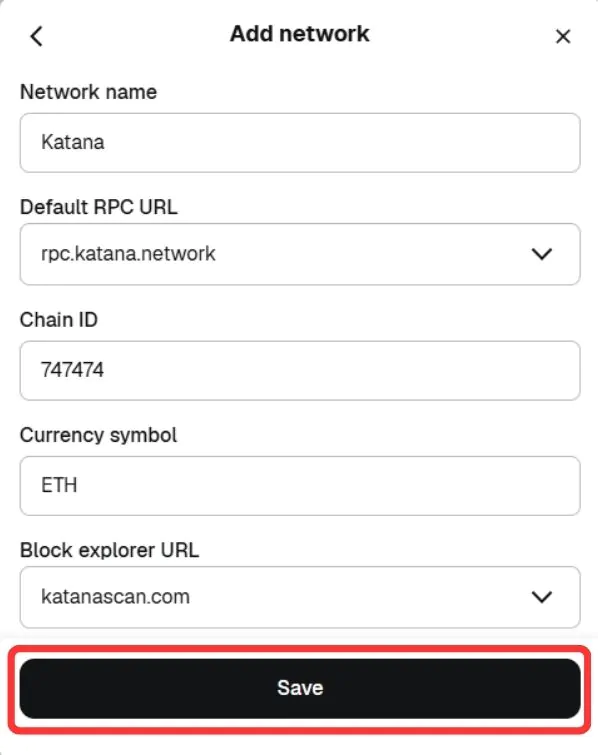
Network name: Katana
New RPC URL: https://rpc.katana.network
Chain ID: 747474
Currency symbol: ETH
Block explorer URL (Optional): https://explorer.katanarpc.com
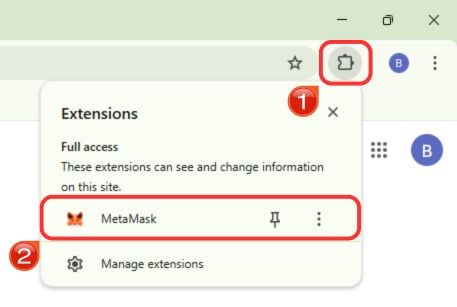
Step 1: Open the MetaMask browser extension to access your wallet.
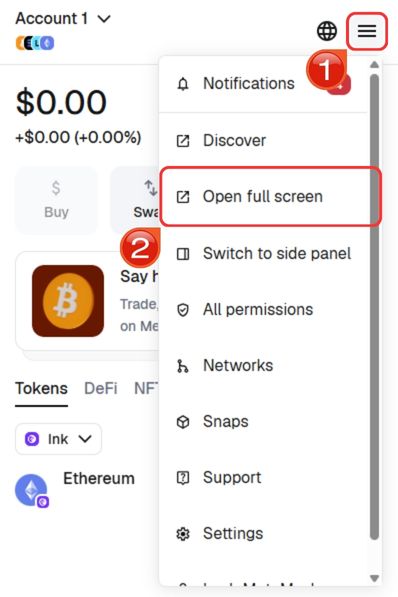
Step 2: For easier navigation, expand MetaMask into a full browser tab. Click the menu icon in the top right and choose “Open full screen”.
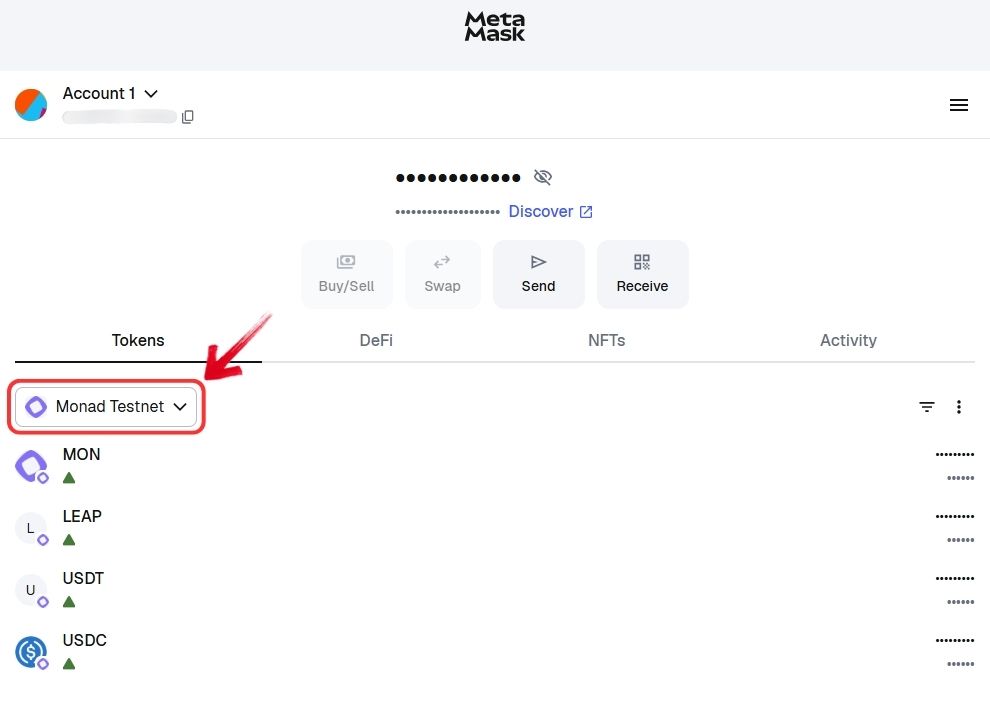
Step 3: In the full view, click the “Network” dropdown near the top of the interface.
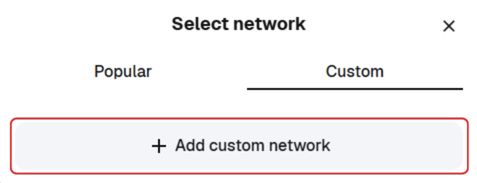
Step 4: Select the “Custom” tab, then click “Add custom network”.
Step 5: Enter Katana Network RPC details into the required fields. Review the information carefully, then click “Save”.
Step 6: MetaMask will switch to the Katana network. You can now interact with Katana dApps and assets.
If you want a quicker setup, you can use our custom Add Katana to MetaMask option, which automatically adds the correct RPC details in a single click, allowing you to configure Katana quickly and start interacting with the network right away.
Download MetaMask for your device


About Katana
Katana Network is a blockchain built specifically for decentralized finance, with a clear focus on liquidity efficiency and sustainable yield. Instead of spreading liquidity thin across dozens of protocols, Katana concentrates it into core applications, including a single lending layer powered by Morpho and a primary spot DEX built on Sushi. This structure allows capital to work more effectively while supporting hundreds of applications built on top.
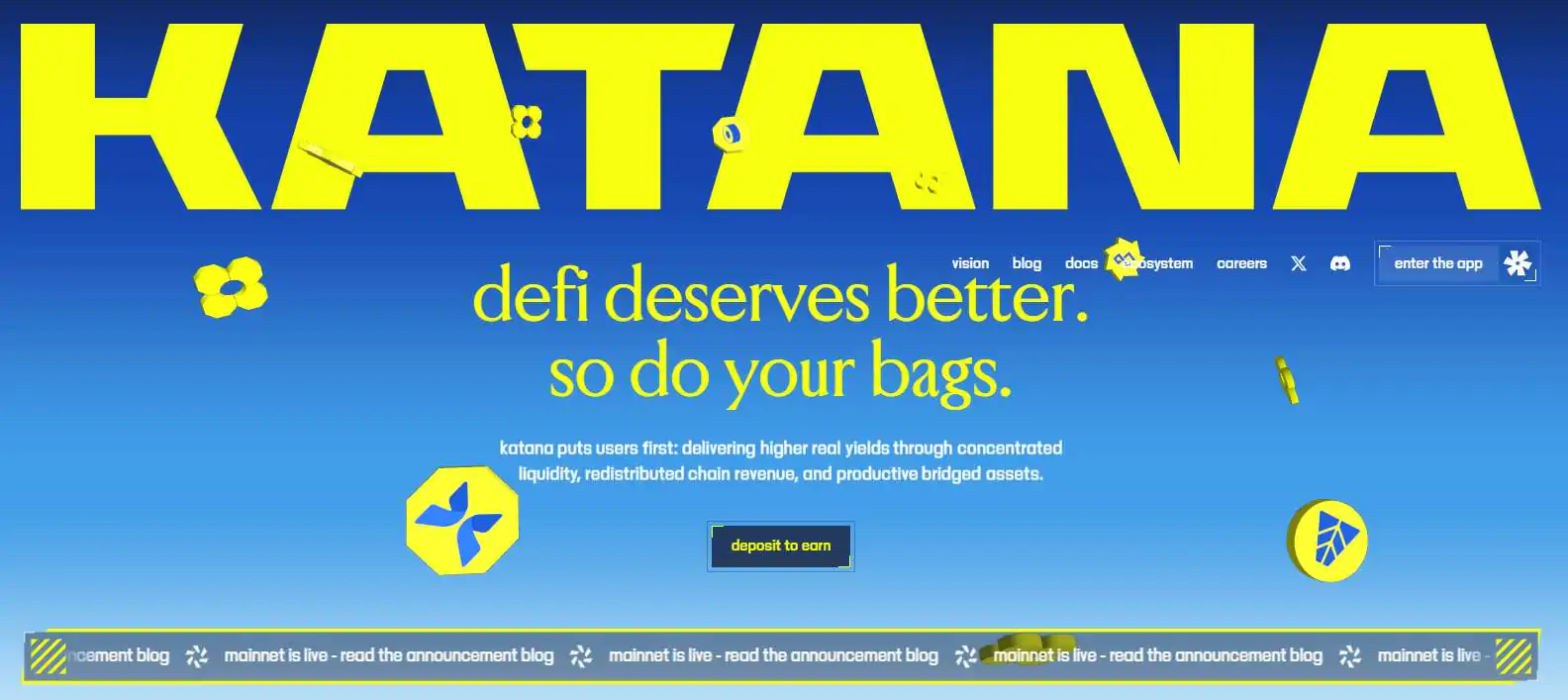
Yield incentives are generated through sources like Vault Bridge flows, sequencer fees, and Agora USD revenue, rather than inflation alone. Katana is developed with support from Polygon Labs and uses Agglayer for seamless cross-chain onboarding. ZK proofs enable faster exits without extended withdrawal delays.
Exploring Katana via MetaMask
Once connected through MetaMask, users can explore the broader Katana Network ecosystem, which centers around swapping, earning, and portfolio management. Katana offers vault based earn strategies, token swaps, and an expanding dashboard covering discovery and yield.

Users can currently swap 15+ assets and access 5+ earn vaults, with staking and quests planned next. Assets can also be bridged to Katana from networks like Ethereum, Arbitrum, Base, Polygon, and BNB Smart Chain, making cross chain activity straightforward.
Bottom Line
Adding Katana to MetaMask is a simple process that takes only a few minutes. Once configured, users can explore Katana’s DeFi ecosystem, swap assets, bridge funds from other networks, and interact with yield and vault based applications directly from their wallet.
FAQs
1. Do I need ETH on Katana to pay gas fees?
Yes. Katana uses ETH as its gas token, so you must hold ETH on the Katana network itself to complete transactions.
2. Can I use hardware wallets with Katana in MetaMask?
Yes. Hardware wallets supported by MetaMask, such as Ledger or Trezor, can be used with Katana once the network is added.
3. What happens if I send assets to Katana without adding the network?
If you send assets to Katana without adding the network in MetaMask, the funds are not lost. MetaMask uses the same address across all EVM compatible networks, but the assets will remain hidden until Katana is added and selected as the active network.




