


- •Coinbase requires KYC verification before users can fully access buying, selling, withdrawals, and other account services.
- •The Coinbase KYC process may require a government-issued photo ID, personal details, proof of address, and face verification.
- •Verification often finishes within minutes, but Coinbase can take up to 24 hours to review submitted information.
Coinbase KYC can feel like an unnecessary extra step when you are simply trying to buy or trade crypto. But Coinbase is a regulated exchange, which means identity verification is part of opening and using an account.
The process is usually straightforward, though the documents Coinbase asks for and the time it takes can vary by country and account. This article explains Coinbase KYC requirements, the verification process, and what you can do if your application is pending or rejected.
Is KYC Required on Coinbase?
Yes, Coinbase requires KYC verification to fully use the platform. You must verify your identity during account creation before you can access services such as buying, selling, and withdrawing crypto.
Coinbase previously used a tiered verification system, where users could complete different levels to access higher limits and more features. That system has since been updated. Verification is now part of the standard account setup. Coinbase uses this process to meet regulatory requirements, prevent fraud, and keep accounts secure.
Coinbase KYC Requirements
To complete Coinbase KYC, users need to submit a supported government-issued identity document. Depending on their country and account, Coinbase may also ask for proof of address and a face verification through a selfie or short video check.
The accepted documents vary by country, so it is important to select your location during verification and follow the options shown in the Coinbase app or website.
| Document Type | What Coinbase May Require |
|---|---|
| Supported identity documents | A valid government-issued photo ID, such as a passport, national identity card, or driver’s licence. |
| Supported proof of address documents | A recent document confirming your residential address, such as a bank statement, utility bill, tax document, or government letter. |
| Face verification | A selfie or short video check to confirm that the person submitting the document is the account holder. |
Apart from meeting the Coinbase KYC requirements, you should also check whether Coinbase is available in your region. Due to licensing, sanctions, and local regulations, Coinbase restricts access to its services in certain countries and territories. Some features may also be unavailable even where Coinbase accounts are supported.
You can check our Coinbase restricted countries guide for the full list before starting the verification process.
How Long Does Coinbase ID Verification Take?
Coinbase verification often takes a few minutes when your details and document images are accepted without any issues. However, Coinbase states that it can take up to 24 hours to receive a review status after completing the identification process.
The timing can vary depending on the document submitted, image quality, your country, or whether Coinbase needs further information.
How Does Coinbase KYC Verification Work?
Coinbase KYC is completed in a few stages. You first create and secure your account, then provide your personal details and submit a supported identity document.
Start Coinbase Verification
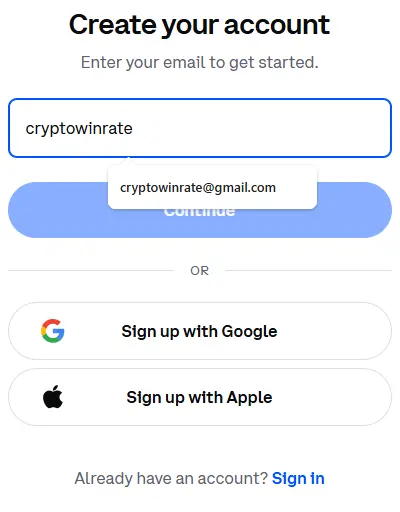
Step 1: Create a Coinbase account using your email address and a secure password. Confirm your email address through the link Coinbase sends you.
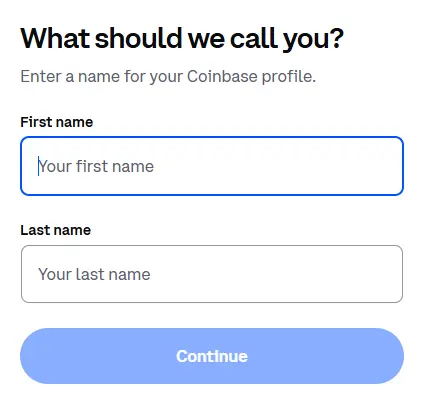
Step 2: Enter your legal name, date of birth, country of residence, and residential address. These details should match the information on your identity document.
Step 3: Add and verify your phone number, then complete the account security prompts.
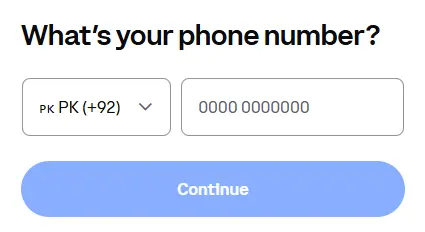
Step 4: Continue to the identity verification prompt and select the document type available in your country.
Once you have started the verification process, Coinbase may ask you to confirm more personal information before submitting your photo ID.
Verify Personal Information
Step 1: Enter your legal first and last name, date of birth, country of residence, and identification number if Coinbase requests it.
Step 2: Provide your current residential address, including your house number, street, city, and postcode.
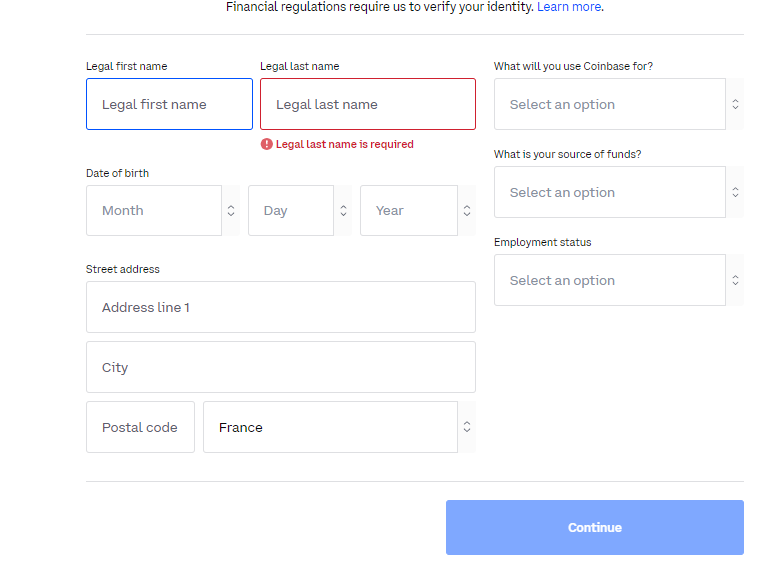
Step 3: Complete any additional questions Coinbase asks about your account or intended use of the platform.
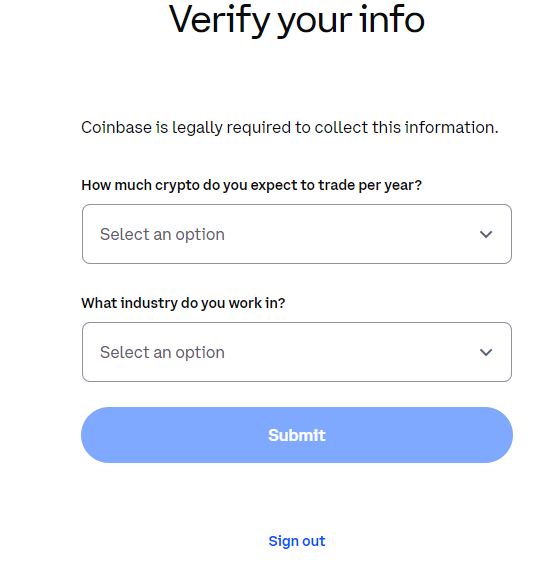
Step 4: Submit the information and wait for Coinbase to review it. It may request further details or documents if it cannot verify the information.
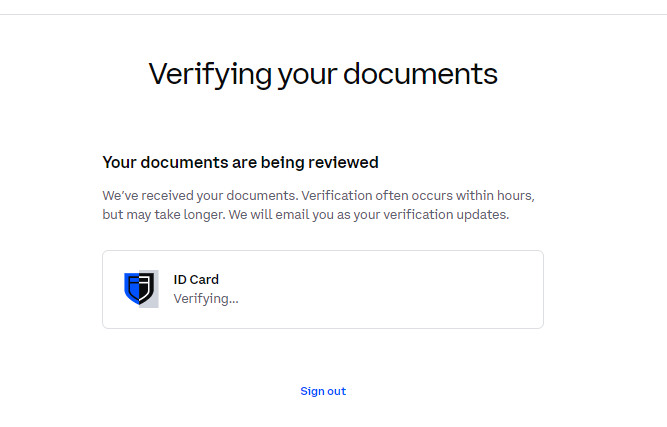
After your personal details are submitted, you can move on to the photo ID verification stage.
Photo ID Verification
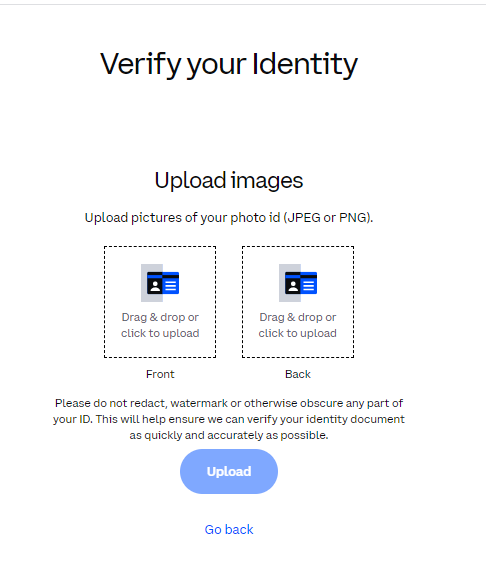
Step 1: Prepare a valid, unexpired government-issued photo ID.
Step 2: Select the identity document you want to submit. Depending on your country, Coinbase may accept a passport, national identity card, or driver’s licence.
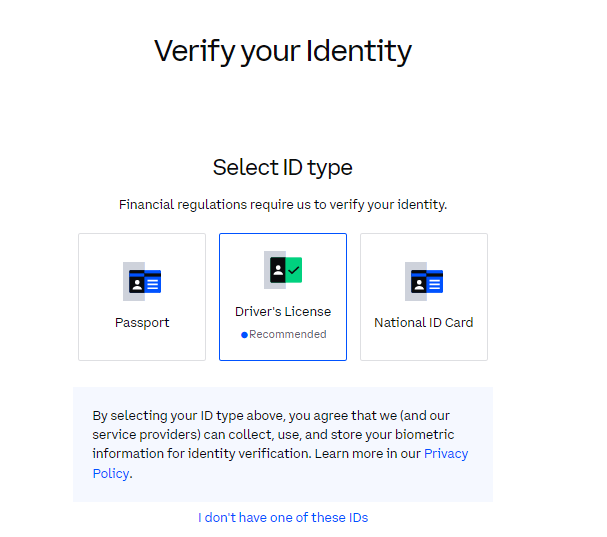
Step 3: Upload clear photos of your document, ensuring all four corners are visible and the text is readable.
Step 4: Complete any further checks Coinbase requests, such as a selfie, short video verification, or proof of address.
Step 5: Submit your verification. Coinbase usually completes the review within minutes, though it can take up to 24 hours.
Bottom Line
Coinbase KYC is a standard part of using the exchange, rather than a separate feature you can choose to complete later. As long as your account details and documents match, the process is generally straightforward. If you would rather not complete KYC, or Coinbase is restricted where you live, you can read our Coinbase alternatives guide.
FAQs
1. Can You Use Coinbase Without KYC?
You can begin creating a Coinbase account without immediately completing verification, but your account will have limited functionality until Coinbase verifies your identity.
2. What Documents Does Coinbase Accept for KYC?
Coinbase may accept a passport, national identity card, or driver’s licence. The available document options depend on your country of residence.
3. Why Did Coinbase Reject My Verification?
Coinbase may reject verification when the document is expired, unclear, damaged, edited, or does not match the personal details entered on your account.