



- •You can delete your CoinW account only through the official mobile application.
- •Withdraw your funds and clear account activity before confirming permanent deletion.
- •Disabling CoinW temporarily restricts access without permanently deleting your account.
There may come a point when you no longer need to use an exchange. However, because your personal information, transaction history, and funds are connected to the account, deleting it requires some preparation. If you want to delete CoinW account, the process can feel slightly complicated because it is only available through the mobile app, while users with deposit or KYC records may need help from customer support. Below, we’ll explain the complete CoinW account deletion process, what to do beforehand, and the other option available if permanent deletion does not suit your situation.
What to Do Before Deleting CoinW
Before deleting your CoinW account, make sure there is no remaining activity or information you may need later. Complete the following checks before starting the deletion process:
- Close active positions: Exit all open spot, futures, margin, and copy-trading positions.
- Cancel open orders: Cancel any pending limit, stop, conditional, or bot orders.
- Withdraw your funds: Transfer all cryptocurrencies and fiat balances to another exchange, wallet, or bank account.
- Redeem Earn balances: Remove funds from any active Earn or other interest-bearing products.
- Stop trading bots: End all active automated trading strategies linked to your account.
- Check pending transactions: Wait for deposits, withdrawals, transfers, and other pending transactions to complete.
- Review sub-accounts: Close active positions and withdraw any balances held in your sub-accounts.
- Download account records: Save your transaction history, trading statements, and tax records for future reference.
- Resolve account restrictions: Contact CoinW support if your withdrawals or other account functions are currently restricted.
CoinW Account Deletion Requirements
CoinW checks your account against three conditions before allowing you to submit a deletion request. If even one condition is not satisfied, you will need to resolve it before moving forward.
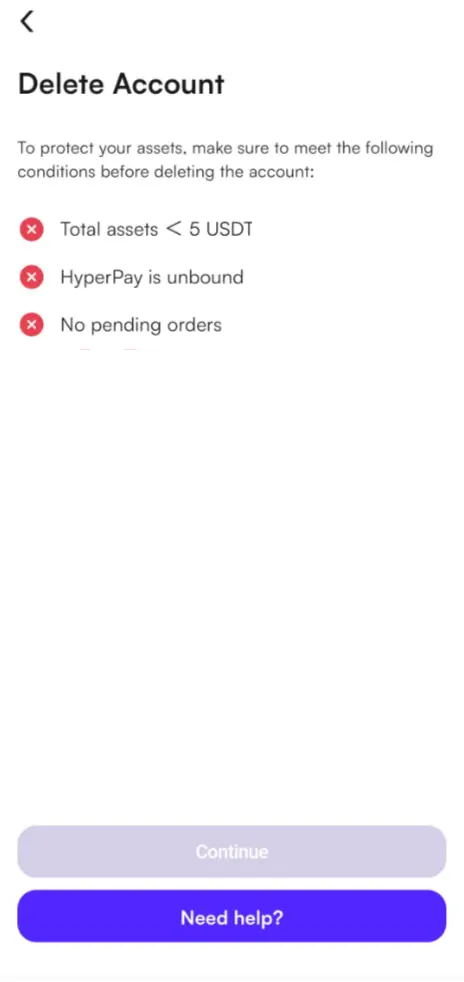
- Account assets must not exceed 5 USDT: Your total balance across the CoinW account must be worth 5 USDT or less. Although CoinW permits a small remaining balance, it is better to withdraw all accessible funds before deleting the account.
- No HPY or API connections: Remove any HPY binding and delete all API keys connected to trading bots, portfolio trackers, or other third-party services.
- No pending or open orders: Cancel every open and pending order. Check your spot, futures, copy-trading, and bot accounts so nothing remains active.
Once all three conditions are satisfied, CoinW will let you continue to the reason-selection and verification stage. Users whose accounts contain deposit or KYC records may also be directed to contact customer support before deletion can be completed.
How to Delete CoinW Account
Currently, you need the CoinW mobile app to delete your account. The app is available on both iOS and Android, while account deletion is not supported through the CoinW website. Here is how you can delete your CoinW account using the mobile app:
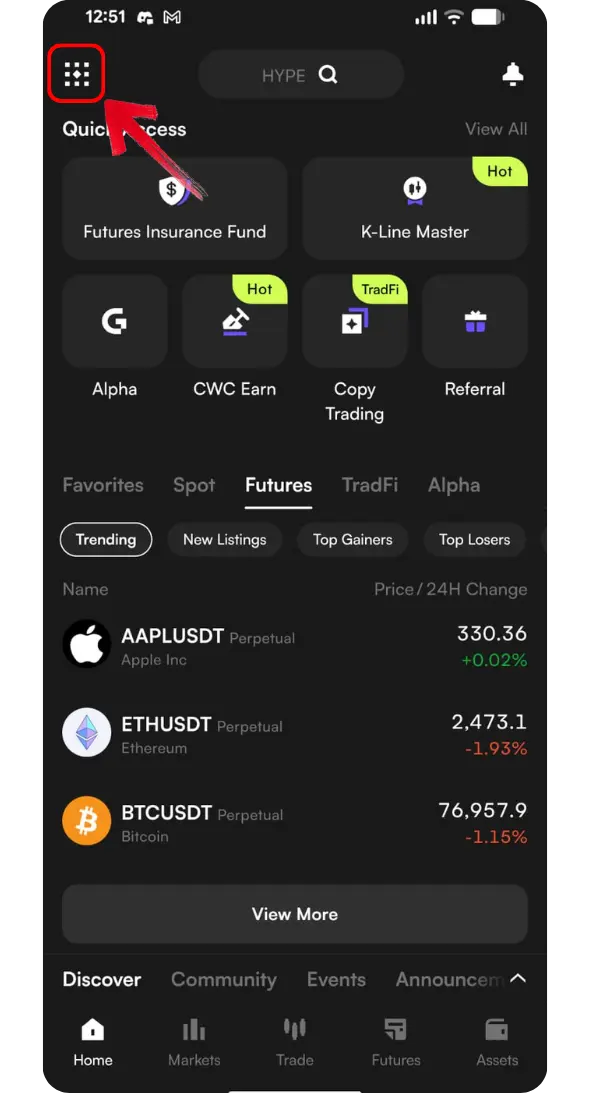
Step 1: Log in to your CoinW account through the mobile app and tap the More menu in the top-left corner.
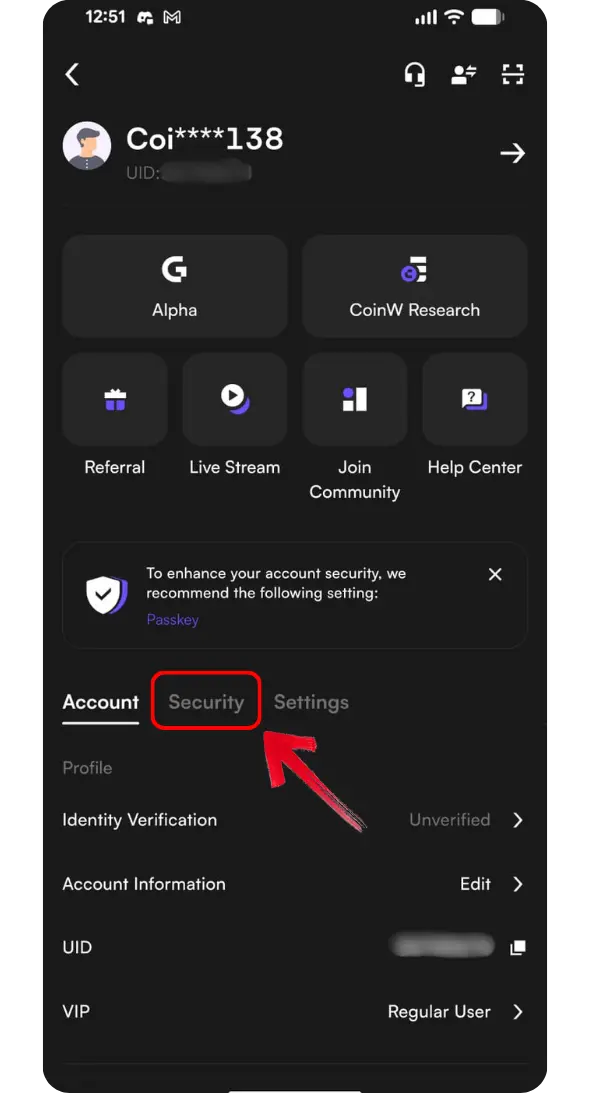
Step 2: From the More menu, tap the Security tab.
Step 3: Scroll down the Security page until you find Account Management, then tap it to continue.
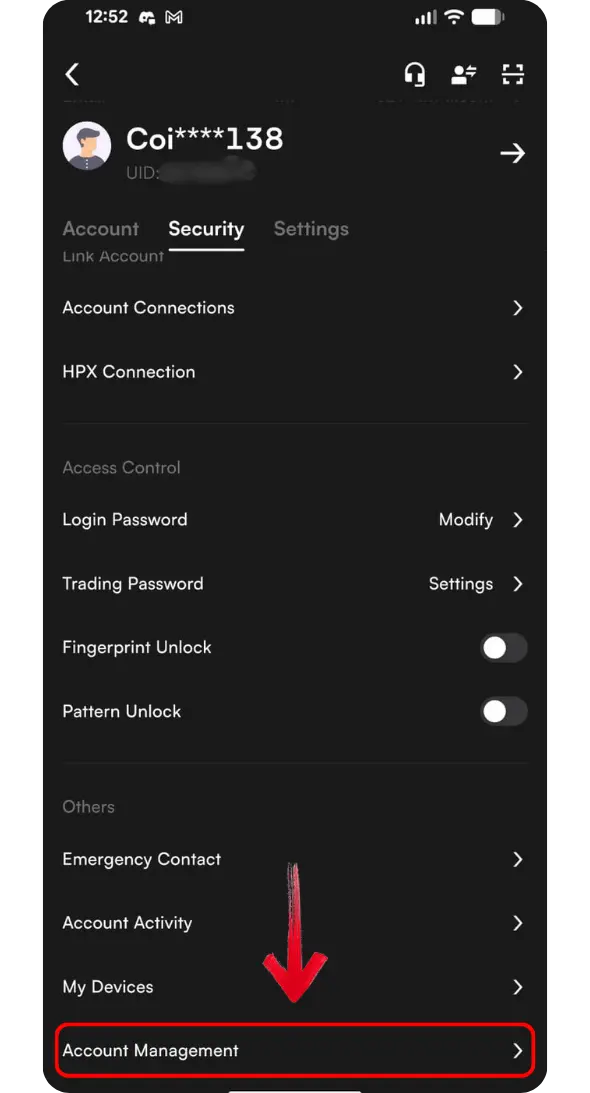
Step 4: The Account Management screen provides options to disable or delete your account. Tap Delete Account.
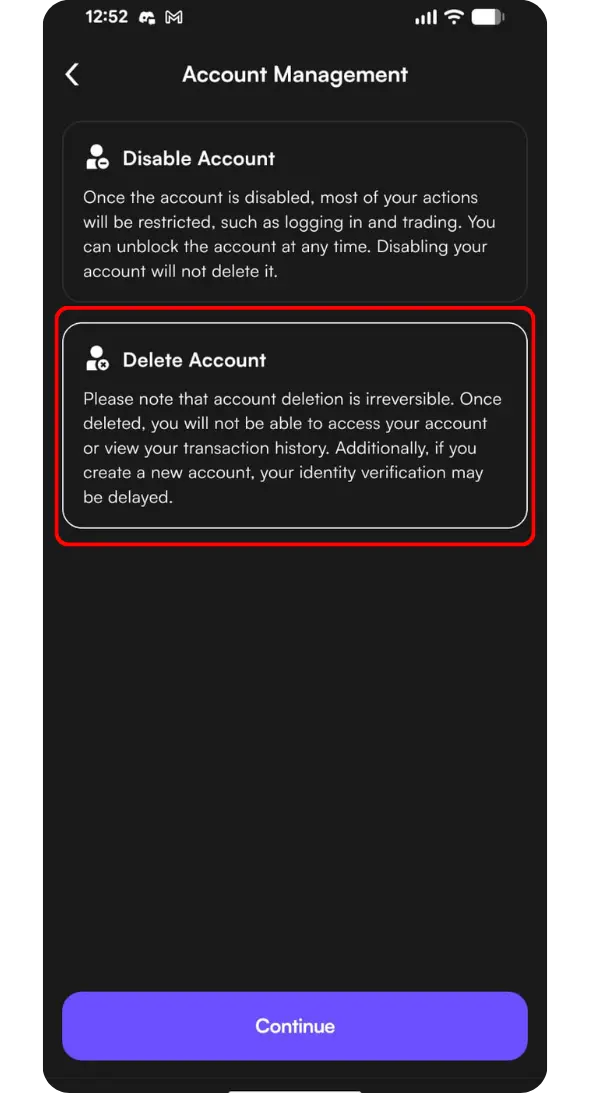
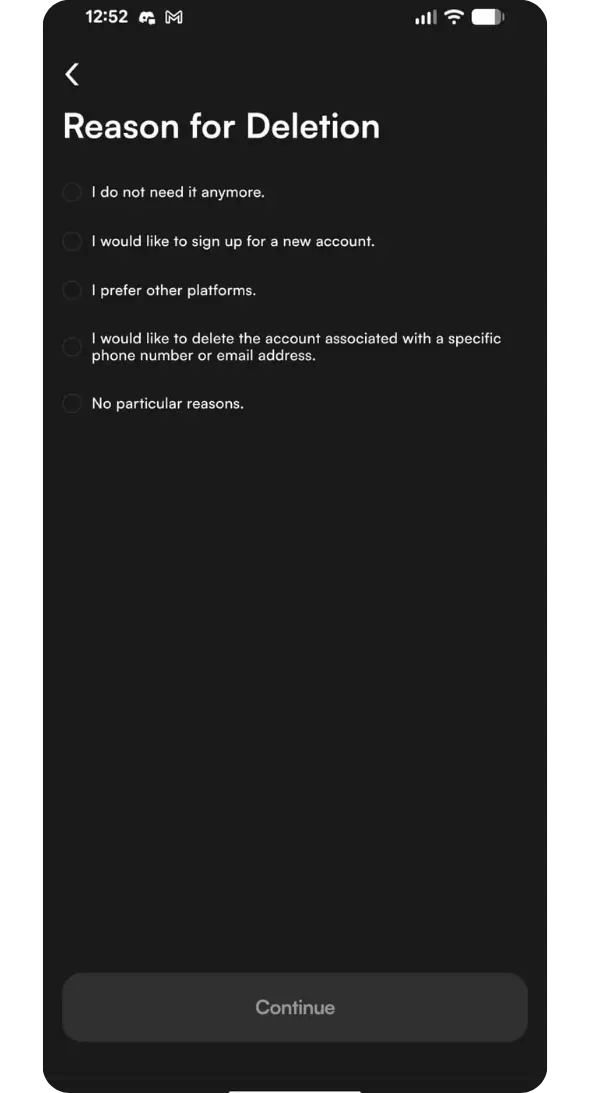
Step 5: CoinW will ask why you want to delete your account. Select the relevant reason and tap Continue.
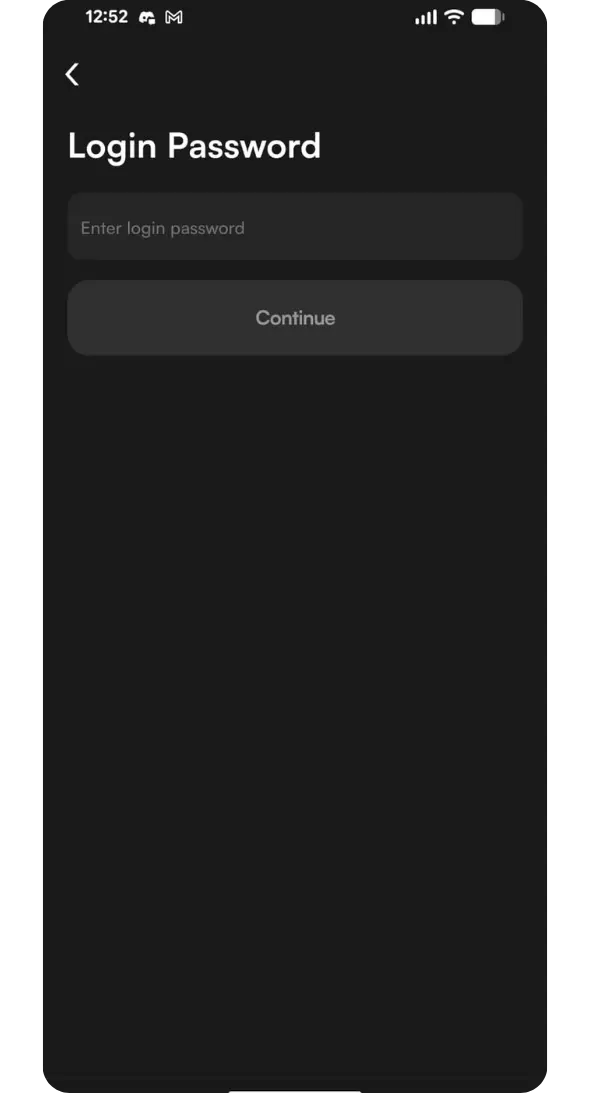
Step 6: Enter your CoinW login password to authorize the request.
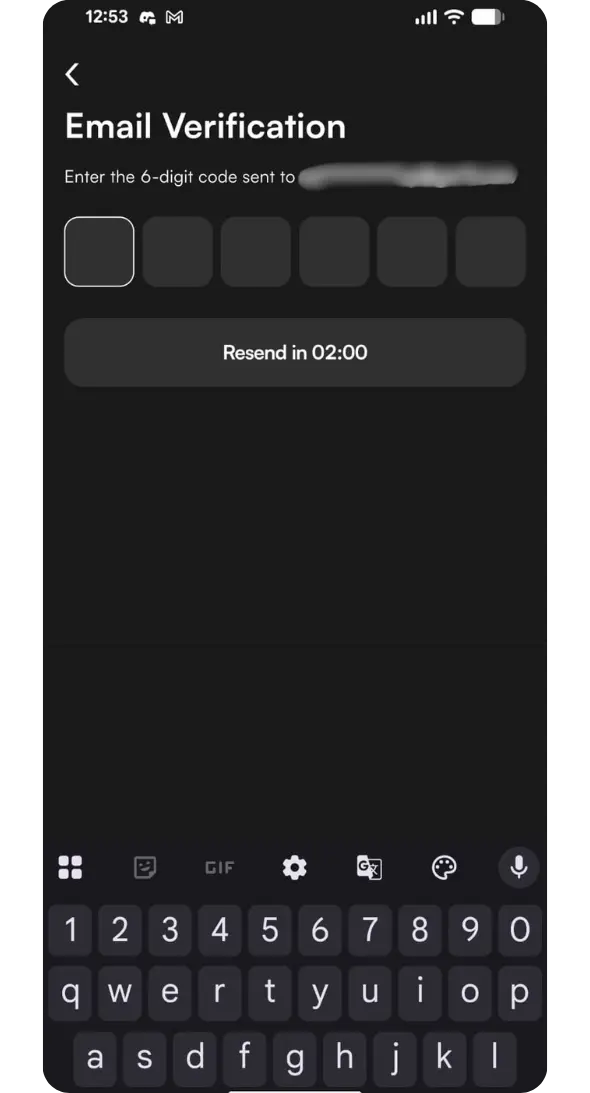
Step 7: Complete the required security check using email verification or another 2FA method connected to your account.
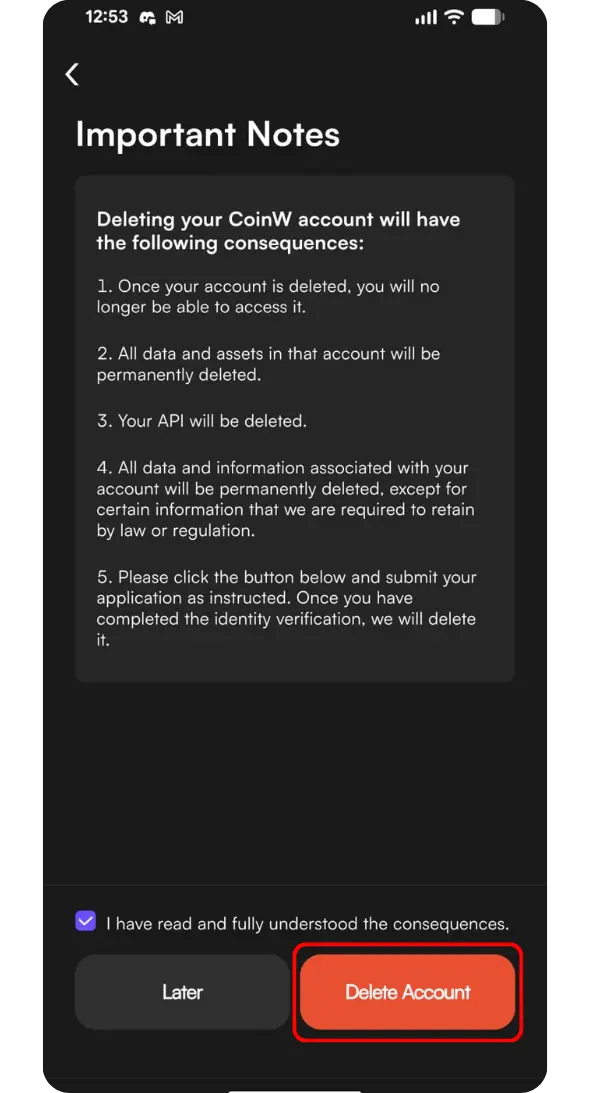
Step 8: CoinW will display important information about what happens after deletion, including the removal of your account access and connected API keys. Review these details carefully and confirm that you have withdrawn your funds before tapping Delete Account.
Step 9: After completing the process, CoinW will display a confirmation message. Tap Continue to return to the login screen.
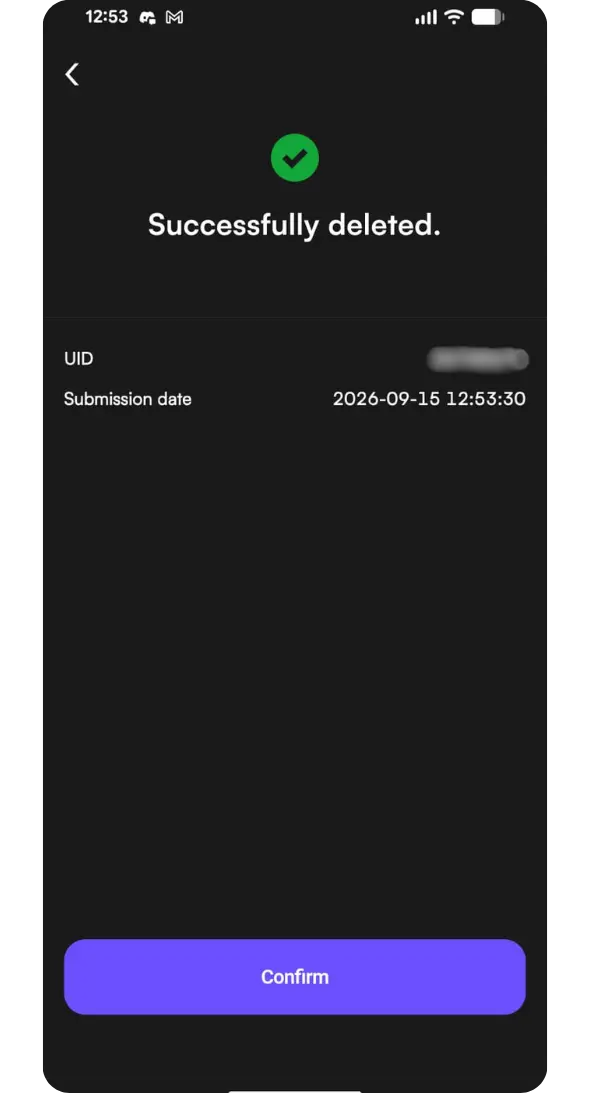
Your previous login details will no longer provide access to the deleted account. However, CoinW unbinds your email address, phone number, and KYC information after deletion, allowing you to register a new account using the same credentials or a different email address.
Why CoinW May Not Delete Your Account
CoinW will not process your deletion request until the conditions shown inside the app are satisfied. If you cannot continue, check the following parts of your account:
1. Remaining Account Balance: Your total CoinW account balance must not exceed 5 USDT. Withdraw or transfer any amount above this limit before trying again. It is safer to remove the entire accessible balance instead of leaving funds in an account you intend to delete.
2. Open or Pending Orders: CoinW does not allow account deletion while open or pending orders remain active. Review your spot and futures accounts, cancel any outstanding orders, and close active positions before submitting the request again.
3. Connected HPY or API: Your account cannot be deleted while it remains connected to HPY or has active API keys. Remove these connections through your account settings before proceeding.
4. Deposit or KYC Records: Having deposit activity or completed KYC does not necessarily prevent account deletion. However, CoinW may ask you to contact customer support so it can process the request and verify the account owner.
Don’t Want to Delete Your CoinW Account?
If you do not want to permanently delete your CoinW account, you can temporarily disable it instead. This restricts most account actions, including login and trading, without deleting your account information. You can request to enable the account again whenever you need access.
Here is how to disable CoinW account through the website:
Step 1: Visit the CoinW website through your browser and log in to your account.
Step 2: Click the Profile icon and select Account & Security from the drop-down menu.
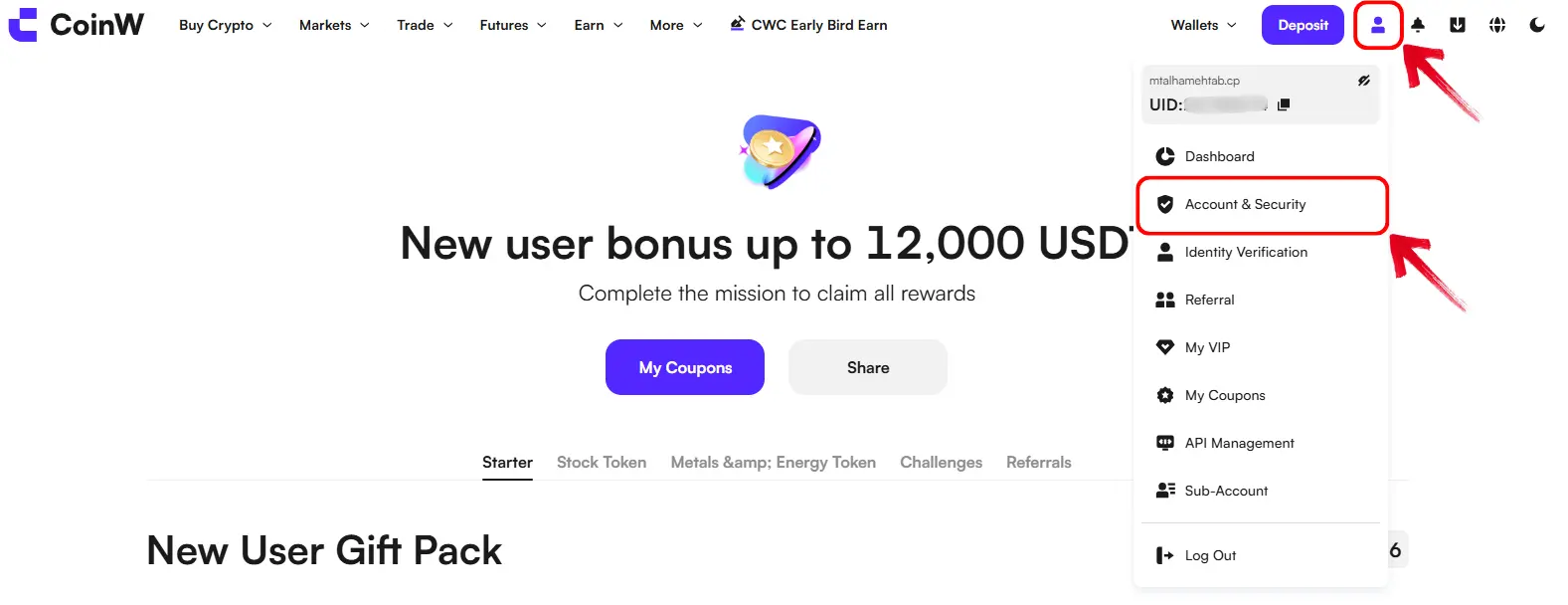
Step 3: Scroll down the Account & Security page until you find Disable Account, then click it to continue.
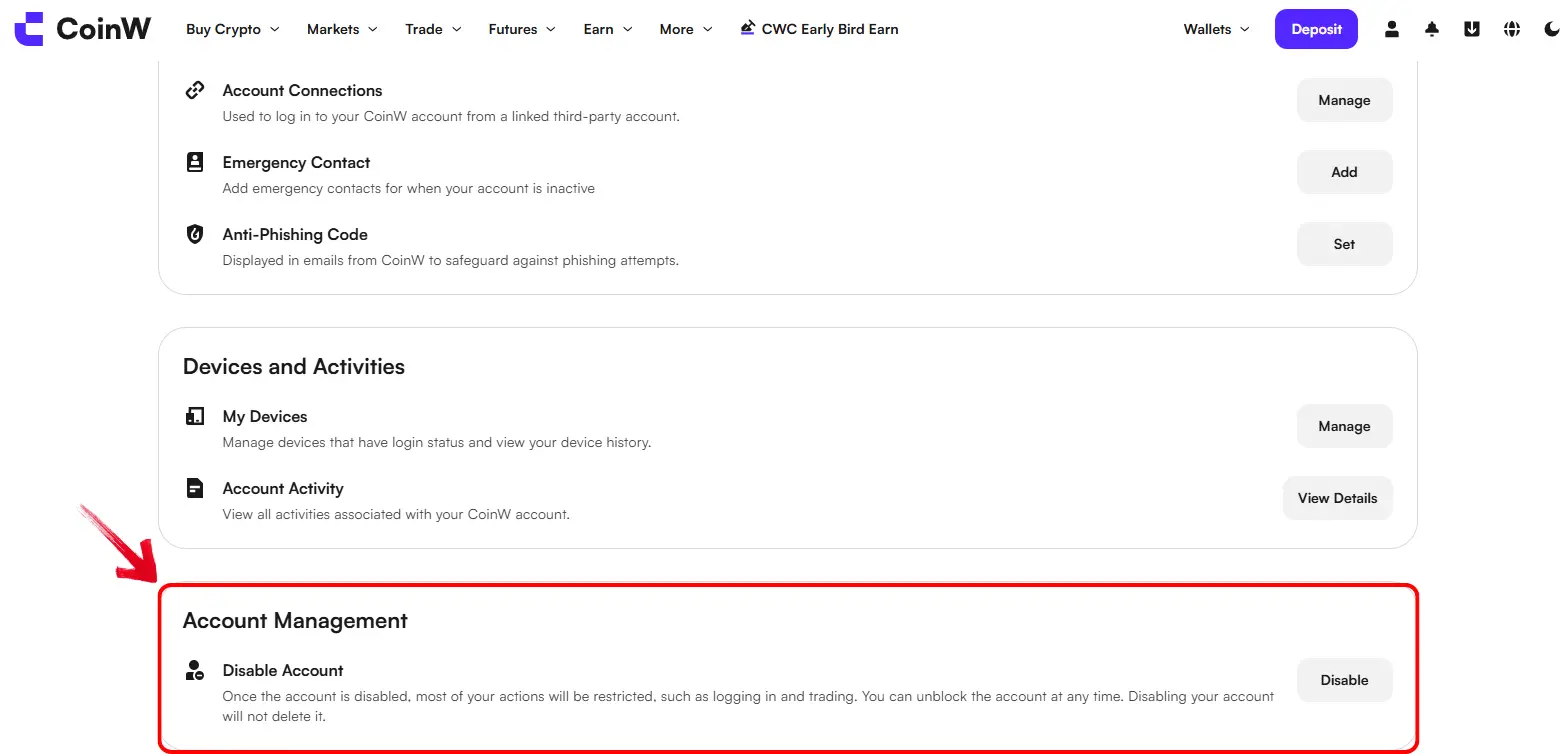
Step 4: Review the restrictions and make sure you have closed all active trades. CoinW will automatically cancel any remaining open orders once the account is disabled.
Step 5: Confirm the request and complete the required identity verification to disable your account.
Disabling your account does not delete it or remove the funds held inside it. However, you will be unable to log in, trade, or perform most account actions until CoinW verifies your identity and restores access.
Best CoinW Alternatives
The right CoinW alternative depends on your trading style, location, and KYC preferences. If you want a modern and easy-to-use platform without mandatory KYC, Bitunix is a suitable option. It supports spot and futures trading, copy trading, and leverage of up to 200x on selected contracts. New users may also qualify for signup rewards worth up to $5,500, although the amount received depends on completing the applicable deposit and trading tasks.
Another option with flexible KYC requirements is Bitbase. Available to eligible US traders, Bitbase offers a competitive fee structure and lets users trade cryptocurrencies, stocks, commodities, and indices around the clock from a single platform.
Bottom Line
Before you delete your CoinW account, make sure you have withdrawn every asset you want to keep. Once the deletion is complete, your old login details will no longer work. If you only want to step away from CoinW for a while, you can disable the account instead and restore access later. And if you are leaving CoinW to trade somewhere else, you can check our list of no-KYC crypto exchanges to find platforms that let you trade without mandatory identity verification.
FAQs
1. Is CoinW Account Deletion Permanent?
Yes. Once deleted, the account and its UID cannot be restored or accessed again.
2. How Long Does CoinW Account Deletion Take?
An empty account may be deleted immediately. Accounts with deposit or KYC records may take longer because CoinW support must process the request.
3. Can I Create Another CoinW Account?
Yes. After deletion, you can register again and use the same email, phone number, and KYC information.
4. What Happens to My Remaining Funds?
Any remaining balance may become inaccessible after deletion. Withdraw all available funds before confirming the request.
5. Why Can’t I Delete My CoinW Account Through the Website?
CoinW currently supports account deletion only through its iOS and Android mobile apps.
6. Why Do I Need to Contact CoinW Support to Delete My Account?
CoinW may require support assistance if your account contains deposit records or completed KYC information.