


- •Electrum is a lightweight Bitcoin software wallet, not a hardware wallet.
- •It supports Bitcoin transactions through both on-chain and Lightning Network payments.
- •Private keys remain locally stored and protected through wallet-file encryption.
- •Advanced controls include multisig, coin selection, custom fees, Tor, and offline signing.
- •Electrum lacks iOS support and can feel technical for new users.
Bitcoin holders who have been around since the early days will probably recognize Electrum. Launched in 2011, it is a Bitcoin-only software wallet that has remained in continuous development for well over a decade. Its interface may appear fairly simple, but Electrum includes several controls aimed at experienced Bitcoin users, including custom transaction fees, coin control, hardware wallet integration, and support for different Bitcoin address formats. For this Electrum wallet review, we will be going through its setup process, security model, supported address formats, transaction controls, and everyday usability to see how well this battle-tested wallet serves Bitcoin holders today.
Electrum Wallet Overview
Electrum is an open-source, Bitcoin-only software wallet created by Thomas Voegtlin and first released on November 5, 2011. It is available on desktop and Android, and remains one of the longest-running Bitcoin wallets still under active development. Instead of expanding into multiple cryptocurrencies, Electrum has continued to focus entirely on Bitcoin self-custody.
The wallet originally addressed a practical problem with early Bitcoin software. Using Bitcoin Core required users to download and synchronize the full blockchain, which consumed considerable storage, bandwidth, and time. Electrum offered a lighter alternative by connecting to servers that index Bitcoin blockchain data. This means you can check balances and transaction history without storing the entire blockchain on your device.
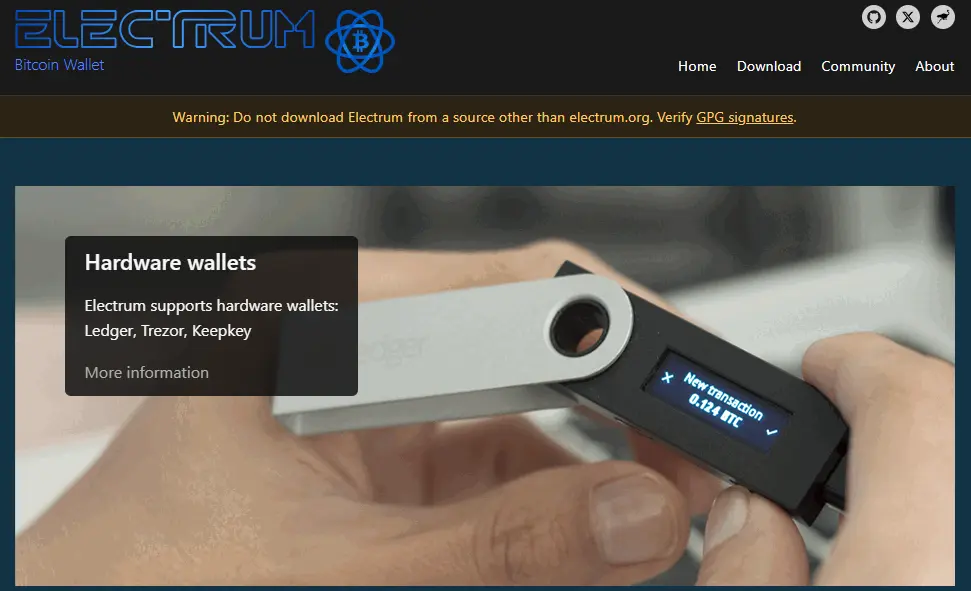
These servers provide blockchain information, but they do not receive your private keys. Your keys remain on your device, while transactions are signed locally before being broadcast to the Bitcoin network. You can also connect Electrum to your own server if you want greater privacy and less dependence on public infrastructure.
Electrum’s interface is relatively simple, but many of its strongest features are designed for experienced Bitcoin users. You can select individual UTXOs through coin control, set transaction fees manually, use Replace-by-Fee and Child-Pays-for-Parent, create watch-only wallets, and set up multisignature or offline-signing arrangements. It also supports hardware wallets, PSBT workflows, and optional Lightning Network payments.
Wallet recovery is handled through a deterministic seed, allowing you to restore the addresses and private keys associated with the wallet. Electrum therefore combines lightweight operation with considerably more transaction and security control than most basic Bitcoin wallets.
Electrum Wallet Pros and Cons
| 👍 Electrum Wallet Pros | 👎 Electrum Wallet Cons |
|---|---|
| ✅ Lightweight and fast | ❌ No iOS app |
| ✅ Fully open-source | ❌ Outdated plain interface |
| ✅ Advanced fee controls | ❌ Not beginner friendly |
| ✅ Built-in Lightning support | ❌ Limited mobile polish |
| ✅ Multisig and cold storage | ❌ Minimal extra features |
| ✅ Custom server and Tor | |
| ✅ Hardware wallet integration | |
| ✅ Instant blockchain sync | |
| ✅ Secure local keys |
Getting Started With Electrum Wallet
Electrum is available as desktop software and an Android mobile app. Unlike many hot wallets, it does not offer a browser extension. The desktop version supports Windows, macOS, and Linux, while iOS is still unsupported. You can install the regular application or download a standalone executable file. Here is how to download and set up Electrum Wallet:
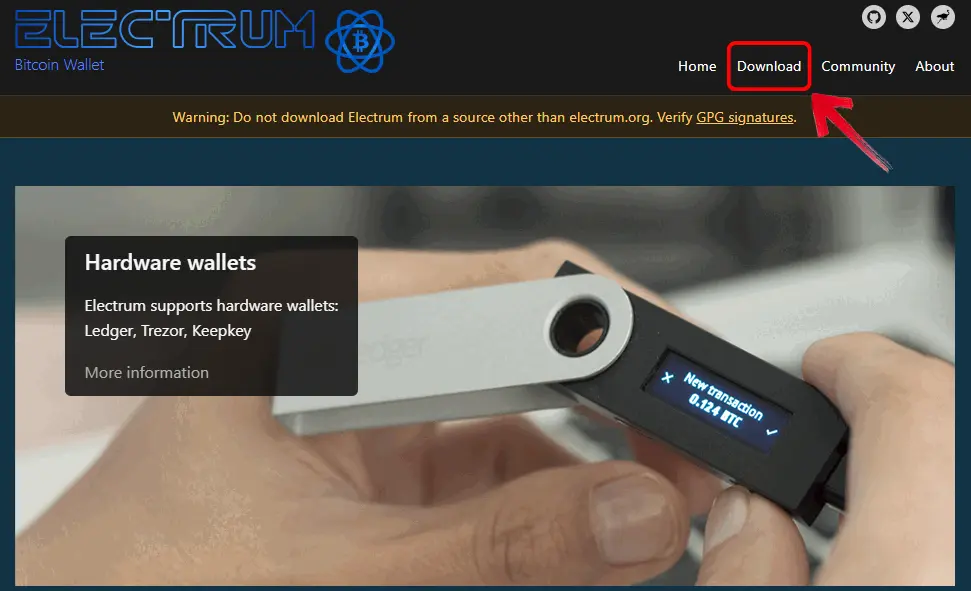
Step 1: Open your browser, visit the official Electrum website, and click the Download tab in the navigation menu.
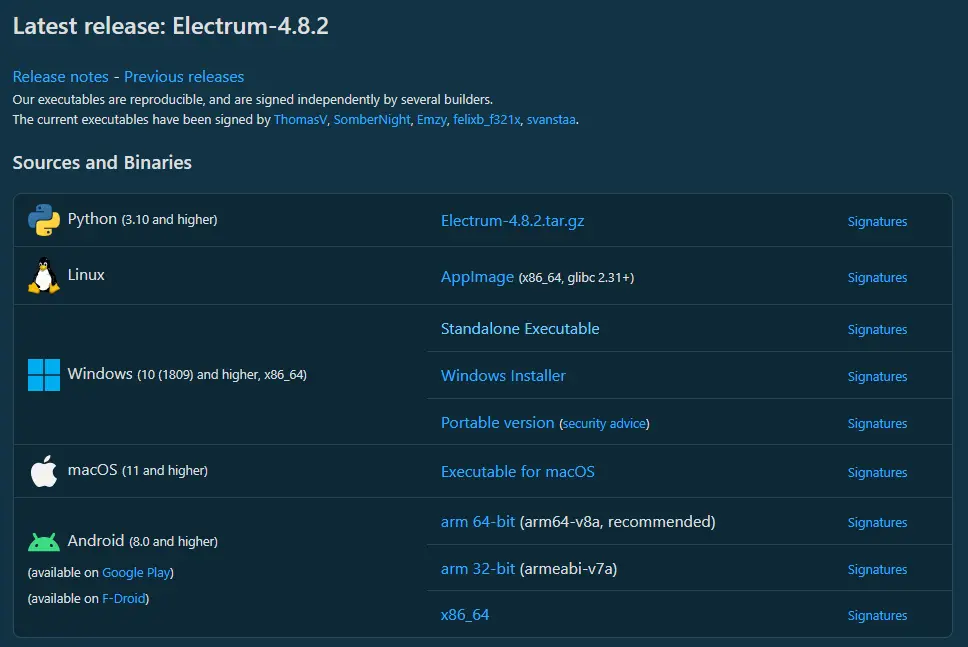
Step 2: From the available options, choose the correct Electrum version for your operating system and download the file.
Step 3: Once the file has downloaded, open it to launch the Electrum setup wizard.
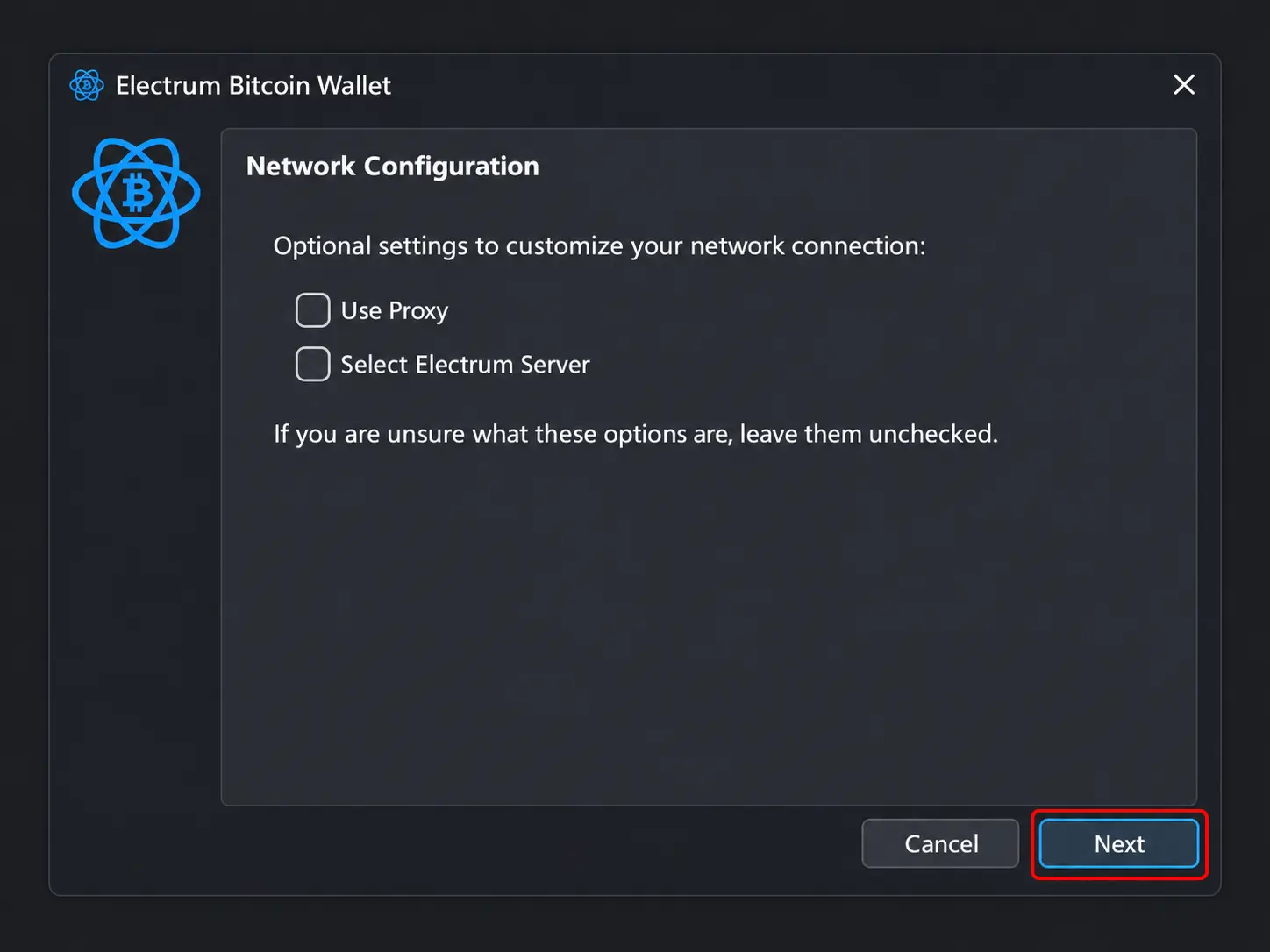
Step 4: Begin by configuring your network connection. You can let Electrum select a server automatically or choose a server and configure proxy settings manually.
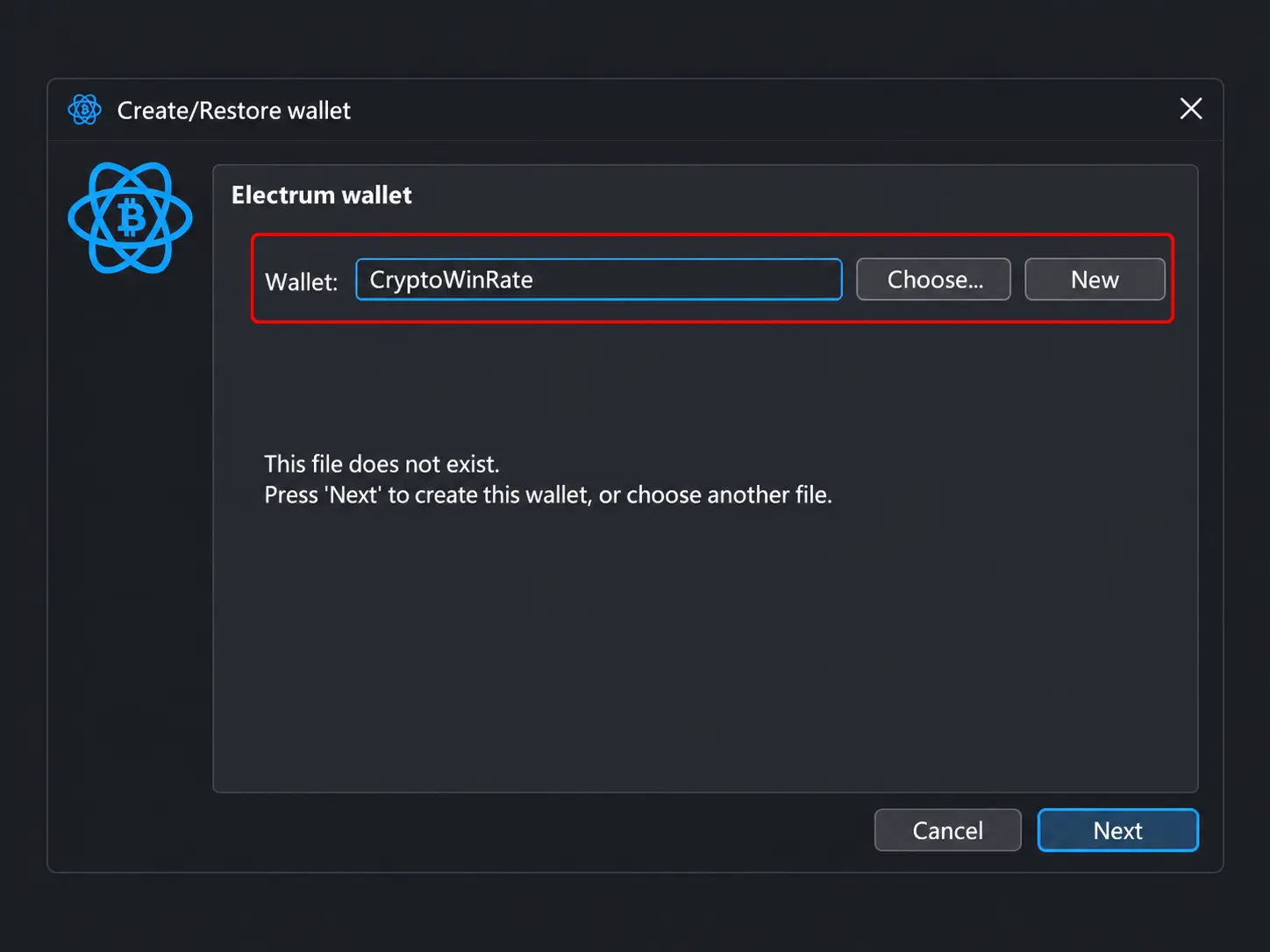
Step 5: Enter a name for your Electrum wallet file, then click Next.
Step 6: Select your wallet type. Electrum lets you create a Standard wallet, a wallet with 2-FA, or a multi-signature wallet.
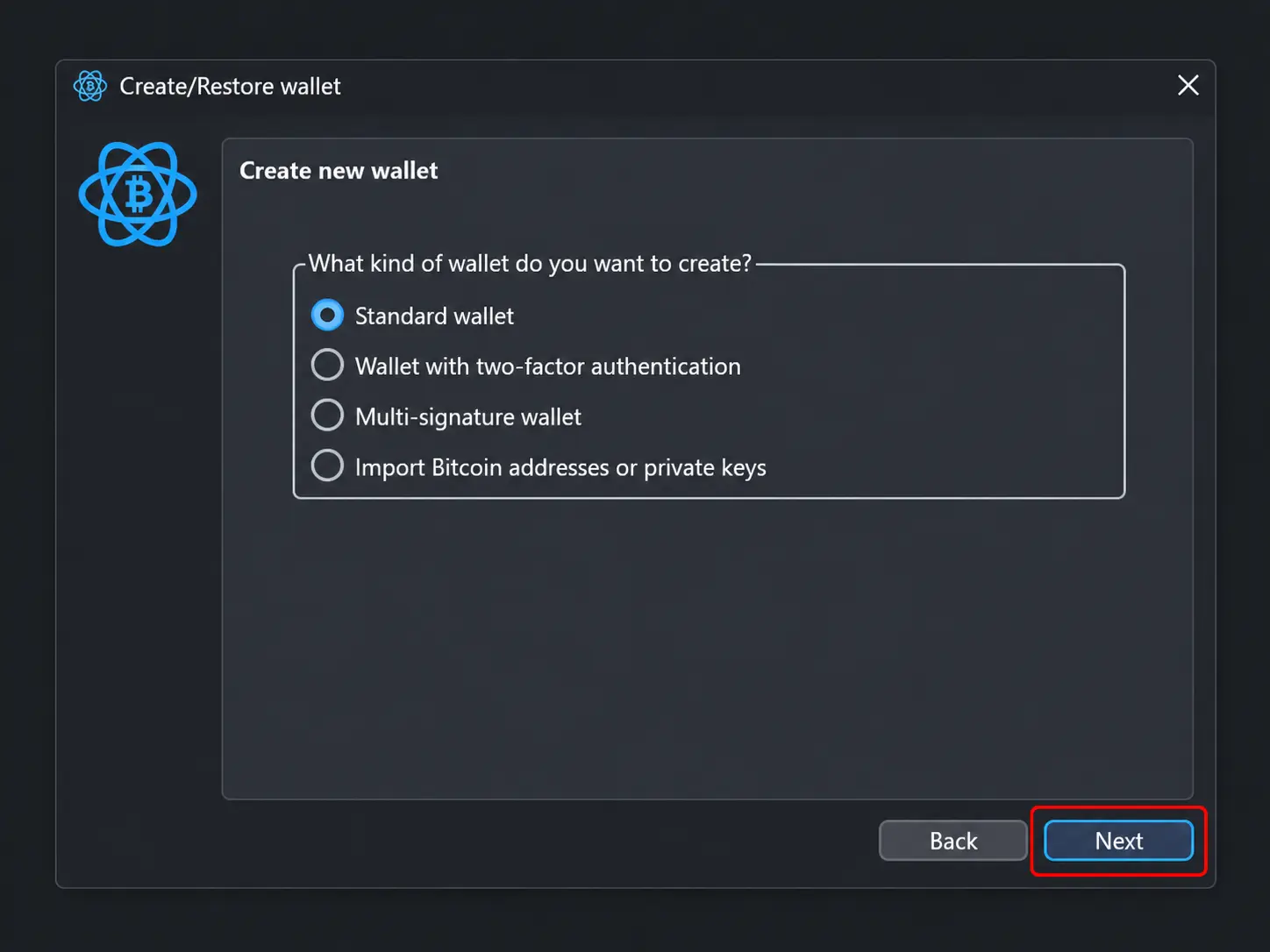
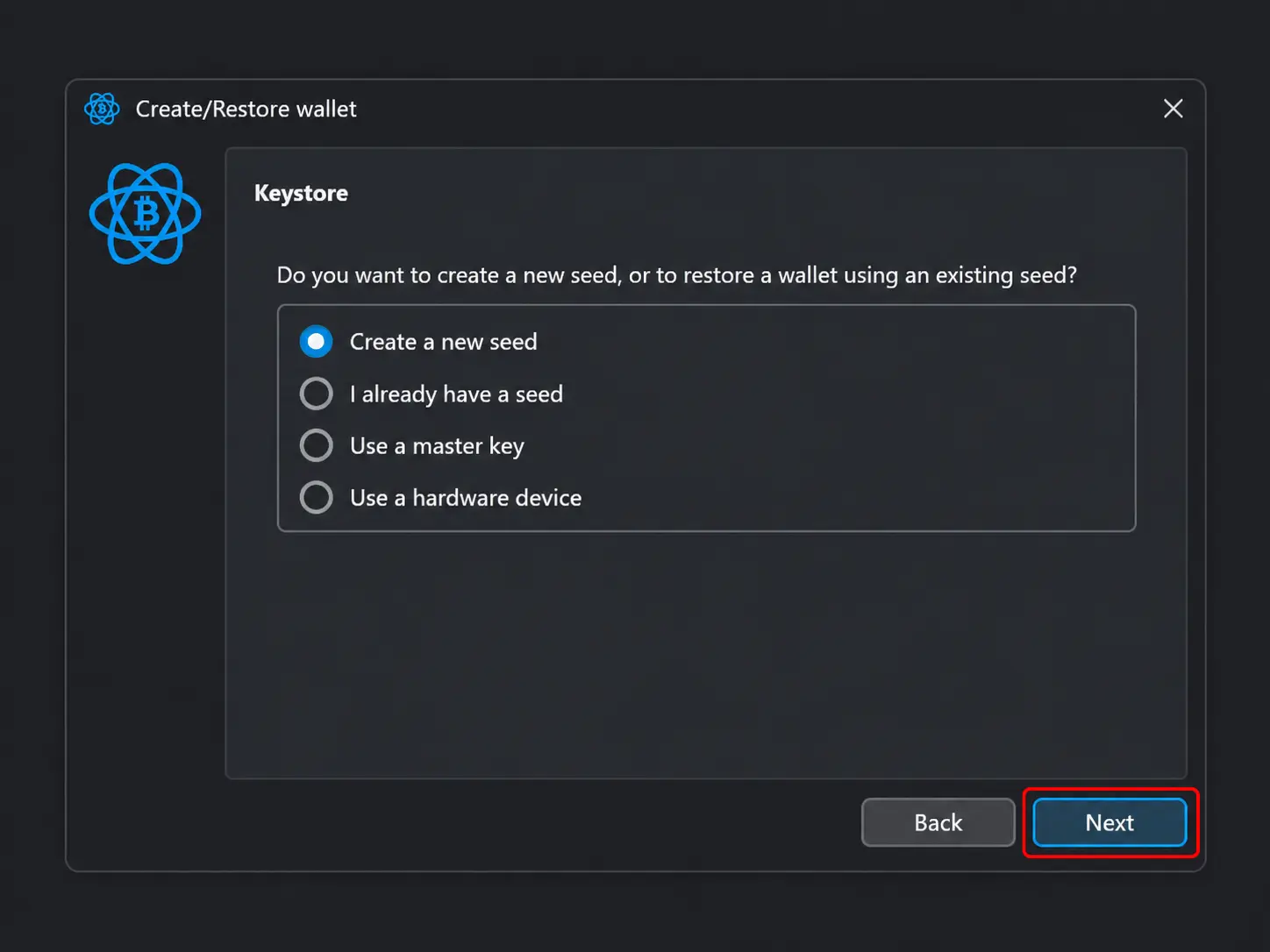
Step 7: On the Keystore screen, select Create a new seed, then click Next. You can also restore an existing seed, use a master key, or connect a hardware device.
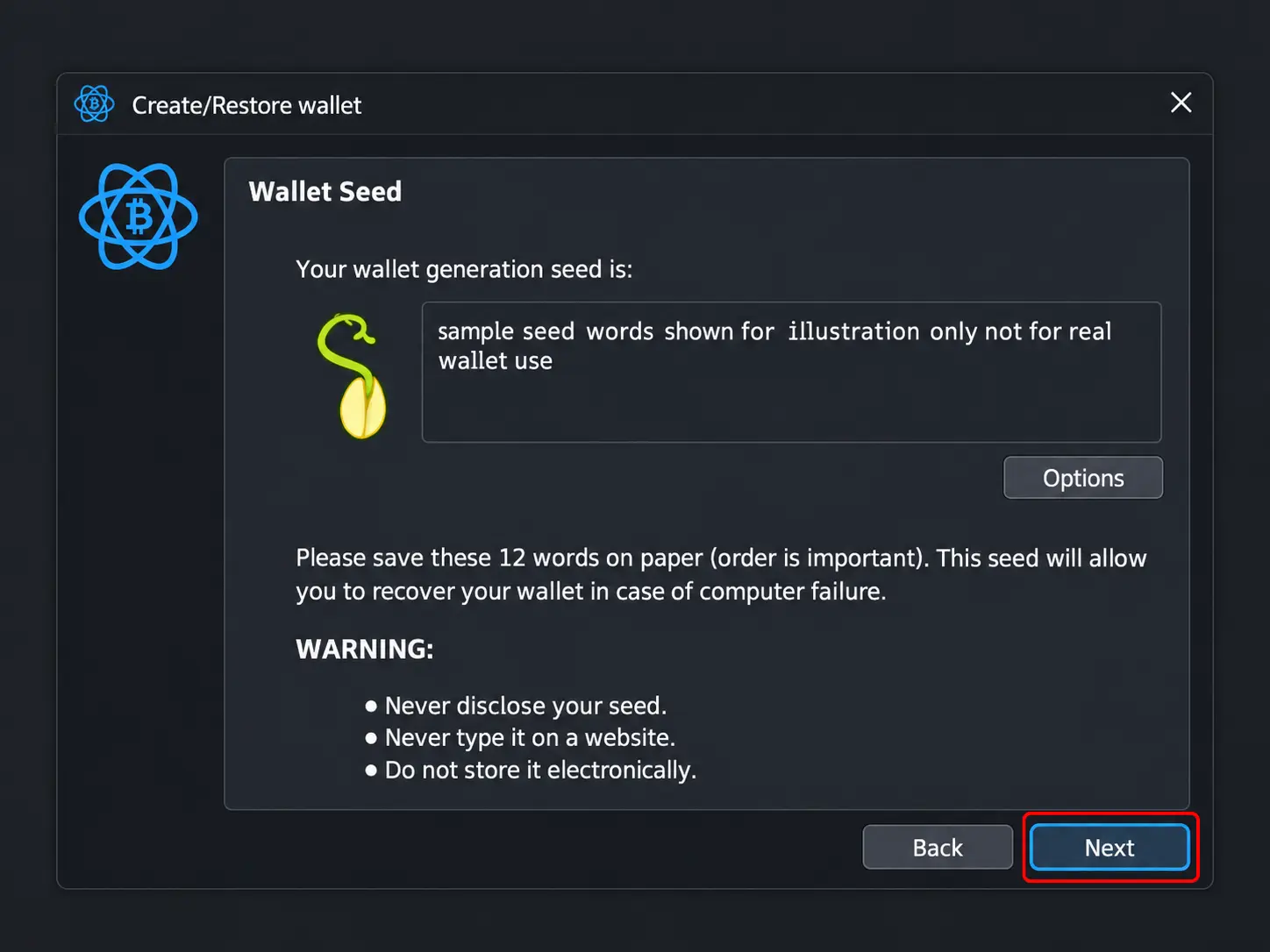
Step 8: Electrum will display your 12-word seed phrase. Write down every word in the correct order and store the backup somewhere secure.
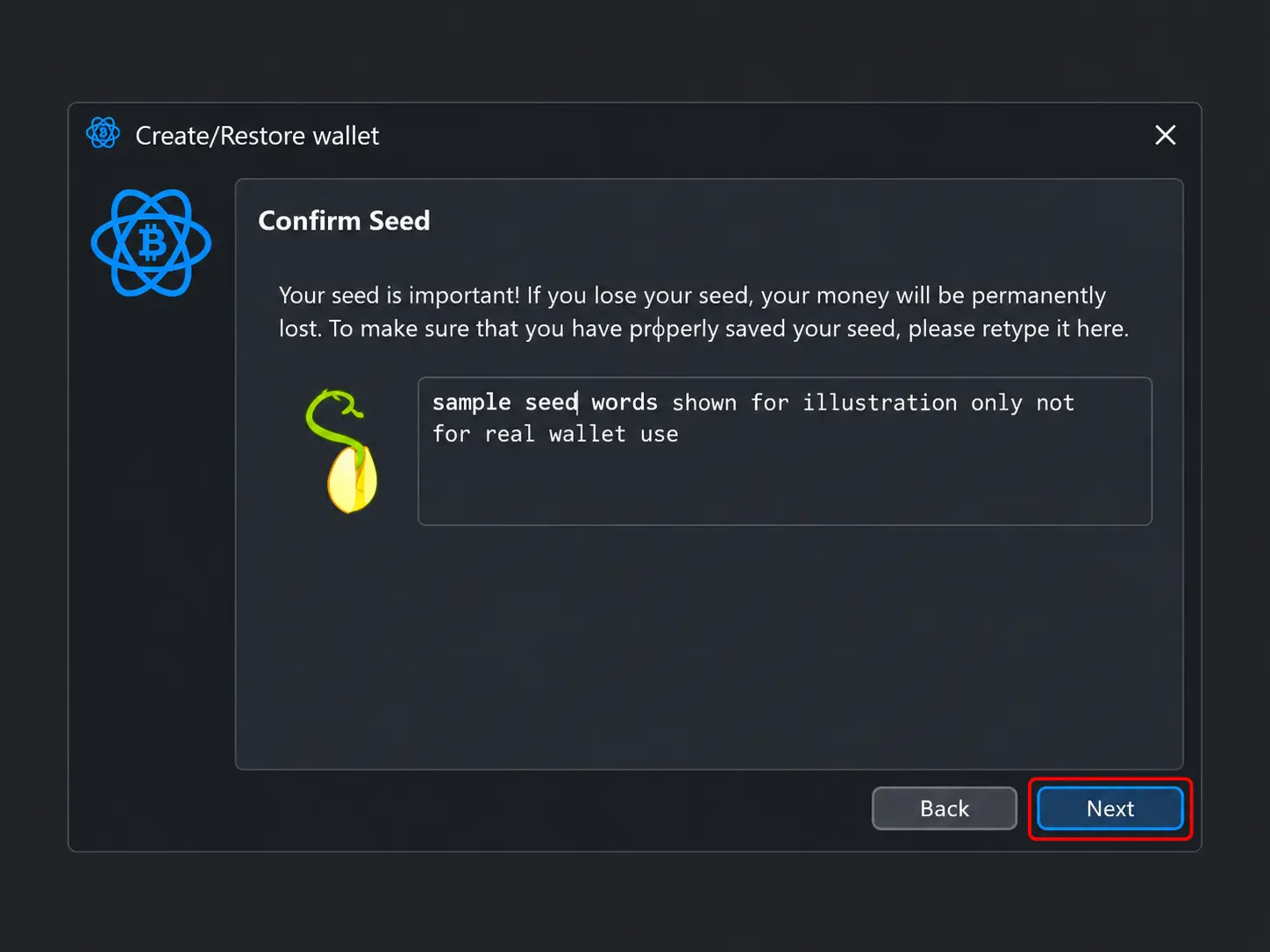
Step 9: Enter the same 12-word seed phrase in its original order to confirm that you recorded it correctly.
Step 10: Create a password to encrypt and protect your Electrum wallet file.
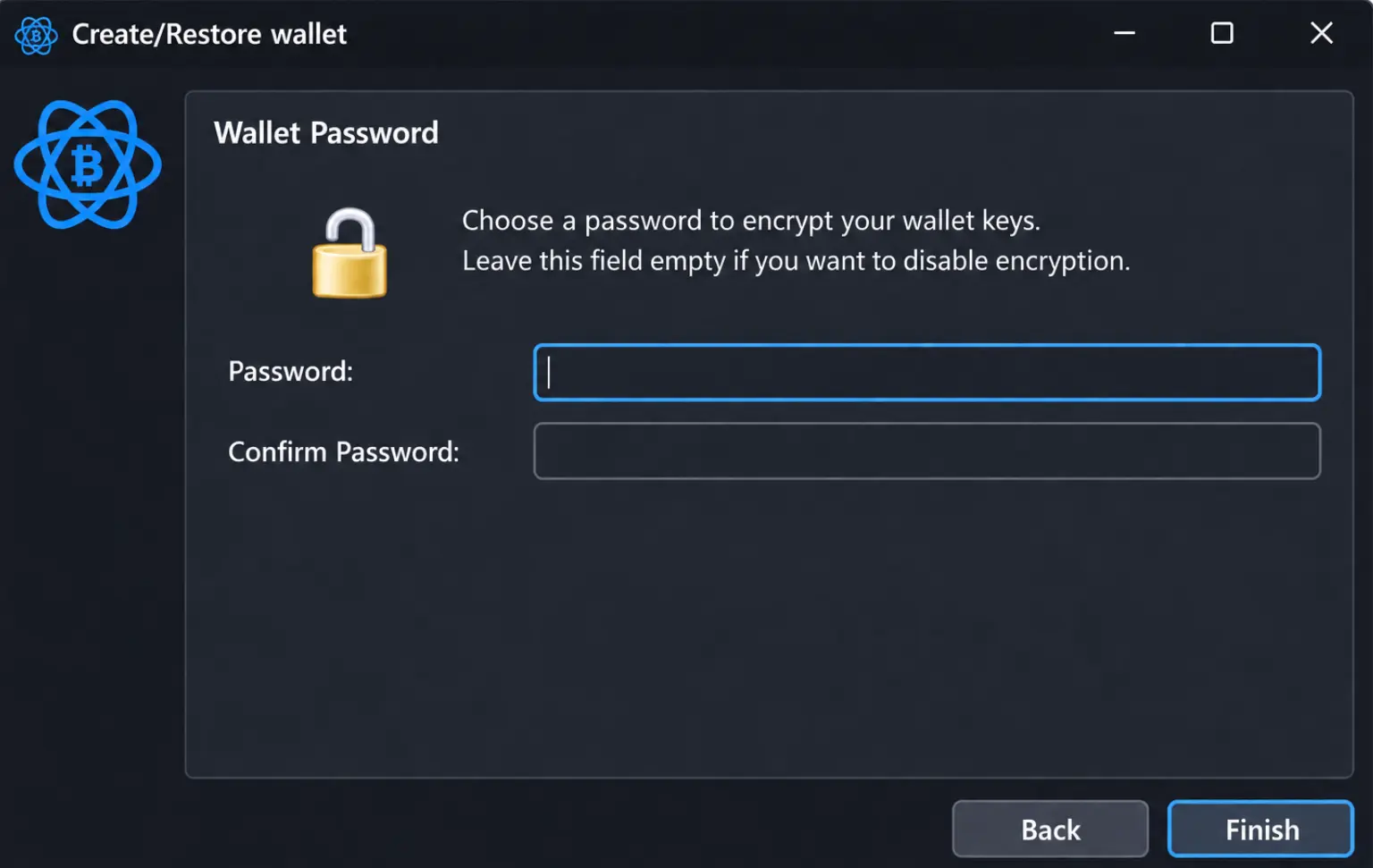
Once setup is complete, Electrum will launch the main wallet interface, where you can send and receive Bitcoin, check your transaction history, and manage transaction fees.
Electrum Wallet Network Supported
Electrum is a Bitcoin-only wallet, so it does not support altcoins or other blockchain networks. You can use it for regular on-chain Bitcoin transactions and payments through the Bitcoin Lightning Network.
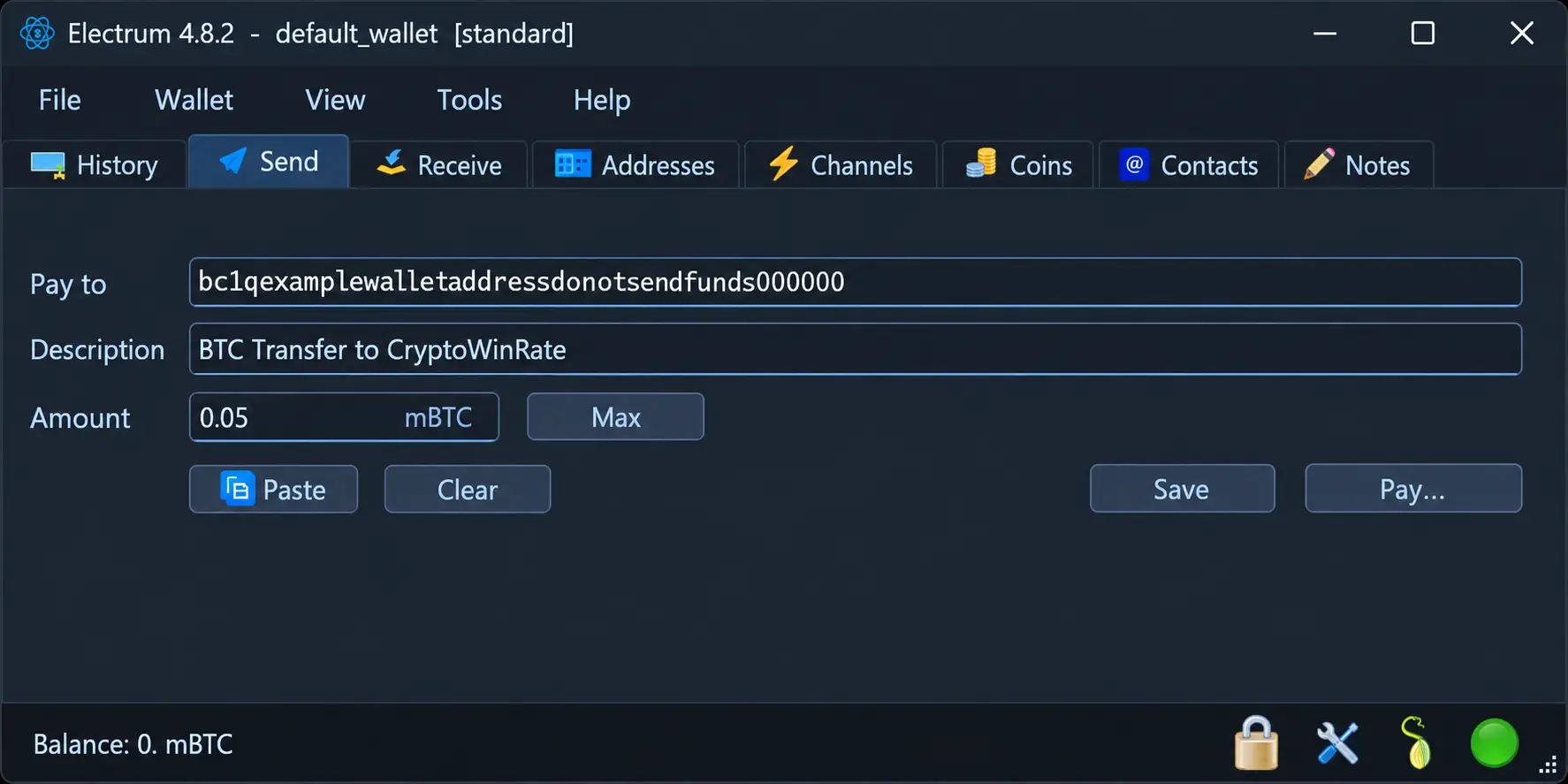
For on-chain transactions, Electrum supports Legacy, Native SegWit, and Taproot address formats. It can also work with other compatible Bitcoin address formats when importing private keys, restoring an external seed, or connecting a hardware wallet.
Electrum Wallet Fees
Electrum is free to download and does not charge fees for creating or maintaining a standard wallet. When you send Bitcoin, however, you must pay a network fee to the miners processing and confirming the transaction. This fee depends on the transaction’s data size and current Bitcoin network activity, rather than the amount of BTC being transferred.
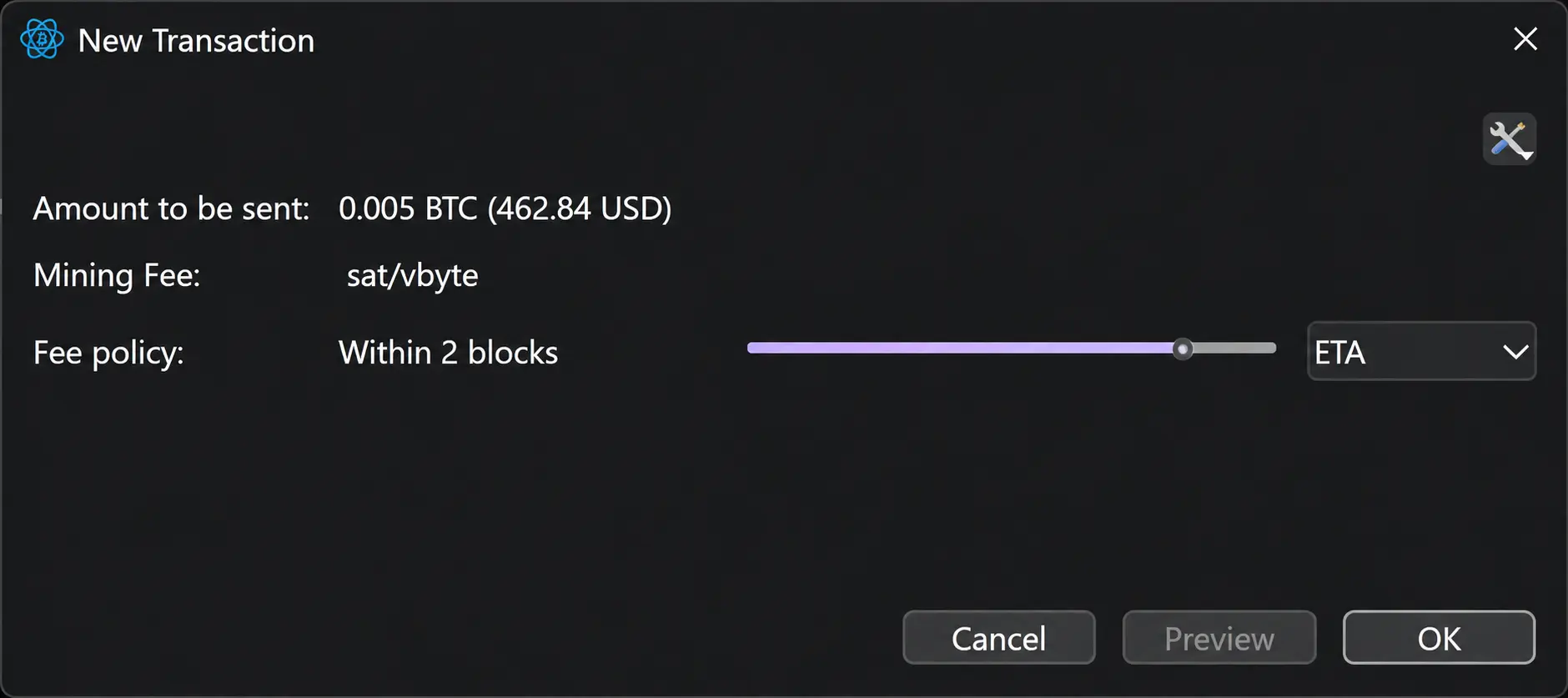
Electrum gives you three ways to set this fee. ETA estimates the fee required for confirmation within a selected number of blocks. Mempool positions your transaction according to the current queue of unconfirmed transactions. Feerate gives you manual control, allowing you to enter the exact fee in satoshis per virtual byte.
You can also enable Replace-by-Fee to increase the fee of a delayed transaction. Child-Pays-for-Parent can help move a transaction when one of its incoming transactions remains unconfirmed.
Lightning payments usually carry lower routing fees, although opening and closing a Lightning channel still requires regular on-chain transaction fees. Electrum wallets using two-factor authentication may also pay TrustedCoin service fees, which are separate from Bitcoin network charges.
Electrum Wallet Products and Services
Electrum includes several advanced tools for users who want more control over their Bitcoin storage, verification, privacy, and payments.
Multisig Support
Electrum lets you create a multisignature wallet where more than one private key is required to authorize a Bitcoin transaction. For example, a 2-of-3 setup creates three separate keys but requires signatures from only two of them before funds can be moved.
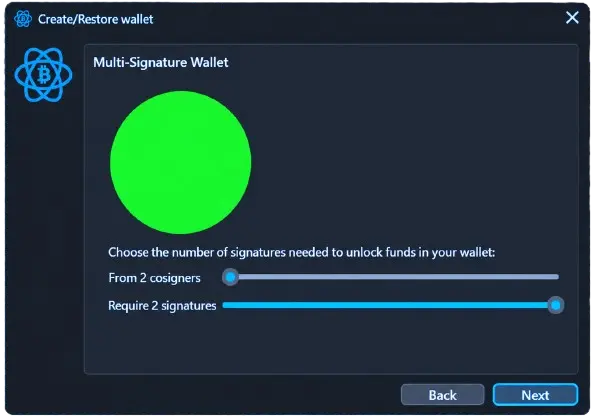
You can keep these keys on separate devices, share them among trusted individuals, or connect multiple hardware wallets. This removes the risk of relying on one device or private key. Multisig can be useful for company funds, family savings, shared ownership, or personal security. The setup requires more care because you need the correct wallet configuration, public keys, and required signatures to recover and spend the Bitcoin.
Proof Checking
Electrum is a lightweight wallet, which means it does not download and validate the entire Bitcoin blockchain like Bitcoin Core. Instead, it downloads block headers and receives transaction information from Electrum servers.
When a server reports that your transaction has been included in a block, Electrum uses a Merkle proof to check that inclusion against the relevant block header. This gives you cryptographic confirmation without requiring hundreds of gigabytes of blockchain data.
Proof checking does not provide the same independent verification as running a full Bitcoin node. You still rely on an Electrum server for transaction history and blockchain information, although the server cannot access your private keys or sign transactions.
Cold Storage Wallet
Electrum can be used to create a cold-storage setup without purchasing a separate hardware wallet. You install Electrum on an offline computer, generate the wallet and private keys there, and keep that device permanently disconnected from the internet.
You can then export the wallet’s master public key and import it into Electrum on an online device. This creates a watch-only wallet that can display balances, generate receiving addresses, and prepare transactions without holding the private keys.
When you want to spend Bitcoin, the online wallet creates an unsigned transaction. You transfer it to the offline device, sign it there, and return the signed transaction to the online device for broadcasting. Your private keys therefore remain offline throughout the process.
Lightning Network Support
Electrum includes support for the Bitcoin Lightning Network, giving you another way to send and receive BTC. Lightning payments take place through payment channels, allowing transactions to settle quickly with relatively low routing fees.
You can open a channel from the Channels tab by selecting a Lightning node and committing some of your on-chain Bitcoin to it. Once the channel becomes active, Electrum can recognize Lightning invoices pasted into the Send tab. You can also create invoices from the Receive tab and monitor channel balances from the wallet.
Opening and closing a channel still requires on-chain Bitcoin transactions and network fees. Lightning also requires more active management than a regular Bitcoin balance because you need suitable channel capacity to send and receive payments.
Custom Server and Tor
Electrum normally connects to public servers to retrieve balances, transaction history, and blockchain information. These servers cannot access your private keys, but they may see the addresses requested by your wallet and the IP address making those requests. This can allow a server operator to connect several addresses to the same user.
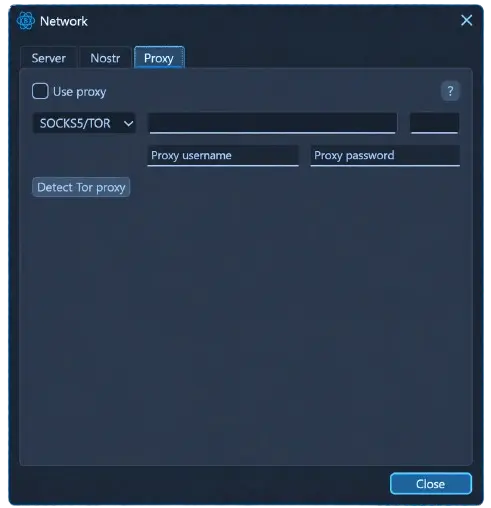
Electrum lets you choose a specific public server or connect to your own Electrum server. Running your own server alongside a Bitcoin full node gives you better privacy and removes your dependence on third-party servers for wallet information.
You can also route Electrum’s connection through Tor. This hides your regular IP address from the server, although using Tor alone does not prevent a server from seeing which Bitcoin addresses your wallet requests.
Electrum Wallet Security
Electrum is a self-custodial wallet, meaning your private keys are generated and stored locally rather than held by Electrum or its servers. Transactions are also signed on your device before being broadcast to the Bitcoin network. You can encrypt the wallet file with a password, while the recovery phrase lets you restore access if the device or wallet file is lost.
Since Electrum connects to external servers for balances and transaction history, those servers can see the Bitcoin addresses your wallet requests. They cannot access your private keys or move your funds, but they may collect information about your wallet activity. Connecting through Tor or running your own Electrum server can reduce this privacy exposure.
Security can be strengthened further through multisignature setups, two-factor authentication, hardware wallet integration, watch-only wallets, and offline transaction signing. Still, a standard Electrum installation remains a hot wallet, so malware, phishing downloads, exposed passwords, and incorrectly stored recovery phrases remain the main risks.
Electrum Wallet Customer Support
Electrum does not provide the conventional customer support experience you would receive from a commercial wallet company. There is no live chat or dedicated support team for handling individual wallet issues. Instead, assistance is available through Electrum’s official documentation, GitHub repository, community forums, and public discussion channels.
This community-based model works reasonably well for technical users, but beginners may find it difficult when dealing with failed transactions, server connections, wallet restoration, or Lightning channels. Electrum will never contact you privately to request your password, seed phrase, or private keys. Support messages asking for this information should be treated as scams.
Is Electrum Wallet Safe?
Yes, Electrum can be safe when downloaded from the official website and used on a secure device. It is open source, keeps private keys locally, encrypts the wallet file with your password, and signs transactions on your device. You can also improve security through multisignature wallets, two-factor authentication, offline signing, or hardware wallet integration.
However, Electrum is still a hot wallet when used normally on an internet-connected computer or phone. Malware, phishing downloads, exposed seed phrases, and compromised devices can therefore put your Bitcoin at risk. Its long development history is reassuring, but safe use still depends heavily on how you secure the device, wallet password, and recovery phrase.
Electrum vs. BlueWallet
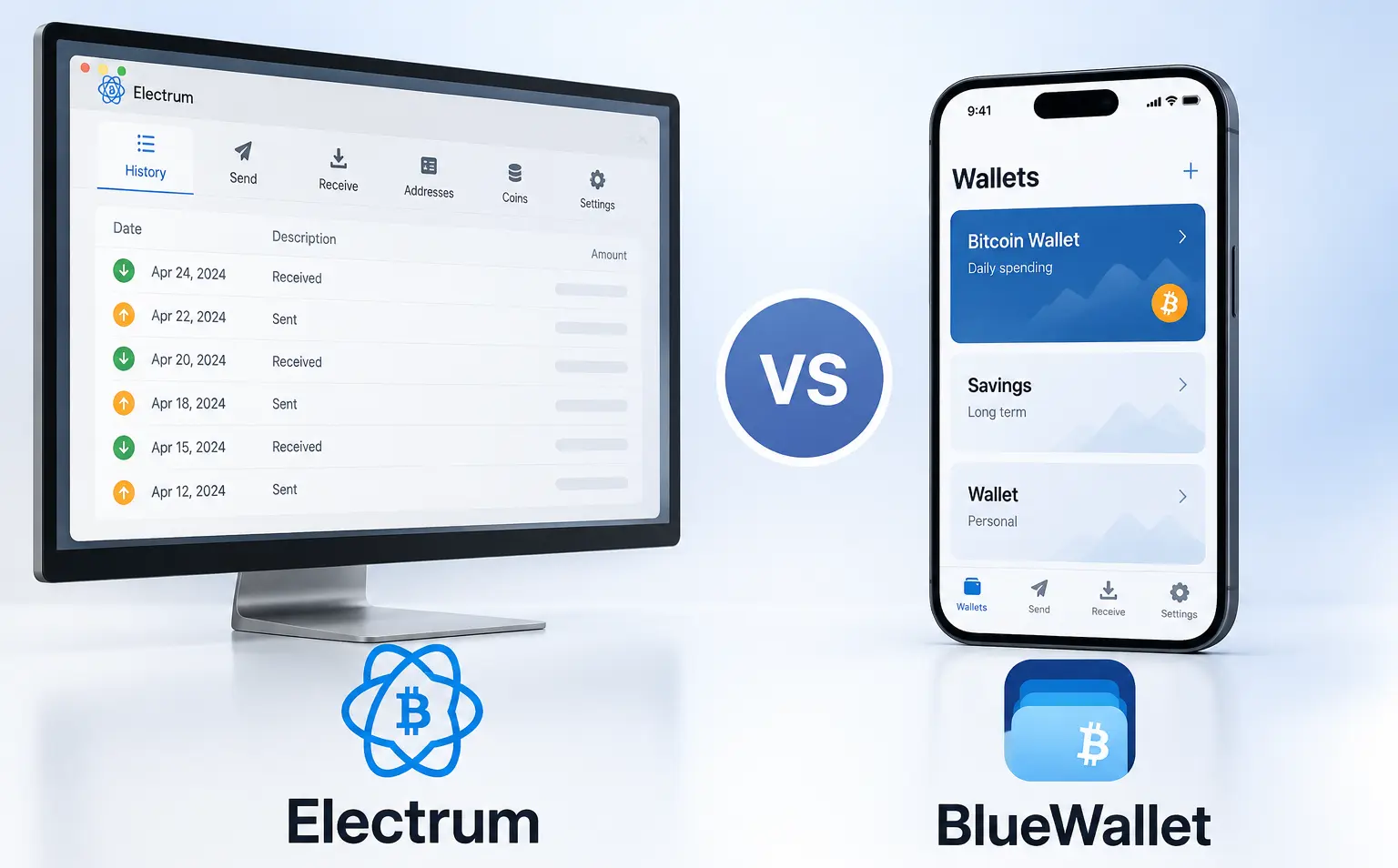
Electrum and BlueWallet are both Bitcoin-focused software wallets, but they suit different types of users. Electrum is available on desktop and Android, offering detailed control over transaction fees, individual UTXOs, wallet servers, multisignature arrangements, and offline signing. It also includes built-in Lightning channel management, making it better suited to experienced users who want to configure how their Bitcoin wallet operates.
BlueWallet focuses more on mobile usability and is available on Android and iOS. Its interface is easier to navigate, while features such as watch-only wallets, coin control, fee adjustment, multisig vaults, and hardware wallet coordination still provide useful control. Lightning payments require connecting BlueWallet to compatible external Lightning infrastructure rather than using a default hosted service.
Electrum provides greater technical depth and desktop functionality, while BlueWallet offers a more approachable mobile experience. Your choice mainly depends on whether you prioritize detailed Bitcoin controls or simpler everyday access from your phone.
Electrum Wallet Alternatives
If Electrum does not match what you need, these alternatives provide a simpler interface or a different approach to Bitcoin management.
1. Sparrow Wallet: If you want Electrum-level Bitcoin controls in a more modern desktop interface, Sparrow supports coin control, multisig, hardware wallets, Tor, and personal Bitcoin node connections.
2. BlueWallet: If you prefer managing Bitcoin from your phone, BlueWallet offers a cleaner mobile experience with on-chain transactions, watch-only wallets, fee control, and hardware wallet coordination.
| Feature | Electrum | Sparrow Wallet | BlueWallet |
|---|---|---|---|
| Price | Free | Free | Free |
| Wallet Type | Bitcoin software wallet | Bitcoin desktop wallet | Bitcoin mobile wallet |
| Platforms | Desktop and Android | Windows, macOS, Linux | Android and iOS |
| Lightning Support | Yes | No | External Lightning connections |
| Coin Control | Yes | Yes | Yes |
| Multisig Support | Yes | Yes | Yes |
| Tor Support | Yes | Yes | Yes |
| Main Feature | Advanced Bitcoin controls | Detailed transaction management | Mobile Bitcoin management |
| Best For | Experienced Bitcoin users | Desktop privacy and control | Mobile Bitcoin users |
| Download | Visit now! | Visit now! | Visit now! |
Bottom Line
Holding Bitcoin securely requires the right wallet. Electrum remains one of the oldest Bitcoin wallets still in active development, combining lightweight operation with direct control over fees, coins, servers, transactions, and private keys. It does not require the full Bitcoin blockchain, yet still gives experienced users access to multisig, cold storage, Lightning payments, Tor, and hardware wallet connections.
The trade-off is an interface that feels dated and more technical than many modern hot wallets. Electrum is also limited to Bitcoin, has no iOS app, and may feel demanding if you only want basic sending and receiving. If you need support for several cryptocurrencies or a simpler mobile experience, you can explore other hot wallet options.
FAQs
1. Is Electrum Only for Bitcoin?
Yes. Electrum supports Bitcoin and the Bitcoin Lightning Network, but no other cryptocurrencies.
2. Can I Use Electrum on iPhone?
No. Electrum is available on Android and desktop operating systems, but it does not support iOS.
3. Why Is My Restored Balance Zero?
You may have selected the wrong seed type, address format, or derivation path. Your Bitcoin remains on-chain.
4. Can Electrum Connect to Hardware Wallets?
Yes. Electrum supports several hardware wallets, including Ledger, Trezor, Coldcard, and BitBox devices.
5. Can I Recover Electrum Without Password?
Yes, if you have the recovery phrase. The password only encrypts your local wallet file.
6. Why Is My Transaction Unconfirmed?
The selected network fee may be too low. You may be able to increase it using Replace-by-Fee.