如何更改 Rabby 钱包名称(分步指南)

1小时前
有关声明 At Cryptowinrate.com,我们相信透明度并与观众建立信任。我们网站上的一些链接是附属链接,这意味着如果您决定通过这些链接进行购买,我们可以赚取佣金,而无需您支付额外费用。请注意,我们仅推荐我们自己使用过的或由可信来源强烈推荐的产品和服务。
我们的目标是提供信息丰富且有用的内容,帮助您畅游加密货币世界。我们从联属合作伙伴关系中获得的报酬有助于我们维护和改进我们的网站,但不会影响我们的评论或我们提供的信息。
如何更改 Rabby 钱包名称(分步指南)
关键精华
  • Changing the wallet name makes your crypto portfolio in the Rabby Wallet more organized and easier to use.
  • Rabby Wallet allows users to rename wallets with no character limit.
  • Renaming is device-specific and won’t automatically sync across devices.

Rabby Wallet users often struggle to track which wallet holds a specific cryptocurrency because their accounts lack unique labels. To ensure more users never experience this common issue, Rabby has enabled the account renaming feature in recent updates. Through it, you can assign unique names to your accounts for smoother navigation and organization of your crypto portfolio. Read this article till the end to learn how to change Rabby Wallet name on the browser extension and mobile app.


Can You Change Your Wallet Name in Rabby Wallet?

Yes, you can change the wallet name in Rabby Wallet using the name edit feature in the app. This setting enhances your Rabby Wallet experience by making all wallets easier to recognize and organize.

Most importantly, changing names via the Rabby Wallet name settings does not affect your private keys, addresses, or coins. Rabby Wallet even lets you customize further, such as changing the language if English isn’t your preferred language.


Steps to Rename Your Wallet in Rabby Wallet

It’s easy to change the 拉比钱包 name, and you can do it on both the browser extension and the mobile app. Also, the Rabby Wallet rename setting is device-specific, so you must rename it on each device where your wallet is logged in if you want to use the same name across multiple devices.


浏览器扩展

The steps below explain how to rename the Rabby Wallet name for users managing crypto via the Rabby Wallet browser extension:

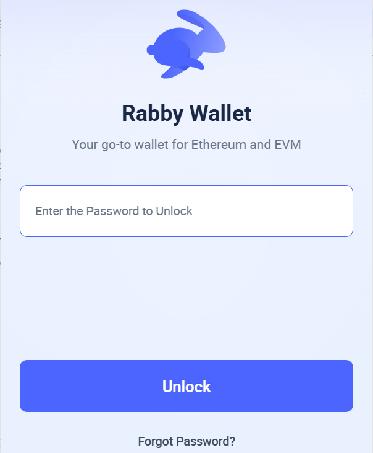
步骤1: Open and login to the Rabby Wallet extension 您的浏览器。

Change Rabby Wallet Name

步骤2: 点击 Account Selector icon to see all the accounts associated with the wallet.

Change Rabby Wallet Name

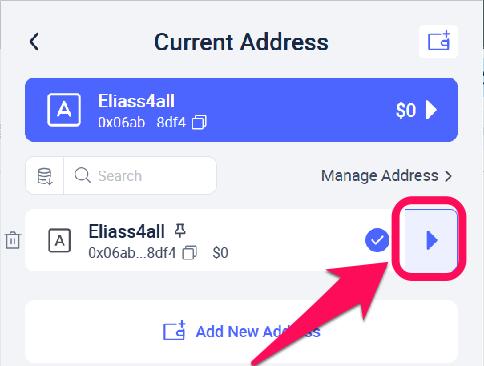
步骤3: Choose the account you want to rename by clicking the arrow next to it.

Change Rabby Wallet Name

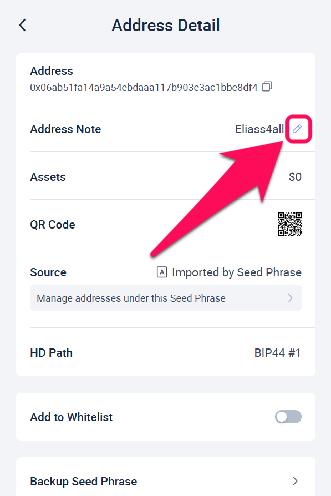
步骤4: Tap the pencil edit icon next to the Address Note option to rename.

Change Rabby Wallet Name

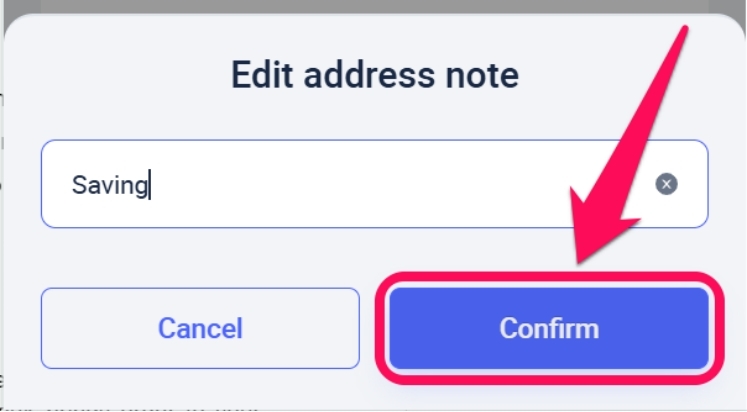
步骤5: Enter the new name you want to assign to that specific address. Finally, click on 确认 to automatically save your new changes.

Change Rabby Wallet Name


移动应用程序

Follow the steps below to rename the Rabby Wallet name on the mobile app

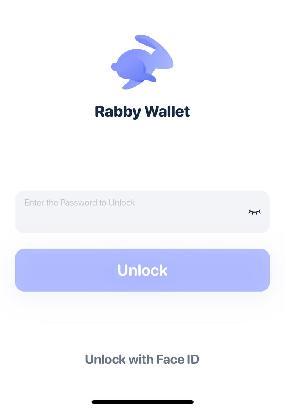
步骤1: Launch the Rabby mobile app and log in to your wallet.

Change Rabby Wallet Name

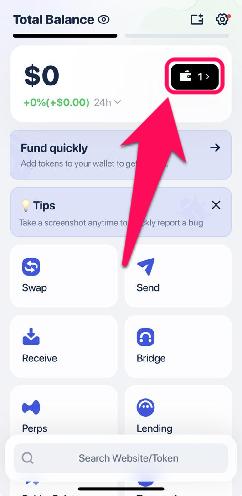
步骤2: Click the wallet icon to open the account selector field.

Change Rabby Wallet Name

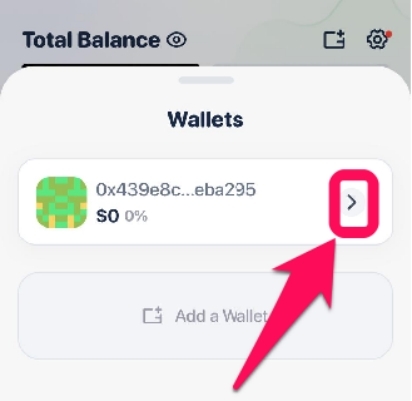
步骤3: Choose the account you want to rename, then tap the arrow icon next to it.

Change Rabby Wallet Name

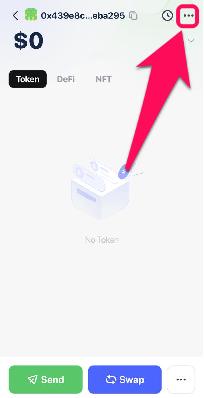
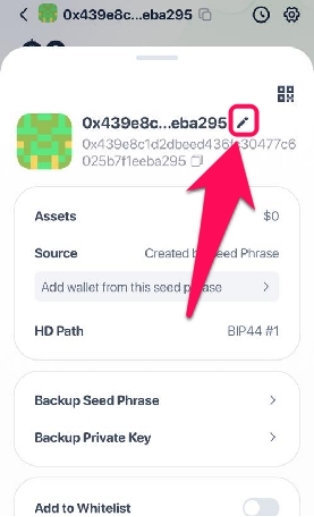
步骤4: On the displayed page, tap the three dots or gear icon at the top right corner to view your account details.

Change Rabby Wallet Name

步骤5: Click the pencil icon next to the account’s address to rename.

Change Rabby Wallet Name

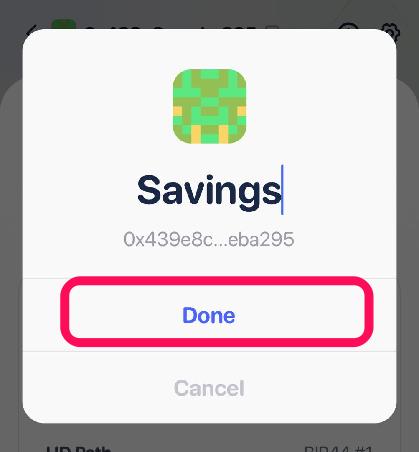
步骤6: Enter the new name for the account and return to the homepage to save changes.

Change Rabby Wallet Name


底线

Managing multiple portfolios in Rabby feels organized when each account has unique names for easier recognition. This simple personalization tweak brings order and labels like “savings”, “spending”, “trading”, and more to your account, making switches smooth and error-proof. After you successfully change the Rabby Wallet name, follow up with additional personalization guides, like changing the display fiat currency in Rabby Wallet to make your asset balance easier to calculate.


常见问题

1. Is there a character limit on wallet names in Rabby?

No, you can use an unlimited number of characters when renaming your Rabby Wallet account. However, we recommend keeping it below 20 for easier recognition.


2. Can other people see the custom name I give my wallet?

No, other people cannot see it because the name you assign to your wallet is stored locally within your browser extension or mobile app. When you send a transaction or interact with a DApp, the name is not shown on the blockchain. To the rest of the world, your account remains identified only by its public address unless you have linked it to a public naming service like ENS (.eth).


3. Can renaming my Rabby Wallet fix common account issues?

Changing your account names does not affect any on-chain issues your account may be facing, as it is merely a cosmetic and personalization feature.