



- •MegaETH は EVM 互換ネットワークであるため、別のウォレットをセットアップする必要なく、MetaMask やその他の Ethereum ウォレットで動作します。
- •ネットワークはデフォルトではMetaMaskに表示されないため、正しいRPC、チェーンID、通貨の詳細を使用して手動で追加する必要があります。
- •MegaETH を追加すると、資産をブリッジしたり、初期アプリをテストしたり、NFT を作成したり、ネットワーク上で利用可能なオンチェーン ツールを操作したりできるようになります。
MegaETHのアイデアは、リアルタイムでトランザクションを処理できるブロックチェーンを目指しており、100,000万TPS以上をミリ秒未満のレイテンシで実現することを目指しています。これにより、Web2アプリとブロックチェーンのユーザビリティのギャップを埋めることができる可能性があります。速度と低レイテンシへのこだわりは、スワップのテスト、NFTの発行、ネットワーク上の初期アプリとのやり取りなどを行いたいユーザーを惹きつけています。ほとんどのウォレットはデフォルトでMegaETHを含んでいないため、互換性のあるオプションを探しているユーザーにとって、このガイドは役立つでしょう。MetaMaskにMegaETHを追加し、ウォレットを使用してネットワーク上のさまざまなdAppsを探索する手順を説明します。
MetaMask は MegaETH ネットワークをサポートしていますか?
はい。MetaMaskはEVM互換であるため、MegaETHネットワークをサポートしています。他のEthereumベースのネットワークと同様に、MegaETHは正しい情報を使用してカスタムネットワークとしてMetaMaskに追加できます。
MetaMaskにMegaETHを追加できますか?
はい。MetaMaskはEVM互換であるため、MegaETHネットワークをサポートしています。MegaETHはEthereumの実行環境に準拠しているため、カスタムネットワークとしてMetaMaskに接続できます。MetaMaskはEVM互換のあらゆるブロックチェーンで動作するように構築されているため、ユーザーはEthereumメインネットだけに限定されません。正しいネットワーク情報を使用してMegaETHを追加すると、MetaMaskを使用してトランザクションを送信したり、資産を管理したり、MegaETHネットワーク上のアプリとやり取りしたりできるようになります。
MetaMaskにMegaETHを追加する方法
MegaETHをMetaMaskに追加するには、RPCの詳細を使用してネットワークを手動で設定する必要があります。他のEVM互換ネットワークと同様に、MegaETHはMetaMaskには表示されません。 MetaMask デフォルトではMetaMaskはMegaETHに接続しますが、カスタムネットワークとして追加する必要があります。ネットワーク名、RPC URL、チェーンID、通貨記号を入力する必要があります。これらの情報を保存すると、MetaMaskはMegaETHに接続し、残高の確認、トランザクションの送信、ネットワーク上のアプリケーションとのやり取りが可能になります。
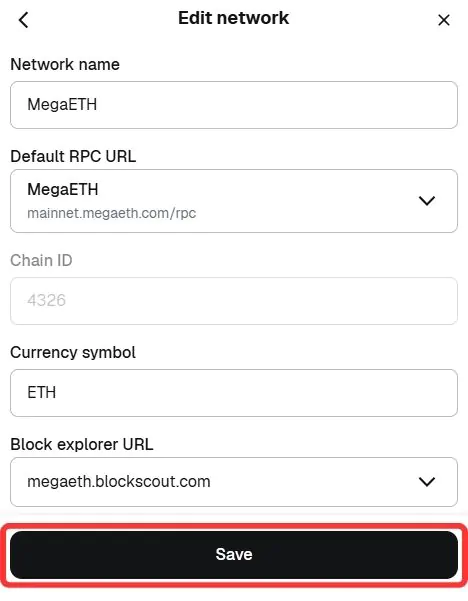
ネットワーク名: メガETH
新しいRPCURL: メインネット.megaeth.com/rpc
チェーンID: 4326
通貨記号: ETH
ブロックエクスプローラーのURL(オプション): megaeth.blockscout.com
ステップ1: ブラウザでMetaMask拡張機能を開き、ウォレットにアクセスします。
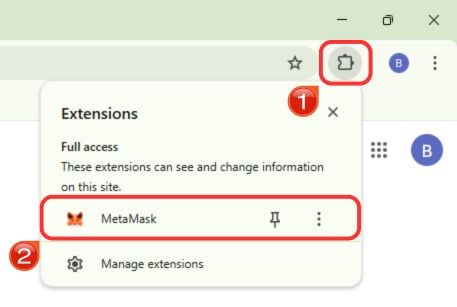
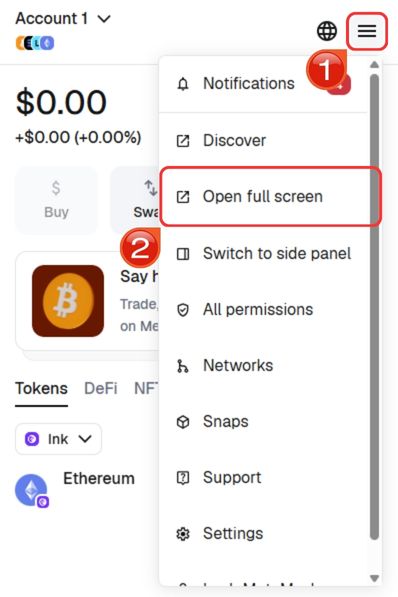
ステップ2: ナビゲーションを容易にするために、MetaMaskをブラウザタブに展開します。 ハンバーガー 右上のメニューをクリックして 「全画面で開く」。
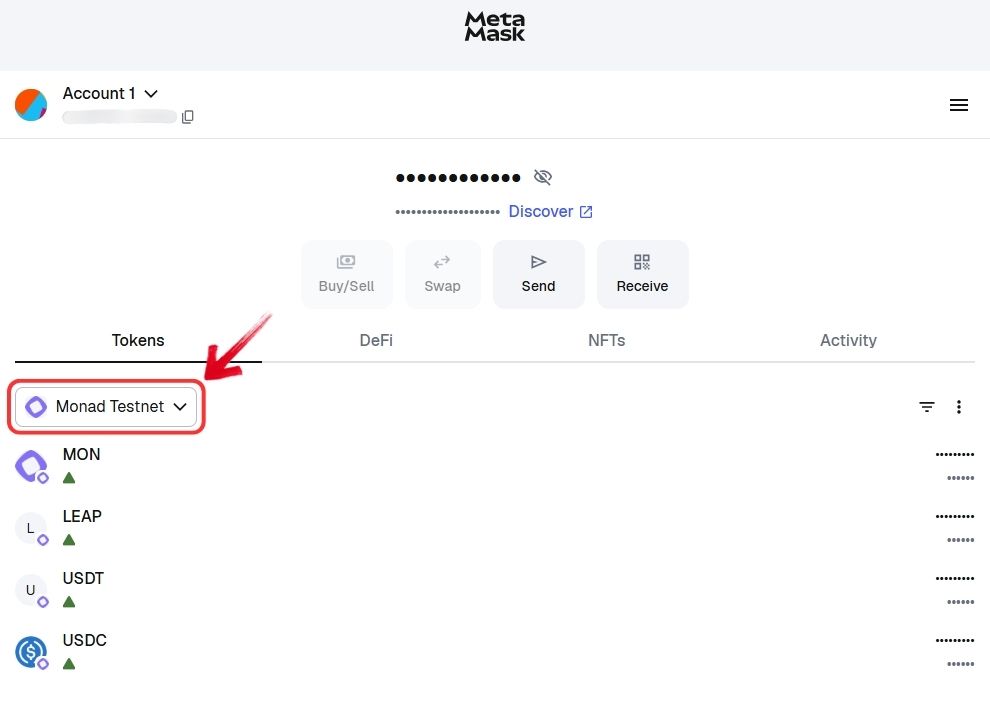
ステップ3: 拡大表示で、 "通信網" インターフェースの上部近くにあるドロップダウン。
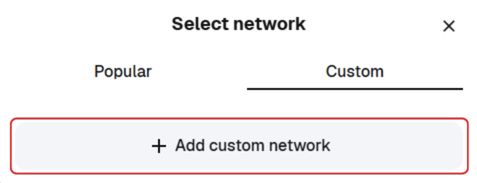
ステップ4: 以下を行うには、 "カスタム" タブ、[選択] 「カスタムネットワークを追加します」。
ステップ5: 必須項目にMegaETHのRPCの詳細を入力します。情報を再確認し、クリックします。 「保存」 MetaMaskにMegaETHを追加します。
ステップ6: MetaMaskは自動的にMegaETHネットワークに切り替わります。これでMegaETH上のアプリやアセットを操作できるようになります。
あるいは、より迅速なセットアップを希望する場合は、上記の手順をスキップして、MetaMaskにMegaETHネットワークを直接追加することもできます。 「MetaMaskにMegaETHを追加」 オプションを選択します。
デバイスにMetaMaskをダウンロード



MegaETHについて
メガETH リアルタイムのブロックチェーンパフォーマンスという理念に基づいて構築されたEthereumレイヤー2ネットワークです。すべてのノードに同じタスクを処理させるのではなく、シーケンサー、レプリカ、証明者、フルノードといった専門ノード間で責任を分担します。この構造により、調整遅延が削減され、ネットワークは数ミリ秒単位でトランザクションを処理できます。
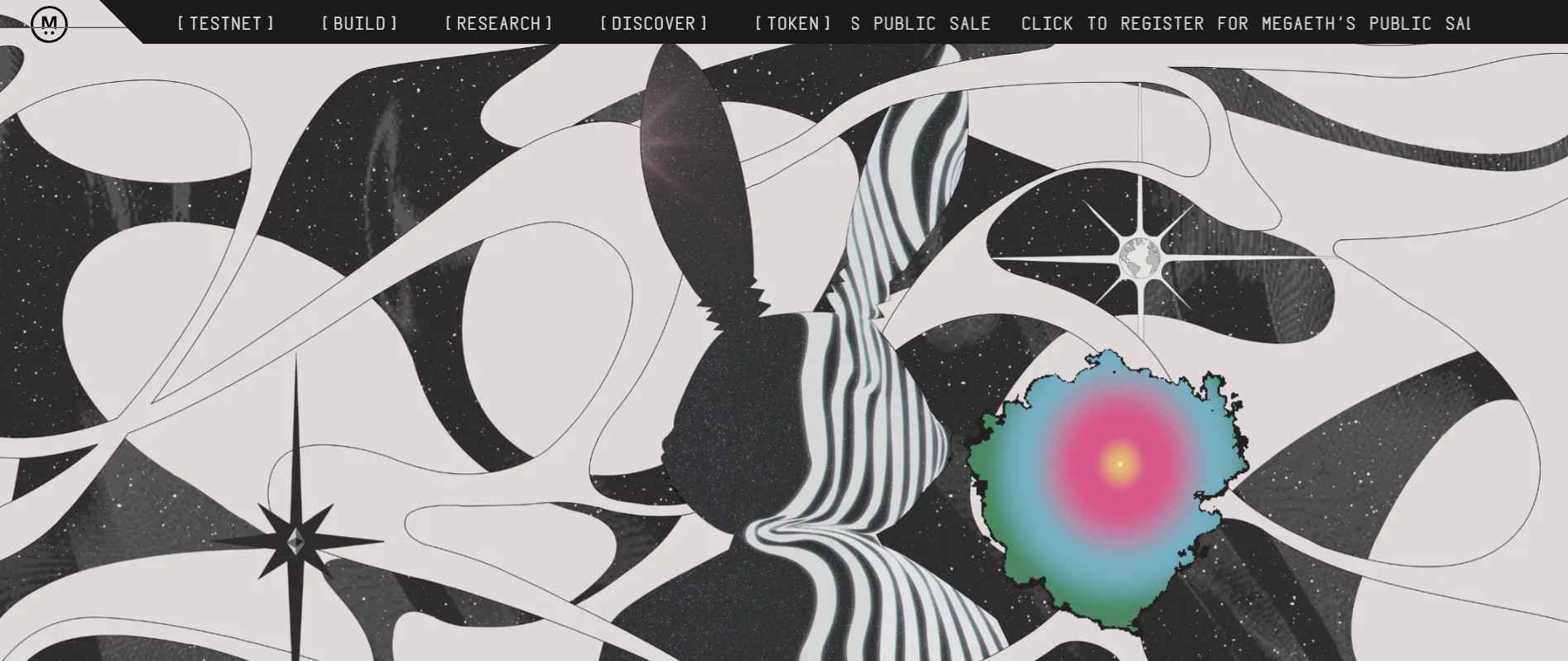
MegaETHは、数ミリ秒ごとに更新をストリーミングするミニブロックも導入しますが、最終的な決済は依然としてEthereum上で行われます。セキュリティはEthereumとEigenLayerによって確保され、データはEigenDAによって処理されます。このプロジェクトは著名な投資家の支援を受けており、ハードウェアとアーキテクチャの限界を押し広げ、オンチェーンアプリケーションをリアルタイムのウェブ体験に近づけることに重点を置いています。
続きを読む: MegaETH の説明: Ethereum は本当にリアルタイム化できるのか?
MetaMaskでMegaETHを探索する
MegaETHがMetaMaskに追加されると、初期エコシステムを通じてネットワークを探索し始めることができます。多くのユーザーは、資産のブリッジ、トークンの交換、さまざまなプロジェクトとのやり取りができるライブアプリをリストアップしたRabbitholeポータルから始めます。
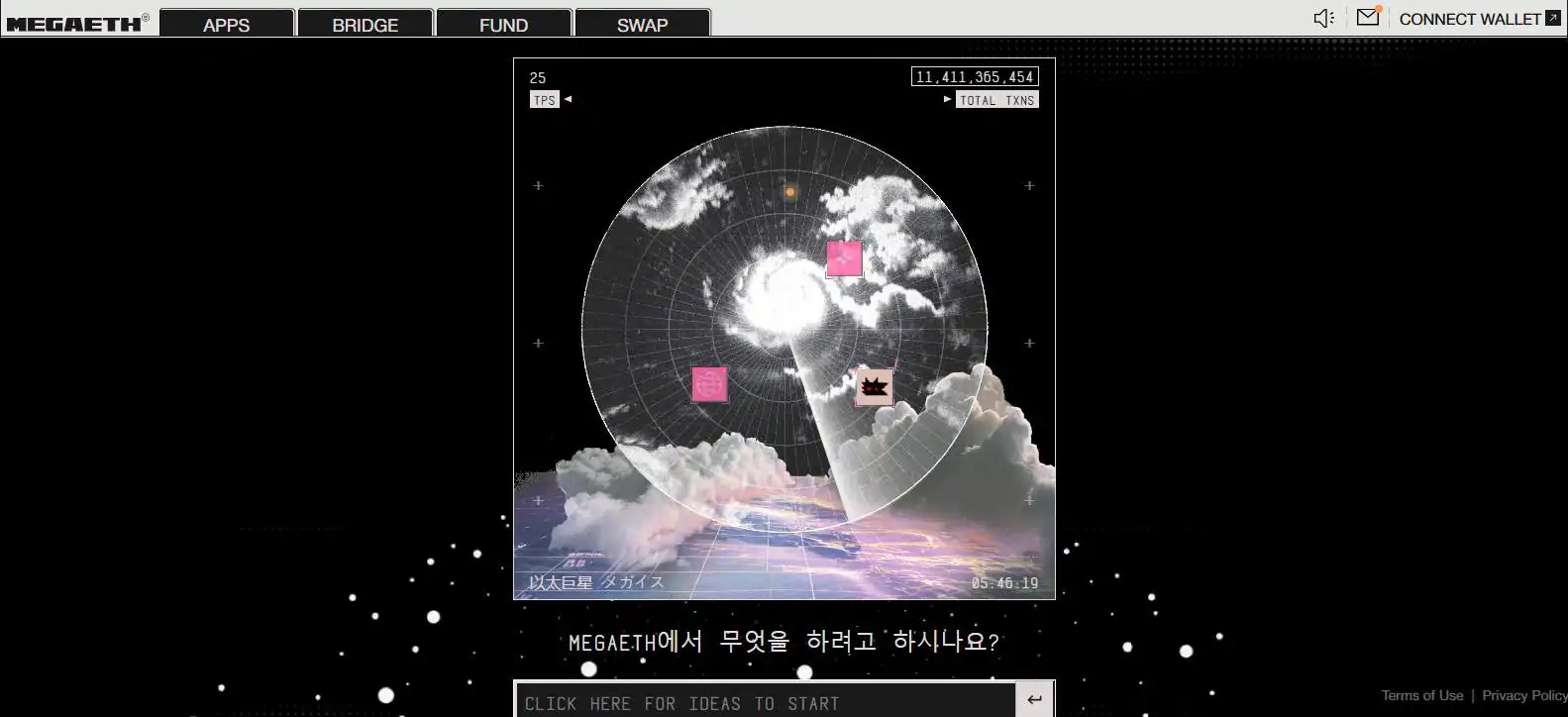
中には、無料のNFTをミントしたり、ゲームやDeFiアプリをテストしたり、あるいはほぼ瞬時の承認を体験するために資金を移動したりする人もいます。メインネットはまだ新しいため、ほとんどの活動はこれらの初期アプリの試用や、将来のエアドロップの対象となる可能性のあるタスクへの参加に集中しています。
ボトムライン
MegaETHはまだ初期段階にあり、スワップのテスト、NFTの発行、そしてリアルタイムパフォーマンスを評価するための基本的なトランザクションの試行に多くの活動が集中しています。ネットワークはスピードを重視して設計されていますが、エコシステムと流動性の構築には時間がかかります。大規模な資金を投入する場所というよりは、テスト環境として利用するのが最善です。ネットワークを追加した後は、以下のガイドに従ってください。 MegaETHへのブリッジ 資金を送金し、利用可能なアプリの使用を開始します。
よくあるご質問
1. MegaETH のガスに使用されるトークンは何ですか?
MegaETH は、ほとんどの Ethereum レイヤー 2 ネットワークと同様に、ネイティブ ガス トークンとして ETH を使用します。
2. MegaETH は Ethereum によって保護されていますか?
はい。MegaETH は最終決済に Ethereum を使用し、EigenDA を通じて外部データの可用性を活用し、その信頼モデルを Ethereum に固定しています。
3. どのウォレットがMegaETHをサポートしていますか?
EVM対応のウォレットであれば、MegaETHをサポートできます。MetaMask、Rabby、カスタムネットワークの追加が可能なその他のEthereumウォレットなど、人気のウォレットも含まれます。




