


- •ELLIPAL Titan 2.0 is an air-gapped hardware wallet that signs transactions through QR codes.
- •Its CC EAL5+ secure element and sealed metal body protect stored private keys.
- •The wallet supports over 10,000 tokens across more than 45 blockchains.
- •Its 4-inch touchscreen makes transaction details and wallet addresses easier to verify.
- •You need the ELLIPAL mobile app because desktop management is not supported.
With firmware updates for the original ELLIPAL Titan 1.0 coming to a halt, existing users may be considering whether to upgrade or switch to another wallet. The ELLIPAL Titan 2.0 offers a familiar option for those who prefer staying within the company’s ecosystem. It retains the fully air-gapped design, using QR codes instead of USB, Bluetooth, or Wi-Fi for transactions. ELLIPAL has also kept the metal construction and anti-tamper protection while introducing sleeker hardware. But with several capable air-gapped wallets available, this ELLIPAL Titan 2.0 review examines whether the upgrades are enough to justify buying it.
| Stats | ELLIPAL Titan 2.0 |
|---|---|
| 🗝️ Typ | Hardware Wallet |
| 🖥️ Bildschirm | 4" IPS Touchscreen |
| 🪙 Unterstützte Token | 10,000+ |
| 🌐 Unterstützte Netzwerke | 45+ |
| 🖼️ NFT-Unterstützung | Ja |
| 🔗 Verbindung | Air-Gapped QR Codes |
| 🔋 Kabelloses Laden | Nein |
| 🛡️ Sicherheit | CC EAL5+, Password, Pattern |
| 📱 Mobile-App | Android & iOS |
| 💻 Desktop-App | Nicht verfügbar |
| 📲 Haupt-App | ELLIPAL App |
| 🔌 Wallet-Unterstützung | MetaMask, WalletConnect |
| ⭐ Am besten für | Air-Gapped Multi-Chain Storage |
ELLIPAL Titan 2.0 Overview
ELLIPAL is a Hong Kong-based hardware wallet company that has operated since 2018, focusing primarily on offline, QR-based crypto storage. Across its 8 years in the market, ELLIPAL has maintained a record of zero security breaches. It launched the Titan 2.0 in November 2023 as an updated replacement for the original Titan. This update became particularly relevant as firmware support for the Titan 1.0 approached its end, leaving existing users with the choice of upgrading or moving away from ELLIPAL.
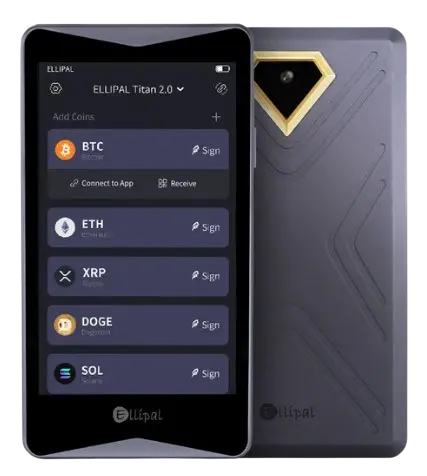
Place both models side by side and they look remarkably similar. The Titan 2.0 retains the smartphone-style shape, dimensions, bottom ridges, and charging contacts of its predecessor, with only minor changes to the color scheme. Its sealed metal body feels sturdy in your hand, although its 140g weight keeps it lighter than most smartphones. On the front, you get a 4” color IPS touchscreen, which appears sharper and offers noticeably better contrast than the Titan 1.0 display. The gold-accented rear camera is used to scan QR codes when signing transactions.
Asset management takes place through the ELLIPAL App, which supports over 10,000 tokens and NFTs across 45+ distinct blockchains. The Titan 2.0 also supports MetaMask, while WalletConnect is integrated directly into the ELLIPAL App. This allows you to connect the wallet to major Web3 applications by scanning QR codes while keeping private keys offline.
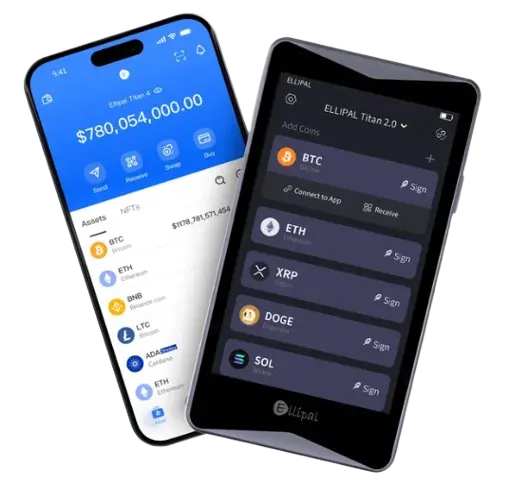
The more meaningful upgrades sit beneath that familiar exterior. Instead of the Android-based system used by the original Titan, the Titan 2.0 runs a custom operating system with fewer unnecessary software components and, consequently, a smaller attack surface. It also adds a CC EAL5+ secure element for protecting private keys against physical extraction attempts.
The wallet remains fully air-gapped, with no Wi-Fi, Bluetooth, NFC, cellular, or USB data connection. Even the charging and microSD connections sit on a detachable dock that touches the contact points underneath, so there are no open ports on the wallet itself. Its internal components are enclosed inside a sealed, one-piece metal body designed to resist tampering. Anyone attempting to physically access the hardware would need to cut open and permanently damage the device, making interference difficult to conceal.
You can create up to 5 wallets on one Titan 2.0, with access protected by an account password, pattern lock, and optional BIP39 passphrase, commonly called the “25th word”. Its Secondary Wallet feature lets you assign an alternate unlock pattern that displays only selected accounts, while your other accounts remain hidden without affecting their private keys or assets.
Currently available through the official website for $149, the Titan 2.0 comes in two colors: grey and the recently added gold. You also do not need to purchase the security adapter or microSD card separately, as both are included in the package alongside the charging cable.
ELLIPAL Titan 2.0 Pros & Cons
| 👍 ELLIPAL Titan 2.0 Pros | 👎 ELLIPAL Titan 2.0 Cons |
|---|---|
| ✅ Fully air-gapped QR signing | ❌ Not fully open-source |
| ✅ Large readable touchscreen | ❌ Slower QR transaction workflow |
| ✅ Secure element protection | ❌ No desktop support |
| ✅ Sealed anti-tamper body | ❌ Bulky for everyday carrying |
| ✅ 10,000+ supported tokens | ❌ Adapter required for charging |
| ✅ Bitcoin Taproot-Unterstützung | |
| ✅ Hidden secondary wallets | |
| ✅ Offline microSD updates |
How ELLIPAL Titan 2.0 Works
The ELLIPAL Titan 2.0 keeps your private keys offline by transferring transaction data through QR codes. You first create a transaction in the ELLIPAL App, which then displays a QR code containing the unsigned details. The Titan 2.0 scans this code using its rear camera, signs the transaction internally, and produces another QR code for the app to scan and broadcast to the blockchain.
Charging and firmware updates are handled through the detachable security adapter. The adapter includes a USB-C charging port and a microSD card slot, while the wallet itself only has contact points underneath. Firmware files are loaded onto the microSD card and installed through the adapter. As a result, no USB cable, memory card, or internet-connected device plugs directly into the Titan 2.0.
ELLIPAL Titan 2.0 Specs & Design
The specifications give you a clearer picture of the Titan 2.0’s physical size, display, battery, construction, and supporting hardware before we examine how those choices affect daily use in practice.
| Normen | Details |
|---|---|
| Abmessungen | 118 × 66 × 9.7 mm |
| Gewicht | 140 g |
| Bildschirm | 4-Zoll-Farb-IPS-Touchscreen |
| Kamera | 5MP Autofokus-Kamera |
| Akku | 1,400mAh (259-hour standby) |
| Korpus | Sealed aluminum-alloy casing |
| Sicheres Element | CC EAL5 + |
| Datenübernahme | QR-Codes |
| Verfügbare Farben | Grau und Gold |
The Titan 2.0 follows the same compact, smartphone-style design as the original Titan, measuring 118 × 66 × 9.7mm. At 140g, it feels substantial in your hand without becoming uncomfortable during setup or transaction signing. Its sealed aluminum-alloy body has no open USB port or microSD slot, giving the device a clean appearance while supporting its anti-tamper construction.
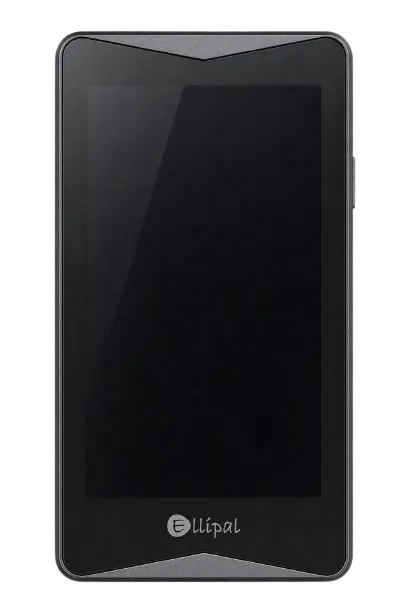
Most interactions take place through the 4-inch IPS touchscreen. The display is large enough to read wallet addresses and transaction details without repeatedly moving through separate screens. Its touch response also feels quick and consistent during navigation. On the back, the 5MP autofocus camera scans transaction QR codes, while the gold ring around it adds some contrast to the otherwise restrained grey or gold exterior. The only physical connection points sit underneath for the detachable security adapter.
ELLIPAL Titan 2.0 Features
The Titan 2.0 combines offline transaction signing with multi-chain asset management through its mobile app. Here is how its main features affect the way you store and use crypto.
Air-Gapped-Sicherheit
The Titan 2.0 never needs a wired or wireless data connection. It has no Wi-Fi, Bluetooth, NFC, cellular connection, or USB data port. Instead, transaction information moves between the wallet and ELLIPAL App through QR codes.
You prepare a transaction in the app, scan the displayed QR code with the Titan 2.0, and verify the details on its 4″ screen. Once signed offline, the device produces another QR code for the app to scan and broadcast.
Charging and firmware updates are handled through the detachable security adapter. Its USB-C port and microSD slot remain outside the wallet, while contact points underneath connect the adapter without creating an open port in the metal body.
Asset and Web3 Support
You can manage over 10,000 tokens across more than 45 blockchains, including Bitcoin, Ethereum, Solana, XRP, Cardano, BNB Chain, and Polygon. Ethereum and Polygon NFTs are also supported through the ELLIPAL App.
Für Bitcoin, the Titan 2.0 supports Legacy, Nested SegWit, Native SegWit, and Taproot addresses. Taproot support is particularly useful if you want newer Bitcoin address functionality without relying on a separate wallet.
Web3 access is available through MetaMask and the WalletConnect protocol integrated into the ELLIPAL App. You can connect to compatible decentralized applications by scanning QR codes and approve each interaction on the Titan 2.0. This lets you use DeFi applications while keeping your private keys offline.
Wallet Privacy Features
The Titan 2.0 lets you create up to five separate wallets on one device, allowing you to keep different assets, purposes, or portfolios apart. Each account can have its own password, while a pattern lock protects access to the device interface.
Its Secondary Wallet feature adds another level of privacy. You can assign an alternate pattern that opens only selected accounts, while your primary accounts remain hidden. Entering that pattern does not reveal that other accounts exist or change the private keys protecting them.
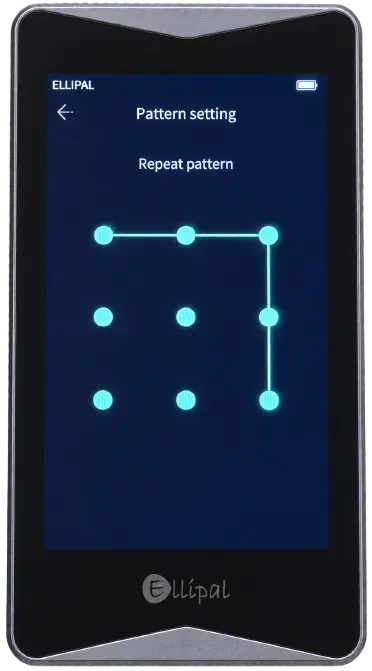
You can also add a BIP39 passphrase, commonly called the “25th word”. This creates a separate wallet that cannot be restored using the recovery phrase alone, although losing the passphrase also means losing access to that wallet.
App-Based Asset Management
The ELLIPAL App acts as the online half of the wallet system. You use it to view balances, monitor transaction history, receive assets, and prepare outgoing transfers. The Titan 2.0 remains responsible for storing private keys and approving transactions.
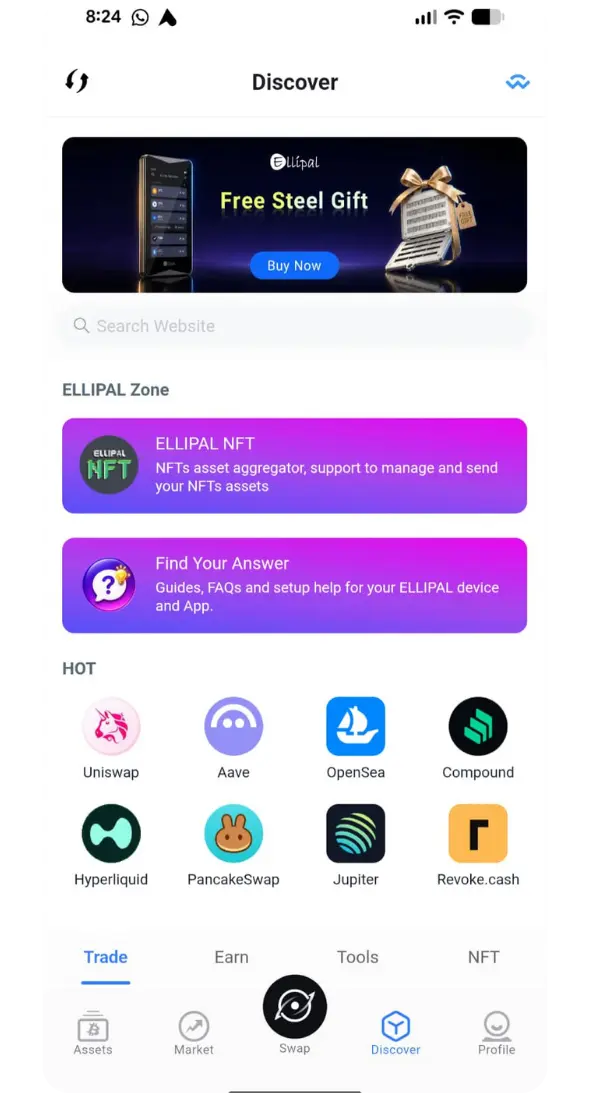
The app also provides access to token swaps, crypto purchases, sales, staking, NFTs, and decentralized applications. When an action requires wallet authorization, you transfer the transaction to the Titan 2.0 through a QR code and confirm it on the device.
This arrangement gives you mobile access without placing private keys on your phone. However, ELLIPAL does not provide a desktop application, so regular asset management depends on its iOS or Android app.
ELLIPAL Titan 2.0 Unboxing
The ELLIPAL Titan 2.0 arrives in a neatly arranged box, with the wallet placed at the top and its accessories stored in separate compartments underneath. The packaging keeps everything organized, and you receive all the items needed to charge the device, install firmware updates, and record your recovery phrase.
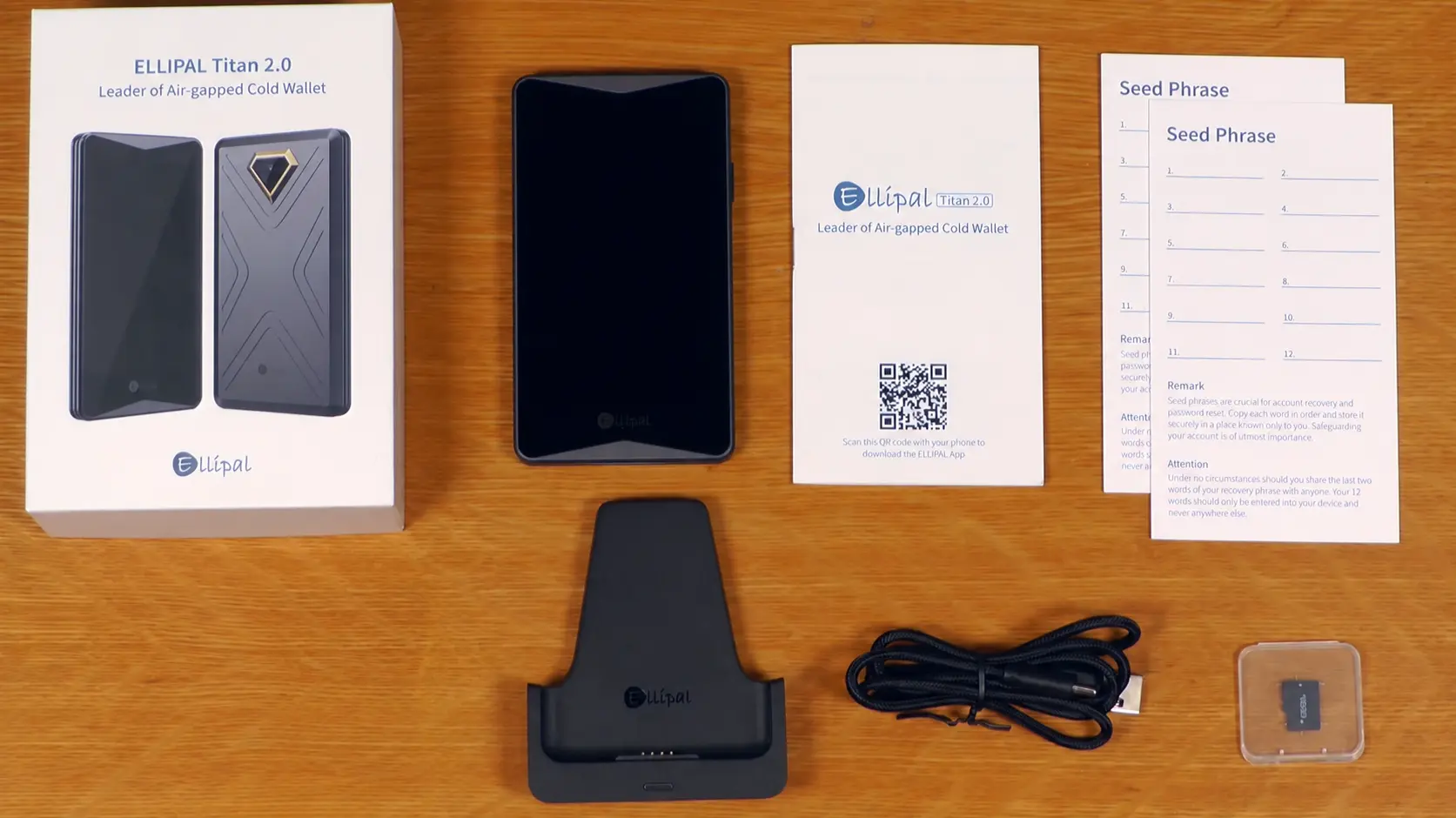
In der Box finden Sie:
- ELLIPAL Titan 2.0 wallet
- Security adapter
- USB-C Ladekabel
- 16 GB microSD-Karte
- Displayschutzfolien
- Recovery phrase sheets x2
- Bedienungsanleitung
ELLIPAL Titan 2.0 Setup
Setting up the ELLIPAL Titan 2.0 involves creating your wallet offline, recording its recovery phrase, selecting your assets, and linking the device to the ELLIPAL App.
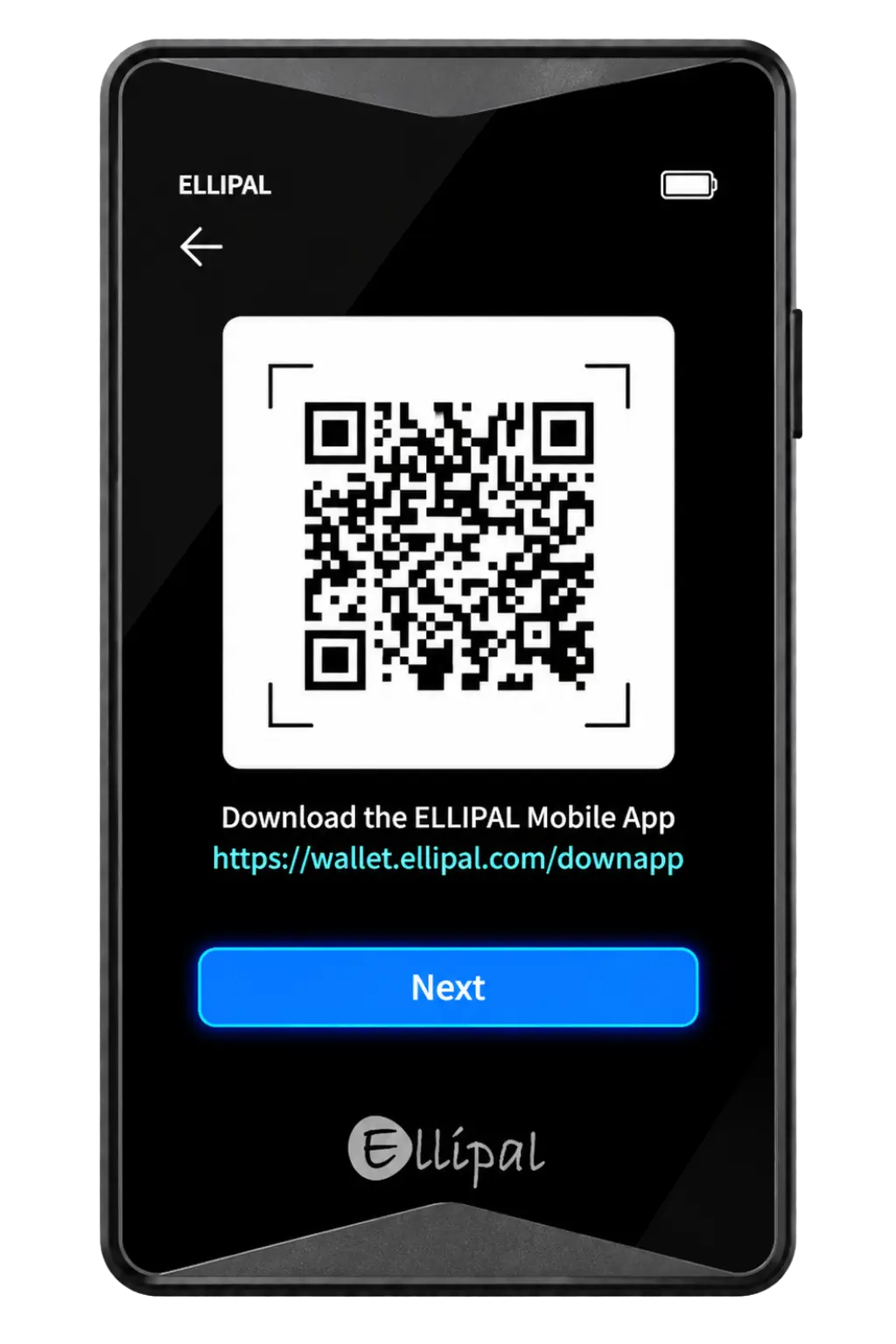
Schritt 1: Hold the power button until the ELLIPAL logo appears and prompts you to download Ellipal app.
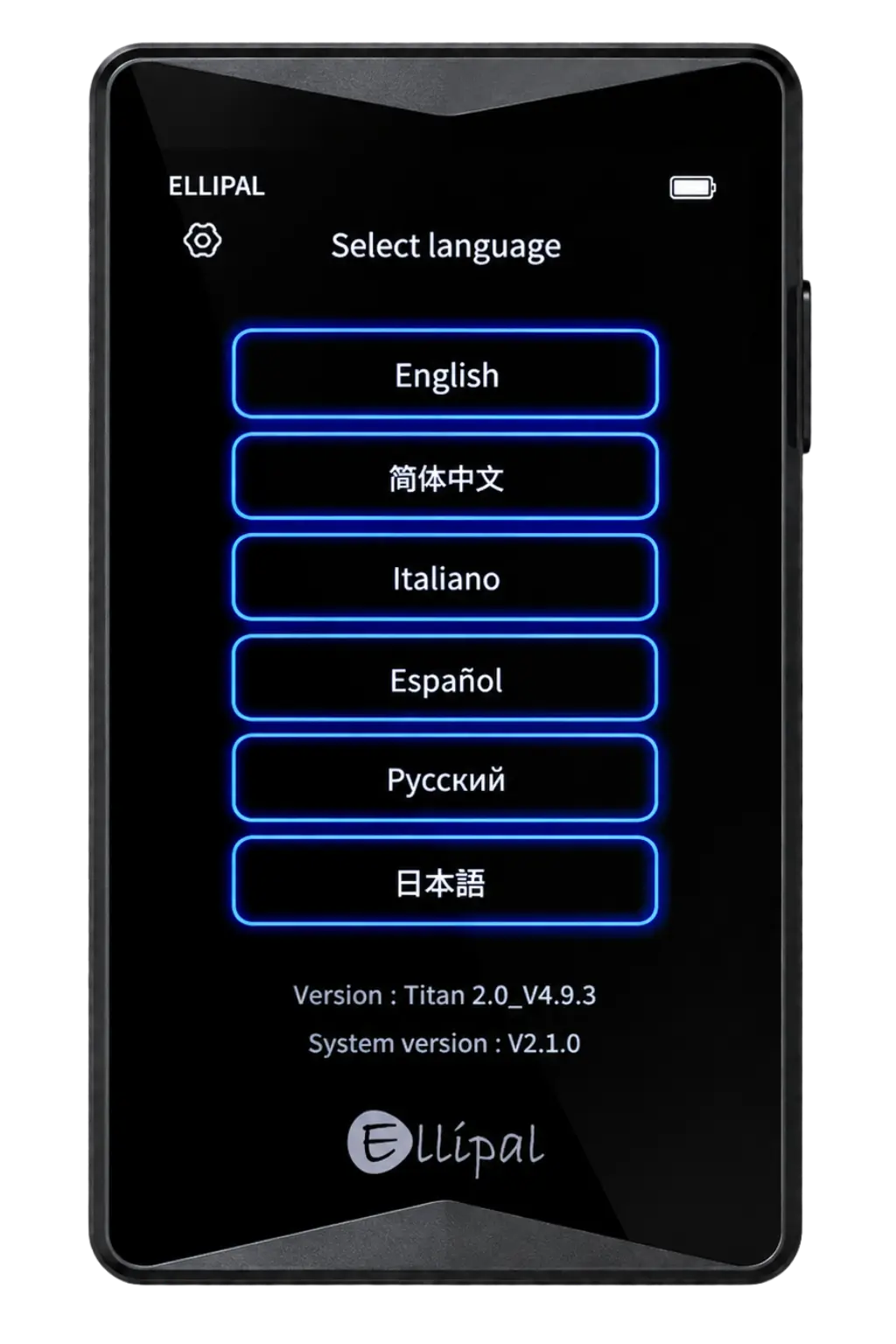
Schritt 2: Wählen Sie Ihre bevorzugte aus Sprache auf dem Gerät.
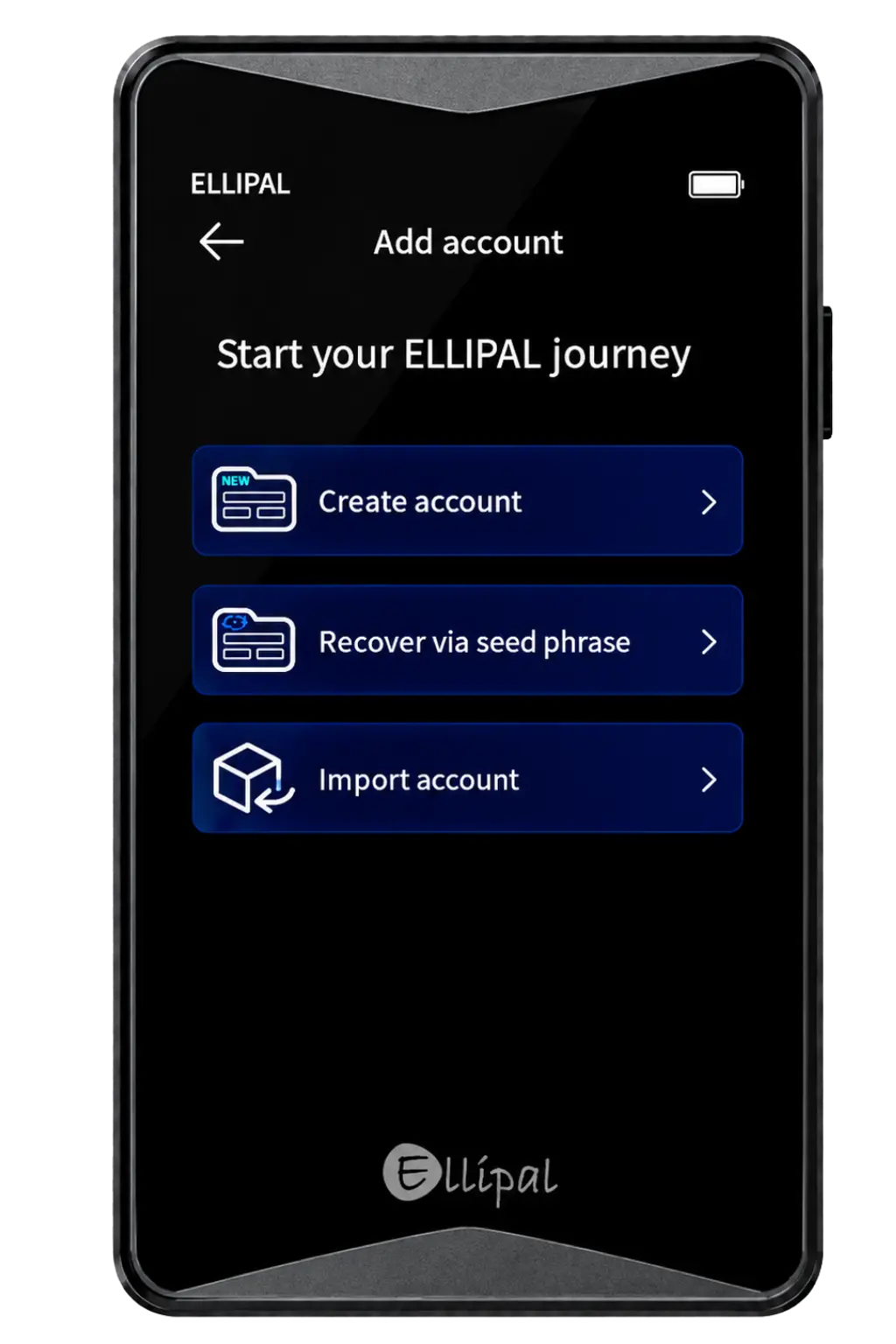
Schritt 3: Tippen Sie im nächsten Bildschirm auf Benutzerkonto anlegen. You’ll also see options to recover or import an existing wallet, but for a new setup, choose Benutzerkonto anlegen.
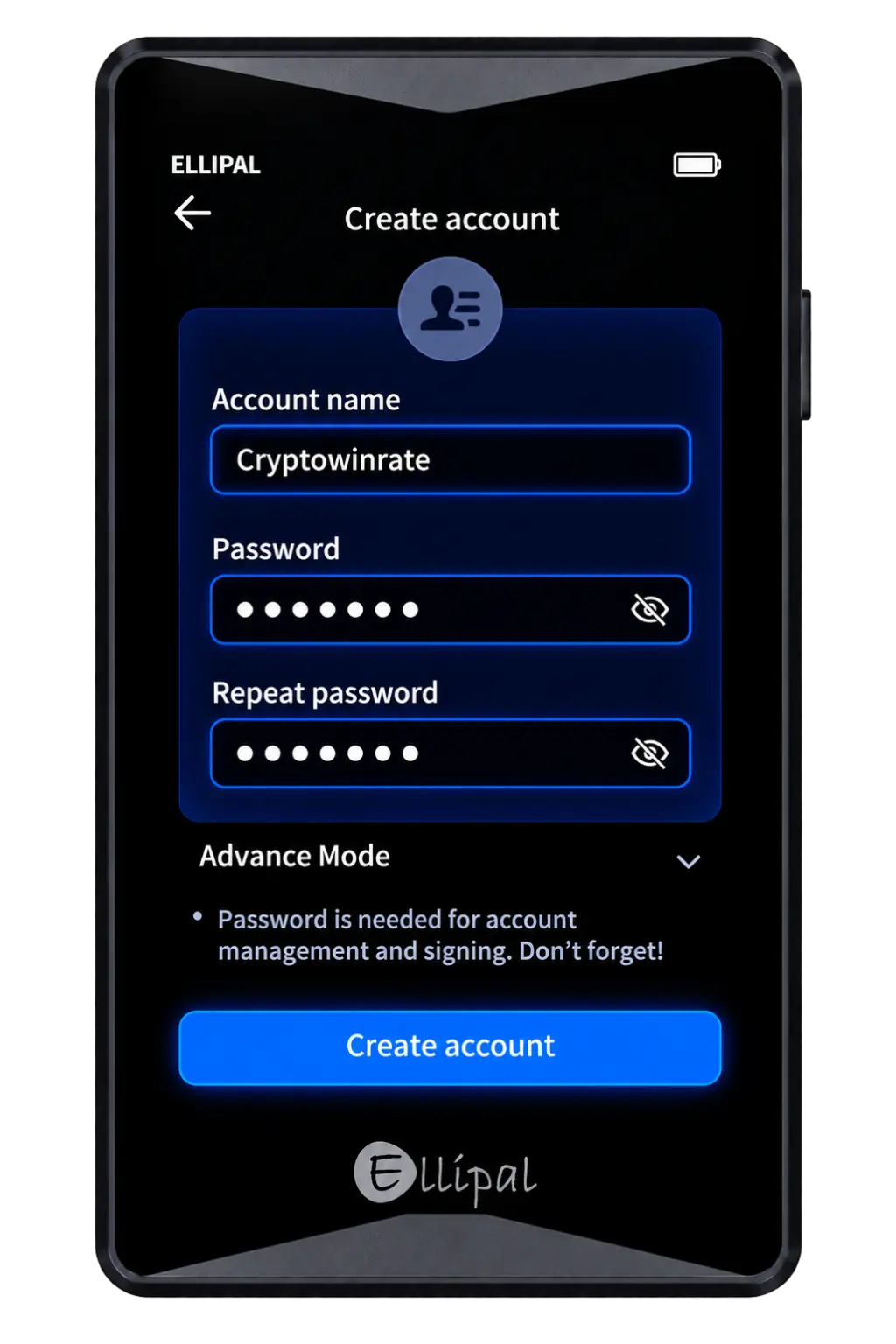
Schritt 4: Geben Sie ein ein Account-Namen, then set and repeat your Passwort. If you want to use a passphrase, open Erweiterter Modus. Once done, tap Benutzerkonto anlegen.
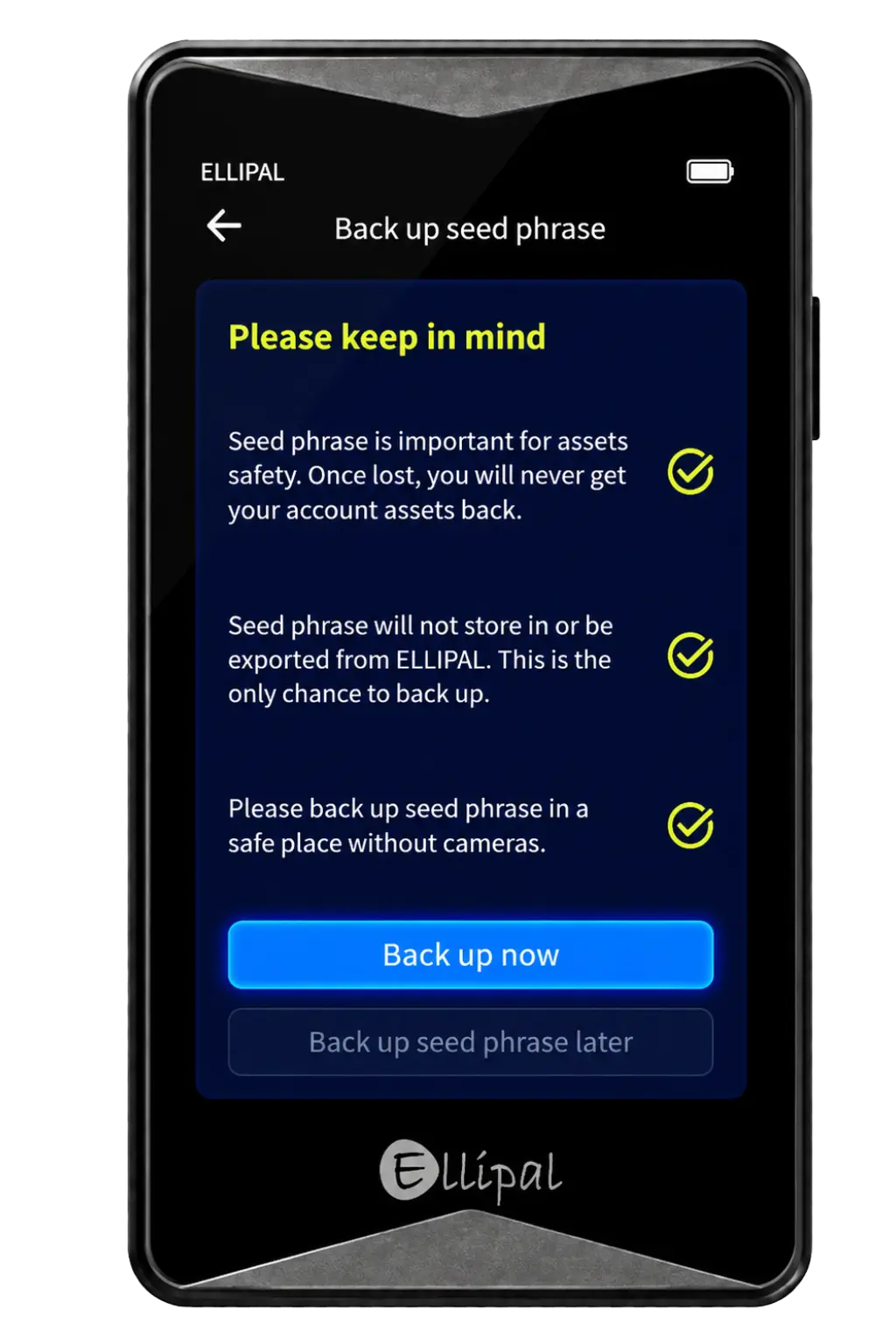
Schritt 5: When the seed phrase warning appears, review the safety points and tap Sichern Sie sich jetzt.
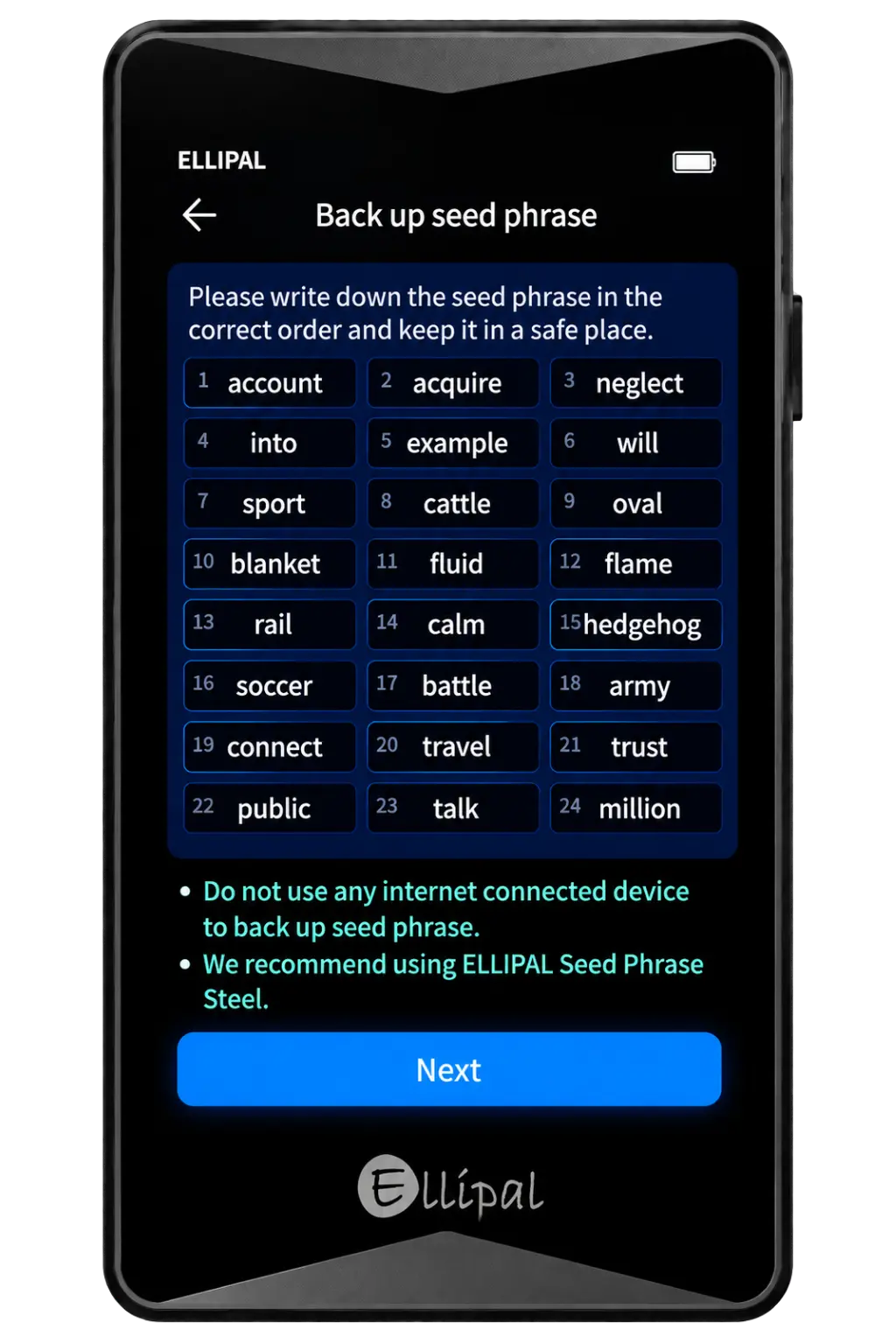
Schritt 6: Schreiben Sie die 24-Wort-Samenphrase in the exact order shown on the ELLIPAL screen. Once you’ve backed it up, tap Weiter.
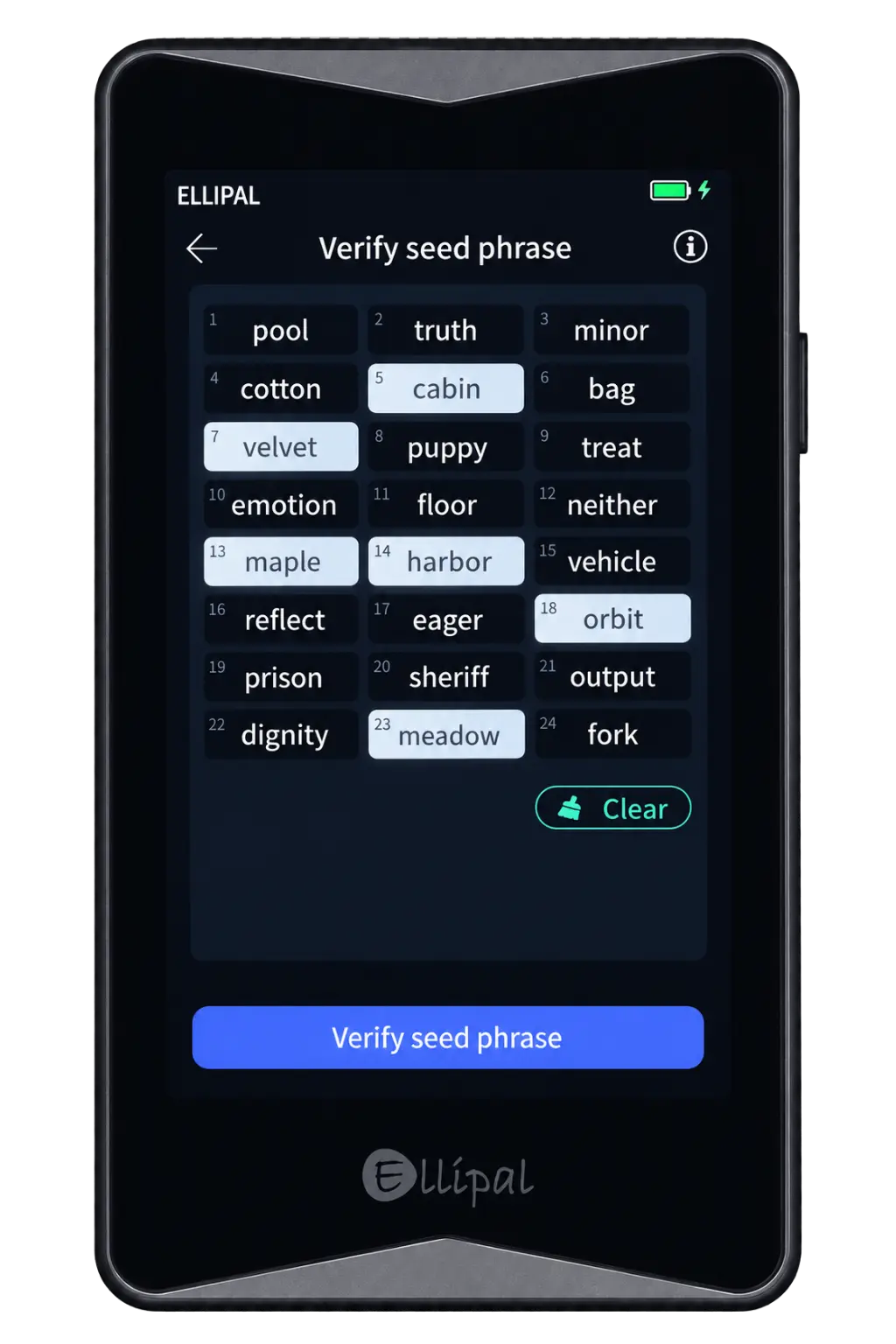
Schritt 7: ELLIPAL will ask you to confirm six words from the seed phrase. Select the correct words in the required order, then tap Verify seed phrase.
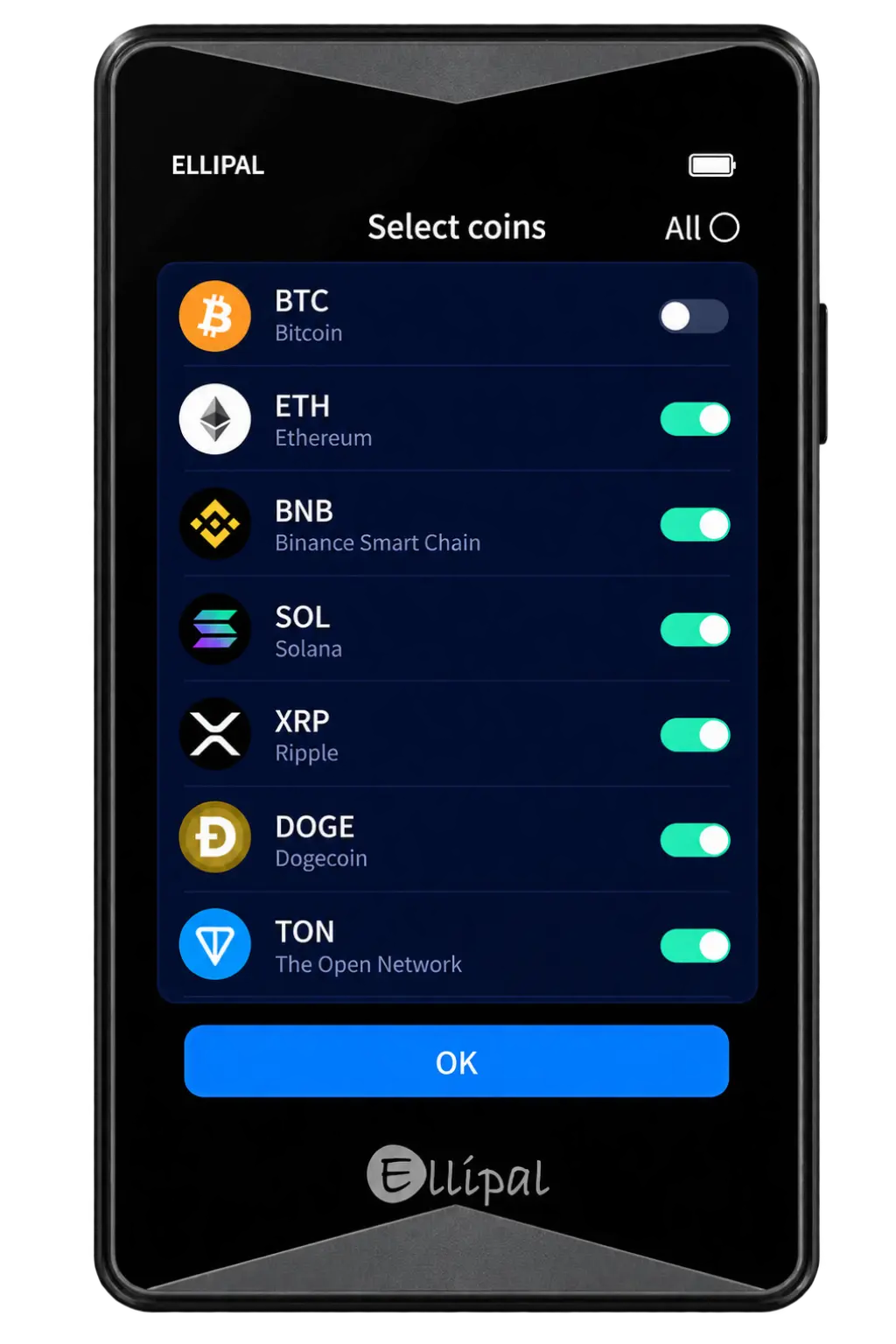
Schritt 8: Auf dem Select coins screen, enable the cryptocurrencies you want to use, then tap OK.
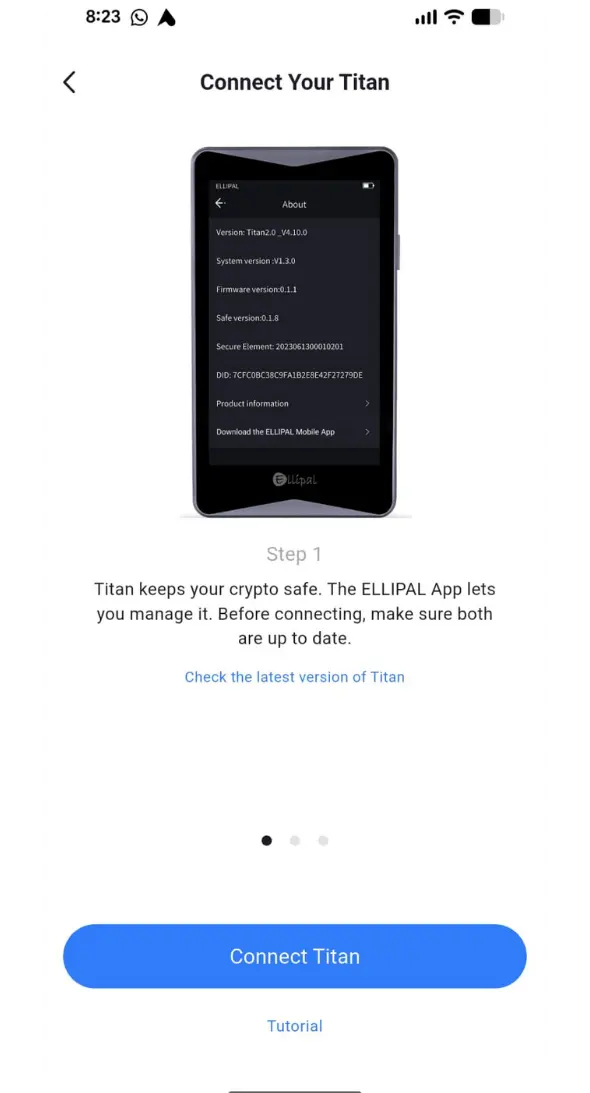
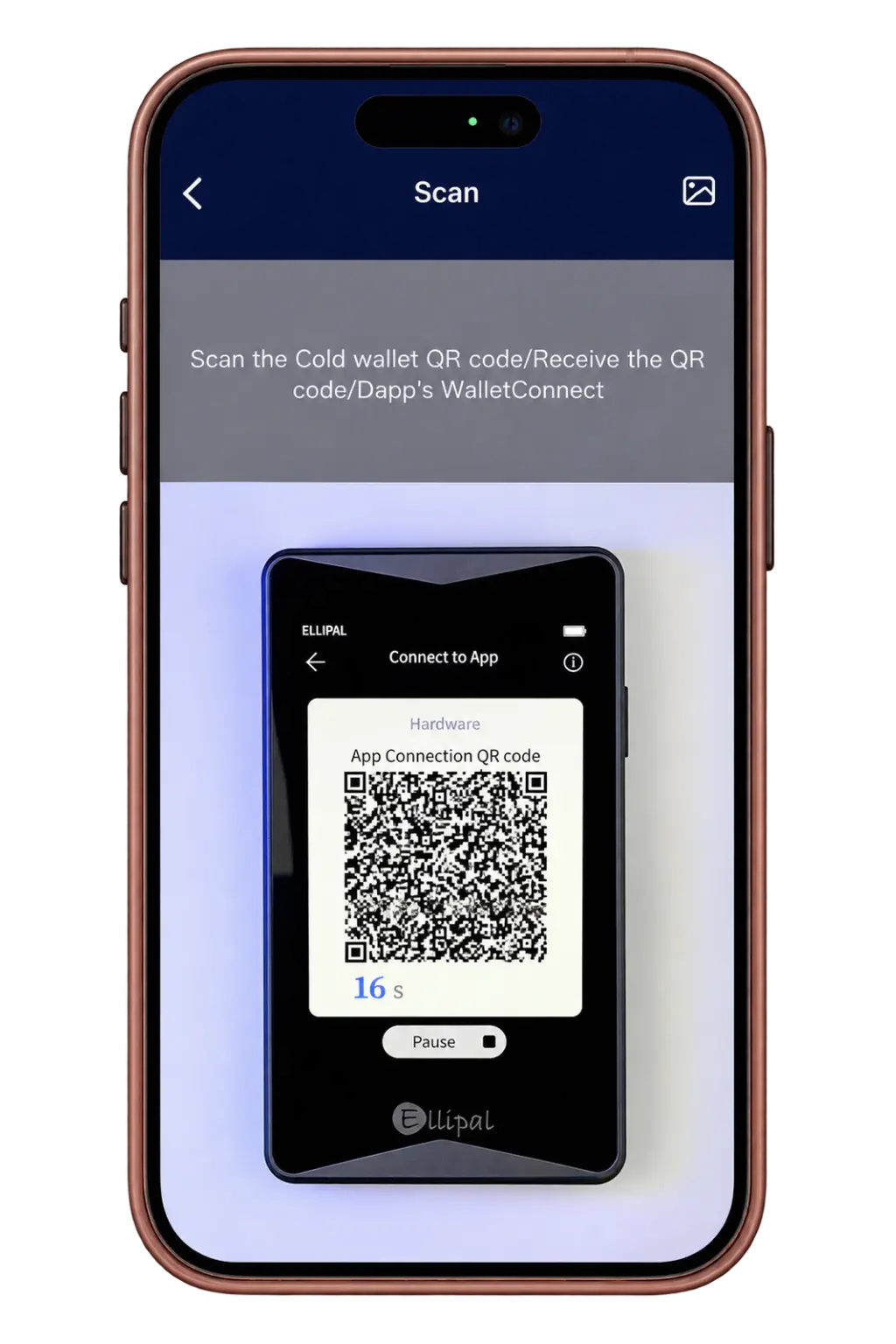
Schritt 9: Öffnen Sie den Microsoft Store auf Ihrem Windows-PC ELLIPAL mobile app on your phone, go to the QR scanner, then on the Titan tap verbindung in the top-right corner. Scan the QR codes shown on the Titan with the app until the account is linked.
ELLIPAL Titan 2.0 Pricing & Fees
You can currently purchase the ELLIPAL Titan 2.0 from its offiziellen Website for $149. The price includes the security adapter, USB-C charging cable, and 16 GB microSD card, so you do not need to buy these accessories separately. If you damage or misplace the security adapter, ELLIPAL sells a replacement for $29.90. There are no subscription or account maintenance fees for using the wallet.
ELLIPAL Titan 2.0 Supported Chains and Assets
The Titan 2.0 supports over 10,000 tokens across more than 45 blockchains. You can manage major assets such as Bitcoin, Ethereum, Solana, XRP, Cardano, BNB, and stablecoins including USDT and USDC. Support also extends to ERC-20, BEP-20, and tokens issued across other compatible networks. NFT management is currently available for Ethereum and Polygon collections.
You manage balances and prepare transactions through the ELLIPAL App, while the Titan 2.0 signs them offline. MetaMask compatibility and WalletConnect integration also let you interact with Web3 applications without exposing your private keys to an internet-connected device.
ELLIPAL Customer Support
If you need help with your Titan 2.0, you can contact ELLIPAL’s customer-support team by email. The company also maintains an online Help Center containing setup instructions, firmware-update steps, troubleshooting articles, and security information. ELLIPAL has a Discord community where users can discuss its wallets, but account or device-specific issues are better handled through the official email address.
ELLIPAL Titan 2.0 Security and Self-Custody
When you create a wallet on the Titan 2.0, your private keys are generated and kept inside the device. They never need to reach your phone because the wallet has no Wi-Fi, Bluetooth, NFC, cellular connection, or USB data port. Instead, you prepare a transaction in the ELLIPAL App, scan its QR code with the Titan 2.0, verify the details, and sign it offline. You then scan the signed QR code with your phone to broadcast the transaction.
This setup keeps your phone responsible for balances and blockchain communication, while the Titan 2.0 handles your keys and approvals. You should still verify the address, network, and amount on the wallet’s screen because an air gap cannot protect you from approving an incorrect or malicious transaction.
Your private keys sit inside a CC EAL5+ secure element designed to make physical extraction more difficult. The Titan 2.0 also replaces the original Titan’s Android-based software with a smaller custom operating system, leaving fewer software components that could be attacked. However, ELLIPAL is only partially open-source. Its QR-code format, firmware verification tool, and selected libraries are public, while code connected to the secure element remains private under the chip manufacturer’s confidentiality agreement.
If someone tries to open the wallet, they would need to cut through its sealed metal casing and permanently damage it. There are no open ports either, as charging and firmware updates pass through the detachable adapter and contact points underneath.
You can secure access with an account password, pattern lock, and optional BIP39 passphrase. An alternate pattern can also open a Secondary Wallet containing selected accounts while keeping your other accounts hidden.
For recovery, you receive a standard 12-word or 24-word BIP39 seed phrase rather than hexadecimal characters. Anyone who obtains it can restore your wallet, while ELLIPAL cannot retrieve it or reverse transactions for you.
Is the ELLIPAL Titan 2.0 Safe to Use?
The Titan 2.0 provides strong protection against remote and supply-chain attacks. Its sealed metal body cannot be opened without cutting and permanently damaging it, making prior physical tampering easier to notice. With no wired or wireless data connection, attackers also have fewer routes into the device.
However, firmware files remain one possible attack route, so you should download every update directly from ELLIPAL’s official website and verify the domain carefully. You must also protect your recovery phrase and inspect transaction details before signing, since an air-gapped wallet cannot protect you from leaked backups, phishing, or malicious transactions you approve yourself.
NGRAVE ZERO vs ELLIPAL Titan 2.0
Both wallets provide offline QR signing through a 4” touchscreen and mobile app, but they focus on different priorities. This comparison shows where each model has the clearer advantage.
| Funktion | ELLIPAL Titan 2.0 | NGRAV NULL |
|---|---|---|
| Preis | $149 | $462 |
| Bildschirm | 4-Zoll-IPS-Touchscreen | 4-Zoll-Touchscreen |
| Transaktionssignierung | Offline QR codes | Offline QR codes |
| Secure Component | CC EAL5+ sicheres Element | EAL7-certified secure OS |
| Authentifizierung | Password and pattern | PIN and fingerprint |
| Native Blockchains | 45+ Blockchains | 15+ Blockchains |
| Unterstützte Assets | Über 10,000 Token | Über 100 Vermögenswerte |
| Geldbörsen von Drittanbietern | MetaMask und WalletConnect | MetaMask and Rabby |
| Bitcoin Adressen | Native SegWit, Nested SegWit, Legacy, and Taproot | Native SegWit, Nested SegWit, and Legacy |
| Firmware-Aktualisierungen | microSD through adapter | USB-C through computer |
| Recovery Format | 12 or 24 words | 64 hexadecimal characters |
| Physischer Schutz | Sealed metal body | Tamper-resistant metal body |
ELLIPAL is the more practical choice if you need Taproot addresses, more native networks, app-based Web3 access, or a lower price. Its traditional BIP39 recovery phrase may also feel more familiar if you have previously used MetaMask or another standard crypto wallet.
NGRAVE places greater attention on authentication and recovery security. You get fingerprint verification, an EAL7-certified secure OS component, and the GRAPHENE backup system. However, the EAL7 and EAL5+ figures assess different components, so they should not be treated as a direct ranking of the two wallets.
ELLIPAL Titan 2.0 Alternatives
If the Titan 2.0 does not match the way you manage crypto, these alternatives take different approaches to security, connectivity, and recovery.
1. NGRAVE ZERO: For biometric authentication and greater physical security, NGRAV NULL provides fingerprint verification, an EAL7-certified secure OS component, and GRAPHENE backup.
2. Ledger Stax: For mobile and desktop access, Hauptbuch Stax provides Bluetooth connectivity, a curved E Ink touchscreen, and wireless charging.
| Funktion | ELLIPAL Titan 2.0 | NGRAV NULL | Hauptbuch Stax |
|---|---|---|---|
| Preis | $149 | Rund $ 462 | $399 |
| Bildschirm | 4-Zoll-IPS-Touchscreen | 4″ Farb-Touchscreen | 3.7″ gebogener E Ink Touchscreen |
| Verbindungen schaffen | QR-Codes; reines Laden | QR-Codes; USB-C zum Laden und für Updates | Bluetooth und USB-C; NFC für Wiederherstellungs- und Sicherheitsschlüssel |
| Hauptmerkmal | Taproot und umfangreiche native Asset-Unterstützung | Offline-Signatur mit Fingerabdruckauthentifizierung | Gebogener Touchscreen und kabelloses Laden |
| Am besten geeignet für | Multi-Asset-Mobilfunkmanagement | Kühlraum mit biometrischer Authentifizierung | Mobile und Desktop-Selbstverwahrung |
| Produkt anzeigen | Jetzt Kaufen | Jetzt Kaufen | Jetzt Kaufen |
Fazit
Crypto security starts with controlling your private keys. If you want a hardware wallet that keeps transaction signing offline without forcing you to work through a small screen, the ELLIPAL Titan 2.0 is a smart choice. Its QR-based workflow, sealed metal body, 4” touchscreen, Taproot support, and coverage across 45+ blockchains make it practical for managing different assets from your phone.
However, it lacks fingerprint authentication and a desktop app, while only parts of its software are open-source. Its reliance on the ELLIPAL App may also feel restrictive if you prefer desktop-based wallet management. If those limitations matter to you, compare more Hardware-Wallet-Optionen before deciding which security model fits your needs.
Häufig gestellte Fragen
1. Are My Coins Stored on the Titan 2.0?
No. Your assets remain on the blockchain, while the Titan 2.0 stores the private keys required to control them.
2. Why Is My ELLIPAL Balance Showing Zero?
Check the selected network and address format. Users have reported balances appearing after switching between Bitcoin address types or XRP BIP44 formats. You can also verify the address through its blockchain explorer.
3. Can I Move From Titan 1.0 to 2.0?
Yes. You can restore your existing wallet on the Titan 2.0 using its BIP39 recovery phrase.
4. Can a Firmware Update Delete My Crypto on ELLIPAL Titan 2.0?
No. Your crypto remains on the blockchain, while the firmware update only changes the device software. Still, keep your recovery phrase secure before updating.
5. What if ELLIPAL Stops Operating?
You can restore your accounts on another BIP39-compatible wallet using your recovery phrase. Support for individual assets may vary between wallets.
6. Is ELLIPAL Titan 2.0 a Good Crypto Wallet?
Yes, particularly if you want offline QR signing, a large touchscreen, and support for many blockchains. Its mobile-only workflow will not suit everyone.
7. Where Can You Buy ELLIPAL Titan 2.0?
You can buy the Titan 2.0 through the official ELLIPAL website or an authorized reseller. Buying officially reduces the risk of receiving a tampered or previously used device.