



- •Кошелек Lace Wallet — это легкий кошелек, разработанный специально для блокчейна Cardano.
- •В отличие от платформ с полнофункциональными узлами, после установки кошелек обеспечивает прямой доступ через Web3.
- •Lace работает как расширение для браузеров на базе Chrome.
Запуск таких инноваций, как Open Crypto Pay, голосование эпохи Вольтера и другие протоколы DeFi, может показаться сложным для тех, кто сейчас изучает экосистему Cardano. Большинству пользователей просто нужен шлюз, соответствующий скорости сети. Lace Wallet предложил именно такой удобный и легкий вариант, позволяющий управлять своими ADA с полной безопасностью и без каких-либо технических сложностей. В этой статье подробно описано, как начать работу с Lace Wallet, начиная с первоначальной загрузки и заканчивая полной настройкой.
Почему вам нужен кружевной кошелек
Если вы цените удобство, безопасность и гибкость при работе с веб-приложениями Cardano Web3, вам понадобится Lace Wallet. Легковесная структура Lace Wallet избавляет от необходимости частой синхронизации с блокчейном, характерной для кошельков с полными узлами, таких как... Daedalus. Таким образом, пользователи могут мгновенно после установки хранить ADA, размещать стейкинг и взаимодействовать с децентрализованными приложениями (dApps) и всеми функциями Web3.
Помимо Cardano, Lace превратилась в мультичейн-хаб с нативной поддержкой Bitcoinи Midnight. Кроме того, пользователи Lace могут легко делегировать ADA напрямую пулам стейкинга Cardano и подключаться к DeFi-маркетплейсам прямо из кошелька. Некастодиальная архитектура Lace и поддержка аппаратных кошельков делают его безопасным вариантом кошелька Cardano.
Пользователи получают полный контроль над хранением своих приватных ключей и фразы восстановления, что снижает риск атак на кошельки в блокчейне. Кроме того, Lace Wallet считается официальным облегченным кошельком для Cardano, поскольку он был создан компанией Input Output Global, одним из основателей Cardano.
Начало работы с кошельком Lace Wallet
Для полноценного начала работы с Lace Wallet вам потребуется загрузить платформу на свое устройство и создать учетную запись. В этом разделе подробно описан простой процесс загрузки расширения и создания вашего первого кошелька для полноценного подключения к экосистеме Cardano.
Скачать
Установка и настройка кошелька Lace Wallet довольно просты, поскольку не требуют полной загрузки и синхронизации блокчейна, как в случае с кошельками на основе полных узлов. В настоящее время Lace Wallet работает как расширение для браузеров Google Chrome, Brave и Microsoft Edge. Поэтому, прежде чем создавать кошелек в Lace, необходимо загрузить и установить расширение в свой браузер, выполнив следующие шаги:
Шаг 1: Посетите официального Кружевной кошелек
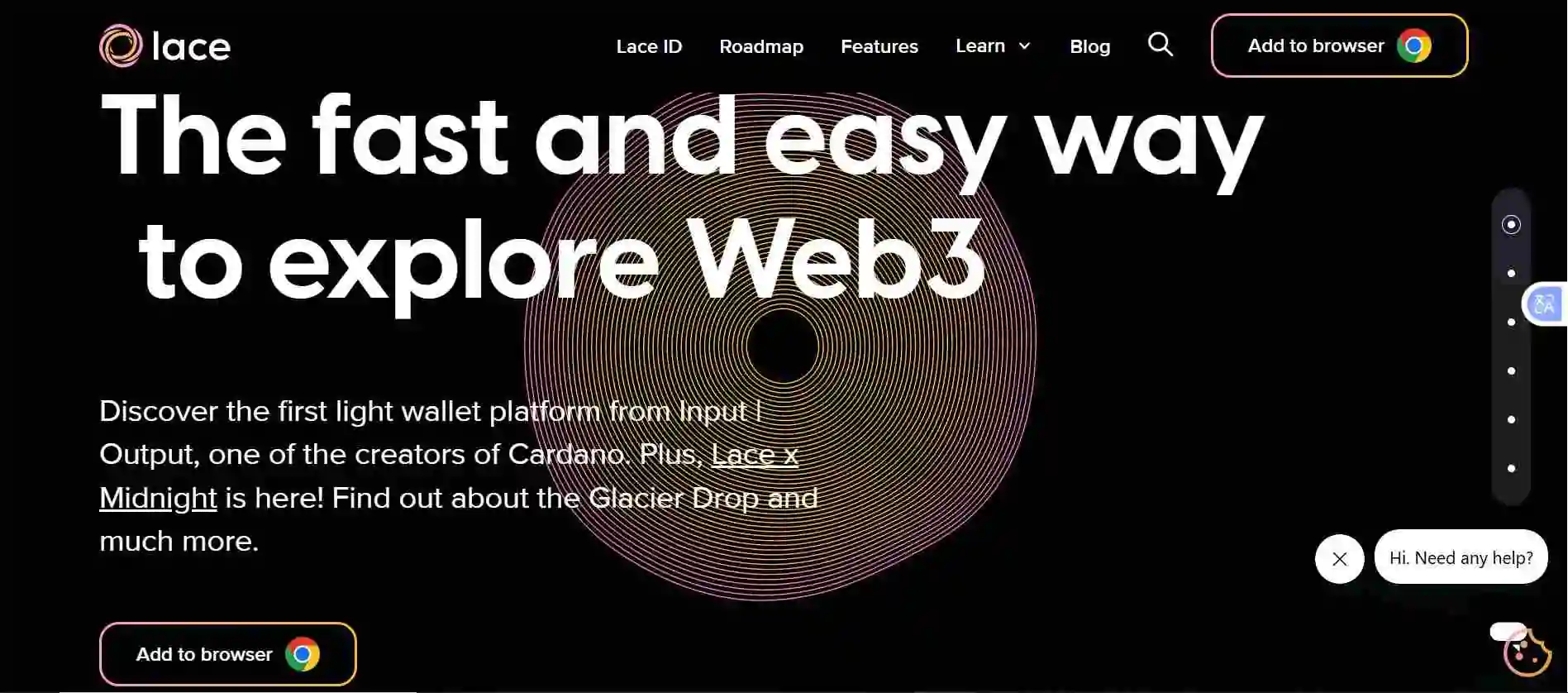
Шаг 2: Выделите Скачать кружево В этом разделе выберите предпочтительный вариант загрузки расширения для вашего браузера (например, Chrome, Edge, Brave или Firefox).

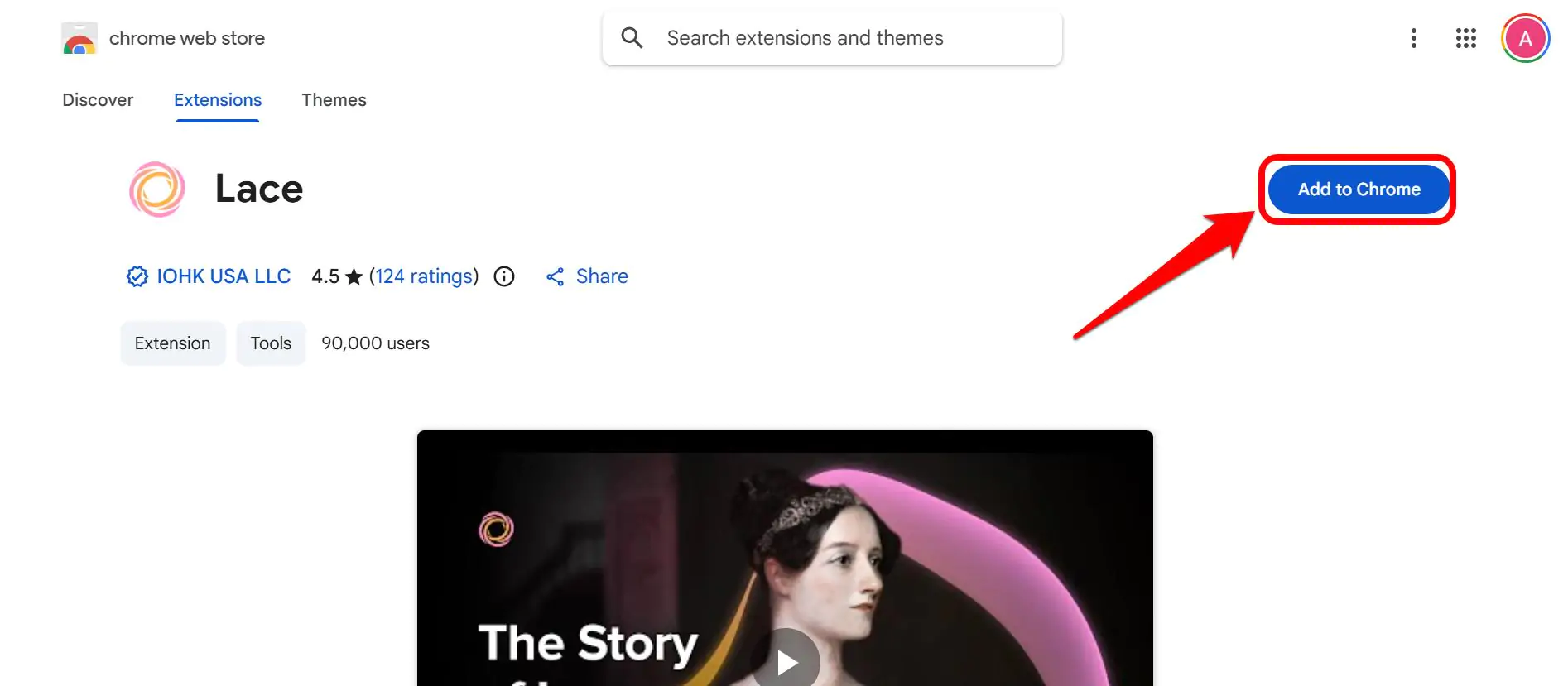
Шаг 3: Если на предыдущем шаге вы выбрали Google Chrome, нажмите здесь. Добавить в Chrome для продолжения.
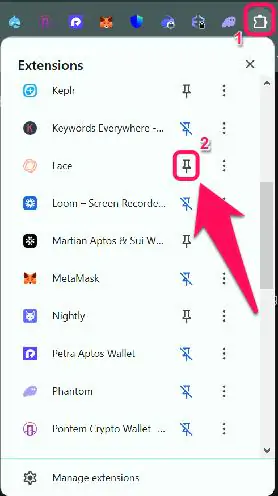
Шаг 4: После установки закрепите расширение на панели инструментов браузера для более удобного доступа.
Создание кошелька
После того, как кошелек будет подключен к вашему браузеру, вы можете создать свою учетную запись, чтобы начать работу. Lace Wallet позволяет пользователям создавать и управлять несколькими кошельками по своему усмотрению в рамках одного интерфейса. Это преимущество крайне важно для правильной организации портфеля, особенно если вы одновременно изучаете несколько функций Cardano. Вот как создать свою новую учетную запись Lace Wallet:
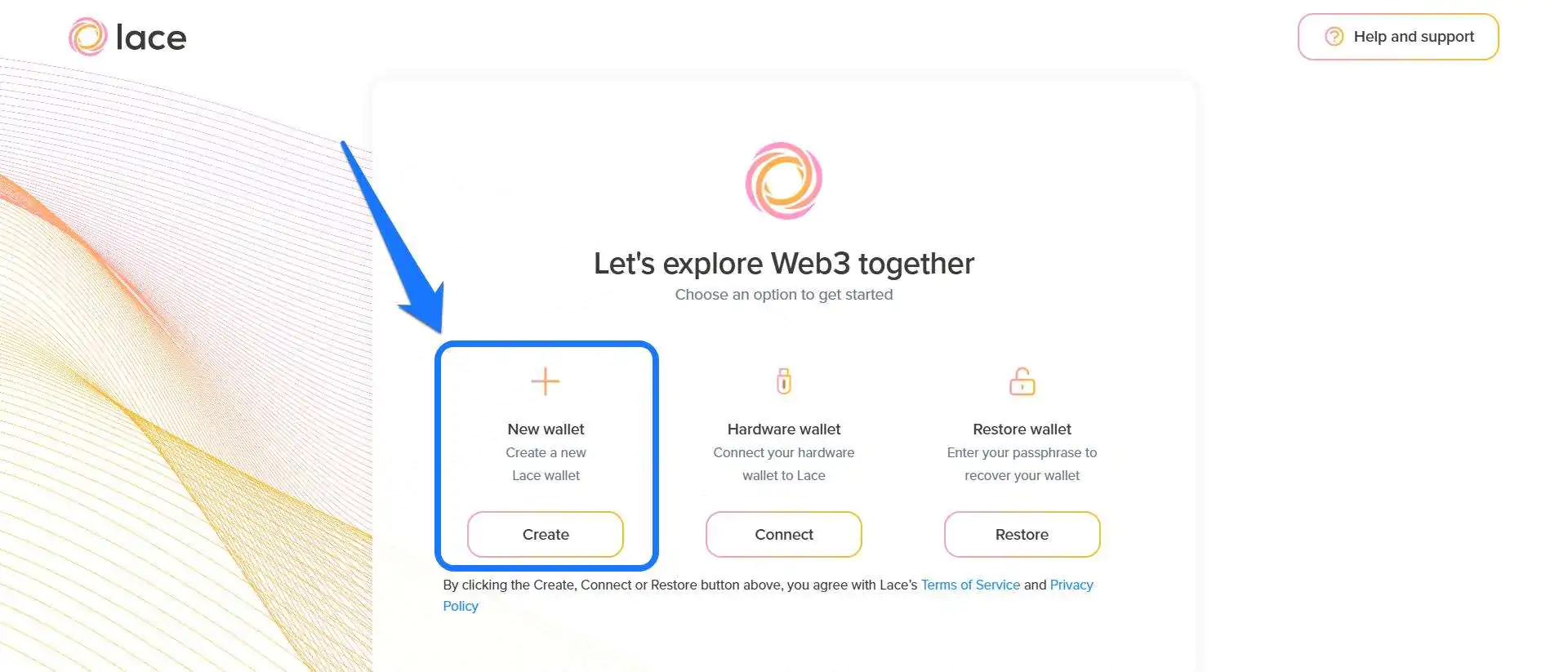
Шаг 1: Запустите расширение Lace Wallet в своем браузере. На странице регистрации нажмите Создавай.
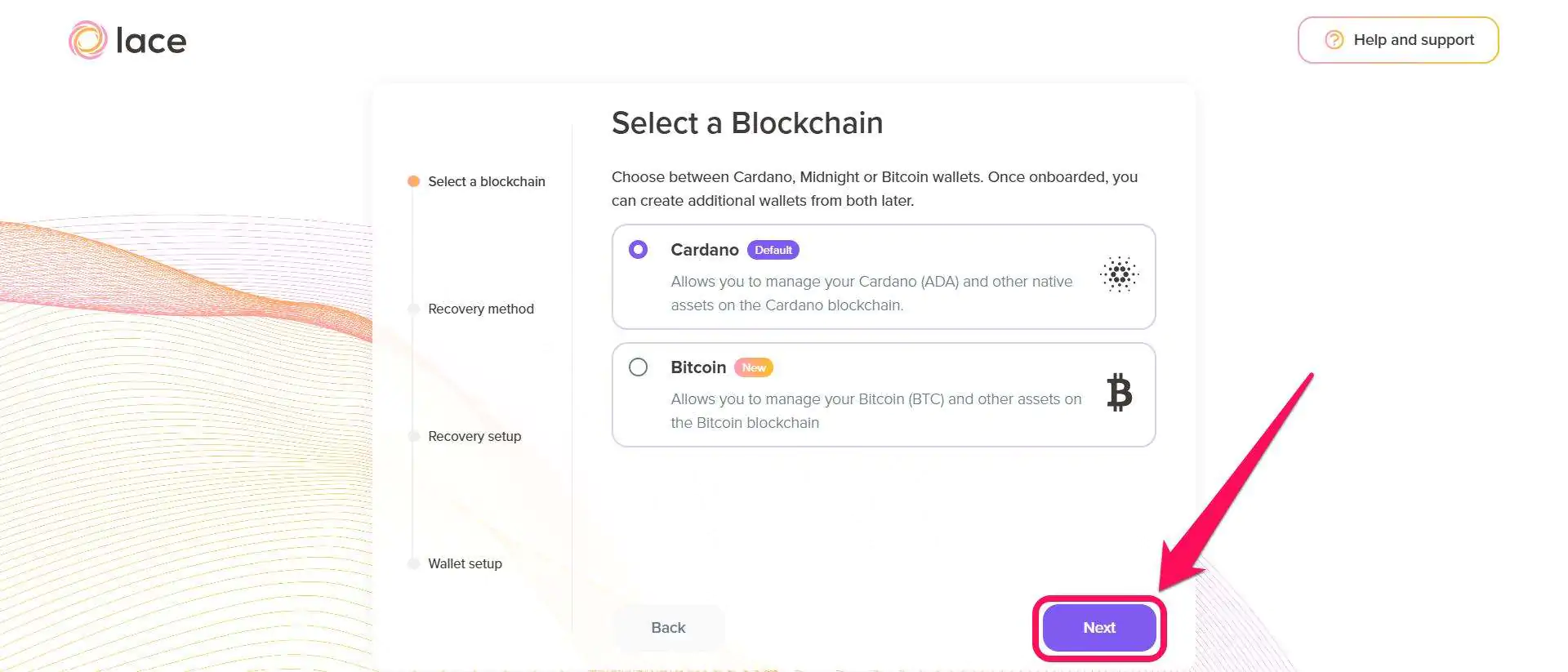
Шаг 2: Выберите блокчейн, которым хотите управлять, затем нажмите СледующаяПомните, что после регистрации вы можете создать дополнительные кошельки из других блокчейнов.
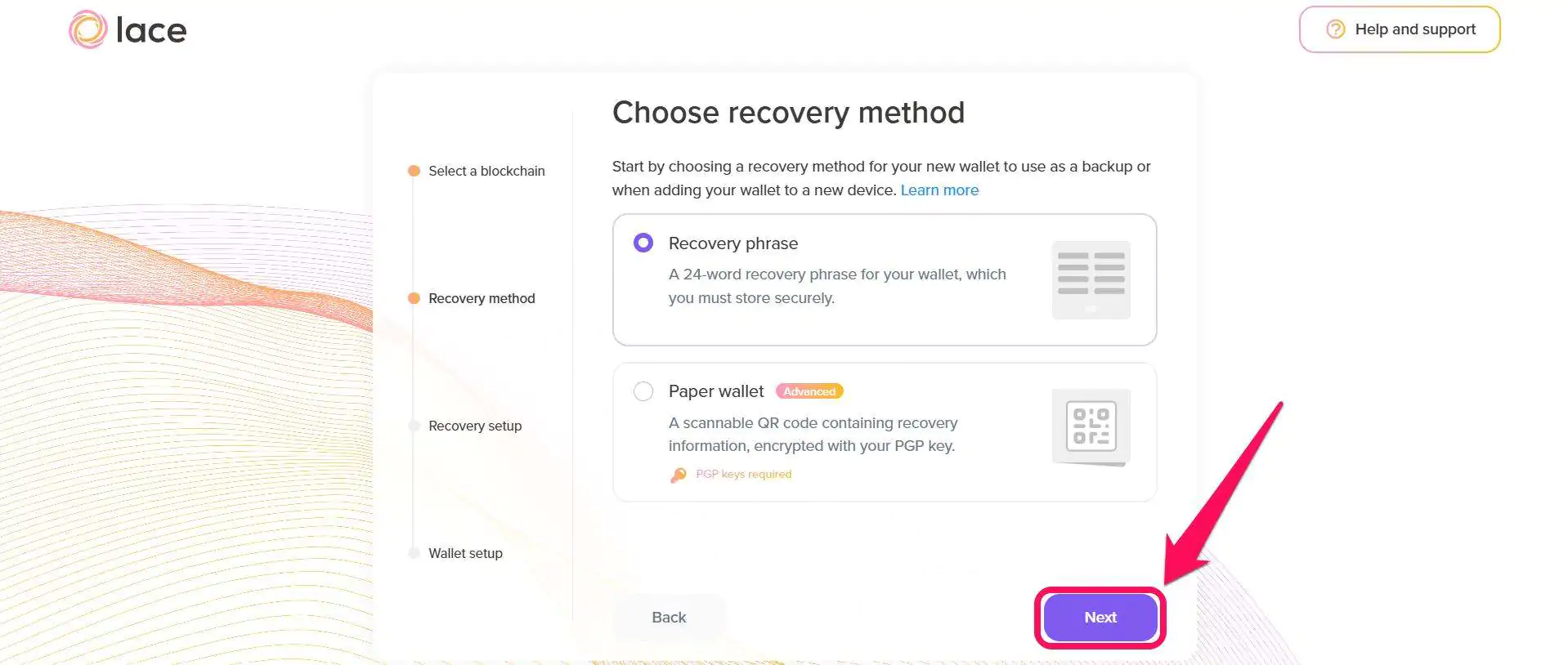
Шаг 3: Выберите предпочтительный способ восстановления кошелька: «Фраза восстановления» или расширенный режим «Бумажный кошелек»; нажмите Следующая продолжать.
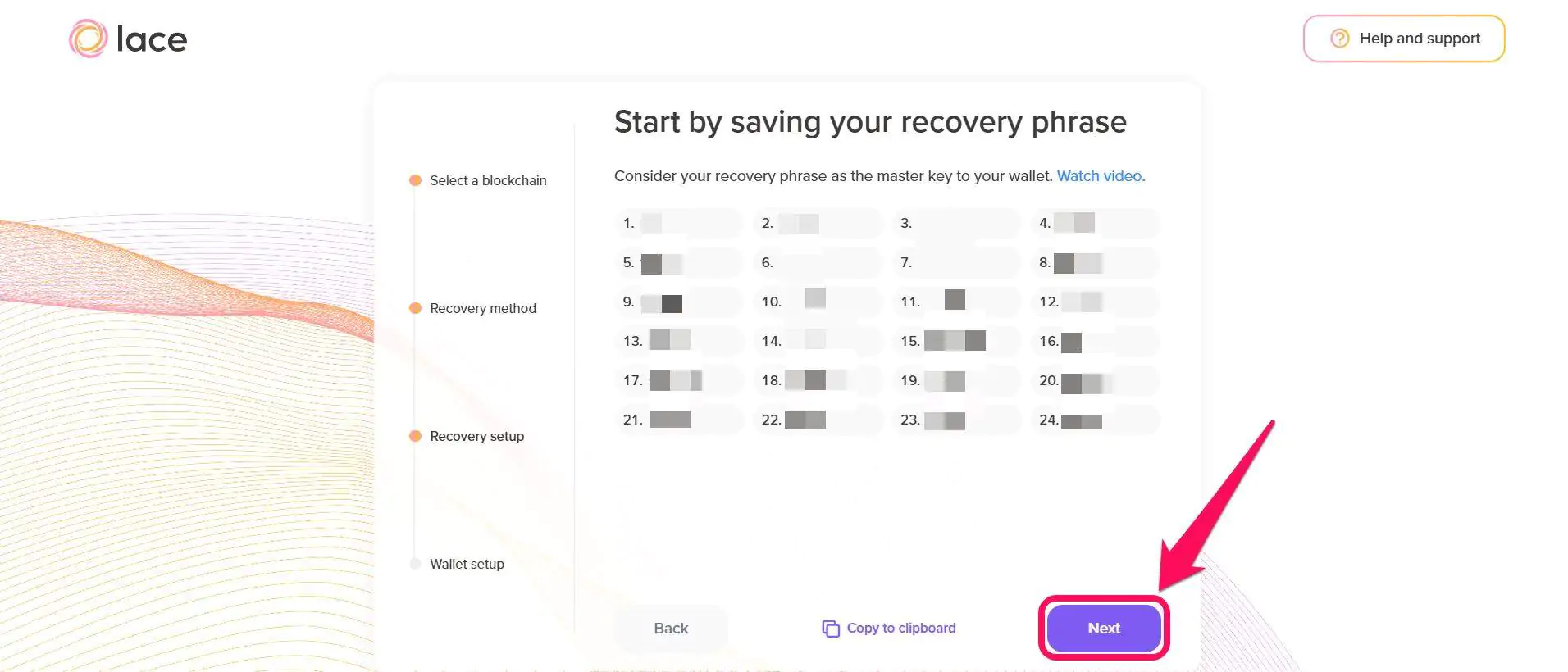
Шаг 4: Запишите на бумаге свою секретную фразу восстановления из 24 слов и храните её в надёжном месте. Если вы потеряете или забудете свою секретную фразу восстановления, вы потеряете доступ к своему кошельку и средствам.
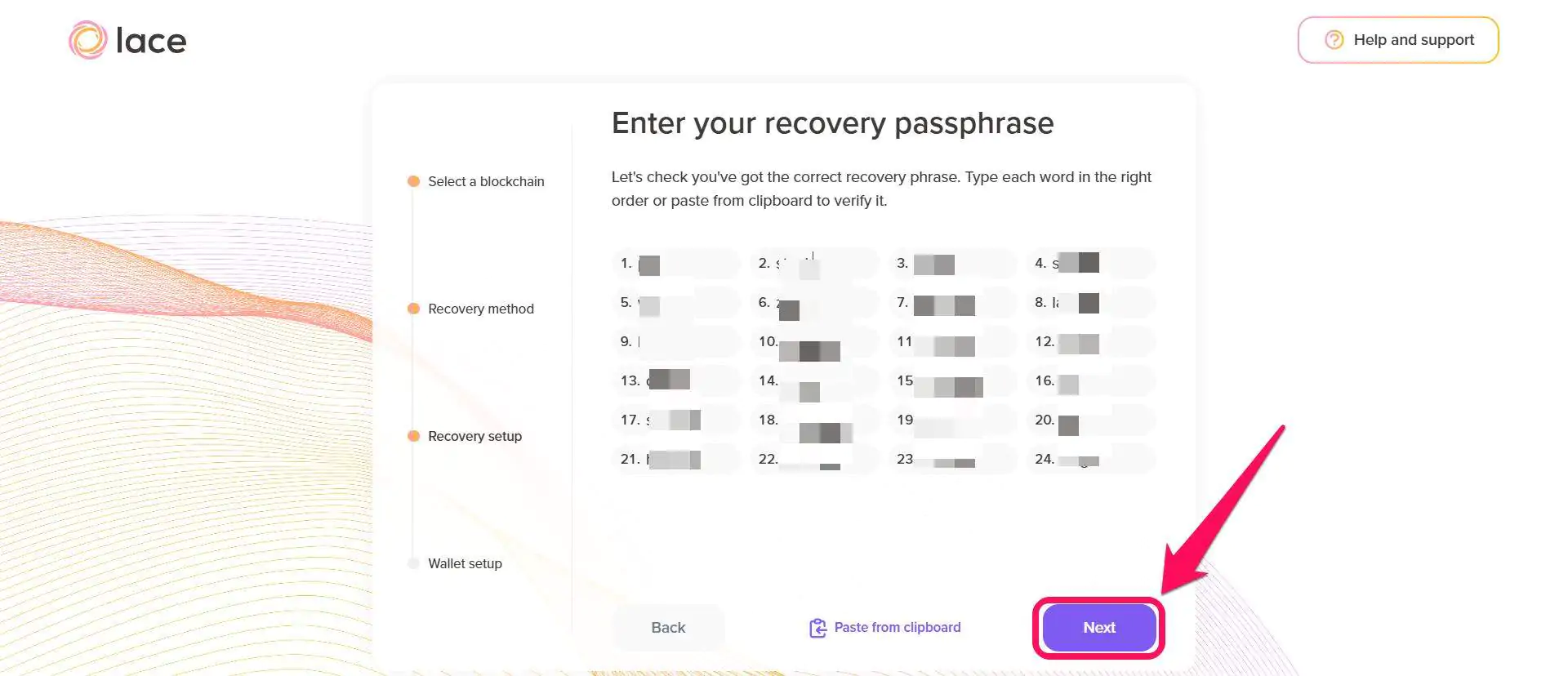
Шаг 5: После этого введите секретную фразу восстановления из 24 слов, чтобы подтвердить, что вы ее записали, и нажмите кнопку. Следующая.
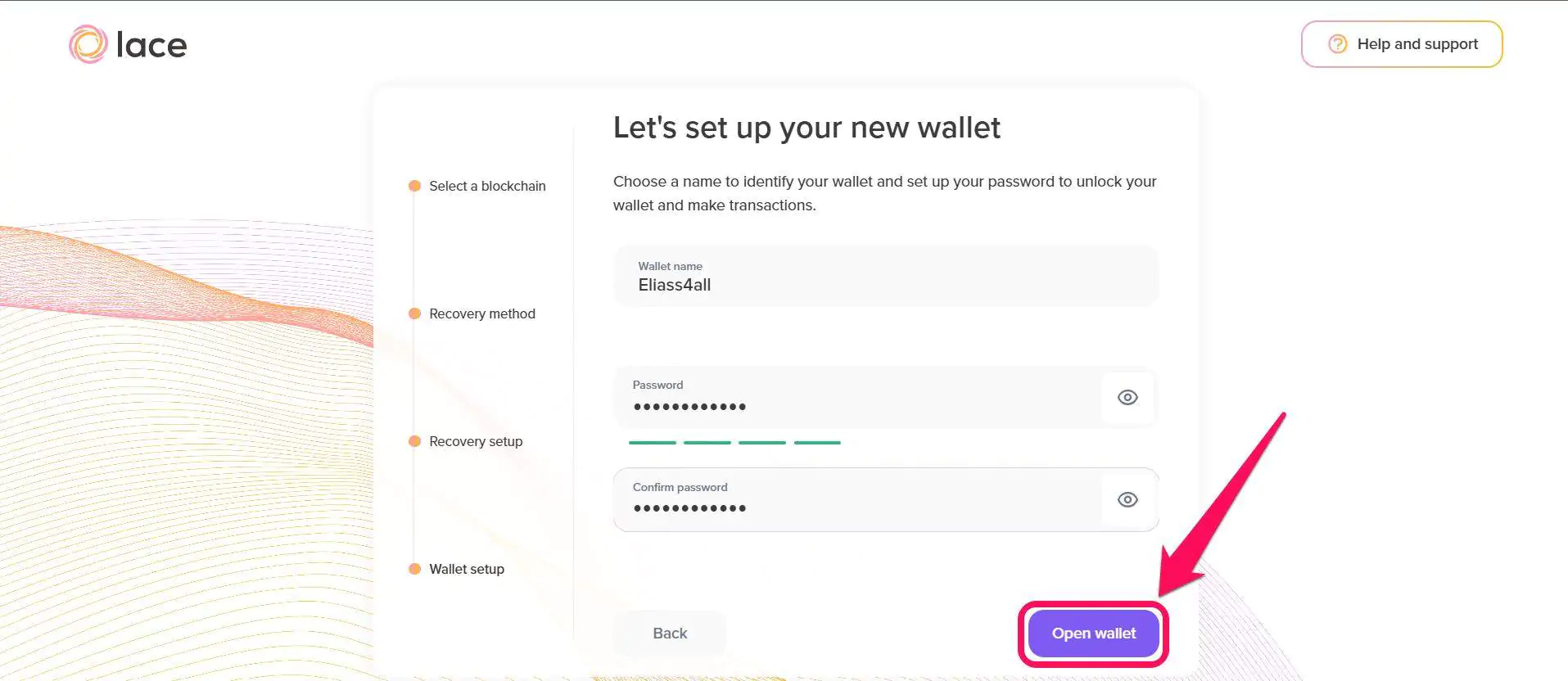
Шаг 6: Введите имя для своего нового кошелька и создайте надежный пароль, затем подтвердите пароль, чтобы продолжить. Наконец, нажмите «Открыть кошелек», чтобы завершить настройку.
Краткий обзор кружевного кошелька
Lace Wallet знаменует собой серьезный отход от традиционных громоздких кошельков с полными узлами, которые доминировали в экосистеме Cardano. Он разработан для обеспечения быстрого доступа к функциям ADA без перегрузки интерфейса. В приложении вы найдете панель управления кошельком, которая отображает ваш баланс ADA, историю транзакций и информацию об учетной записи.

Кроме того, кнопки отправки и получения позволяют переводить $ADA одним касанием. Пользователи также могут заниматься стейкингом и изучать децентрализованные приложения и NFT-рынки в разделе коллекционных предметов. Также есть Центр голосования, который позволяет пользователям регистрироваться в Project Catalyst и делегировать свое право голоса представителям DReps, чтобы помочь сформировать будущее сети. Наконец, страница настроек позволяет изменять параметры кошелька и информацию об учетной записи так часто, как вам угодно.
Резюме
Lace Wallet позволяет с легкостью исследовать экосистему Cardano, предоставляя прямой доступ к средствам. стейкинг токенов Cardano Доступность, совместимость с оборудованием и быстрая настройка кошелька через браузер. В отличие от кошельков с полным узлом, загрузка всего блокчейна которых может занять несколько часов, вы можете управлять ADA сразу после установки и начала работы с Lace Wallet.
Однако, если вы разработчик и вам нужны все технические инструменты для работы с Cardano, вам следует выбрать более мощные кошельки. Подробнее здесь. как Начните работу с кошельком Daedalus. Если вы относитесь к этой категории, то это касается Cardano.
Часто задаваемые вопросы (FAQ)
1. Есть ли у Lace Wallet мобильное приложение?
Нет, в настоящее время Lace доступен только в виде расширения для браузера Chrome, хотя в будущем ожидается расширение на другие платформы, такие как мобильные устройства, по мере развития кошелька.
2. Можно ли разместить ADA в стейкинге с помощью кошелька Lace Wallet?
Да, Lace подключается к тысячам пулов стейкинга Cardano и позволяет пользователям делегировать им ADA напрямую из интерфейса кошелька.
3. Может ли кошелек Cardano Lace хранить BTC?
Да, кошелек Cardano Lace поддерживает Bitcoin (BTC) начиная с версии 1.22.0, позволяет пользователям безопасно хранить, отправлять и получать BTC вместе с ADA.




