



- •Katana — это ориентированная на децентрализованные финансы платформа Ethereum Layer 2, разработанная для концентрации ликвидности в основных протоколах, при этом сохраняющая полную совместимость с EVM.
- •MetaMask поддерживает Katana как пользовательскую сеть, позволяя пользователям добавлять ее вручную, используя данные RPC, и взаимодействовать с децентрализованными приложениями Katana.
- •После добавления пользователи могут обмениваться активами, получать доступ к пулам заработка на основе хранилищ и переводить средства из других крупных сетей EVM.
Katana привлекла к себе внимание, поскольку ее TVL (общий объем транзакций) превысил 300 миллионов долларов примерно за 3 месяца после запуска, что, естественно, заставляет пользователей задаваться вопросом, как же на самом деле использовать эту сеть. Это руководство посвящено тому, как добавить Katana в MetaMask, начиная с основ. Сеть Katana совместима с EVM, поэтому для взаимодействия с ее децентрализованными приложениями требуется кошелек Web3. MetaMask — распространенный выбор, но он не поставляется с предустановленной Katana. Для подключения пользователям необходимо вручную добавить данные RPC Katana, чтобы MetaMask мог корректно взаимодействовать с сетью.
Поддерживает ли MetaMask сеть Katana?
Да. MetaMask поддерживает сеть Katana, поскольку она совместима с EVM, но пользователям необходимо добавить сеть вручную, введя данные RPC Katana в MetaMask.
Можно ли добавить Катану в MetaMask?
Да, вы можете добавить катану к MetaMaskПроцесс довольно прост, как только вы поймете, как работают сети EVM. Сеть Katana совместима с EVM, что означает, что ее можно использовать со стандартными кошельками Ethereum. MetaMask не включает Katana по умолчанию, поэтому пользователям необходимо добавить ее вручную, используя данные RPC сети. После добавления MetaMask позволяет взаимодействовать с децентрализованными приложениями Katana, управлять активами в сети и подписывать транзакции так же, как и в других цепочках EVM.
Как добавить катану в MetaMask
MetaMask позволяет пользователям добавлять любую сеть, совместимую с EVM, вручную вводя ее RPC-данные. Эта функция существует для того, чтобы кошельки не ограничивались сетями по умолчанию, такими как Ethereum или Polygon. Процесс добавления сети Katana аналогичен добавлению любой другой пользовательской сети. Вы открываете MetaMask, выбираете опцию добавления новой сети и вводите RPC-адрес, идентификатор цепочки и символ валюты, предоставленные Katana. После сохранения MetaMask может напрямую подключиться к сети и ее децентрализованным приложениям (dApps).
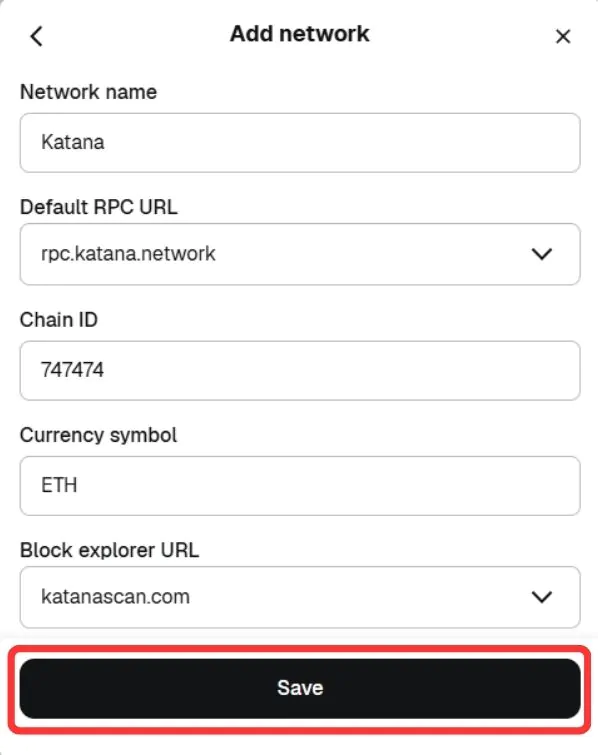
Имя сети: Катана
Новый URL-адрес RPC: https://rpc.katana.network
Идентификатор цепочки: 747474
Символ валюты: ETH
Блокировать URL-адрес проводника (необязательно): https://explorer.katanarpc.com
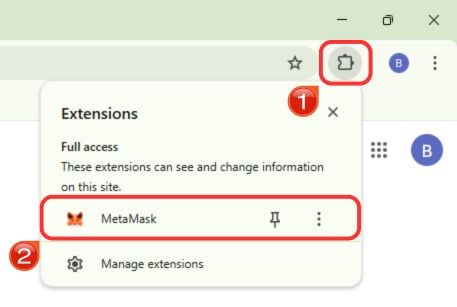
Шаг 1: Откройте приложение Расширение браузера MetaMask чтобы получить доступ к своему кошельку.
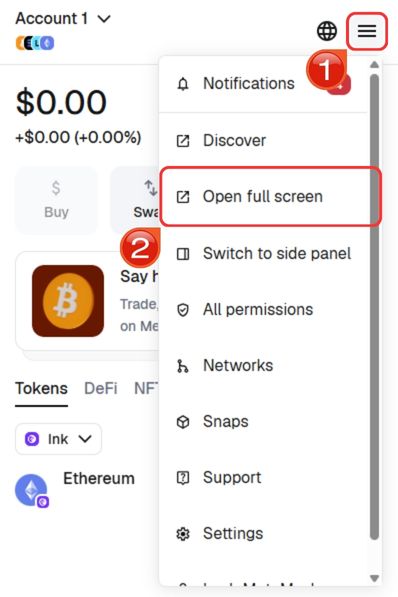
Шаг 2: Для более удобной навигации разверните MetaMask в полноэкранную вкладку браузера. Нажмите на значок меню в правом верхнем углу и выберите «Открыть в полноэкранном режиме».
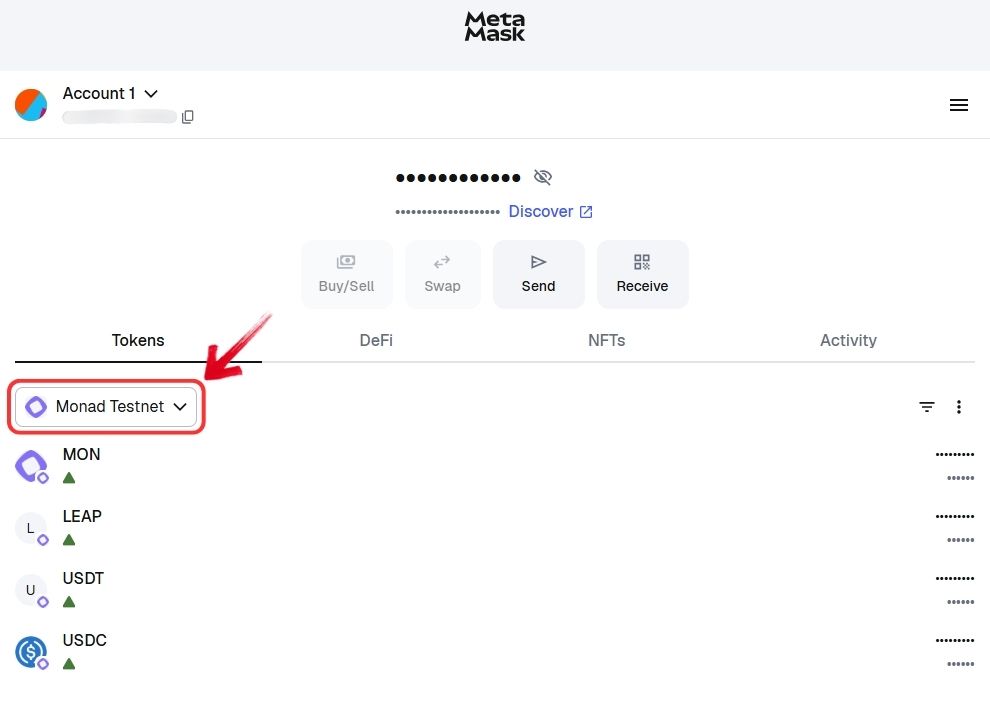
Шаг 3: Чтобы просмотреть изображение целиком, нажмите на кнопку. «Сеть» выпадающее меню в верхней части интерфейса.
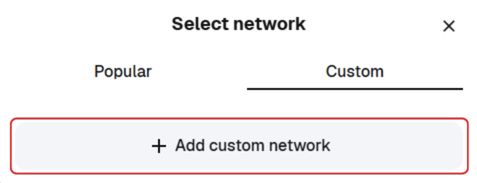
Шаг 4: Выберите «Custom» Вкладка, выберите «Добавить пользовательскую сеть».
Шаг 5: Введите данные Katana Network RPC в соответствующие поля. Внимательно проверьте информацию, затем нажмите кнопку. «Сохранить».
Шаг 6: MetaMask переключится на сеть Katana. Теперь вы можете взаимодействовать с децентрализованными приложениями и активами Katana.
Если вам нужна более быстрая настройка, вы можете использовать нашу специальную опцию «Добавить Katana в MetaMask», которая автоматически добавляет необходимые данные RPC одним щелчком мыши, позволяя быстро настроить Katana и сразу же начать взаимодействовать с сетью.
Загрузите MetaMask для вашего устройства



О Катане
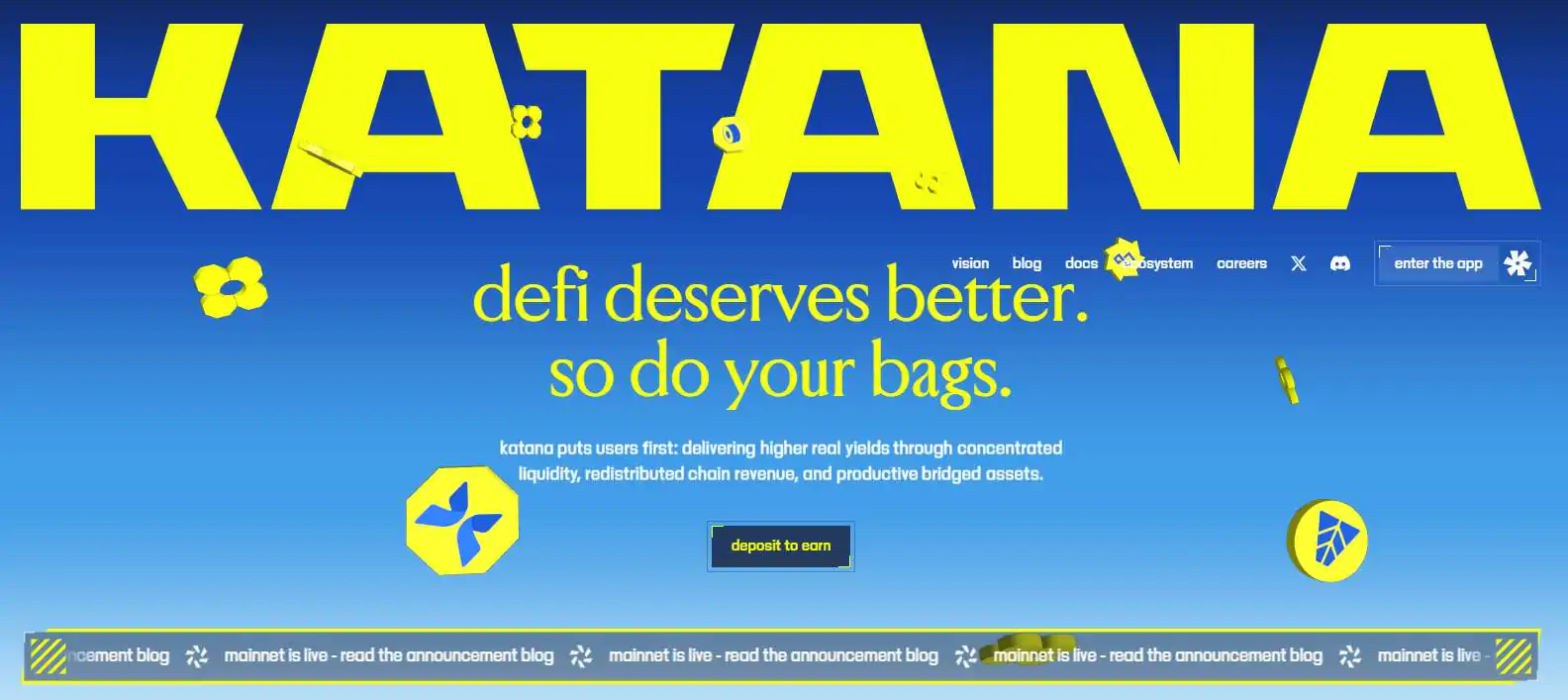
Катана Нетворк Katana — это блокчейн, созданный специально для децентрализованных финансов, с четким акцентом на эффективность ликвидности и устойчивую доходность. Вместо того чтобы распределять ликвидность между десятками протоколов, Katana концентрирует ее в основных приложениях, включая единый уровень кредитования на базе Morpho и первичную спотовую децентрализованную биржу (DEX), построенную на Sushi. Такая структура позволяет капиталу работать более эффективно, поддерживая при этом сотни приложений, построенных на его основе.
Доходность генерируется за счет таких источников, как потоки Vault Bridge, комиссии секвенсора и выручка Agora USD, а не только за счет инфляции. Katana разработана при поддержке Polygon Labs и использует Agglayer для беспрепятственного подключения к различным блокчейнам. Доказательства ZK позволяют быстрее выводить средства без длительных задержек с выводом.
Изучение Катаны через MetaMask
После подключения через MetaMask пользователи могут изучить более широкую экосистему Katana Network, которая сосредоточена на обмене токенов, заработке и управлении портфелем. Katana предлагает стратегии заработка на основе хранилищ, обмен токенов и постоянно расширяющуюся панель управления, охватывающую поиск и доходность.

В настоящее время пользователи могут обменивать более 15 активов и получать доступ к более чем 5 хранилищам заработка, а в дальнейшем планируется добавление стейкинга и заданий. Активы также можно переводить в Katana из таких сетей, как Ethereum, Arbitrum, Base. Polygonа также BNB Smart Chain, упрощающий операции между блокчейнами.
Резюме
Добавление Katana в MetaMask — это простой процесс, занимающий всего несколько минут. После настройки пользователи смогут изучать экосистему DeFi Katana, обменивать активы, переводить средства из других сетей и взаимодействовать с приложениями, основанными на доходности и хранилищах, непосредственно из своего кошелька.
Часто задаваемые вопросы (FAQ)
1. Нужны ли мне ETH в Katana для оплаты комиссий за транзакции?
Да. Katana использует ETH в качестве токена для оплаты транзакций, поэтому для совершения транзакций вам необходимо хранить ETH в самой сети Katana.
2. Можно ли использовать аппаратные кошельки с Katana в MetaMask?
Да. Аппаратные кошельки, поддерживаемые MetaMask, такие как Ledger или Trezor, можно будет использовать с Katana после добавления этой сети.
3. Что произойдет, если я отправлю ресурсы в Katana, не добавив сеть?
Если вы отправляете средства в Katana, не добавив сеть в MetaMask, деньги не будут потеряны. MetaMask использует один и тот же адрес во всех сетях, совместимых с EVM, но средства останутся скрытыми до тех пор, пока Katana не будет добавлена и выбрана в качестве активной сети.




